
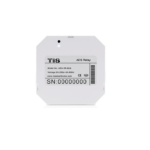
מדריך התקנה של חיישן מכ"ם OS-MMV2-IC של tis control
חיישן מכ"ם tis control OS-MMV2-IC מפרט מוצר גל: מכ"ם תדר: 24GHz גל מילימטר מכ"ם עוצמת אור: מד לוקס, 0-5000 לוקס חיישן טמפרטורה: חיישן טמפרטורה התנגדות מספר התקנים ב-1…


Provider of professional electrical testing equipment, environmental monitors, and smart home automation solutions.
TIS (Test Instrument Solutions) is a prominent manufacturer of electrical testing instruments and accessories designed for professional electricians and engineers. The company's product lineup includes multifunction testers (MFT), EV charging point testers, laser distance meters, and environmental monitoring devices such as CO2 monitors. These products are known for their reliability and compliance with safety standards like BS7671.
In addition to testing equipment, the TIS name is also associated with TIS Control, a provider of smart home automation technology. TIS Control creates intelligent solutions including smart digital locks, control panels, gate automation, and lighting control systems. This category features user manuals, installation guides, and technical documentation for both TIS Test Instrument Solutions and TIS Control products.
מדריכים אחרונים מ manuals+ נבחר עבור המותג הזה.


צפו בסרטוני התקנה, התקנה ופתרון בעיות עבור מותג זה.
שאלות נפוצות בנוגע למדריכים, רישום ותמיכה עבור מותג זה.
For many TIS smart locks (e.g., K710 or A210F series), locate the reset button on the back panel. Press and hold it for approximately 3 seconds until you hear a sound prompt or beep. The default master password usually reverts to 123456.
The TIS CO2 monitor features Automatic Baseline Correction (ABC). To calibrate manually, place the device in an outdoor environment with fresh air for about 20 minutes, then long-press the specified calibration button (often the + button) until the calibration icon appears.
Most TIS smart digital locks require 4 AAA alkaline batteries. It is recommended to use high-quality alkaline batteries and avoid mixing old and new ones.
For TIS Test Instrument Solutions products, you can contact support at sales@tis-tic.co.uk or call +44 1274 752407.