
מדריך למשתמש של Amazon Alexa Fire Tv Stick Hd
Amazon Alexa Fire Tv Stick Hd Overview What's Included MEET YOUR ALEXA VOICE REMOTE CONNECT YOUR FIRE TV STICK HD Plug the power cable (a) into your Fire TV Stick…


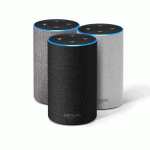
אמזון אלקסה היא שירות קולי מבוסס ענן ומערכת אקולוגית של בית חכם המשויכת לרמקולים של Echo, מכשירי Fire TV ואלפי מכשירים חכמים תואמים.
אמזון אלקסה, often known simply as Alexa, is a virtual assistant technology developed by Amazon. It powers the Amazon Echo line of smart speakers and displays, Fire TV devices, and a vast array of third-party products through the "Alexa Built-in" program. Beyond simple voice commands, Alexa serves as a central hub for smart home automation, offering capabilities such as voice interaction, music playback, making to-do lists, setting alarms, streaming podcasts, playing audiobooks, and providing weather, traffic, sports, and other real-time information.
The ecosystem allows users to control compatible smart devices—lights, thermostats, locks, and cameras—using voice commands or the Alexa app. Alexa's capabilities are extensible through "Skills," allowing developers to create custom applications that integrate specialized hardware and services. Whether integrated into a car, a television remote, or a bedside smart display, Alexa is designed to simplify daily tasks and provide hands-free assistance.
מדריכים אחרונים מ manuals+ נבחר עבור המותג הזה.




צפו בסרטוני התקנה, התקנה ופתרון בעיות עבור מותג זה.
שאלות נפוצות בנוגע למדריכים, רישום ותמיכה עבור מותג זה.
Press and hold the Action button (the button with a dot) for about 15-20 seconds until the light ring turns orange. Your device will then say it is in setup mode.
Blue indicates the device is listening or processing. Yellow signifies a notification or message. Red means the microphone is muted. Orange indicates the device is in setup mode or trying to connect to the internet.
Open the Alexa app, go to Devices > Echo & Alexa, and select your device. Select 'Change' next to Wi-Fi Network and follow the in-app instructions to update connectivity.
Unplug your Fire TV device from power, then press and hold the Left button, Menu button, and Back button simultaneously on the remote for 12 seconds. Release, wait 5 seconds, remove the batteries, plug your Fire TV back in, and reinstall the batteries.