1. הקדמה
This manual provides essential information for setting up, operating, and maintaining your DOOGEE Note 56 X PRO Android 16 smartphone. Please read this guide thoroughly to ensure proper usage and to maximize the device's capabilities. Keep this manual for future reference.
2. מה בקופסה
עם פתיחת האריזה, יש לוודא שכל הפריטים המפורטים להלן נמצאים:
- 1x DOOGEE NOTE 56 X PRO Cell Phone
- 1x כבל USB מסוג C
- 1x מטען
- 1x כיסוי לטלפון
- 1x תעודת אחריות
- מדריך למשתמש אחד (מסמך זה)
- 1x Card Removal Pin
- 1x Protective Film (Pre-applied)

Image: Contents of the DOOGEE Note 56 X PRO retail box.
3. המכשיר נגמרview
Familiarize yourself with the physical components of your DOOGEE Note 56 X PRO smartphone.

תמונה: חזית ואחורה view of the DOOGEE Note 56 X PRO.
תמונה: פרו צדדיfile of the DOOGEE Note 56 X PRO, demonstrating its slim design.

תמונה: למעלה ולמטה view of the DOOGEE Note 56 X PRO, indicating port locations.
4. התקנה
4.1. התקנת כרטיסי SIM וכרטיסי TF
- אתר את מגש כרטיס ה-SIM בצד הטלפון.
- הכנס את פין הסרת הכרטיס המצורף לחור הקטן שליד המגש כדי להוציא אותו.
- Place your Nano-SIM card(s) and/or TF (microSD) card into the tray according to the diagram. The phone supports dual SIM (SIM1 + SIM2) or one SIM card and one TF card for expandable storage up to 2TB.
- הכנס בזהירות את המגש בחזרה לטלפון עד שהוא יהיה שטוח עם גוף המכשיר.
4.2. הפעלה ראשונית וטעינה
- לחץ והחזק את לחצן ההפעלה (הממוקם בצד) עד להופעת הלוגו של DOOGEE.
- פעל לפי ההוראות שעל המסך כדי להשלים את ההגדרה הראשונית, כולל בחירת שפה, חיבור Wi-Fi והגדרת חשבון Google.
- To charge the phone, connect the Type-C USB cable to the phone's charging port and the other end to the provided charger. Plug the charger into a power outlet. The phone supports 10W fast charging.
- לקבלת חיי סוללה אופטימליים, יש לטעון את המכשיר במלואו לפני השימוש הראשון.
5. הפעלת הטלפון
5.1. מערכת הפעלה אנדרואיד 16
The DOOGEE Note 56 X PRO runs on the Android 16 operating system, offering an intuitive user experience with enhanced features:
- Game Space: מיטוב ביצועי המשחק ונהל התראות במהלך המשחק.
- חישת גוף חכמה: Utilize advanced sensor capabilities for various applications.
- Screen Sense: Intelligent screen features for improved interaction.
- Video Display Enhancement: Optimized visual quality for video playback.
- כתוביות בשידור חי: Real-time captioning for audio content.
- מרחב פרטי: Create a secure, isolated environment for sensitive apps and data.
- מצב מערכת כפולה: Run two separate system environments for enhanced privacy or work/personal separation.
- לוח גזירה סופר: Advanced clipboard functionality for efficient copy-pasting.
- מסך מפוצל: Use two applications simultaneously on the same screen for multitasking.

תמונה: מעלview של תכונות אנדרואיד 16.
5.2. Calls, Messages, and Internet
- ביצוע שיחות: הקש על סמל הטלפון, הזן את המספר והקש על כפתור השיחה.
- שליחת הודעות: הקישו על סמל ההודעות, התחל שיחה חדשה, הזן את הנמען וההודעה ולאחר מכן שלח.
- קישוריות לאינטרנט: Connect to Wi-Fi via Settings > Network & internet > Wi-Fi. Ensure mobile data is enabled via Settings > Network & internet > Mobile network for cellular internet access.
5.3. פונקציות המצלמה
The phone features a 13MP main camera and an 8MP front camera, enhanced by Google intelligent camera features.
- מצלם: פתחו את אפליקציית המצלמה, מקמו את התמונה שלכם והקישו על כפתור הצילום.
- החלפת מצלמות: Tap the camera switch icon to toggle between the main and front cameras.
- מצלמת גוגל חכמה: Utilize features like homework analysis, view search, and e-commerce search directly from the camera interface.

Image: Camera specifications and capabilities.
5.4. תכונות אבטחה
- ביטול נעילת פנים: רשום את הפנים שלך לפתיחה מהירה ומאובטחת.
- זיהוי טביעות אצבע צדדיות: Use the side-mounted fingerprint sensor for convenient access.
5.5. NFC ו-GPS
- NFC (תקשורת קרוב לשדה): Enable NFC in settings to use features like Google Pay for contactless payments.
- GPS: The phone supports Beidou, Galileo, Glonass, and GPS navigation systems for accurate location services.
5.6. Google Gemini AI Assistant
The integrated Google Gemini AI assistant offers advanced functionalities:
- ג'מיני לייב: Engage in real-time conversations with the AI.
- Unleash Creativity: Generate ideas and creative content.
- Smarter Insights: Gain deeper understanding from information.
- Language Partner: Assist with language learning and translation.

Image: Key connectivity and security features.
6. תחזוקה
6.1. טיפול בסוללה
The DOOGEE Note 56 X PRO is equipped with a 6150mAh Silicon-Carbon battery.
- השתמש רק במטען ובכבל המצורפים כדי למנוע נזק.
- הימנעו מחשיפת הטלפון לטמפרטורות קיצוניות.
- The phone supports OTG reverse charging, allowing it to act as a power bank for other devices.

תמונה: הערכות קיבולת ושימוש בסוללה.
6.2. ניקוי המכשיר
Gently wipe the screen and body with a soft, lint-free cloth. Avoid using harsh chemicals or abrasive materials.
7. פתרון תקלות
אם נתקלת בבעיות עם המכשיר שלך, נסה את הפתרונות הנפוצים הבאים:
- הטלפון לא נדלק: ודא שהסוללה טעונה. חבר את המטען והמתן מספר דקות לפני שתנסה להפעיל שוב.
- אפליקציות קורסות: סגור והפעל מחדש את האפליקציה. אם הבעיה נמשכת, נקה את המטמון של האפליקציה או התקן אותה מחדש.
- קליטת רשת חלשה: בדוק את התקנת כרטיס ה-SIM שלך. עבור לאזור עם כיסוי רשת טוב יותר.
- המסך לא מגיב: Restart the phone by holding the power button.
- הסוללה מתרוקנת במהירות: Reduce screen brightness, close unused apps, or disable unnecessary features like GPS or Bluetooth when not in use.
For more complex issues, refer to the official DOOGEE support resources or contact customer service.
8. מפרטים
Key technical specifications for the DOOGEE Note 56 X PRO:
| תכונה | מִפרָט |
|---|---|
| שם הדגם | DOOGEE NOTE 56 X PRO |
| מַעֲרֶכֶת הַפעָלָה | אנדרואיד 16 |
| מעבד | Unisoc T7225 Octa-Core Chipset |
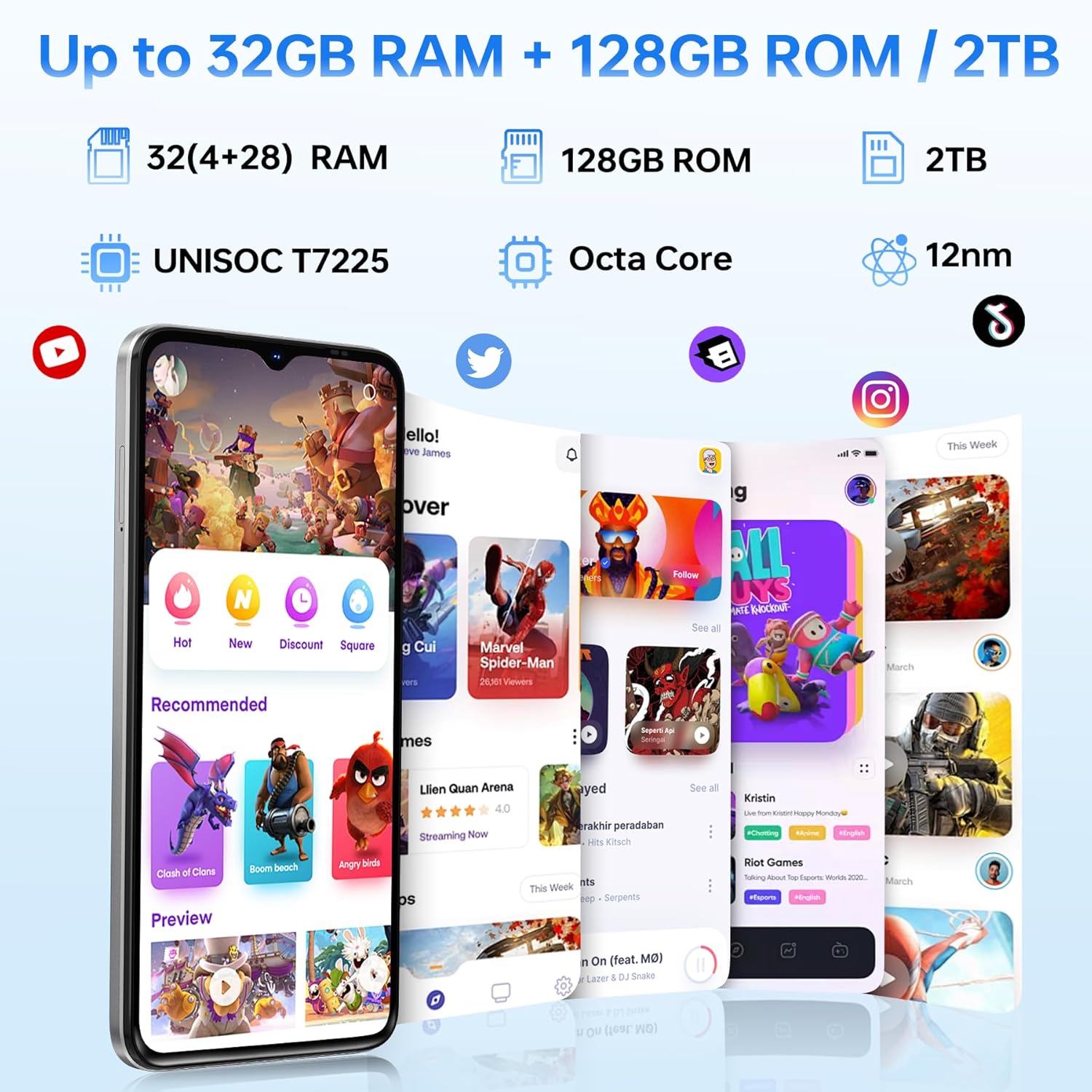
| אַיִל | 32GB (4GB basic + up to 28GB extended) |
| אחסון פנימי | 128GB |
| אחסון ניתן להרחבה | עד 2TB באמצעות כרטיס TF |
| גודל מסך | 6.56 אינץ' |
| סוג תצוגה | HD+ IPS Waterdrop Display |
| הַחְלָטָה | 720*1612 |
| קצב רענון | 90 הרץ |
| מצלמה ראשית | 13MP |
| מצלמה קדמית | 8MP |
| קיבולת סוללה | 6150mAh Silicon-Carbon |
| טְעִינָה | טעינה מהירה של 10W, טעינה הפוכה של OTG |
| קישוריות | 4G, Bluetooth 5.0, NFC, Wi-Fi 2.4G/5G |
| ניווט | GPS, גלונאס, גלילאו, ביידו |
| ג'ק אודיו | 3.5 מ"מ |
| מידות | 8.45mm Ultra-Slim |
| מִשׁקָל | 195 גרם |
9. המוצר נגמרview וִידֵאוֹ
צפו בסרטון הזה לקבלת הצצה חזותיתview of the DOOGEE Note 56 X PRO's design and key features.
Video: DOOGEE Note 56 X PRO Android 16 Cell Phone Unlocked - Product Overview.
10. אחריות ותמיכה
DOOGEE provides a 30-day no-reason return policy for this product. Additionally, long-term technical support and 24-hour online customer service are available. If you have any questions or require assistance with your DOOGEE Note 56 X PRO, please contact the DOOGEE customer service team.