1. הקדמה
Thank you for choosing the TOOLTOP 938BD+-I 2-in-1 Hot Air Rework and Soldering Station. This device combines a hot air gun and a soldering iron, offering a versatile solution for BGA rework, desoldering, SMD welding, and general electronic repair. This manual provides essential information for safe operation, setup, maintenance, and troubleshooting to ensure optimal performance and longevity of your station.

Image 1.1: The TOOLTOP 938BD+-I 2-in-1 Hot Air Rework and Soldering Station, showing the main unit, hot air gun, soldering iron, and various nozzles.
2. הוראות בטיחות
Read all safety warnings and instructions before using this product. Failure to follow the warnings and instructions may result in electric shock, fire, or serious injury.
- בטיחות חשמל: ודא שספק הכוח מתאים לנפחtage requirements of the station. Do not operate the station with a damaged power cord or plug. Always disconnect power before cleaning or servicing.
- סכנת חום: The hot air gun and soldering iron tips reach very high temperatures. Avoid direct contact with skin or flammable materials. Use heat-resistant surfaces and stands. Allow components to cool before handling.
- אוורור אדים: Soldering and desoldering processes produce fumes that can be harmful. Always operate the station in a well-ventilated area or use a fume extractor.
- אמצעי זהירות נגד חשמל סטטי: This station features an anti-static design. However, always take additional anti-static measures when working with sensitive electronic components.
- ילדים וחיות מחמד: הרחיקו את תחנת ההלחמה מהישג ידם של ילדים וחיות מחמד.
- שימוש נכון: Use the station only for its intended purpose. Do not modify the unit or use non-approved accessories.
3. תכולת החבילה
ודא שכל הפריטים המפורטים להלן נמצאים בחבילה שלך:
- 1 x TOOLTOP 938BD+-I Main Control Unit
- 1 x אקדח אוויר חם
- 1 x Soldering Iron
- 1 x Hot Air Gun Holder
- 1 x Soldering Iron Stand with Tip Cleaner
- 4 x פיות אוויר חם (בגדלים שונים)
- 1 x כבל מתח
- 1 x מדריך למשתמש
4. התקנה
- לִפְרוֹק: הוצא בזהירות את כל הרכיבים מהאריזה. בדוק אם נגרם נזק במהלך ההובלה.
- מיקום: Place the main control unit on a stable, heat-resistant, and well-ventilated workbench. Ensure sufficient space around the unit for airflow.
- חיבור אקדח אוויר חם: Plug the hot air gun connector into the designated port labeled "SMD REWORK" on the front panel of the main unit. Secure the connection.
- חבר מלחם: Plug the soldering iron connector into the designated port labeled "SOLDERING STATION" on the front panel. Secure the connection.
- Install Holders: Place the hot air gun holder and soldering iron stand in convenient locations on your workbench. Ensure the hot air gun holder is stable and can safely hold the hot air gun when not in use. The soldering iron stand should be placed where it is easily accessible and stable.
- חיבור חשמל: Connect the power cord to the main unit and then to a grounded electrical outlet.
5. הוראות הפעלה
5.1 תפעול כללי
- הפעלה/כיבוי: Press the main power switch located on the front panel to turn the station on or off. The LCD display will illuminate upon power-on.
- יחידת טמפרטורה: The station supports both Celsius (°C) and Fahrenheit (°F) temperature displays. Refer to the manual for specific instructions on switching between units, typically involving a button press or menu option.
- תיקון טמפרטורה דיגיטלי: If temperature readings appear inaccurate, the station allows for digital temperature correction. Consult the full manual for calibration procedures.
5.2 Hot Air Rework Station

Image 5.1: Close-up of the Hot Air Rework Station, highlighting its temperature range, airflow type, air volume, and LCD display.
- לְהַפְעִיל: Press the dedicated button for the hot air rework function. The display will show the current and set temperatures.
- התאמת טמפרטורה: Use the control knob or buttons to set the desired temperature. The hot air gun operates within a range of 100°C to 480°C (212°F to 896°F). The advanced PID temperature control system ensures fast and precise adjustments.
- התאמת זרימת אוויר: Adjust the airflow using the dedicated control. The airflow type is a brushless fan, providing smooth air delivery with a maximum volume of <120 L/min.
- בחירת זרבובית: Choose an appropriate nozzle for your application and attach it securely to the hot air gun.
- מִבצָע: Direct the hot air gun towards the component to be reworked. Maintain a safe distance to prevent damage to surrounding components.
- Fan Malfunction Protection: The unit is equipped with fan malfunction protection, which will alert the user and potentially shut down the heating element if a fan issue is detected, enhancing safety.
5.3 תחנת הלחמה
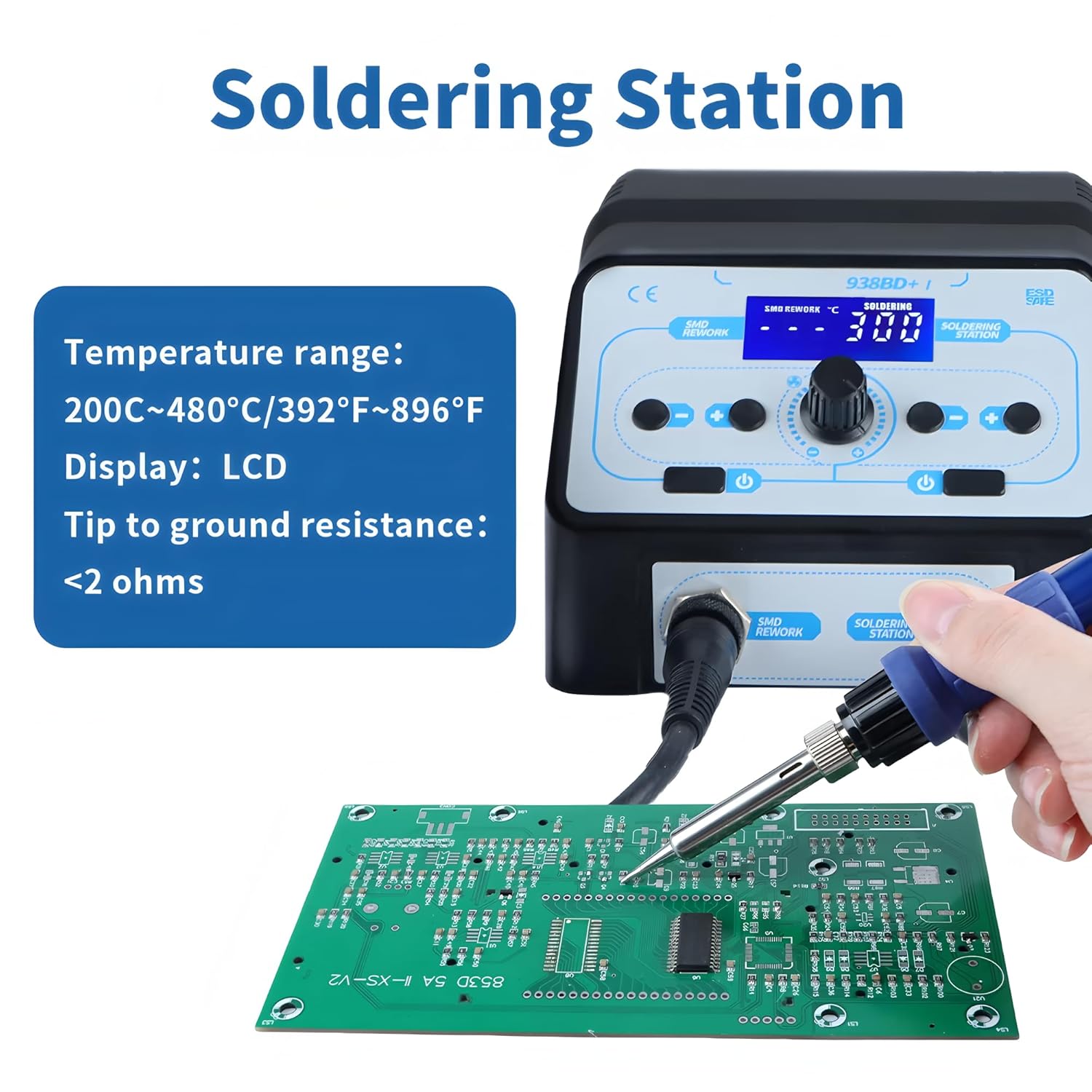
Image 5.2: Close-up of the Soldering Station, detailing its temperature range, display type, and tip-to-ground resistance.
- לְהַפְעִיל: Press the dedicated button for the soldering iron function. The display will show the current and set temperatures.
- התאמת טמפרטורה: Use the control knob or buttons to set the desired temperature. The soldering iron operates within a range of 200°C to 480°C (392°F to 896°F).
- חימום מוקדם: Allow the soldering iron to reach the set temperature before use. The PID control ensures rapid heating.
- הַלחָמָה: Apply solder to the joint, ensuring proper wetting. The tip-to-ground resistance is <2 ohms, providing stable performance.
- מצב שינה: The soldering iron features a 10-minute non-adjustable sleep mode. If the iron is left idle in its stand for approximately 10 minutes, it will automatically enter sleep mode to conserve energy and prolong tip life. It will resume operation when picked up.

Image 5.3: The soldering station entering 10-minute sleep mode, indicated by 'SLP' on the display.
6. תחזוקה
6.1 תחזוקת קצה מלחם
- ניקוי: Regularly clean the soldering iron tip using the built-in tip cleaner (brass wool) in the soldering iron stand. This removes oxidation and old solder, ensuring efficient heat transfer.
- שימור: Always tin the tip with a fresh layer of solder before storing and after cleaning to prevent oxidation.
- תַחֲלִיף: Replace the soldering tip when it becomes excessively worn or corroded, as this can affect performance.
6.2 Hot Air Gun Nozzle Maintenance
- ניקוי: Ensure the nozzles are free from debris or solder splatter. Clean them gently when cool.
- תַחֲלִיף: Replace nozzles if they become damaged or deformed, as this can affect airflow and heat distribution.
6.3 ניקיון כללי
- יְחִידָה: Wipe the main unit and handles with a soft, damp cloth when the unit is cool and unplugged. Do not use abrasive cleaners or solvents.
- פתחי אוורור: Ensure the air vents on the main unit are clear of dust and obstructions to maintain proper cooling.
7. פתרון תקלות
| בְּעָיָה | סיבה אפשרית | פִּתָרוֹן |
|---|---|---|
| התחנה לא נדלקת. | No power supply; faulty power cord; main switch off. | Check power cord connection and outlet. Ensure main power switch is in the 'ON' position. |
| Hot air gun or soldering iron not heating. | Loose connection; heating element failure; incorrect temperature setting. | Check connections. Verify temperature settings. If problem persists, contact support. |
| Hot air gun fan not working or weak airflow. | Fan malfunction; blocked air intake/outlet. | Check for obstructions. If fan malfunction protection is active, power cycle the unit. Contact support if issue continues. |
| Soldering iron tip not melting solder effectively. | Tip oxidized or dirty; incorrect temperature; worn tip. | Clean and re-tin the tip. Increase temperature if necessary. Replace tip if worn. |
| התצוגה מציגה קוד שגיאה. | תקלה פנימית. | עיין במדריך המלא לקבלת קודי שגיאה ספציפיים או צור קשר עם תמיכת הלקוחות. |
8. מפרטים
- דֶגֶם: TT-Yihua-938BD+-I
- כוח כולל: 750W
- טווח טמפרטורות אקדח אוויר חם: 100°C ~ 480°C (212°F ~ 896°F)
- טווח טמפרטורות מלחם: 200°C ~ 480°C (392°F ~ 896°F)
- Airflow Type: Brushless Fan
- נפח אוויר: <120 ליטר לדקה
- לְהַצִיג: LCD
- Soldering Iron Tip to Ground Resistance: <2 אוהם
- הסמכות: CE, RoHS, FCC
- מצב שינה: 10-minute (non-adjustable)
9. אחריות ותמיכה
The TOOLTOP 938BD+-I Soldering Station is designed for reliability and performance. This product complies with EU safety standards and has a 1-year EU Spare Part Availability Duration.
For technical support, warranty claims, or spare parts, please contact your retailer or the manufacturer directly. Provide your model number (TT-Yihua-938BD+-I) and purchase date when seeking assistance.


