מָבוֹא
This manual provides detailed instructions for the safe and efficient operation of your Maycall MC-28 4G LTE Walkie Talkies. Please read this manual thoroughly before using the device to ensure proper functionality and to prevent damage. The Maycall MC-28 is a Push-to-Talk Over Cellular (POC) two-way radio designed for wide-area communication using 2G/3G/4G LTE networks. It features a durable design, a 3000mAh battery, and clear audio quality for reliable communication.
תוכן החבילה
ודא שכל הפריטים המפורטים להלן כלולים בחבילה שלך:
- MC-28 Walkie Talkie Unit (x2)
- סוללה (x2)
- SIM Card (x2)
- Type-C Line (x2)
- מתאם (x2)
- קליפס אחורי (x2)
- מדריך הוראות
- שרוך (x2)

איור 1: תכולת החבילה
הגדרה
1. התקנת כרטיס SIM וסוללה
Your Maycall MC-28 walkie talkies include pre-installed SIM cards that offer lifetime service without additional fees. If you need to access or re-install the SIM card, follow these steps:
- Remove the battery cover from the back of the walkie talkie.
- הסר בזהירות את הסוללה.
- Locate the SIM card slot. The SIM card is typically pre-installed.
- To install the battery, align the bottom of the battery with the slot and press firmly until it clicks into place.
- החזר את מכסה הסוללה למקומו.
Video 1: Instructions for SIM card and battery installation. This video demonstrates how to access the SIM card slot and properly install the battery into the walkie talkie unit.

Figure 2: Lifetime SIM Card Information
2. הפעלה וחיבור ראשוני
- To power on the device, turn the top knob clockwise.
- Upon powering on, a QR code will be displayed on the screen. The device will automatically search for network signals.
- After approximately one minute, the device will automatically enter the encrypted channel, indicating it is ready for use.
3. Pairing and Group Formation
To pair your walkie talkies and form a group, follow the instructions provided via the QR code on the product packaging or refer to the dedicated pairing guide video:
- Scan the QR code found on the product box using your mobile phone's browser.
- Follow the on-screen prompts to register your devices and form a group. You will need to enter recipient information and a group name.
- If adding multiple devices, use the "add" button on the registration interface.
- Confirm the registration to complete the pairing process.
Video 2: Global Walkie-Talkie Pairing Guide. This video demonstrates the process of scanning a QR code to register and pair your walkie talkies for group communication.

Figure 3: Quick Team Formation via QR Code
הוראות הפעלה
בקרות בסיסיות
- כַּפתוֹר: The top knob controls power on/off and adjusts the volume level.
- לחצן PTT: Located on the left side of the device. Press and hold to transmit, then release to listen.
- Screen Buttons: At the bottom of the screen, you will find:
- Green Menu Key / Confirm Key
- מפתח עילי
- מקש למטה
- Red Return Key / Lock Key
- מקשי קיצור: On the left side of the screen buttons are the Group Shortcut Key and the Member Shortcut Key.
Call Modes
The MC-28 supports various call modes:
- שיחה בודדת: For one-on-one communication with a specific member.
- שיחה קבוצתית: For communication with all members within a pre-defined group.
- כל שיחות: For broadcasting messages to a large number of users.
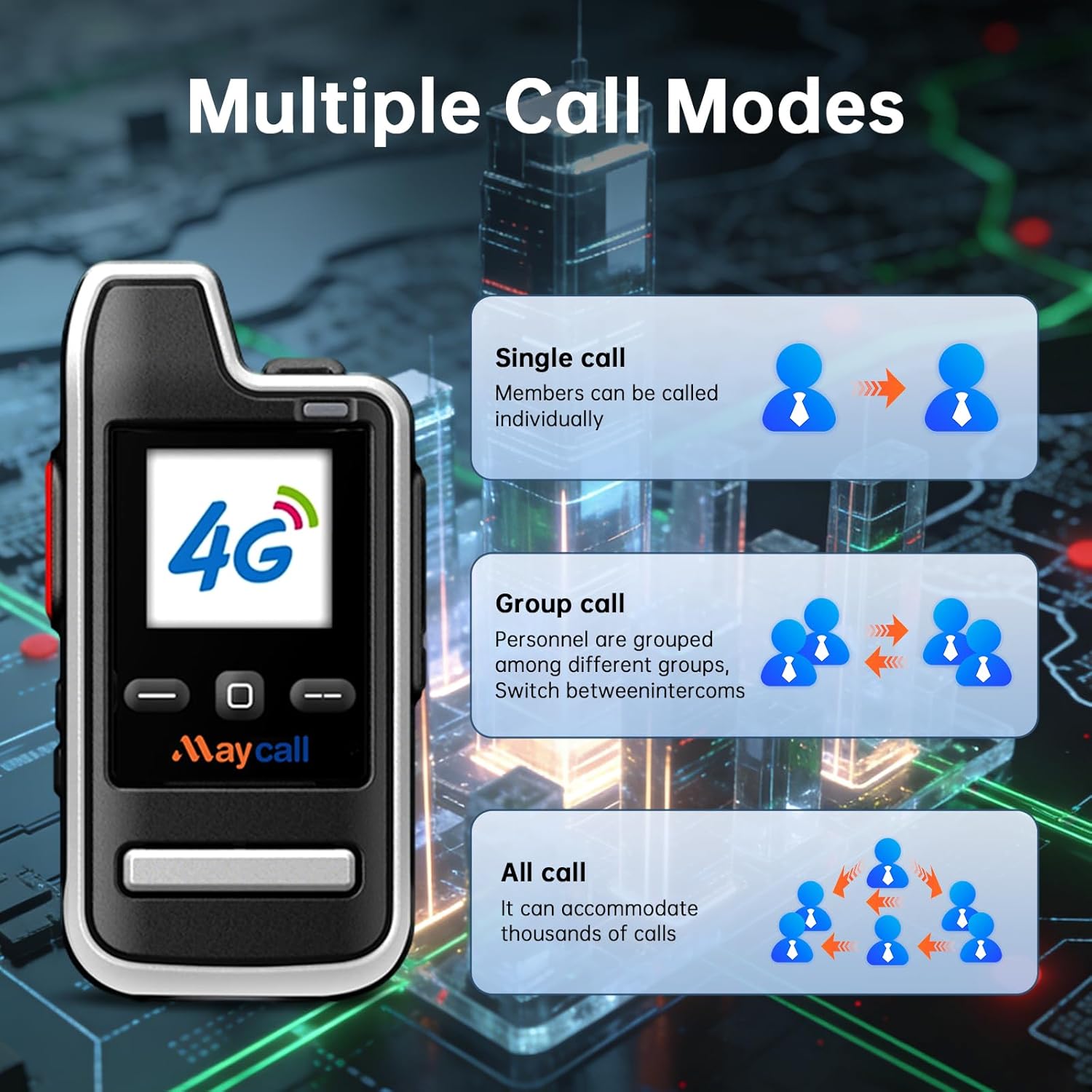
Figure 4: Multiple Call Modes
טווח תקשורת
The Maycall MC-28 utilizes 2G/3G/4G LTE and dual-mode technology to provide a communication range exceeding 3000 miles. This allows for communication across vast distances by seamlessly switching between traditional walkie talkie frequencies and cellular networks. Operation requires cellular signal coverage in the area of use.

Figure 5: Communication Range
תַחזוּקָה
טעינת סוללה
The MC-28 is equipped with a 3000mAh battery. To charge the device:
- Use the provided Type-C cable and adapter.
- Connect the Type-C cable to the charging port on the walkie talkie and the adapter to a power source.
- The battery provides up to 3 days of continuous use or 8 days on standby.
- A smart power-saving mode is integrated to optimize energy usage.

איור 6: אפשרויות טעינה
טיפול כללי
- שמור על המכשיר נקי ויבש.
- The device has a waterproof rating, but avoid prolonged submersion in water.
- הימנעו מחשיפת המכשיר לטמפרטורות קיצוניות או לאור שמש ישיר למשך תקופות ממושכות.
- טפל במכשיר בזהירות כדי למנוע נזק פיזי.
פתרון בעיות
| בְּעָיָה | סיבה אפשרית | פִּתָרוֹן |
|---|---|---|
| המכשיר לא נדלק. | הסוללה אינה טעונה או אינה מותקנת כראוי. | Ensure the battery is fully charged and correctly seated in its compartment. Turn the knob clockwise to power on. |
| "No SIM card inserted" message. | SIM card is not properly latched or installed. | Remove the battery, check the SIM card panel, and ensure the SIM card is securely latched in its slot. |
| Difficulty connecting to cell networks. | Weak signal area or network issues. | Move to an area with better cellular coverage. Ensure SIM cards are active. |
| לא ניתן לתקשר עם מכשירי רדיו אחרים. | Radios are not properly paired or in the same group. | Refer to the "Pairing and Group Formation" section and video to ensure all radios are correctly registered and in the same group. |
| Poor sound quality / background noise. | Environmental noise or interference. | The device features intelligent noise reduction. Ensure the microphone is not obstructed and speak clearly. |
מפרטים
| תכונה | פְּרָט |
|---|---|
| מספר דגם | MC-28 |
| משקל פריט | 1.15 פאונד |
| מידות המוצר | 4.45 x 1.4 x 2.36 אינץ' |
| קיבולת סוללה | 3000mAh |
| חיי סוללה | Up to 30 Hours (continuous use), 8 Days (standby) |
| מספר סוללות | נדרשת 2 סוללות LR44 (כלולות) |
| מספר ערוצים | 10000 |
| טווח דיבור מקסימלי | 3000 מיילים |
| רמת עמידות במים | אֲטִימוּת |
| תכונה מיוחדת | Long Range, 4G LTE Connectivity |
אחריות ותמיכה
Your Maycall MC-28 Walkie Talkies come with a אחריות יצרן לשנה. For warranty claims or technical support, please contact Maycall directly through their official channels or the retailer where the product was purchased.
For additional assistance, you may refer to the Maycall brand story and FAQs available on the product's online listing.


