1. הקדמה
This manual provides essential information for setting up, operating, maintaining, and troubleshooting your Google Pixel 10 Pro XL smartphone. Please read this guide thoroughly to ensure optimal performance and longevity of your device.
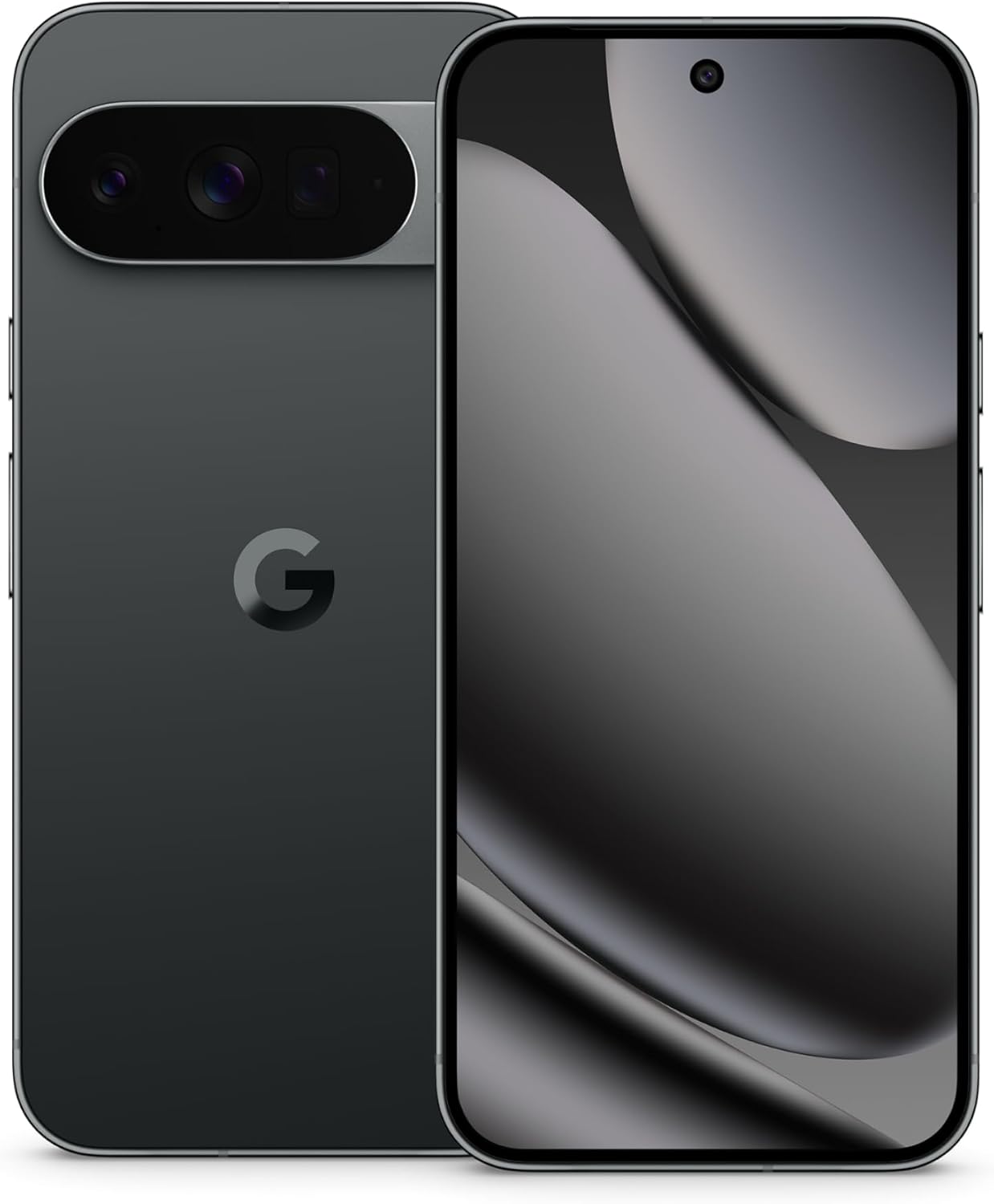
Image: The Google Pixel 10 Pro XL in Obsidian, showcasinהעיצוב החלקלק וסרגל המצלמה שלו.
2. התקנה
2.1. מה בקופסה
Upon opening your Google Pixel 10 Pro XL package, you should find the following items:
- Google Pixel 10 Pro XL Cell Phone
- כבל USB מסוג C
Please note that other accessories, such as a power adapter or headphones, may be sold separately.
2.2. Unboxing ובדיקה ראשונית
Carefully remove the phone and accessories from the packaging. Inspect the device for any visible damage before proceeding with setup.
Video: An unboxing demonstration of the Google Pixel 10 Pro XL. This video illustrates the packaging contents and the initial appearance of the device.
2.3. הפעלה והגדרה ראשונית
- Press and hold the Power button (located on the right side of the device) until the Google logo appears.
- פעל לפי ההנחיות שעל המסך כדי לבחור את השפה שלך, להתחבר לרשת Wi-Fi ולקבל את התנאים וההגבלות.
- Sign in with your Google Account or create a new one. This is essential for accessing Google services and the Play Store.
- Transfer data from your old device (optional). The setup wizard will guide you through options like Quick Switch Adapter or cloud backup.
2.4. SIM Card Activation (eSIM)
The Google Pixel 10 Pro XL supports eSIM technology, eliminating the need for a physical SIM card. During phone setup, you will be prompted to activate your eSIM. For more details, visit g.co/pixel/esim.
3. הפעלת המכשיר שלך
3.1. ניווט בסיסי
Your Pixel 10 Pro XL runs on Android 16, offering intuitive gesture navigation. Swipe up from the bottom to go home, swipe up and hold for recent apps, and swipe from the left or right edge to go back.
3.2. מערכת מצלמה
The device features a Triple Rear Camera System. Open the Camera app to access various modes, including Photo, Video, Portrait, and Night Sight.

Image: The Pixel 10 Pro XL's 100x Pro Res Zoom in action, capturing distant subjects with clarity.
נצל את 100x Pro Res Zoom for detailed distant shots. The upgraded 50 MP camera also supports Super Steady Videos for stable cinematic footage.

Image: The Pixel 10 Pro XL's Super Steady Video feature, ensuring smooth recording even during dynamic scenes.
3.3. Gemini AI Assistant
Your Pixel 10 Pro XL integrates the Gemini AI Assistant. Access it by saying "Hey Google" or by swiping from a corner (configurable). Gemini can assist with tasks, answer questions, and provide real-time information.

Image: The Gemini Live feature on the Pixel 10 Pro XL, allowing users to share their camera view for real-time AI assistance.
3.4. ניהול סוללה
The device is equipped with a fast-charging battery designed to last 24+ שעות on a single charge. To optimize battery life:
- התאם את בהירות המסך.
- הפעל את מצב חיסכון בסוללה בעת הצורך.
- סגור אפליקציות שאינן בשימוש הפועלות ברקע.
For faster charging, use a compatible USB Type-C fast charger (sold separately).
3.5. תצוגה
Experience vibrant visuals on the 6.8" Super Actua Display. This display offers high brightness and clarity for various viewתנאים.

Image: Details of the Pixel 10 Pro XL's Super Actua display and its robust build quality.
4. תחזוקה
4.1. ניקוי המכשיר
To clean your Pixel 10 Pro XL:
- השתמש במטלית רכה נטולת מוך.
- הימנע מחומרים שוחקים או כימיקלים קשים.
- עבור כתמים עקשניים, מעט דמוי עורampen את הבד עם מים.
4.2. Software Updates (Pixel Drops)
Google regularly releases software updates, known as "Pixel Drops," to enhance features, improve performance, and provide security patches. Ensure your device is connected to Wi-Fi and has sufficient battery life before installing updates.

Image: The Pixel Drops program, illustrating how the phone receives ongoing software enhancements.
4.3. טיפול בסוללה
כדי להאריך את חיי הסוללה שלך:
- הימנע מטמפרטורות קיצוניות.
- Do not consistently drain the battery to 0% or charge it to 100% if not necessary.
- Use certified charging accessories.
5. פתרון תקלות
5.1. בעיות נפוצות
- המכשיר לא מגיב: לחץ והחזק את לחצן ההפעלה למשך כ-30 שניות כדי לאלץ הפעלה מחדש.
- בעיות קישוריות (Wi-Fi/Bluetooth): Try toggling Wi-Fi or Bluetooth off and on. If the issue persists, restart your device or reset network settings.
- אפליקציות קורסות: Clear the cache and data for the problematic app in Settings > Apps. If it continues, uninstall and reinstall the app.
5.2. איפוס להגדרות היצרן
איפוס להגדרות היצרן ימחק את כל הנתונים מהטלפון שלך וישחזר אותו להגדרות היצרן המקוריות. פעולה זו יכולה לפתור בעיות תוכנה מתמשכות, אך יש להשתמש בה כמוצא אחרון. גבה את הנתונים שלך לפני שתמשיך.
- עבור אל הגדרות > מערכת > אפשרויות איפוס.
- בחר "מחק את כל הנתונים (איפוס להגדרות יצרן)".
- אשר את החלטתך והזן את קוד ה-PIN/סיסמה שלך אם תתבקש.
6. מפרטים
The Google Pixel 10 Pro XL is engineered for advanced performance and user experience.

Image: An illustration of the Pixel 10 Pro XL's internal components, emphasizing its powerful processor and memory.
| תכונה | פְּרָט |
|---|---|
| שם הדגם | פיקסל 10 פרו XL |
| מַעֲרֶכֶת הַפעָלָה | אנדרואיד 16 |
| מעבד | Google Tensor (3.78 GHz CPU Speed) |
| אַיִל | 16 ג'יגה-בייט |
| אחסון פנימי | 256 GB (Maximum 256 GB Flash Memory Supported) |
| גודל תצוגה | 6.8 Inches Super Actua Display |
| רזולוציית תצוגה | 3292 x 3292 |
| קיבולת סוללה | 5200 mAh (Battery Power Rating: 5200) |
| קישוריות | Bluetooth, NFC, Wi-Fi, USB Type-C |
| מידות (מוצר) | 6.4 x 3 x 0.3 אינץ' |
| משקל פריט | 12.3 אונקיות (0.35 קילוגרם) |
| צֶבַע | אובסידיאן |
| ספק אלחוטי | נעול לכל הספקים |
7. אחריות ותמיכה
7.1. אחריות מוגבלת
Your Google Pixel 10 Pro XL is covered by a limited warranty from Google. This warranty typically covers defects in materials and workmanship under normal use. For specific terms and conditions, including duration and coverage details, please refer to the warranty information provided with your purchase or visit the official Google support webאֲתַר.
7.2. תמיכת לקוחות
For further assistance, technical support, or warranty claims, please contact Google Support:
- תמיכה מקוונת: Visit the official Google Pixel Help Center (support.google.com/pixelphone).
- פורומים קהילתיים: Engage with other Pixel users and experts for solutions.
When contacting support, have your device's serial number and proof of purchase ready.