1. הקדמה
This manual provides essential instructions for the setup, operation, and maintenance of your HUAWEI Watch GT 6 Pro Smart Watch. Please read this manual thoroughly before using the device to ensure proper function and safety.
מה יש בקופסה:
- HUAWEI Watch GT 6 Pro Smart Watch
- כבל טעינה
- מדריך למשתמש (מסמך זה)
2. המוצר נגמרview
The HUAWEI Watch GT 6 Pro features a 1.47-inch AMOLED display, a durable titanium alloy casing, and sapphire glass. It is designed for comprehensive health monitoring and advanced sports tracking.
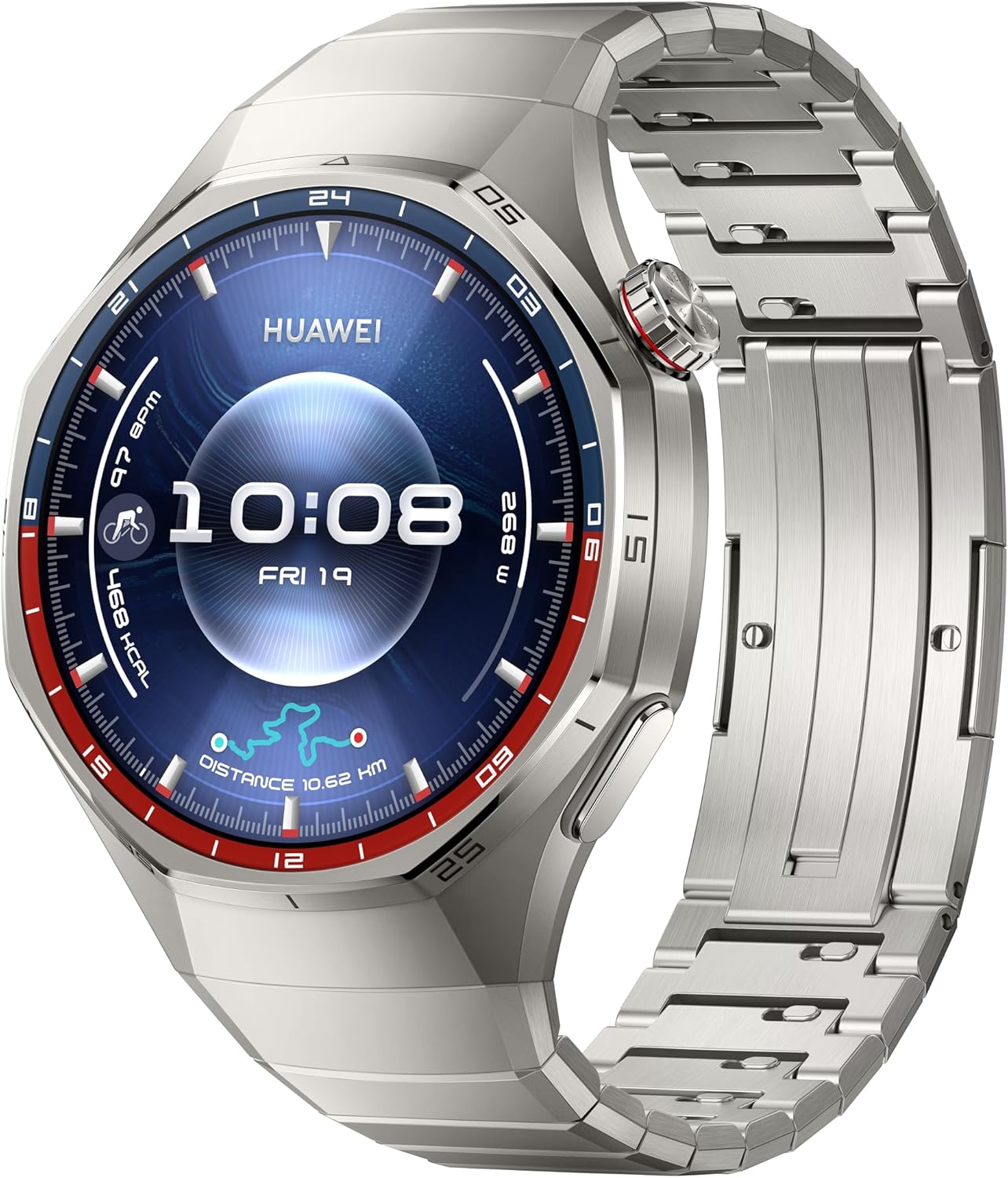
איור 2.1: חֲזִית view of the HUAWEI Watch GT 6 Pro, displaying the watch face with time, date, and various health and activity metrics. The watch features a round display with a metallic bezel and a matching metal strap.
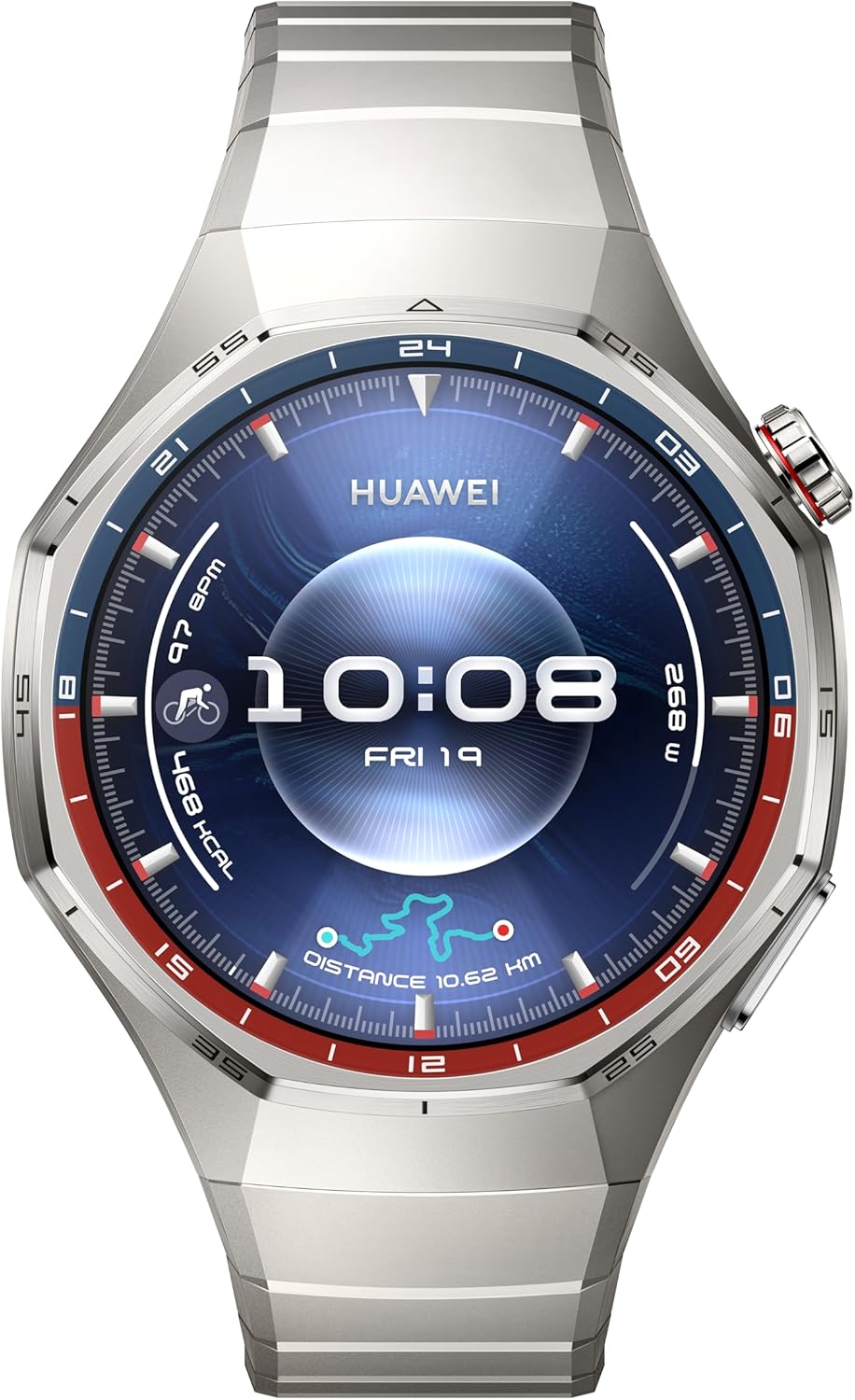
איור 2.2: חזית נוספת view of the HUAWEI Watch GT 6 Pro, showcasing a different watch face. This image highlights the watch's sleek design and the clarity of its AMOLED display.
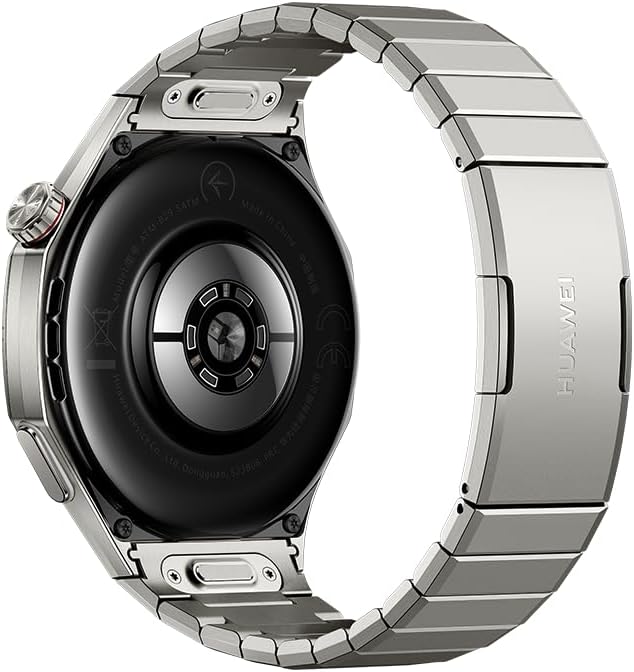
איור 2.3: אֲחוֹרִי view of the HUAWEI Watch GT 6 Pro, showing the advanced health sensors and charging contacts. The back casing is designed for comfortable wear and accurate data collection.
3. התקנה
3.1 טעינה ראשונית
- חבר את כבל הטעינה לשקע הטעינה בגב השעון.
- Connect the other end of the charging cable to a compatible USB power adapter (not included) or a computer's USB port.
- Allow the watch to charge fully before first use. A full charge can provide up to 21 days of battery life under typical usage.
3.2 צימוד עם הטלפון החכם שלך
- Download and install the HUAWEI Health app from your smartphone's app store (compatible with iOS and Android devices).
- פתחו את אפליקציית HUAWEI Health ופעל לפי ההוראות שעל המסך כדי ליצור חשבון או להתחבר.
- ודא שה-Bluetooth מופעל בטלפון החכם שלך.
- In the HUAWEI Health app, navigate to "Devices" and select "Add device."
- Select your HUAWEI Watch GT 6 Pro from the list of available devices.
- אשר את בקשת הצימוד גם בשעון וגם בטלפון החכם.
4. הוראות הפעלה
4.1 ניווט בסיסי
- מסך מגע: החלק למעלה, למטה, שמאלה או ימינה כדי לנווט בין תפריטים והתראות. הקש כדי לבחור פריטים.
- כֶּתֶר: Rotate the crown to scroll through lists or zoom in/out. Press the crown to return to the home screen or access the app list.
- כפתור צד: Press the side button to access customizable shortcuts or specific functions.
4.2 מצבי ספורט
The watch supports over 100 sports modes, including advanced tracking for trail running, cycling, and free diving. Integrated GPS provides accurate location and route tracking.
- From the app list, select the "Workout" app.
- Choose your desired sports mode (e.g., Outdoor Run, Cycling, Free Dive).
- Follow the on-screen prompts to start your workout. The watch will record relevant data such as duration, distance, heart rate, and calories burned.
- For free diving, ensure you understand the safety guidelines provided by the watch and consult a medical professional if necessary.
4.3 ניטור בריאות
Utilizing the HUAWEI TruSense System, the watch provides comprehensive health insights:
- ניטור קצב הלב: מעקב רציף אחר דופק עם התראות על קריאות חריגות.
- מעקב שינה: צגי שינהtages, quality, and provides suggestions for improvement.
- Emotional Wellbeing: עוקב אחר רמות הלחץ ומציע תרגילי נשימה.
- ניטור SpO2: מודד את רמות רוויון החמצן בדם.
Access health data through the respective apps on your watch or the HUAWEI Health app on your smartphone.
4.4 הודעות
Receive notifications from your paired smartphone directly on your watch. Manage notification settings through the HUAWEI Health app.
5. תחזוקה
5.1 ניקוי השעון
- נגבו את מסך השעון וגוף השעון בעזרת מטלית רכה ונטולת סיבים.
- עבור כתמים עקשניים, דampשטפו את המטלית מעט במים. הימנעו משימוש בכימיקלים חזקים או בחומרים שוחקים.
- ודא שמגעי הטעינה נקיים ויבשים לפני הטעינה.
5.2 עמידות במים
The HUAWEI Watch GT 6 Pro is designed to be water-resistant. However, avoid exposing it to hot water, steam, or high-velocity water. After exposure to saltwater, rinse the watch with fresh water and dry it thoroughly.
6. פתרון תקלות
| לְהַנפִּיק | פתרון אפשרי |
|---|---|
| השעון לא נדלק | ודא שהשעון טעון במלואו. חבר אותו למטען למשך 10 דקות לפחות. |
| לא ניתן להתאים לסמארטפון |
|
| נתוני בריאות לא מדויקים | Ensure the watch is worn snugly on your wrist, not too loose or too tight. Clean the sensors regularly. |
| חיי סוללה קצרים | Reduce screen brightness, disable always-on display, limit background app refresh, and turn off unnecessary notifications. |
7. מפרטים
| תכונה | פְּרָט |
|---|---|
| מספר דגם | ATM-B29 |
| לְהַצִיג | מסך AMOLED בגודל 1.47 אינץ' |
| חיי סוללה | עד 21 ימים (שימוש טיפוסי) |
| קיבולת סוללה | 800 מיליamp שעות (ליתיום פולימר) |
| מַעֲרֶכֶת הַפעָלָה | HarmonyOS |
| קישוריות | בלוטות' |
| GPS | GPS מובנה |
| תכונות מיוחדות | Activity Tracker, Cycle Tracking, Health Monitoring (Heart Rate, Sleep, Emotional Wellbeing, SpO2), 100+ Sports Modes (including Free Diving, Trail Running, Cycling) |
| חוֹמֶר | Aerospace-grade Titanium Alloy, Sapphire Glass |
| מידות | 0.47 x 0.47 x 0.26 inches (approximate watch body) |
| מִשׁקָל | 12.3 ounces / 0.35 Kilograms (approximate) |
8. מידע בטיחות
- Consult your doctor before starting any new exercise regimen or if you have pre-existing health conditions.
- The watch is not a medical device and should not be used for medical diagnosis, treatment, or prevention.
- הרחק את המכשיר והאביזרים שלו מהישג ידם של ילדים.
- הימנעו מטמפרטורות קיצוניות, אור שמש ישיר ולחות גבוהה.
- אל תנסה לפרק או לתקן את השעון בעצמך. פעולה זו עלולה לבטל את האחריות ולגרום נזק.
- השתמש רק בכבלים ובמתאמים טעינה שאושרו.
9. אחריות ותמיכה
For warranty information, technical support, or service inquiries, please refer to the official HUAWEI website or contact HUAWEI customer service in your region. Keep your proof of purchase for warranty claims.
Official HUAWEI Support: consumer.huawei.com/en/support/


