מָבוֹא
Welcome to the CYCPLUS Smart Indoor Cycling Fan F1 user manual. This guide provides detailed instructions for the safe and efficient use of your new smart fan. Designed with a BLDC motor, 5 speed modes, and advanced connectivity options, the F1 fan enhances your indoor cycling and training experience by providing intelligent, adaptive cooling.
מידע בטיחות
Please read all safety instructions before using the fan. Failure to follow these instructions may result in electric shock, fire, or serious injury.
- ודאו שהמאוורר ממוקם על משטח יציב וישר כדי למנוע התהפכות.
- אין להכניס אצבעות או חפצים אחרים לתוך סורג המאוורר.
- Keep the fan away from water or other liquids. Do not operate in wet conditions.
- נתקו את המאוורר משקע החשמל לפני ניקוי או ביצוע כל תחזוקה.
- Do not use the fan if the power cord or plug is damaged. Contact customer support for assistance.
- הרחק מהישג ידם של ילדים וחיות מחמד.
- השתמש רק במתאם החשמל המצורף.
תוכן החבילה
ודא שכל הפריטים נמצאים בחבילה:
- CYCPLUS Smart Fitness Fan (F1)
- Ground Base
- שְׁלַט רָחוֹק
- שרוך עבור שלט
- Silicone Straps (x2) for Remote
- מתאם מתח DC
- כבל חשמל
- מדריך למשתמש
- מַברֵג
- ברגים M5 (x2)

תמונה: כל הרכיבים הכלולים בחבילת מאוורר האופניים החכם CYCPLUS F1.
הגדרה
1. התקנת בסיס
Place the fan securely into the provided ground base. Ensure it is stable before connecting power.
Video: Demonstrates the installation of the CYCPLUS F1 fan onto its ground base and initial setup.
2. חיבור חשמל
Connect the DC power adapter to the fan and then plug the AC power cable into a standard wall outlet. The fan is now ready for operation.
הוראות הפעלה
הפעלה/כיבוי
לחץ והחזק את לחצן ההפעלה (⏻) on the fan's control panel for 2 seconds to turn the fan on or off.
בקרת מהירות ידנית
Once powered on, press the "+" או "-" buttons to manually adjust the fan speed. There are 5 speed levels available.
בחירת מצב
לחץ על לחצן המצב (⏻) once to cycle through the available operating modes:
- מצב מהירות: The fan automatically adjusts airflow based on your cycling speed (requires ANT+ speed sensor).
- מצב דופק: The fan automatically adjusts airflow based on your heart rate (requires ANT+ heart rate monitor).
- מצב כוח: The fan automatically adjusts airflow based on your power output (requires ANT+ power meter or smart bike trainer).
- מצב חכם: Connects multiple devices/sensors such as speed, heart rate, and power. The fan automatically adjusts airflow in real time based on multiple data inputs, ensuring the most optimal airflow.
- מצב ידני: Allows direct control of fan speed using the "+"ו"-" buttons or the remote control.

Image: The fan's control panel displaying icons for different smart speed modes.
Remote Control Pairing and Usage
כדי לחבר את השלט רחוק למאוורר:
- Ensure the fan is in Manual Mode.
- Press any button on the remote control to wake it up and enter pairing mode (indicator light will flash).
- On the fan, press and hold the "+"ו"-" buttons simultaneously for 2 seconds.
- Once paired, the remote's indicator light will stay solid for 3 seconds, then turn off. The remote will auto-connect for future use.
Use the remote to power on/off, adjust speed, and change modes.

Image: The compact remote control for the CYCPLUS F1 fan, shown with its included silicone straps and lanyard for easy attachment.
בקרת אפליקציה
Download the CYCPLUS APP from your device's app store. Pair the fan via Bluetooth within the app to fine-tune workout parameters and control the fan from your smartphone.

Image: A smartphone displaying the CYCPLUS app interface for controlling the F1 fan, positioned next to the fan itself.
התאמת זרימת אוויר
The fan can be manually tilted from 0 to 60 degrees to direct airflow precisely where needed. The optimal placement distance is 1 meter from the user.

Image: The CYCPLUS F1 fan demonstrating its adjustable tilt mechanism, allowing airflow to be directed between 0 and 60 degrees.
זיכרון אוטומטי
The fan remembers your last settings and connected sensors, automatically pairing them for seamless use without repeated adjustments.
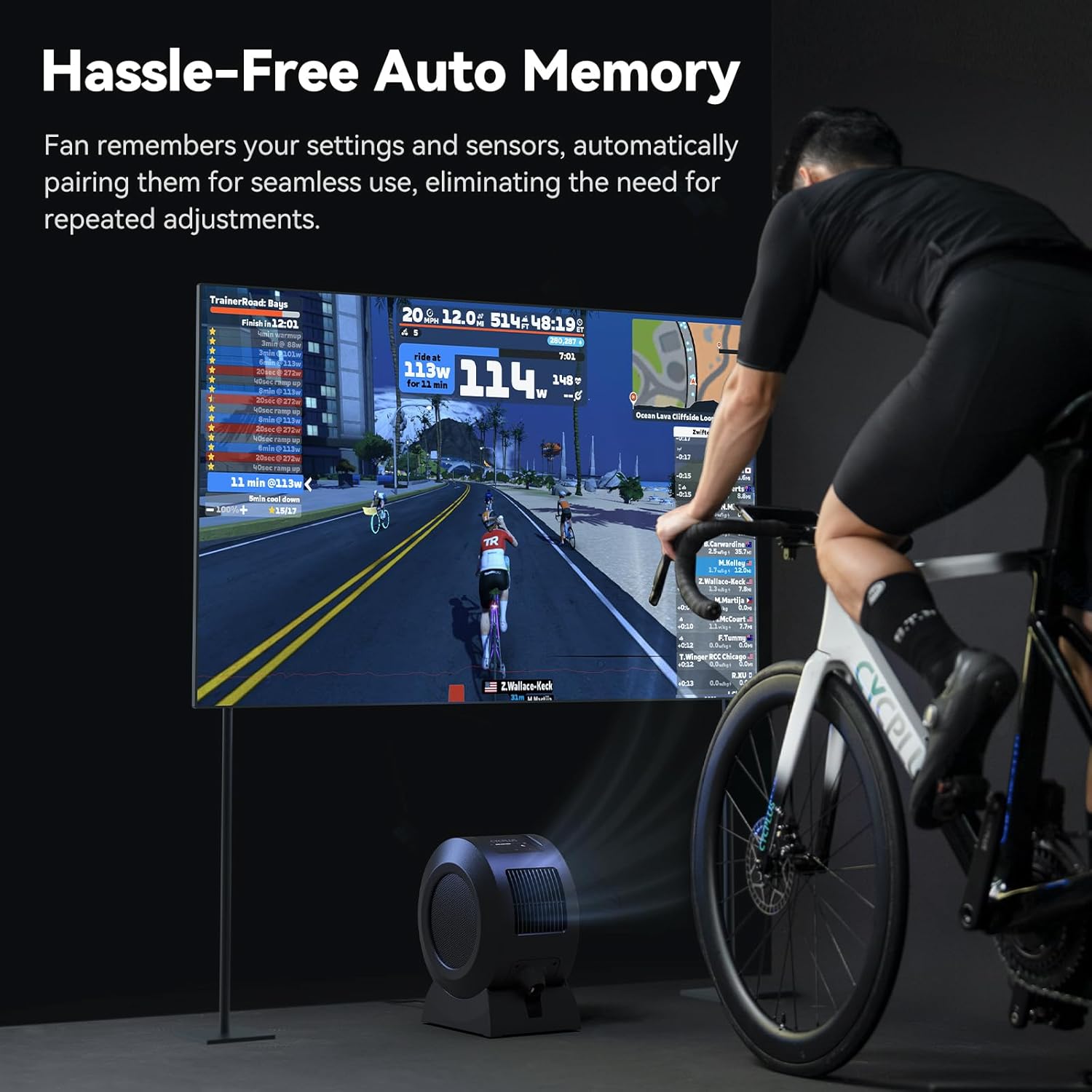
Image: The CYCPLUS F1 fan providing cooling during an indoor cycling session, with a large monitor showing real-time workout metrics.
תַחזוּקָה
ניקוי
To clean the fan, first unplug it from the power source. The front grille is removable for easy access to the fan blades. Use a soft, dry cloth to wipe down the exterior and blades. Do not use abrasive cleaners or immerse the fan in water.

תמונה: מפורט view of the CYCPLUS F1 fan with its front grille removed, illustrating the ease of access for cleaning.
פתרון בעיות
- המאוורר לא נדלק: Ensure the power adapter is securely connected to both the fan and a working power outlet.
- זרימת אוויר חלשה: Check for any obstructions in the fan's intake or exhaust grilles. Clean the fan blades if dust buildup is present.
- השלט רחוק לא עובד: Ensure the remote control is paired correctly with the fan. Check the remote's battery.
- Sensor not connecting: Verify that your ANT+ sensor is powered on and within range. Ensure the fan is in the correct mode for the sensor type (Speed, Heart Rate, Power, or Smart Mode). Try re-pairing the sensor.
- בעיות קישוריות לאפליקציות: Ensure Bluetooth is enabled on your smartphone and the fan is powered on. Restart the app and try pairing again.
מפרטים
| תכונה | פְּרָט |
|---|---|
| שם המוצר | מאוורר כושר חכם |
| שם הדגם | F1 |
| כוח מדורג | 68 W |
| מהירות סיבוב מקסימלית | 1280 סל"ד |
| מקס Airflow | 670 מ"ק לשעה |
| מהירות רוח מרבית | כ-50 קמ"ש |
| משקל נטו | 4.3 ק"ג (9.48 פאונד) |
| מידות המוצר | 10.5" D x 14.5" W x 8.46" H |
| קלט תואם | 100-240V 50/60Hz |
| פלט מתאם | 36V - 2.5-3A |
| פרוטוקול חיבור חיישן | ANT+ |
| פרוטוקול חיבור נייד | BLE (Bluetooth Low Energy) |
| טמפרטורת הפעלה | 0-40 מעלות צלזיוס |
| סוג מנוע | מנוע DC ללא מברשות (BLDC) |
| מספר רמות הספק | 5 |

Image: A summary of the technical specifications for the CYCPLUS F1 fan.
אחריות ותמיכה
For warranty information, technical support, or any inquiries regarding your CYCPLUS Smart Indoor Cycling Fan F1, please visit the official CYCPLUS webאתר או צרו קשר ישירות עם שירות הלקוחות שלהם. שמרו את קבלת הרכישה שלכם לצורך תביעות אחריות.
Official CYCPLUS Store: חנות אמזון CYCPLUS


