1. הקדמה
The JBL BAR-300-MK2 is a 5.0 All-in-One Dolby Atmos Soundbar designed to deliver an immersive audio experience for your home entertainment. Featuring MultiBeam 3.0 technology for room-filling sound, PureVoice 2.0 for crystal-clear dialogue, and powerful built-in bass, this soundbar enhances movies, music, and gaming without the need for a separate subwoofer. This manual provides detailed instructions to help you set up, operate, and maintain your soundbar for optimal performance.
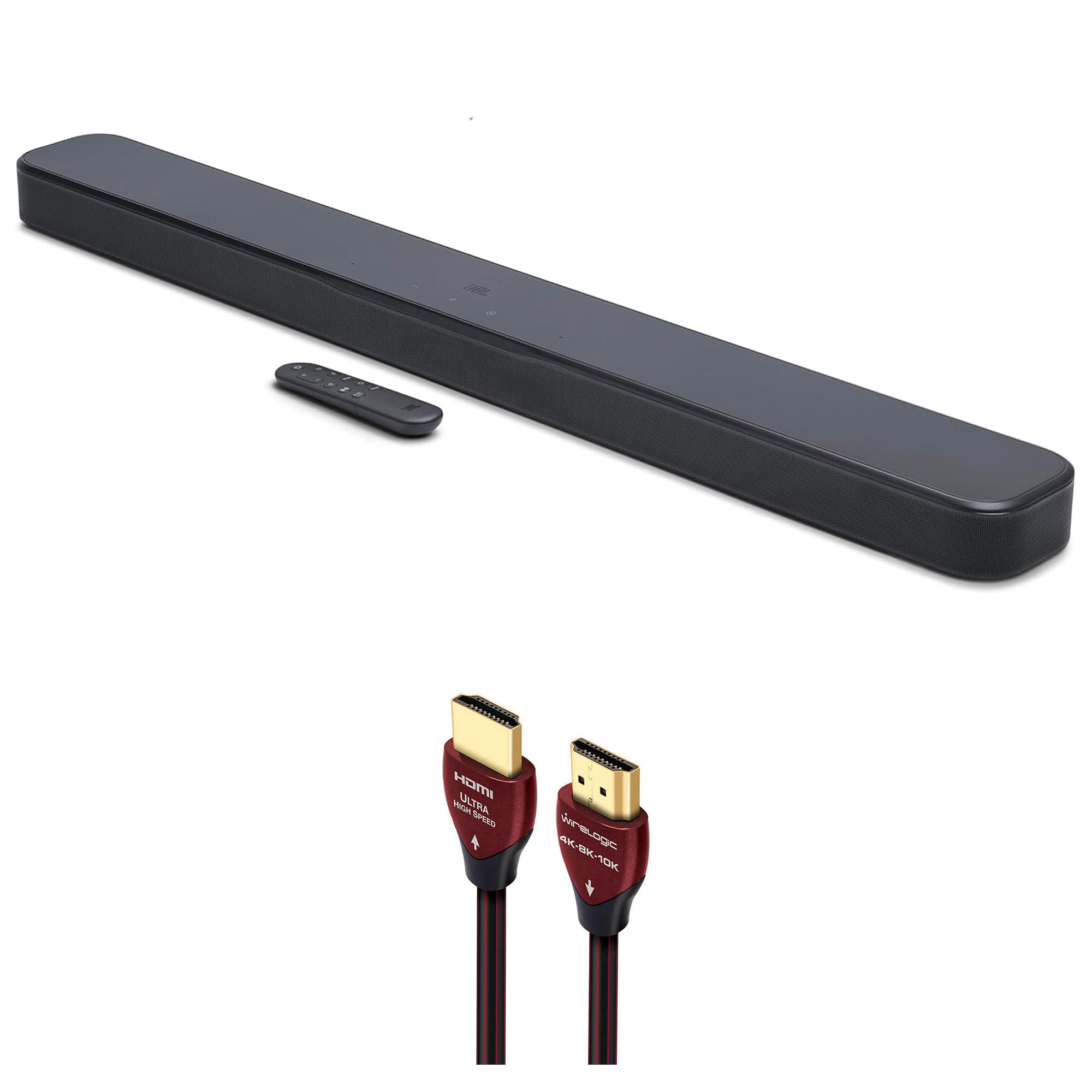
Figure 1: JBL BAR-300-MK2 5.0 All-in-One Dolby Atmos Soundbar with included remote control.
2. מה בקופסה
Please check that all components are present in the packaging:
- JBL BAR-300-MK2 5.0 All-in-One Dolby Atmos Soundbar
- WireLogic Ruby 8ft Ultra High Speed 4K-8K-10K HDMI Cable w/UHD, HDR, VRR & eARC
- שלט רחוק עם סוללות
- כבל חשמל
- Wall-mount bracket kit
- מדריך להתחלה מהירה
- גיליון בטיחות

Figure 2: Contents of the JBL BAR-300-MK2 package, including the soundbar and WireLogic HDMI cable.
3. המוצר נגמרview
פקדי הלוח העליון
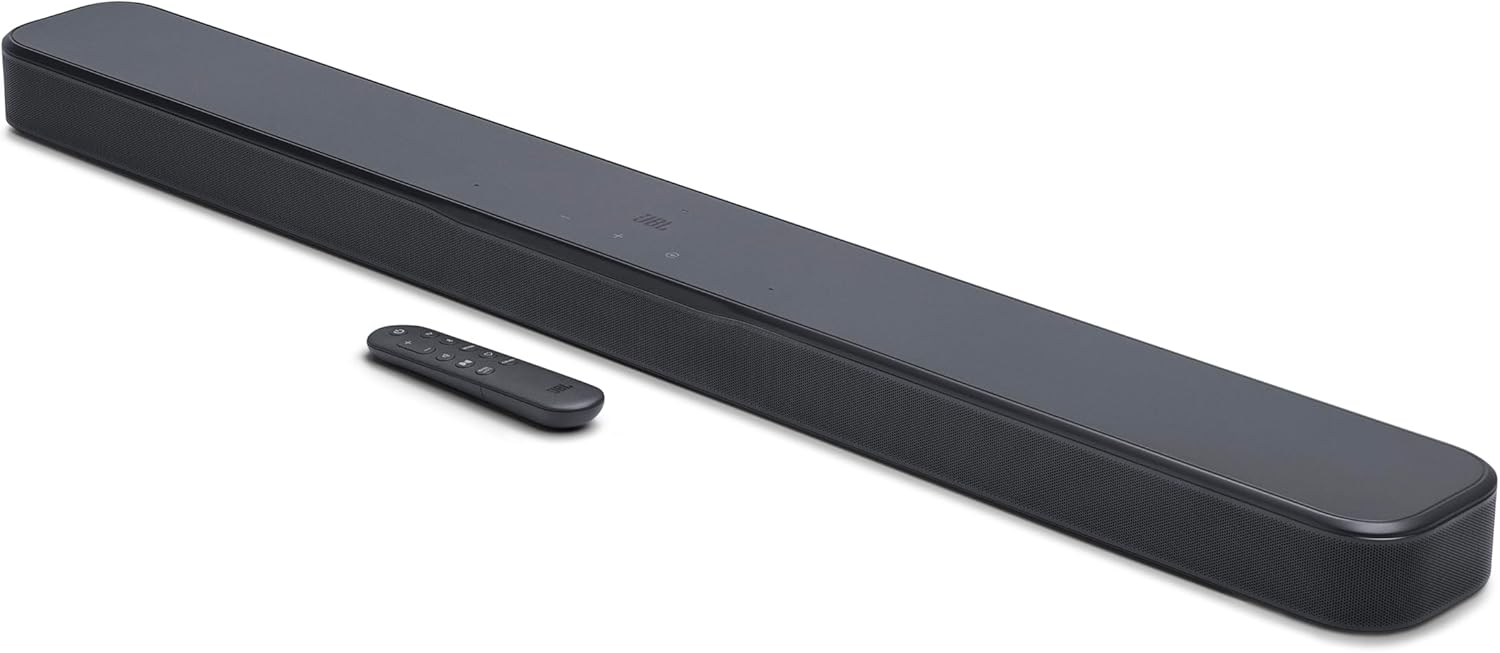
Figure 3: Top panel of the soundbar showing power, volume, and source selection buttons.
- לחצן הפעלה: מפעיל או מכבה את סרגל הקול.
- כפתורי עוצמת קול (+/-): מכוונן את עוצמת הקול.
- לחצן המקור: Cycles through available audio input sources (TV, HDMI, Bluetooth).
חיבורי לוח אחורי

איור 4: חיבורי הפאנל האחורי של הסאונד בר.
- כּוֹחַ: מתחבר לאספקת החשמל AC.
- אוֹפּטִי: Digital audio input for connecting to a TV or other device.
- USB (SERVICE ONLY): For service and software updates.
- כניסת HDMI: HDMI input for connecting external devices like a Blu-ray player or game console.
- HDMI OUT (TV ARC/TV eARC): HDMI output for connecting to your TV's HDMI ARC/eARC port.
שְׁלַט רָחוֹק

Figure 5: The included remote control for the soundbar.
The remote control provides full functionality for the soundbar, including power, volume, source selection, bass adjustment, and sound calibration.
4. התקנה
מיקום
Place the soundbar on a stable, flat surface directly in front of your TV. Ensure there are no obstructions in front of the soundbar to allow for optimal sound dispersion. For wall mounting, use the included wall-mount bracket kit and follow the separate instructions provided with the kit.
חיבורים
- חבר חשמל: Plug the power cable into the POWER port on the soundbar's rear panel, then plug the other end into an AC power outlet.
- Connect to TV (HDMI eARC Recommended): Use the provided WireLogic Ruby 8ft Ultra High Speed HDMI Cable to connect the HDMI OUT (TV ARC/TV eARC) port on the soundbar to the HDMI ARC/eARC port on your TV. This connection supports the highest quality audio formats, including Dolby Atmos.
- Connect to TV (Optical - Alternative): If your TV does not have an HDMI ARC/eARC port, connect an optical cable (not included) from the OPTICAL port on the soundbar to the optical output on your TV.
- Connect External Devices (HDMI IN): For devices like Blu-ray players or game consoles, connect an HDMI cable (not included) from the device's HDMI output to the HDMI IN port on the soundbar.

Figure 6: The WireLogic Ruby HDMI cable for high-quality audio and video transmission.
התקנה אלחוטית
- זיווג Bluetooth: Press the Bluetooth button on the remote or soundbar. The soundbar will enter pairing mode. Select "JBL BAR-300-MK2" from your device's Bluetooth settings to connect.
- Wi-Fi Connection (JBL One App): Download the JBL One App from your app store. Follow the in-app instructions to connect your soundbar to your home Wi-Fi network. This enables features like AirPlay, Chromecast built-in, and multi-room audio.

Figure 7: The JBL One App provides comprehensive control over your soundbar.
5. הוראות הפעלה
הפעלה/כיבוי
Press the Power button on the soundbar's top panel or the remote control to turn the soundbar on or off. The soundbar will automatically turn on when your TV is powered on if connected via HDMI eARC.
בחירת מקור
Press the Source button on the soundbar or the corresponding source button (TV, HDMI, Bluetooth) on the remote control to switch between audio input sources.
בקרת עוצמת הקול
Adjust the volume using the Volume +/- buttons on the soundbar's top panel or the remote control.
מצבי ותכונות סאונד
- Dolby Atmos: Experience three-dimensional audio that moves around you, providing an immersive cinematic sound.
- מולטי-קרן 3.0: JBL's exclusive technology projects sound to every corner of your room, creating a wide soundstage without additional speakers.
- קול טהור 2.0: Enhances dialogue clarity, ensuring you hear every word clearly, even during intense action scenes.
- כוונון בס: Use the 'BASS' button on the remote to cycle through different bass levels (Low, Mid, High) to suit your preference.
כיול סאונד
For the best audio performance tailored to your room, perform sound calibration. Press the 'CALIBR' button on the remote control and follow the on-screen or app instructions. The soundbar will analyze your room's acoustics and optimize its sound output.
6. תחזוקה
To keep your JBL BAR-300-MK2 soundbar in optimal condition:
- נקו את המשטח בעזרת מטלית רכה ויבשה.
- אין להשתמש בחומרי ניקוי נוזליים או בתרסיסים.
- Avoid exposing the soundbar to excessive moisture or direct sunlight.
7. פתרון תקלות
If you encounter any issues with your soundbar, refer to the following common solutions:
- אין כוח: Ensure the power cable is securely connected to both the soundbar and the power outlet.
- אין צליל: Check that the correct input source is selected. Verify that the volume is not muted or set too low on both the soundbar and your TV. Ensure all audio cables are securely connected.
- איכות סאונד ירודה: Perform sound calibration. Check the audio settings on your TV and connected devices. Ensure the soundbar is placed optimally without obstructions.
- בעיות חיבור Bluetooth: Ensure the soundbar is in Bluetooth pairing mode. Move your Bluetooth device closer to the soundbar. Try unpairing and re-pairing the device.
8. מפרטים
| תכונה | מִפרָט |
|---|---|
| שם הדגם | JBLBAR300M2BLKAM |
| סוג רמקול | סרגל סאונד |
| תצורת ערוץ סאונד סראונד | ערוץ 5.0 |
| תכונות מיוחדות | MultiBeam 3.0, Dolby Atmos, PureVoice 2.0, SmartDetails, Easy Sound Calibration, JBL One App, HDMI eARC with 4K Dolby Vision passthrough |
| ספק כוח | 100-240V AC, 50/60Hz |
| Soundbar Transducer | 5x (42x80)mm racetrack drivers, 4x 0.75” tweeters |
| קלט וידאו HDMI | 1 |
| פלט וידאו HDMI | 1 (TV ARC/eARC) |
| גרסת HDMI HDCP | 2.3 |
| HDR Pass Through | HDR10+, דולבי ויז'ן |
| תגובת תדר | 50 הרץ - 20 קילוהרץ (-6 דציבלים) |
| כניסות שמע | Optical, Bluetooth, USB |
| גרסת בלוטות' | v5.3 |
| טכנולוגיית תקשורת אלחוטית | בלוטות ', Wi-Fi |
| מידות מוצר (W x H x D) | 37 אינץ' x 2 אינץ' x 4.1 אינץ' |
| משקל פריט | 6.5 פאונד |
| שיטת בקרה | מְרוּחָק |
9. סרטון מוצר רשמי
סרטון 1: סיכום קצרview of the JBL BAR-300-MK2 soundbar, highlighting its features and connectivity options.
10. אחריות ותמיכה
Your JBL BAR-300-MK2 soundbar comes with a limited warranty. For detailed warranty information, product support, or to download the full user manual, please visit the official JBL webאתר או צרו קשר עם שירות הלקוחות. שמרו את הוכחת הרכישה שלכם לצורך תביעות אחריות.


