1. הקדמה
This manual provides detailed instructions for the proper use and maintenance of your SWOFY D50 128GB MP3 Player. Please read this manual thoroughly before operating the device to ensure optimal performance and longevity.
2. תכולת החבילה
ודא שכל הפריטים המפורטים להלן נמצאים באריזת המוצר שלך:
- 1 x SWOFY D50 128GB MP3 Player
- 1 x אוזניות חוטיות
- 1 x כבל USB Type-C
- מדריך למשתמש אחד (מסמך זה)

Image: The SWOFY D50 MP3 Player, wired earphones, USB Type-C cable, and user manual laid out, illustrating the complete package contents.
3. המכשיר נגמרview
The SWOFY D50 features a compact design with essential ports and controls for easy operation.
3.1 תכונות פיזיות
- מסך 1.8 אינץ': For clear display of menus and content.
- כפתורי מגע: Intuitive controls for navigation.
- Built-in HD Speaker: For audio playback without earphones.
- שקע אוזניות 3.5 מ"מ: עבור פלט שמע קווי.
- סוג C נמל: לטעינה והעברת נתונים.
- חריץ לכרטיס מיקרו SD: Supports expansion up to 256GB.
- לחצן הפעלה: ממוקם בצד להדלקה/כיבוי המכשיר.
- לחצני עוצמת הקול: לצורך כוונון רמות שמע.
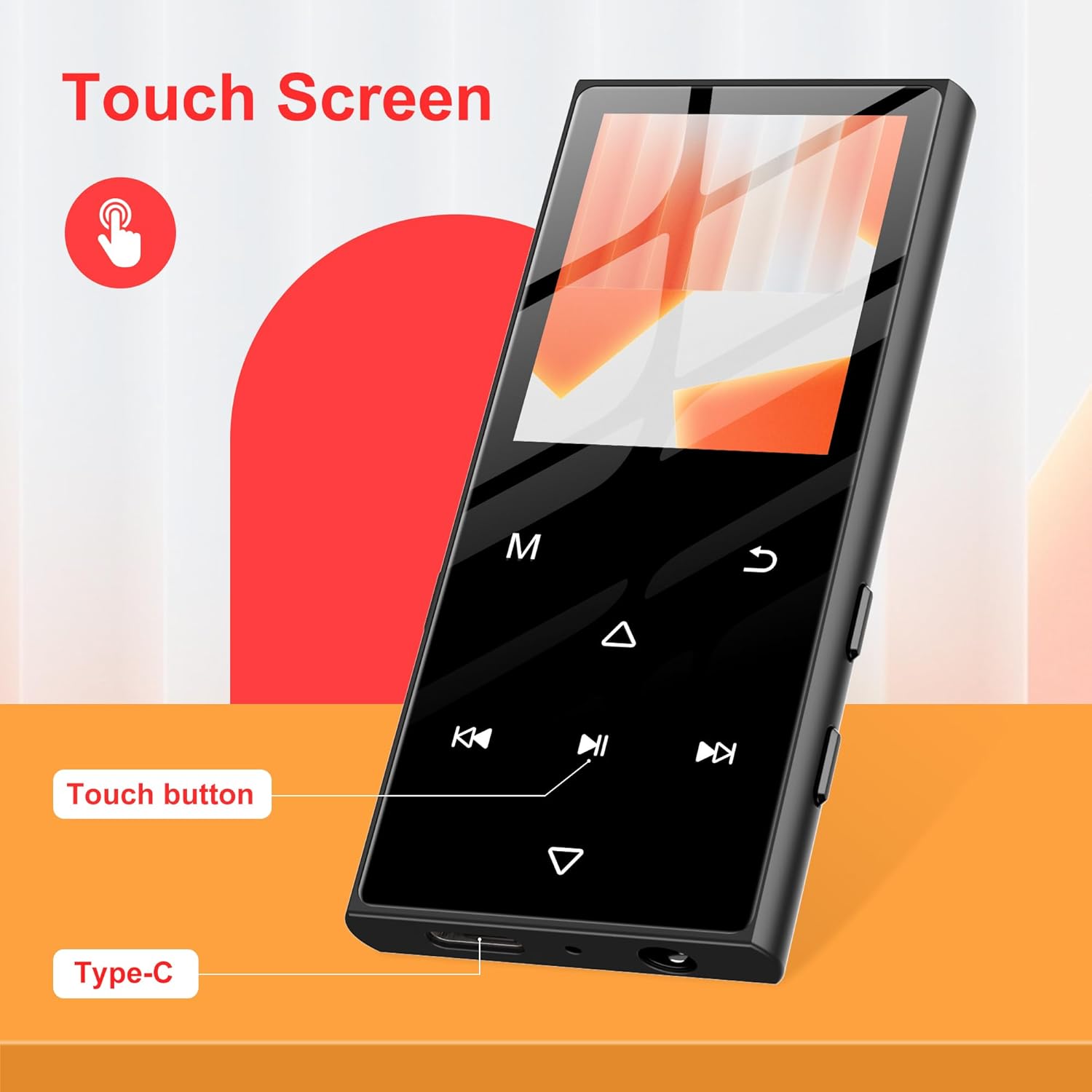
תמונה: תקריב view of the SWOFY D50 MP3 Player highlighting its touch screen, dedicated touch buttons for navigation, and the Type-C charging port at the bottom.
4. התקנה
4.1 טעינת המכשיר
Before first use, fully charge the MP3 player using the provided USB Type-C cable and a compatible USB power adapter (not included). The battery indicator on the screen will show charging status.
4.2 הכנסת כרטיס Micro SD
The device has 128GB of internal storage and supports Micro SD cards up to 256GB for expanded storage. Locate the Micro SD card slot on the side of the device. Gently insert the card until it clicks into place.
4.3 Initial Power-On and Language Selection
- Press and hold the Power button on the side of the device for a few seconds until the SWOFY logo appears.
- Follow the on-screen prompts to select your preferred language and set the date and time.
5. הוראות הפעלה
5.1 ניווט בסיסי
The device features a touch screen and dedicated touch buttons. Swipe left/right or tap icons to navigate through menus. Use the back button to return to the previous screen.
5.2 השמעת מוזיקה
The SWOFY D50 supports various audio formats including APE, FLAC, WMA, MP3, and ACELP. Transfer your music files to the device's internal storage or an inserted Micro SD card via the USB Type-C cable. Access the 'Music' application to browse and play your tracks.

Image: The SWOFY D50 MP3 Player screen showing a music track playing, with icons for various supported audio formats including MP3, WAV, FLAC, APE, and OGG.
5.3 קישוריות בלוטות'
The device features Bluetooth 5.3 for wireless audio streaming to compatible headphones or speakers.
- Go to 'Settings' and enable Bluetooth.
- ודא שאוזניות או רמקול ה-Bluetooth שלך נמצאים במצב צימוד.
- בחר את המכשיר שלך מרשימת המכשירים הזמינים להתאמה.
Note: This device cannot connect to mobile phones or tablets via Bluetooth.

Image: The SWOFY D50 MP3 Player shown wirelessly connected to Bluetooth headphones and a Bluetooth speaker, illustrating its Bluetooth 5.3 capability.
5.4 רדיו FM
To use the FM Radio function, connect the wired earphones as they act as the antenna. Navigate to the 'FM Radio' application to scan for and listen to local stations.
5.5 מקליט קול
The built-in voice recorder allows you to capture audio. Open the 'Voice Recorder' application and press the record button to start recording. Recordings are saved to the device's storage.
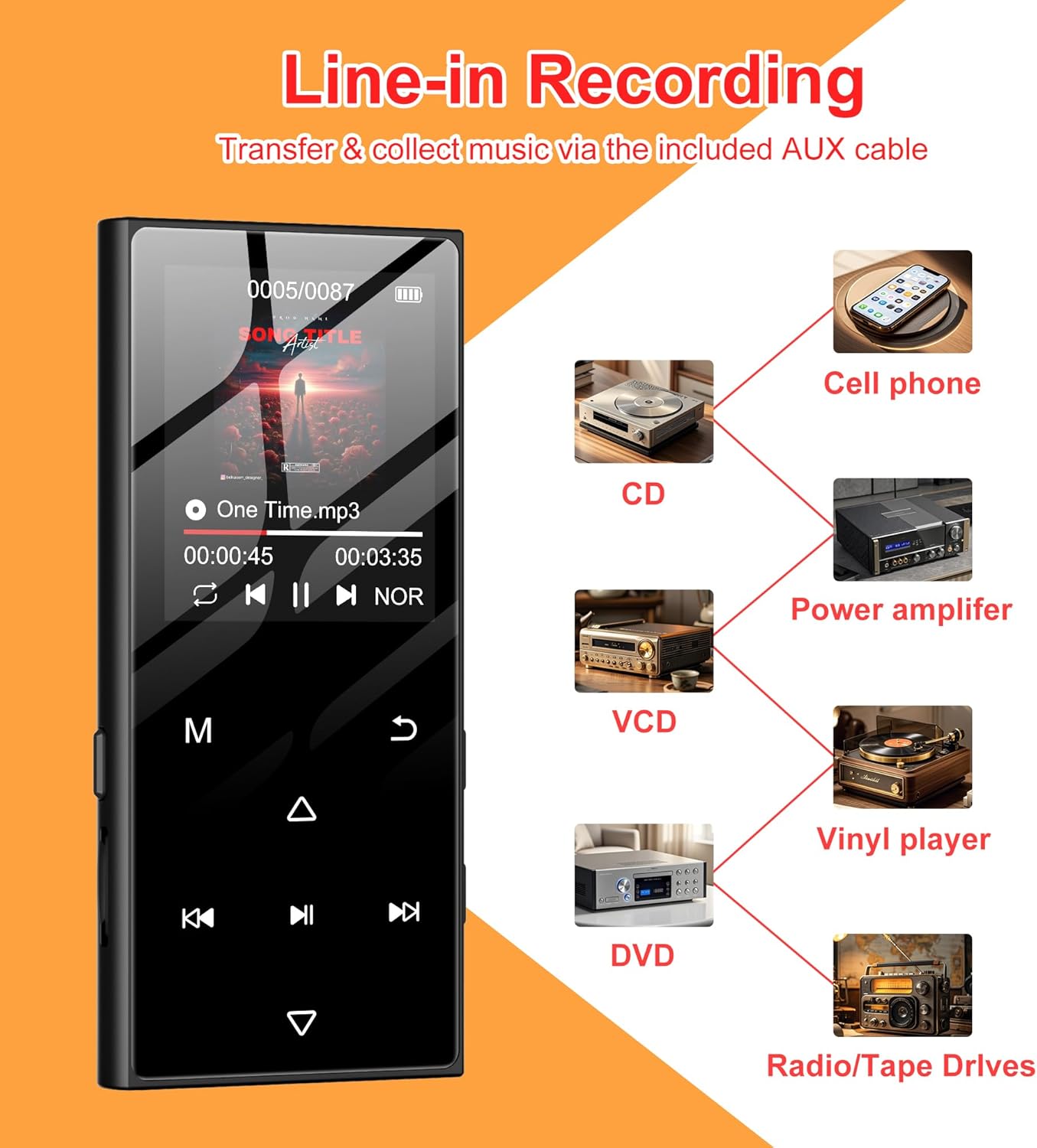
Image: The SWOFY D50 MP3 Player screen showing a recording interface, with diagrams illustrating line-in recording capabilities from devices such as cell phones, CDs, VCDs, DVDs, power amplifiers, vinyl players, and radio/tape drives.
5.6 E-Book Reader and Picture Viewer
The device supports e-book reading and picture viewing. Transfer compatible files to the device and access them through the respective applications.

Image: The SWOFY D50 MP3 Player displaying its multi-functional capabilities, including icons for Music, AB Repeat, Bluetooth, Calendar, FM Radio, Picture, Resume, E-Book, Various Speed Playback, Recorder, and 128GB internal memory with 128GB expansion.
6. תחזוקה
6.1 טיפול בסוללה
To prolong battery life, avoid fully discharging the device frequently. Charge the device regularly, especially if it will not be used for an extended period. Store in a cool, dry place.
6.2 ניקוי
Use a soft, dry cloth to clean the device. Avoid using liquid cleaners or abrasive materials, which may damage the screen or casing.
7. פתרון תקלות
- המכשיר לא נדלק: Ensure the device is fully charged. If the issue persists, try pressing the reset button (if available) or contact support.
- לא ניתן להתחבר ל-Bluetooth: Ensure Bluetooth is enabled on both the MP3 player and the target device, and that both are in pairing mode. Verify that the target device is not a phone or tablet.
- אין קול: Check volume levels. Ensure earphones are properly connected or Bluetooth device is paired and connected.
- Files not recognized: ודא כי files are in a supported format (APE, FLAC, WMA, MP3, ACELP). Ensure the Micro SD card is properly inserted and not corrupted.
8. מפרטים
| מותג | SWOFY |
| דֶגֶם | D50 |
| זיכרון פנימי | 128 ג'יגה-בייט |
| זיכרון הניתן להרחבה | Up to 256 GB (Micro SD card) |
| גרסת בלוטות' | 5.3 |
| גודל מסך | 1.8 אינץ' |
| טכנולוגיית קישוריות | בלוטות', USB |
| תכונות מיוחדות | Built-In Speaker, Equalizer, FM Radio, Voice Recorder |
| סוֹלְלָה | סוללת ליתיום פולימר אחת (כלול) |
| משקל פריט | 5.3 אונקיות |
| מידות | 91.6*41.6*9.8 מ"מ (כ-3.6 x 1.6 x 0.39 אינץ') |

Image: The SWOFY D50 MP3 Player held in a hand, emphasizing its stylish and compact design, with text indicating its 0.36-inch thickness and 2.18-ounce lightweight nature.
9. אחריות ותמיכה
For warranty information and technical support, please refer to the contact details provided on the product packaging or visit the official SWOFY webאֲתַר. שמור את קבלה הרכישה שלך לתביעות אחריות.


