1. הקדמה
This manual provides detailed instructions for the setup, operation, and maintenance of your NexiGo Nova Mini Portable Laser Projector. Please read this manual thoroughly before using the device to ensure proper functionality and safety.

Image 1.1: The NexiGo Nova Mini Portable Laser Projector.
2. תכונות עיקריות
- שילוב Google TV: Access a wide range of streaming services and apps directly.
- 1080p Full HD רזולוציית: מספק תמונות ברורות ותוססות.
- 1200 Lumens בהירות: Provides a bright picture for various viewסביבות.
- 15,000:1 Contrast Ratio with Scene Adapt Engine (SAE): Enhances image depth and detail.
- Active 3D Support: בשביל סוחף viewניסיון.
- Intelligent Auto Setup: Features Auto Adaptive Brightness, Auto Keystone Correction, Autofocus, Intelligent Obstacle Avoidance, Intelligent Screen Alignment, and Intelligent Eye Protection.
- עיצוב נייד: קומפקטי וקל משקל להובלה קלה.
- 8W Dolby Audio Speaker: Integrated sound system for a complete audio experience.
- USB-C PD Power Compatibility: Can be powered by a 100W power bank for on-the-go use.
3. התקנה
3.1 הפעלה ראשונית
- Connect the projector to a power source using the provided power adapter. For portable use, connect a 100W USB-C PD power bank.
- לחץ על לחצן ההפעלה במקרן או בשלט הרחוק כדי להפעיל את המכשיר.
3.2 מיקום והקרנה
Position the projector on a stable surface. The built-in kickstand allows for tilting the projection angle between 7° and 15°.
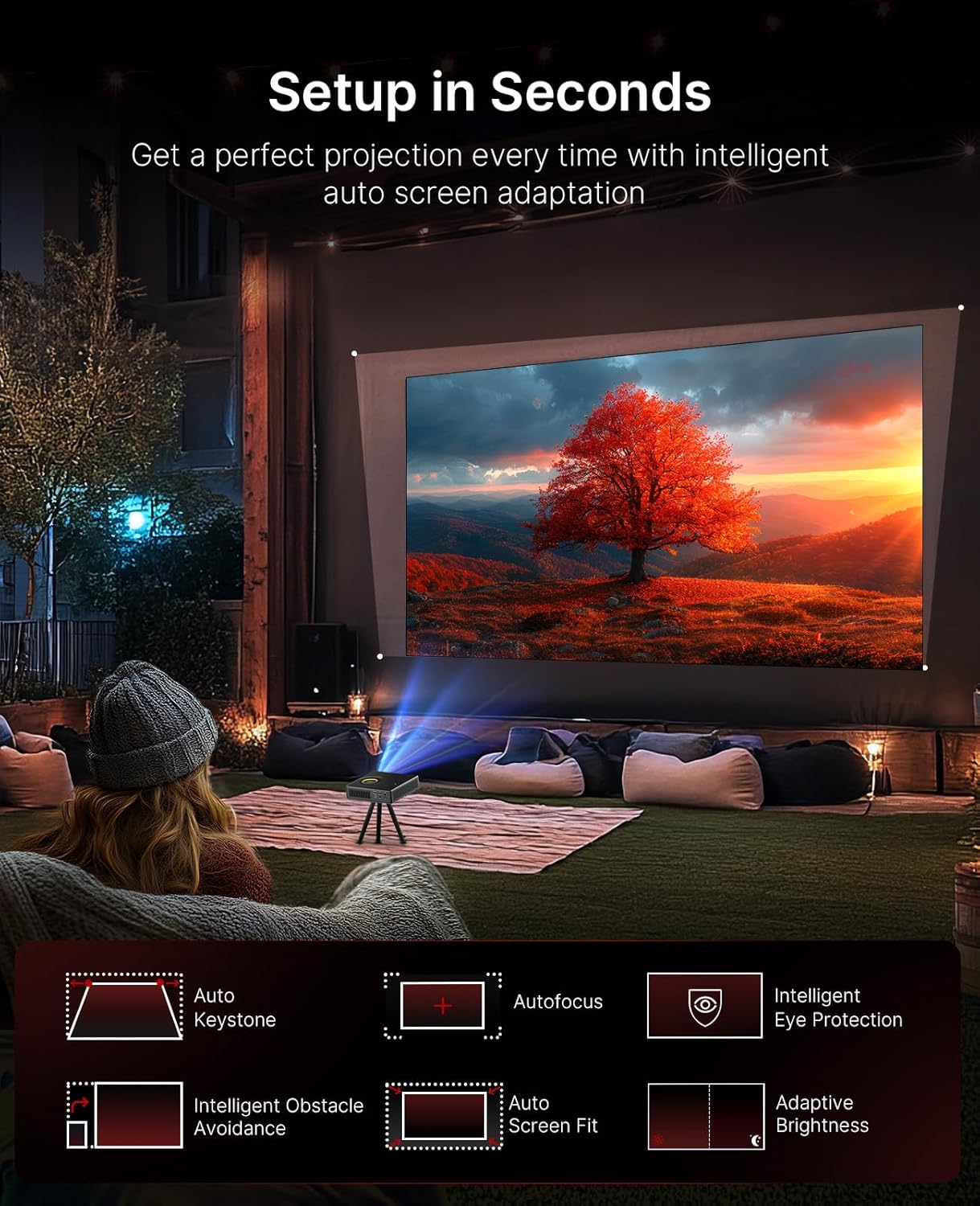
Image 3.1: The projector demonstrating its intelligent auto setup features, including auto keystone, autofocus, and obstacle avoidance.
3.3 Intelligent Screen Adaptation (ISA)
The Nova Mini features Intelligent Screen Adaptation for an effortless setup:
- Auto Adaptive Brightness: Adjusts image brightness based on ambient light conditions.
- תיקון אבן מפתח אוטומטי: Automatically corrects image distortion for a rectangular picture.
- מיקוד אוטומטי: Sharpens the image for clear viewing.
- הימנעות מושכלת ממכשולים: Adjusts the projection to avoid objects on the wall.
- יישור מסך חכם: מתאים אוטומטית את התמונה למסך שלך.
- הגנה חכמה על העיניים: Dims the image brightness when someone stands in front of the laser to protect eyes.

Image 3.2: Visual representation of the projector's effortless setup features.
4. הוראות הפעלה
4.1 ממשק גוגל טי וי
The projector integrates Google TV, providing access to over 10,000 apps and 800+ free channels via Google Play. Popular streaming services like Netflix, YouTube, Prime Video, and Disney+ are available.

Image 4.1: The Google TV home screen on the projector.
4.2 שליטה קולית
Utilize the intuitive remote with built-in voice control (Hey Google) to navigate content, search for shows, and control playback.

Image 4.2: Using the remote control for voice commands.
4.3 יציקת תוכן
With Google Cast, you can wirelessly stream content from Android, iOS, Mac, or Windows devices to the projector.

Image 4.3: Wireless content casting from a mobile device.
5. איכות תמונה ושמע
5.1 הקרנת לייזר
The Nova Mini utilizes laser projection technology, offering 1080p resolution and 1200 Lumens brightness. It covers 100% Rec.709 color gamut, enhanced by HDR10 and HLG for accurate colors and contrast.

תמונה 5.1: דוגמהample of lifelike image quality.
5.2 Scene Adapt Engine (SAE)
The Scene Adapt Engine (SAE) improves contrast and detail by adjusting laser brightness in real-time based on content. This results in ultra-deep blacks and brilliant highlights with a contrast ratio over 15,000:1.
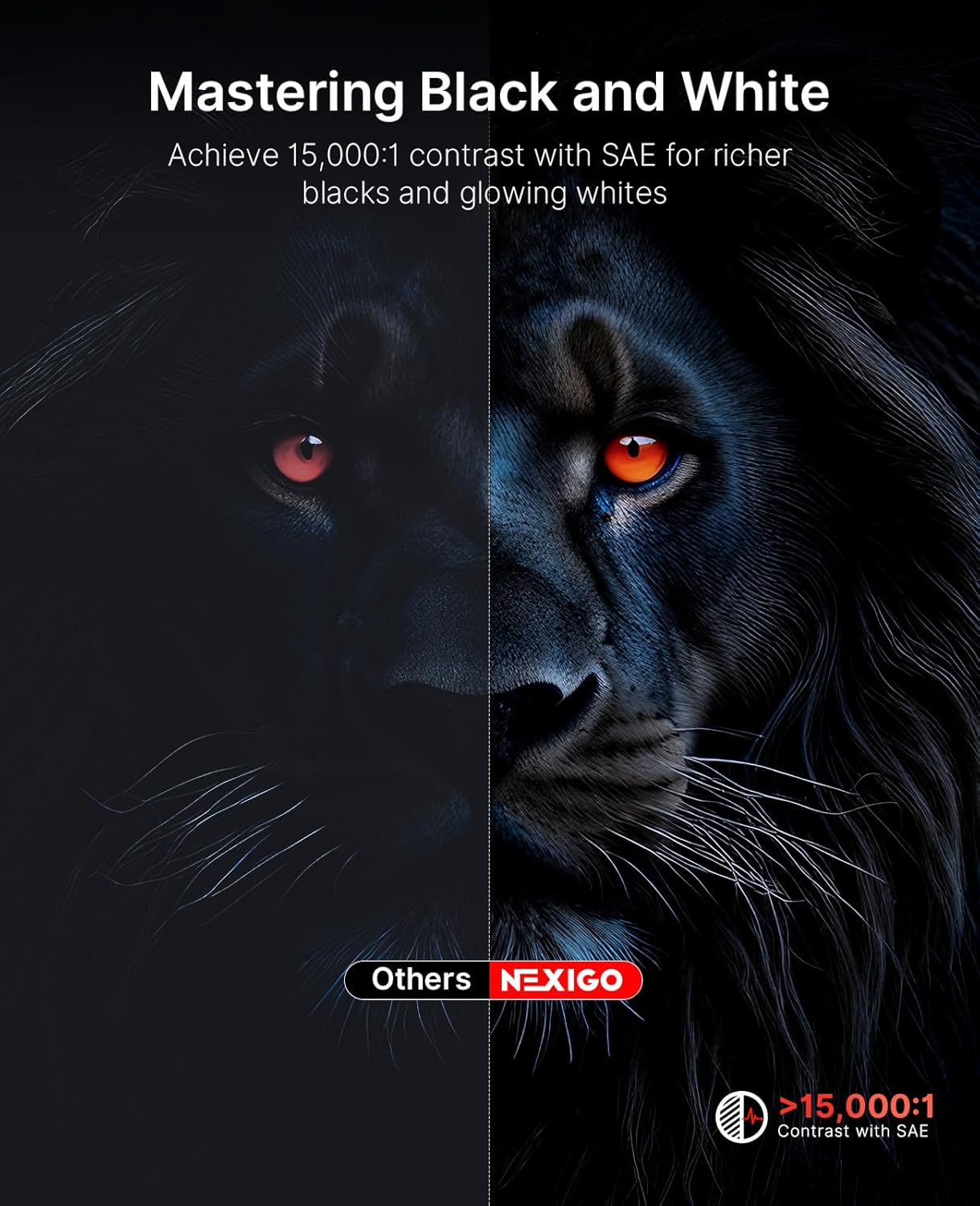
Image 5.2: Contrast enhancement with Scene Adapt Engine.
5.3 תמיכה בתלת-ממד
The Nova Mini supports Active 3D content, providing an immersive home entertainment experience.

Image 5.3: Immersive 3D viewניסיון.
5.4 מערכת שמע
Equipped with an 8W speaker and Dolby Audio, the projector delivers clear and rich sound for an enhanced viewניסיון.

Image 5.4: The projector's audio capabilities in an outdoor setting.
6. ניידות
The Nova Mini is designed for portability, measuring under 2 inches thick and weighing only 3 lbs. Its compact size allows for easy transport and setup in various locations, both indoors and outdoors.
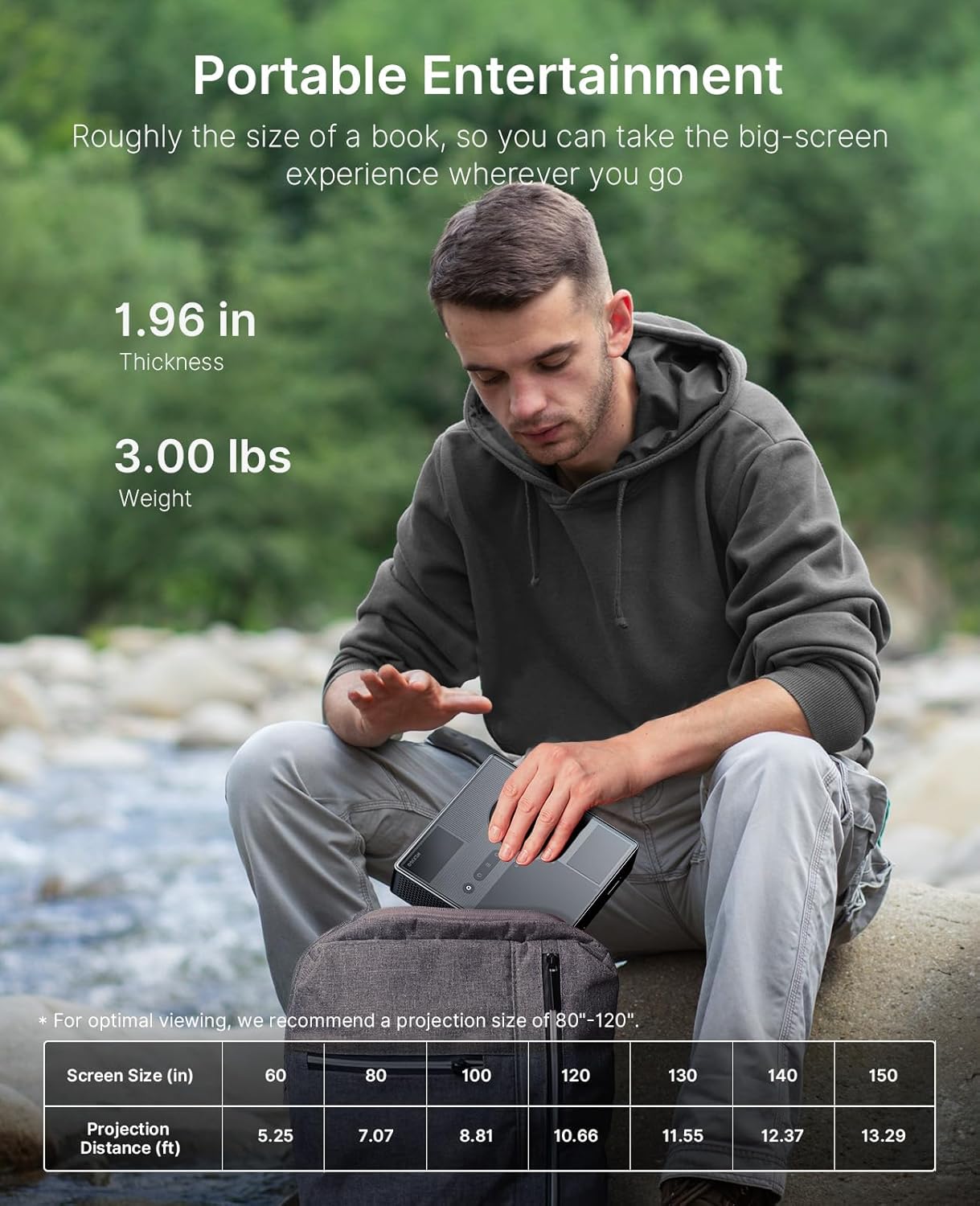
Image 6.1: The projector's compact size for portable entertainment.
| גודל מסך (אינץ') | מרחק הקרנה (רגל) |
|---|---|
| 60 | 5.25 |
| 80 | 7.07 |
| 100 | 8.81 |
| 120 | 10.66 |
| 130 | 11.55 |
| 140 | 12.37 |
| 150 | 13.29 |
Table 6.1: Optimal viewing is recommended for projection sizes between 80"-120".

Image 6.2: The projector used for outdoor entertainment.
7. קישוריות
The projector offers various connectivity options for different devices:
- HDMI: Two HDMI ports (HDMI 1 supports ARC) for connecting laptops, game consoles, and other media players.
- USB 2.0: לחיבור כונני USB.
- שקע שמע 3.5 מ"מ: לחיבור אוזניות או רמקולים חיצוניים.
- LAN: יציאת Ethernet לחיבור רשת קווית.
- USB-C: For power delivery (PD) and data transfer.

תמונה 7.1: נגמרview של יציאות הקישוריות של המקרן.
8. מפרטים
- מספר דגם: PJ08
- מידות המוצר: 7.8 x 7.8 x 2.3 אינץ'
- משקל פריט: 6.23 פאונד
- הַחְלָטָה: 1080p FHD
- בְּהִירוּת: 1200 לומן
- יחס ניגודיות: 15,000:1 with SAE
- סולם צבעים: 100% Rec.709
- תמיכה ב-HDR: HDR10, HLG
- תמיכה בתלת מימד: תלת מימד פעיל
- מַעֲרֶכֶת הַפעָלָה: Google TV
- שֶׁמַע: 8W Dolby Audio Speaker
- קלט כוח: USB-C PD (requires 100W power source)
- יַצרָן: Next INC
- תאריך זמין ראשון: 15 באוגוסט 2025
9. תחזוקה
To ensure the longevity and optimal performance of your NexiGo Nova Mini projector, follow these maintenance guidelines:
- ניקוי העדשה: השתמשו במטלית רכה ונטולת סיבים המיועדת במיוחד לעדשות אופטיות. הימנעו מחומרים שוחקים או כימיקלים חזקים.
- ניקוי החלק החיצוני: נגבו את החלק החיצוני של המקרן בעזרת מטלית רכה ויבשה. אין להשתמש בחומרי ניקוי נוזליים ישירות על המכשיר.
- אוורור: Ensure that the projector's ventilation openings are not blocked to prevent overheating. Maintain adequate space around the device for airflow.
- אִחסוּן: כאשר המקרן אינו בשימוש למשך תקופות ממושכות, יש לאחסן אותו במקום קריר ויבש, הרחק מאור שמש ישיר וטמפרטורות קיצוניות.
- ניהול צריכת חשמל: Always power off the projector correctly before unplugging it.
10. פתרון תקלות
If you encounter issues with your NexiGo Nova Mini, refer to the following common troubleshooting steps:
- אין כוח: Ensure the power adapter is securely connected to both the projector and a working power outlet. If using a power bank, confirm it is a 100W USB-C PD compatible model and fully charged.
- אין תמונה: Check that the lens cap is removed. Verify the input source is correctly selected in the projector's settings. Ensure all cables (HDMI, etc.) are securely connected.
- תמונה מטושטשת: The projector features autofocus. If the image remains blurry, try moving the projector slightly or manually adjusting focus if an option is available in the settings. Ensure the projection surface is flat.
- אין צליל: Check the volume levels on both the projector and the connected source device. If using external speakers, ensure they are properly connected and powered on.
- שלט רחוק לא מגיב: החלף את הסוללות בשלט הרחוק. ודא שאין חסימות בין השלט הרחוק למקרן.
- אזהרת התחממות יתר: Ensure the projector's vents are clear and not obstructed. Allow the projector to cool down in a well-ventilated area.
עבור בעיות מתמשכות, אנא פנו לתמיכת הלקוחות.
11. אחריות ותמיכה
NexiGo products are designed for quality and reliability. For specific warranty details, please refer to the warranty card included with your product or visit the official NexiGo website. For technical assistance, troubleshooting, or customer service inquiries, please contact NexiGo USA support.
NexiGo USA Support:
- תמיכת לקוחות 24 שעות ביממה
- 30 Days Return or Exchange Policy
- תמיכה טכנית לכל החיים


