1. הקדמה
The RAPIQUE R306 Pro Wireless Mouse offers versatile connectivity and a comfortable, slim design. It supports connection to up to three devices via Bluetooth and 2.4G USB receiver, features silent clicks, and is conveniently rechargeable via USB-C. This manual provides essential information for setting up, operating, and maintaining your R306 Pro Wireless Mouse.

Image: RAPIQUE R306 Pro Wireless Mouse, showcasing its sleek design and white-to-black gradient.
2. מה בקופסה
- R306 PRO Bluetooth Mouse x1
- מקלט USB x1
- USB-C Charge Cable x1
- ידני x1
3. המוצר נגמרview
The RAPIQUE R306 Pro features a modern white-to-black gradient design, offering a balanced and professional aesthetic. Its slim, portable form factor makes it ideal for various environments, from office to travel. The mouse is designed for comfortable, long-term use with its symmetrical shape and lightweight construction.

Image: The RAPIQUE R306 Pro Wireless Mouse being used in different settings, highlighting its versatility.
תכונות עיקריות:
- Triple-Device Connectivity: Connects up to three devices using Bluetooth 1, Bluetooth 2, and the included 2.4G USB receiver.
- USB-C נטענת: Features an upgraded USB-C rechargeable battery for efficient daily use.
- Quiet & Smooth Operation: Silent left/right clicks and a refined scroll wheel for a distraction-free environment.
- Comfortable Symmetrical Shape: Designed for a natural feel and easy control during extended use.
- Portable Slim Design: קומפקטי ונמוךfile, easily fits into laptop bags and cases.
4. התקנה
Before initial use, fully charge the mouse for approximately 2 hours using the provided USB-C cable.
4.1. 2.4G USB Receiver Connection:
- Locate the USB receiver stored in the bottom compartment of the mouse. Push the 'PUSH' button to release the cover and retrieve the receiver.
- חבר את מקלט ה-USB ליציאת USB זמינה במחשב או במכשיר שלך.
- הפעל את העכבר באמצעות המתג בתחתית.
- Slide the mode switch to the '2.4G' position. The indicator light will illuminate.
- Your device should automatically detect and connect to the mouse.

Image: Underside of the mouse with the ON/OFF switch, mode selector, and USB receiver compartment.
4.2. Bluetooth Connection (BT1/BT2):
- הפעל את העכבר באמצעות המתג בתחתית.
- Slide the mode switch to either 'BT1' or 'BT2' position.
- Press and hold the 'MODE' button for 3-5 seconds until the corresponding Bluetooth indicator light (BT1 or BT2) starts blinking rapidly. This indicates pairing mode.
- On your device (laptop, tablet, etc.), go to Bluetooth settings and search for new devices.
- Select 'RAPIQUE R306 Pro' from the list of available devices to pair.
- Once connected, the indicator light will stop blinking and remain solid for a few seconds before turning off.
- To switch between paired Bluetooth devices, simply slide the mode switch to the desired BT1 or BT2 position.
Video: Demonstrates the unboxing and initial setup of the RAPIQUE R306 Pro Wireless Mouse, including locating the USB receiver and connecting.
5. הוראות הפעלה
The R306 Pro Wireless Mouse is designed for intuitive and quiet operation.
- קליקים שקטים: The left and right click buttons are engineered for silent operation, minimizing noise in quiet environments.
- Smooth Scrolling: The refined scroll wheel provides precise and quiet scrolling.
- מיתוג בין מכשירים מרובים: Easily switch between up to three connected devices by moving the mode switch on the bottom of the mouse to the desired Bluetooth channel (BT1, BT2) or 2.4G mode.

Image: Close-up of the RAPIQUE R306 Pro Wireless Mouse highlighting its smooth scrolling capability.
6. טעינה
The RAPIQUE R306 Pro features a built-in rechargeable battery. Use the provided USB-C cable to charge the mouse.
- Connect the USB-C end of the cable to the charging port on the front of the mouse.
- חבר את קצה ה-USB-A של הכבל למקור חשמל (למשל, יציאת USB של המחשב, מתאם USB לקיר).
- A full charge takes approximately 1.5 hours and can provide up to 30 days of usage, depending on usage patterns.
- The mouse can be used while charging.
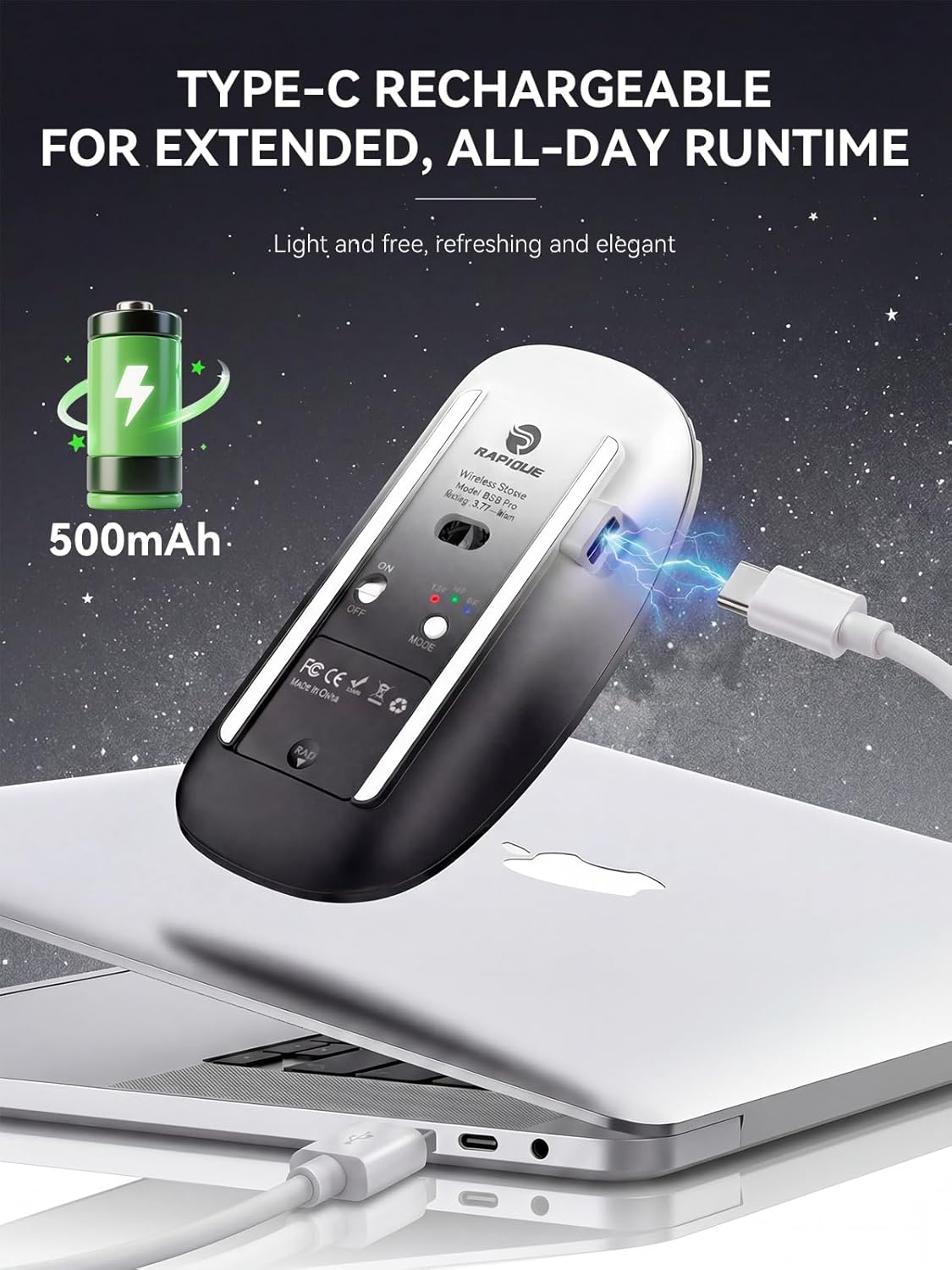
Image: The RAPIQUE R306 Pro Wireless Mouse connected to a laptop via its USB-C charging cable.
7. תאימות
The RAPIQUE R306 Pro Wireless Mouse offers broad compatibility with various operating systems and devices.
- מצב 2.4G: Compatible with devices that have a standard USB-A port (e.g., laptops, desktop computers).
- מצב Bluetooth: Compatible with Bluetooth-enabled devices running Windows, Mac OS, iOS (13.0 or later), Android (4.3 or later), and Chrome OS.

Image: The RAPIQUE R306 Pro Wireless Mouse demonstrating compatibility with Windows, Mac OS, Linux, iOS, Android, and Chrome OS.
8. תחזוקה
To ensure the longevity and optimal performance of your RAPIQUE R306 Pro Wireless Mouse, follow these maintenance guidelines:
- ניקוי: השתמשו במטלית רכה ויבשה לניקוי העכבר. הימנעו משימוש בכימיקלים חזקים או בחומרים שוחקים.
- אִחסוּן: When not in use, store the mouse in a cool, dry place. If traveling, ensure the USB receiver is securely stored in its compartment.
- הימנע מתנאים קיצוניים: אין לחשוף את העכבר לטמפרטורות קיצוניות, לאור שמש ישיר או לחות מוגזמת.
9. פתרון תקלות
If you encounter issues with your RAPIQUE R306 Pro Wireless Mouse, refer to the following common troubleshooting steps:
- עכבר לא מגיב: Ensure the mouse is turned ON and fully charged. Check the mode switch is set correctly (2.4G, BT1, or BT2). For 2.4G, ensure the USB receiver is properly plugged in. For Bluetooth, verify the mouse is paired and connected in your device's Bluetooth settings.
- בעיות התחברות: Try re-pairing the Bluetooth connection or re-inserting the 2.4G USB receiver. Ensure your device's Bluetooth is enabled.
- השהיה או תנועה לא יציבה: Ensure the mouse is used on a clean, flat surface. Avoid using it on reflective or transparent surfaces. Check for interference from other wireless devices.
- בעיות טעינה: Verify the USB-C cable is securely connected to both the mouse and the power source. Try a different USB-C cable or power adapter.
10. מפרטים
| תכונה | פְּרָט |
|---|---|
| מספר דגם | R306 PRO |
| טכנולוגיית קישוריות | Bluetooth 5.1, 2.4GHz Wireless |
| טכנולוגיית זיהוי תנועה | אוֹפּטִי |
| תכונות מיוחדות | Dual Bluetooth 5.1+2.4GHz Wireless, Ergonomic Design, Up to 3 devices, Lightweight, Rechargeable, Portable, Slim, Soundless |
| יציאת טעינה | USB-C |
| משקל פריט | 1.94 אונקיות (כ-55 גרם) |
| מידות חבילה | 4.69 x 3.03 x 1.34 אינץ' |
| סוללות | סוללה אחת לא סטנדרטית (כלולה) |
11. אחריות ותמיכה
RAPIQUE products are designed and manufactured to the highest quality standards. For warranty information, technical support, or any inquiries regarding your R306 Pro Wireless Mouse, please refer to the contact information provided in the product packaging or visit the official RAPIQUE webאֲתַר.


