מָבוֹא
The Bose SoundLink Micro Portable Bluetooth Speaker (2nd Gen) is a compact, durable, and high-performance wireless speaker designed for on-the-go audio. This manual provides essential information for setting up, operating, and maintaining your speaker to ensure optimal performance and longevity.

Image: The Bose SoundLink Micro speaker, highlighting its powerful sound capabilities.
מה יש בקופסה
ודא שכל הפריטים קיימים לפני שתמשיך בהתקנה:
- Bose SoundLink Micro Portable Speaker (2nd Gen)
- כבל USB-C ל-USB-A
- גיליון בטיחות
המוצר נגמרview
The SoundLink Micro features a robust design with intuitive controls for easy operation.

תמונה: חזית view of the SoundLink Micro speaker, displaying the Bluetooth, volume, play/pause, and power buttons.
בקרות:
- לחצן בלוטות': מפעיל מצב צימוד Bluetooth.
- להנמיך קול (-): מקטין את עוצמת השמע.
- לחצן הפעלה/השהה: Controls media playback (play, pause, skip tracks).
- הגברת עוצמת הקול (+): מגביר את עוצמת השמע.
- לחצן הפעלה: מפעיל או מכבה את הרמקול.
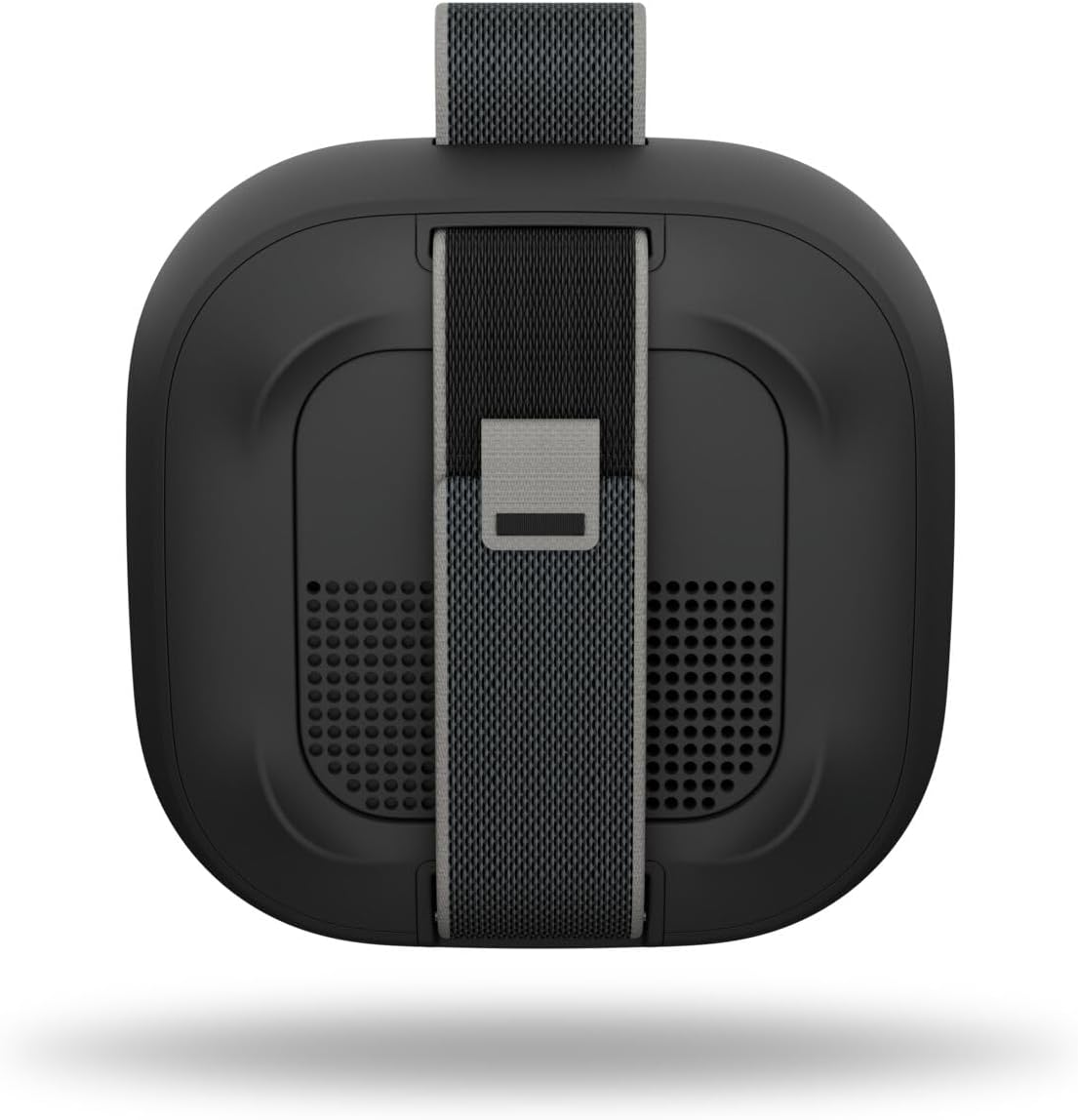
תמונה: אחורי view of the SoundLink Micro speaker, highlighting the integrated utility strap for attachment.
The speaker also features a durable utility strap for easy attachment to bags or other objects, enhancing its portability.
הגדרה
1. טעינת הרמקול
- Connect the small end of the USB-C to USB-A cable to the USB-C port on the speaker.
- Connect the large end of the cable to a USB-A wall charger (not included) or a computer's USB port.
- נוריות חיווי הסוללה ידלקו כדי להראות את מצב הטעינה. טעינה מלאה אורכת כ-3 שעות.
2. הפעלה / כיבוי
- כדי להפעיל, לחץ על כּוֹחַ button. You will hear an audible tone and the battery indicator will show the current charge level.
- כדי לכבות, לחץ והחזק את המקש כּוֹחַ button until you hear an audible tone.
3. זיווג Bluetooth
- כשהרמקול מופעל, לחץ והחזק את הלחצן בלוטות' button until the Bluetooth indicator light blinks blue. The speaker is now in pairing mode.
- On your mobile device, enable Bluetooth and select "Bose SoundLink Micro" from the list of available devices.
- Once connected, you will hear an audible tone and the Bluetooth indicator light will glow solid white.
4. שימוש באפליקציית Bose
- Download the Bose app from your device's app store.
- The app allows for software updates, adjustable EQ settings (bass, treble, mid-levels), volume control, and the ability to create shortcuts.
הוראות הפעלה
השמעת השמעת מוסיקה
- הקש על הפעל/השהה button once to play or pause audio.
- הקש על הפעל/השהה button twice quickly to skip to the next track.
- הקש על הפעל/השהה button three times quickly to skip to the previous track.
- השתמש ב- הגברת עוצמת הקול (+) ו להנמיך קול (-) כפתורים כדי לכוונן את עוצמת השמע.
Pairing Two Speakers (Party Mode / Stereo Mode)
You can link two SoundLink Micro (2nd Gen) speakers for an enhanced audio experience:
- מוד מסיבה: Plays the same audio simultaneously from both speakers, ideal for larger areas.
- מצב סטריאו: Designates one speaker as the left channel and the other as the right channel for a stereo soundstage.
Refer to the Bose app for detailed instructions on how to set up Party Mode or Stereo Mode.

Image: Two SoundLink Micro speakers demonstrating the ability to link for expanded sound.
תַחזוּקָה
עמידות והגנה
The SoundLink Micro is designed for rugged use:
- Waterproof and Dustproof (IP67 rated): Can withstand immersion in water up to 1 meter for 30 minutes and is protected against dust ingress.
- עמיד בפני זעזועים וחלודה: Built to endure drops and exposure to various environments.

Image: The SoundLink Micro speaker in an outdoor setting, emphasizing its durable construction.
ניקוי
כדי לנקות את הרמקול, השתמשו במטלית רכהamp cloth. Avoid using solvents or harsh chemicals. Ensure the USB-C port cover is securely closed before exposing the speaker to water or dust.
פתרון בעיות
If you encounter issues with your SoundLink Micro, try the following steps:
- אין כוח: ודא שהרמקול טעון. חבר אותו למקור חשמל באמצעות כבל ה-USB-C המצורף.
- אין צליל: בדקו את עוצמת הקול הן ברמקול והן במכשיר המחובר. ודאו שהרמקול מקושר כראוי דרך Bluetooth.
- בעיות קישוריות Bluetooth: Turn off and on your device's Bluetooth. Try unpairing and re-pairing the speaker. Ensure the speaker is within the 30-foot Bluetooth range.
- הדובר לא מגיב: Perform a soft reset by holding the Power button for 10 seconds.
For further assistance, consult the Bose app or the official Bose support webאֲתַר.
מפרטים
| תכונה | מִפרָט |
|---|---|
| שם הדגם | Bose SoundLink Micro Speaker (2nd Gen) |
| מספר דגם של פריט | 895098-0100 |
| סוג רמקול | רמקול נייד |
| טכנולוגיית קישוריות | בלוטות' |
| טכנולוגיית תקשורת אלחוטית | בלוטות' |
| טווח בלוטות' | עד 30 רגל |
| מקור כוח | מופעל על סוללה |
| חיי סוללה | עד 12 שעות |
| זמן טעינה | בערך 3 שעות |
| רמת עמידות במים | Waterproof (IP67) |
| מידות המוצר | 4.09" D x 4.09" W x 1.69" H |
| משקל פריט | 0.33 קילוגרם (11.6 אונקיות) |
| שיטת בקרה | אפליקציה, לחצן לחיצה |
| רכיבים כלולים | Speaker, USB-C to USB-A cable, Safety Sheet |
אחריות ותמיכה
The Bose SoundLink Micro Portable Bluetooth Speaker (2nd Gen) comes with a Limited Warranty. For specific warranty terms and conditions, please refer to the Safety Sheet included in the packaging or visit the official Bose webאֲתַר.
For product support, software updates, and additional resources, download the Bose app or visit www.bose.com/support.


