1. הקדמה
This manual provides comprehensive instructions for the safe and effective use of your OnePlus Watch 3. Please read this manual thoroughly before operating the device and retain it for future reference. The OnePlus Watch 3 is a sophisticated smartwatch designed to integrate seamlessly into your daily life, offering advanced health monitoring, fitness tracking, and smart connectivity features.

Figure 1: The OnePlus Watch 3 in Black Steel, showcasing its round display and textured fluoroelastomer band.
2. התקנה
2.1 פתיחת האריזה וטעינה ראשונית
Upon unboxing your OnePlus Watch 3, ensure all components are present: the smartwatch, charging cable, and quick start guide. Before first use, fully charge the device using the provided charging cable. Connect the magnetic end of the cable to the charging pins on the back of the watch and the USB end to a compatible power adapter.

איור 2: אחורי view of the OnePlus Watch 3, highlighting the charging pins and health sensors.
2.2 צימוד עם הטלפון החכם שלך
- Download the OHealth app from your smartphone's app store (Google Play Store).
- ודא שה-Bluetooth מופעל בטלפון החכם שלך.
- Open the OHealth app and follow the on-screen instructions to add a new device.
- Select 'OnePlus Watch 3' from the list of available devices.
- אשר את קוד הצימוד המוצג גם בשעון וגם בטלפון החכם.
3. הפעלת ההתקן
3.1 ניווט בסיסי
- מסך מגע: Swipe left/right, up/down to navigate menus and screens. Tap to select items.
- כֶּתֶר: Rotate the crown to scroll through lists or adjust settings. Press the crown to return to the watch face or open the app drawer.
- כפתור תחתון: Customizable shortcut button, typically used for quick access to fitness tracking or health checks.

Figure 3: The front of the OnePlus Watch 3, illustrating the interactive display and physical crown for navigation.
3.2 התאמה אישית של לוחות השעון
The OnePlus Watch 3 offers a variety of pre-installed watch faces and allows for further customization through the OHealth app. You can also set personal photos as watch faces for a personalized touch.

Figure 4: A personalized watch face on the OnePlus Watch 3, demonstrating customization options.
4. מעקב בריאות
The OnePlus Watch 3 is equipped with advanced sensors for comprehensive health monitoring. Data is synchronized with the OHealth app for detailed analysis and insights.
- ניטור קצב הלב: מעקב רציף אחר דופק לאורך כל היום.
- מעקב אחר חמצן בדם (SpO2): מודד את רמות רוויון החמצן בדם.
- מעקב שינה: צגי שינהtages (Deep, Light, REM) and provides a sleep score, including sleep breathing risk detection.
- ניטור מתח: Assesses stress levels based on heart rate variability.
- Arterial Stiffness: Provides insights into vascular health.
- מעקב אחר מחזור: Helps track menstrual cycles for women.

Figure 5: The OnePlus Watch 3 showing various health metrics on its display.
5. Workout Tracking
The watch supports over 100 professional-level tracking modes, providing detailed metrics for various activities. GPS is integrated for accurate outdoor activity tracking.
- ניווט GPS: Supports Beidou, GPS, Galileo, GLONASS, and QZSS for precise location tracking during outdoor workouts.
- מעקב אחר פעילות: רושם צעדים, מרחק, קלוריות שנשרפו ודקות פעילות.
- Fat Burning Evaluation: Provides insights into your workout effectiveness for fat burning.

Figure 6: The OnePlus Watch 3 being used during a cycling activity, demonstrating its fitness tracking capabilities.
6. Design & Build Quality
The OnePlus Watch 3 features a premium design with durable materials for everyday wear.
- מִקרֶה: 43mm polished stainless steel case.
- הגנת תצוגה: Sapphire Crystal for enhanced scratch resistance.
- לְהִתְאַגֵד: Comfortable fluoroelastomer band.
- עמידות במים: IP68 and 5 ATM rating, suitable for swimming and daily water exposure.
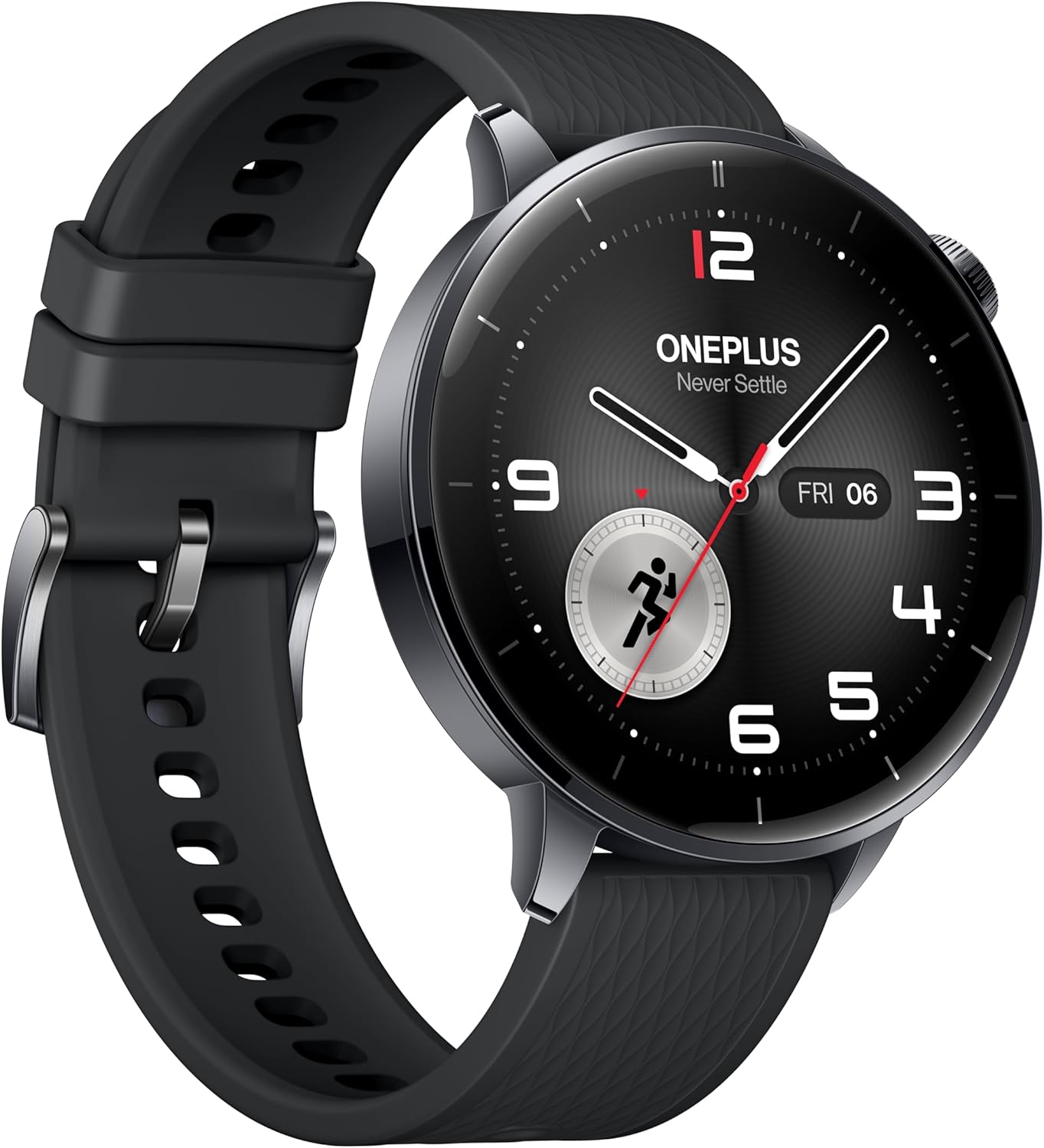
איור 7: צד פרוfile of the OnePlus Watch 3, showcasing its polished stainless steel case and integrated crown.
7. מפרט טכני
| תכונה | מִפרָט |
|---|---|
| דֶגֶם | OnePlus Watch 3 (43mm Black Steel) |
| לְהַצִיג | 1.32-inch AMOLED, Round Face |
| מַעֲרֶכֶת הַפעָלָה | WearOS 5 (at launch) |
| מעבד | Snapdragon W5 Gen 1 |
| אַיִל | 2GB |
| אִחסוּן | 32GB |
| קיבולת סוללה | 345mAh (up to 60 hours in Smart Mode) |
| טְעִינָה | VOOC Quick Charging |
| קישוריות | Bluetooth, Wi-Fi (5G/2.4G, 802.11 a/b/g/n), NFC |
| GPS | Beidou, GPS, Galileo, GLONASS, QZSS |
| עמידות במים | IP68, 5 כספומט |
| משקל (ללא רצועה) | 49.7 גרם |
| חומרים | Polished Stainless Steel Case, Sapphire Crystal, Fluoroelastomer Band |
8. Battery Performance
The OnePlus Watch 3 offers exceptional battery life for a WearOS smartwatch, providing up to 60 hours of use in Smart Mode. Power-saving features can extend this significantly.

Figure 8: The OnePlus Watch 3 highlighting its impressive 60-hour battery life in Smart Mode.
9. תצוגה
The 1.32-inch AMOLED display provides vibrant colors and excellent readability, even in bright sunlight. The display is protected by Sapphire Crystal for durability.
Figure 9: A close-up of the OnePlus Watch 3's vibrant AMOLED display.
10. קישוריות
The watch offers robust connectivity options for seamless integration with your digital ecosystem.
- בלוטות': For connecting to your smartphone and compatible accessories like earbuds.
- Wi-Fi: Enables faster app downloads and updates from the Play Store.
- NFC: Supports Google Wallet for contactless payments.

Figure 10: The OnePlus Watch 3's app drawer, illustrating the range of applications available.
11. Software (Wear OS 5.0)
Running on Wear OS 5.0, the OnePlus Watch 3 provides a smooth and feature-rich user experience with access to a wide range of Google apps and services.
- Google Play Apps: Download and install your favorite apps directly from the watch.
- ארנק גוגל: Convenient contactless payments.
- Google Assistant: Voice-activated assistant for quick tasks and information.
- Dual OS: Combines Wear OS for smart features with an RTOS-based system for power efficiency in core functions.
12. Smartphone App (OHealth)
The OHealth app serves as the central hub for managing your OnePlus Watch 3, providing detailed health and fitness data, watch face customization, and device settings.
- תובנות בריאות: Comprehensive summaries and tips based on your prolonged usage data.
- שיאי אימון: Detailed logs of your fitness activities, including maps, heart rate zones, and elevation data.
- ניהול מכשירים: Control watch settings, notifications, and app installations.
13. תחזוקה
To ensure the longevity and optimal performance of your OnePlus Watch 3, follow these maintenance guidelines:
- ניקוי: נגבו את השעון והרצועה באופן קבוע בעזרת מטלית רכהamp בַּד. הימנע מכימיקלים קשים.
- חשיפה למים: While water-resistant, avoid prolonged submersion in saltwater or exposure to high-pressure water. Rinse with fresh water after swimming.
- טְעִינָה: Use only the original charging cable. Keep charging contacts clean and dry.
- אִחסוּן: יש לאחסן את השעון במקום קריר ויבש כאשר אינו בשימוש.
14. פתרון תקלות
If you encounter any issues with your OnePlus Watch 3, try the following common solutions:
- שעון לא נדלק: ודא שהשעון טעון במלואו.
- בעיות זיווג: Ensure Bluetooth is on, the watch is in pairing mode, and the OHealth app is updated. Try restarting both devices.
- נתוני בריאות לא מדויקים: ודא שהשעון צמוד לפרק כף היד. נקה את החיישנים באופן קבוע.
- דיוק GPS גרוע: ודא שאתה נמצא באזור פתוח עם שמיים בהירים view.
- App crashes/slowness: Restart the watch. Ensure all apps and Wear OS are updated.
For persistent issues, refer to the online support resources or contact OnePlus customer service.
15. אחריות ותמיכה
Your OnePlus Watch 3 comes with a limited manufacturer's warranty. Please refer to the warranty card included in your product packaging for specific terms and conditions. For technical support, FAQs, and additional resources, visit the official OnePlus support webלאתר או לפנות לשירות הלקוחות שלהם.


