מָבוֹא
This manual provides comprehensive instructions for the setup, operation, and maintenance of your memzuoix WM125B Wireless Mouse. Designed for comfort and precision, this 2.4GHz wireless mouse offers adjustable DPI settings and broad compatibility for various computing needs.
תכונות עיקריות:
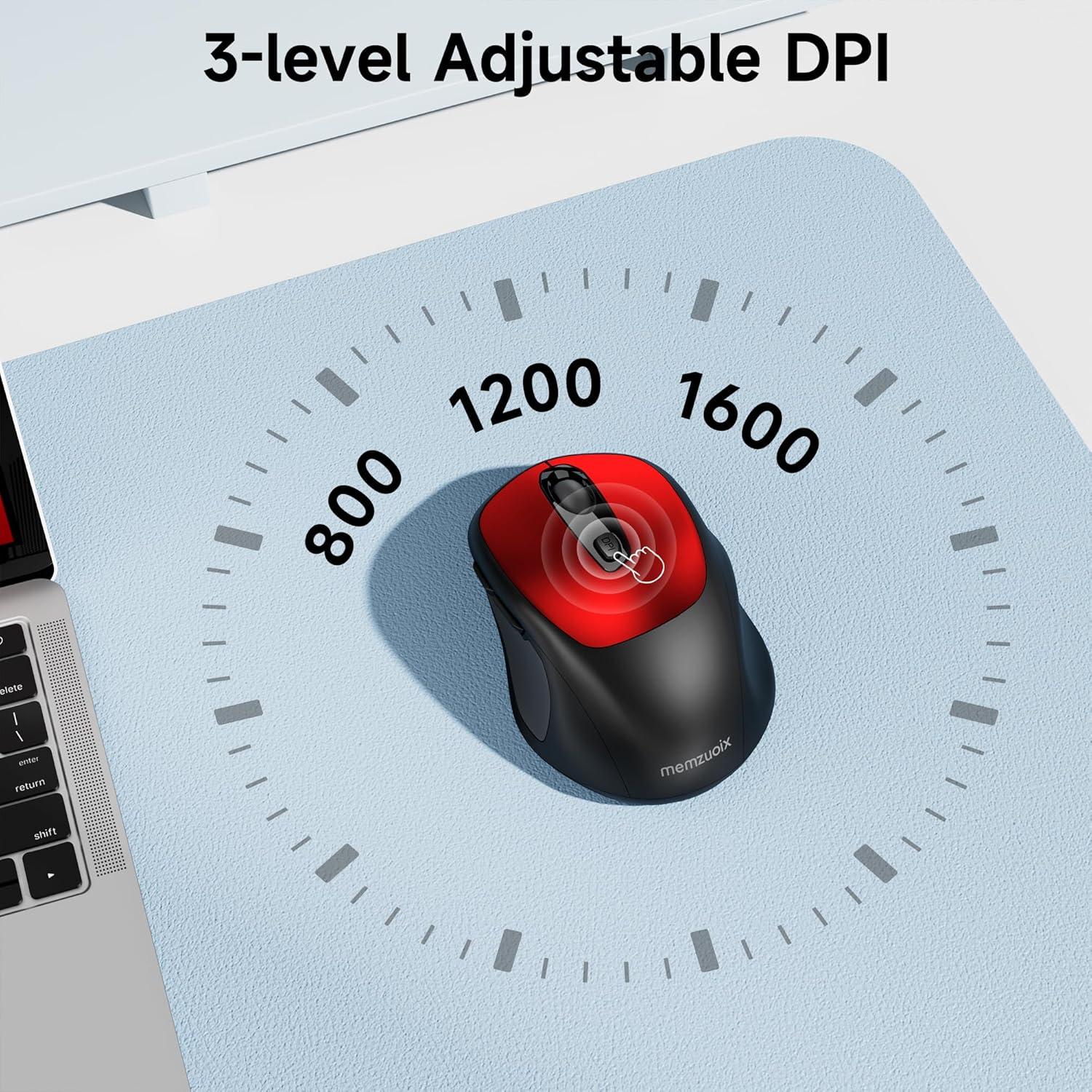
- 3 רמות DPI מתכווננות: Easily switch between 800, 1200, and 1600 DPI for optimal control.
- Ergonomic & Ambidextrous Design: Contoured shape with rubberized side grips for comfortable use by both left and right-handed users.
- Plug & Play 2.4GHz Nano Receiver: Instant connectivity without software installation, offering a reliable 33ft range.
- מבנה עמיד: Buttons and scroll wheel tested for 10 million clicks, ensuring long-term reliability.
- תאימות אוניברסלית: Works seamlessly with Windows, macOS, Linux, and ChromeOS devices.
- עיצוב נייד: Lightweight and compact, ideal for travel and on-the-go use.
מדריך התקנה
1. התקן סוללות
- אתר את מכסה תא הסוללה בחלק התחתון של העכבר.
- החלק או הרם בעדינות את המכסה כדי לפתוח את התא.
- הכניסו שתי סוללות AAA, תוך הקפדה על קוטביות נכונה (+/-).
- החזר את מכסה תא הסוללה למקומו עד שייכנס בנקישה היטב.

2. חברו מקלט USB
- Locate the nano USB receiver, typically stored within the battery compartment of the mouse.
- Plug the USB receiver into an available USB port on your computer (PC, Mac, laptop, etc.).
- The computer should automatically detect and install the necessary drivers. No additional software installation is required.

הוראות הפעלה
1. הפעלה/כיבוי
Locate the ON/OFF switch on the underside of the mouse. Slide the switch to the 'ON' position to activate the mouse. Slide it to 'OFF' when not in use to conserve battery life.
2. פונקציות כפתור
- כפתור שמאל: פונקציית קליק ראשונית.
- כפתור ימין: פונקציית לחיצה משנית (תפריט הקשר).
- גלגל גלילה: גלילה למעלה/למטה של מסמכים ו web pages. Can also be clicked for middle-button functionality.
- לחצן DPI: עובר בין הגדרות DPI (800/1200/1600).
- לחצן קדימה: מנווט קדימה ב web דפדפנים או file חוקרים.
- לחצן אחורה: מנווט אחורה ב web דפדפנים או file חוקרים.
3. כוונון רגישות DPI
הקש על כפתור DPI located below the scroll wheel to cycle through the available sensitivity settings: 800 DPI (for precise control), 1200 DPI (standard use), and 1600 DPI (for faster cursor movement). The mouse will indicate the change, often with a brief LED flash.
תַחזוּקָה
1. ניקיון
כדי לשמור על ביצועים אופטימליים, נקו את העכבר באופן קבוע. השתמשו במטלית רכה ונטולת סיבים ונגבו קלות.ampשטוף במים או בתמיסת ניקוי עדינה. הימנע מכימיקלים חזקים או מחומרים שוחקים. ודא שאף נוזל לא יכנס לרכיבים הפנימיים של העכבר.
2. החלפת סוללה
When the mouse's performance degrades or it stops responding, it may be time to replace the batteries. Follow the steps in the 'Install Batteries' section of this manual to replace the two AAA batteries. Dispose of old batteries responsibly according to local regulations.
פתרון בעיות
- עכבר לא מגיב:
- Ensure the mouse is switched 'ON' using the power switch on the underside.
- בדוק אם הסוללות מותקנות כראוי ויש להן מספיק טעינה. החלף אותן במידת הצורך.
- ודא שמקלט ה-USB מחובר היטב ליציאת USB תקינה במחשב שלך. נסה יציאת USB אחרת.
- הפעל מחדש את המחשב.
- תנועת הסמן אינה יציבה או לא מדויקת:
- Ensure the mouse is used on a clean, non-reflective surface. Avoid glass or highly reflective surfaces.
- נקו את החיישן האופטי בחלק התחתון של העכבר בעזרת מטלית רכה.
- נסה להתאים את הגדרת ה-DPI באמצעות כפתור ה-DPI.
- Connection issues or frequent disconnections:
- Ensure the mouse is within the effective operating range (approximately 33 feet) of the USB receiver.
- הימנע משימוש בעכבר בקרבת מקורות הפרעה אלקטרומגנטית חזקים (למשל, מכשירים אלחוטיים אחרים, חפצים מתכתיים גדולים).
- Re-pair the mouse with the receiver if possible (refer to manufacturer's website for specific pairing instructions if needed, as this model is typically plug-and-play).
מפרטים
| תכונה | פְּרָט |
|---|---|
| מותג | ממזואויקס |
| מספר דגם | WM125B |
| טכנולוגיית קישוריות | אלחוטי 2.4GHz (מקלט ננו USB) |
| רמות DPI | 800 / 1200 / 1600 |
| מספר כפתורים | 6 (שמאל, ימין, גלגל גלילה, DPI, קדימה, אחורה) |
| טכנולוגיית זיהוי תנועה | אוֹפּטִי |
| מקור כוח | 2 x סוללות AAA (לא כלול) |
| משקל פריט | 3.2 אונקיות |
| מידות חבילה | 4.8 x 3.23 x 1.85 אינץ' |
| צֶבַע | אָדוֹם |
| תְאִימוּת | PC, Mac, Laptop (Windows, macOS, Linux, ChromeOS) |
אחריות ותמיכה
The memzuoix WM125B Wireless Mouse comes with a standard manufacturer's warranty. For specific warranty details, return policies, or technical support, please refer to the product packaging or contact memzuoix customer service directly through their official webהאתר או הקמעונאי שבו המוצר נרכש.
לסיוע נוסף, אנא בקרו באתר memzuoix Store on Amazon.
