מָבוֹא
This manual provides comprehensive instructions for the Zintronic P3 PTZ IP WiFi Outdoor Camera, model IKPW330V1. This advanced surveillance camera features a 3MP sensor for crystal-clear Full HD video, Pan-Tilt-Zoom (PTZ) functionality for wide area coverage, automatic motion tracking, and efficient LED night vision for clear images in low-light conditions. It supports local recording to a microSD card (up to 128GB) and offers remote management via the intuitive CamHipro application. Key features include two-way audio communication, instant motion detection notifications, and live remote viewing from any location. This camera is an ideal solution for monitoring homes, offices, or businesses, combining advanced functions with ease of use.
מידע בטיחות
- ודא שספק הכוח עומד במפרטי המצלמה (5W).
- Install the camera in a location where it is protected from extreme weather conditions, despite being rated for outdoor use.
- Avoid direct exposure to water or moisture during installation and operation.
- אל תנסה לפרק או לשנות את המצלמה. פעולה זו עלולה לבטל את האחריות ולגרום נזק.
- Keep the camera away from strong magnetic fields or sources of interference.
- השתמש רק באביזרים שאושרו על ידי היצרן.
תוכן החבילה
ודא שכל הפריטים נמצאים בחבילה:
- Zintronic P3 PTZ IP WiFi Camera (IKPW330V1)
- אנטנת WiFi
- מדריך למשתמש (מסמך זה)
המוצר נגמרview
The Zintronic P3 PTZ IP WiFi Camera is designed for outdoor surveillance, offering robust features in a compact, rotatable dome-shaped housing. Familiarize yourself with the camera's components:
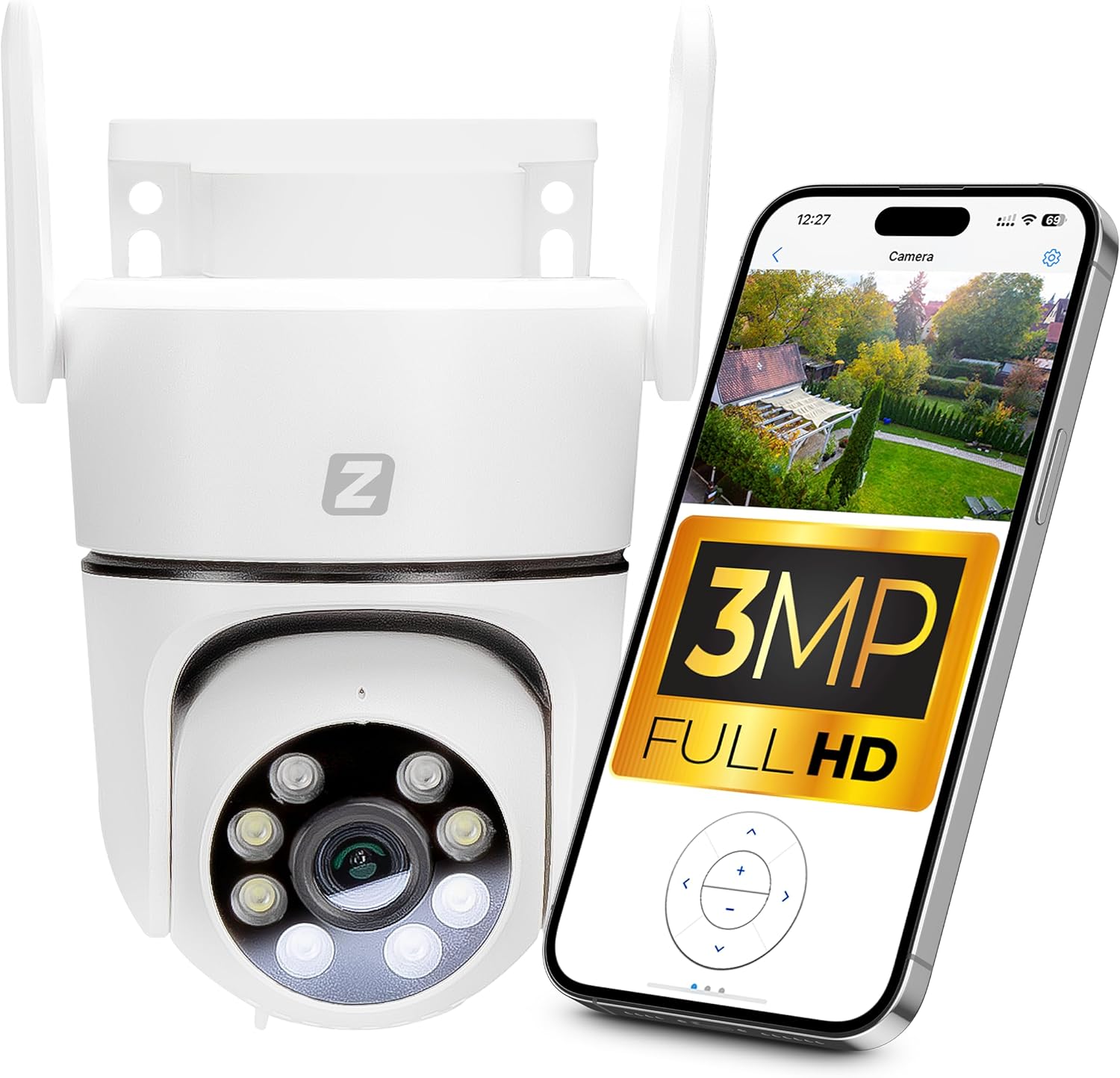
Figure 1: Zintronic P3 PTZ IP WiFi Camera with mobile app interface showing live feed.

איור 2: חזית view of the Zintronic P3 PTZ camera, highlighting the lens and LED illuminators.

איור 3: צד view of the Zintronic P3 PTZ camera, showing the antenna and mounting bracket.

איור 4: אחורי view of the Zintronic P3 PTZ camera, showing the antenna connections.
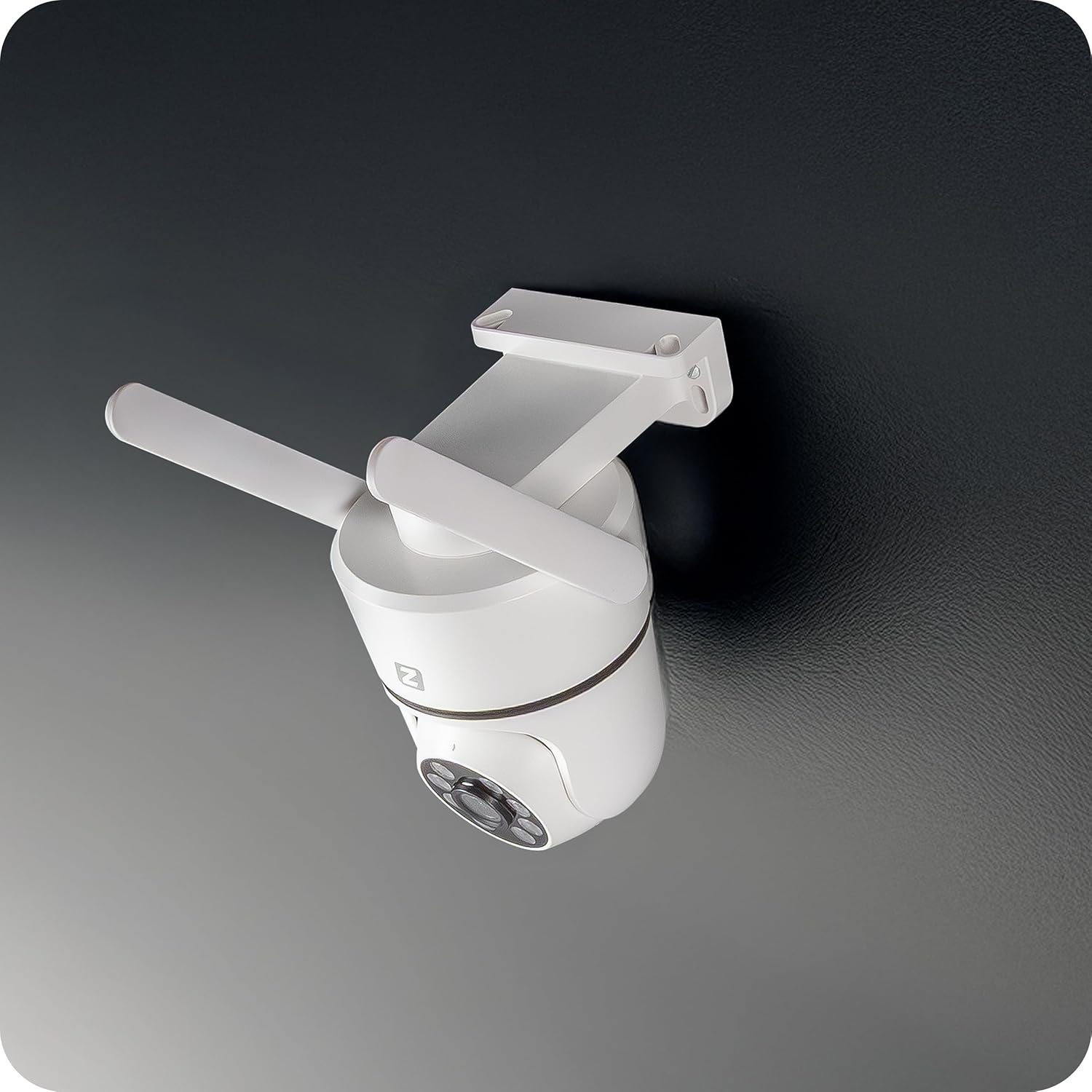
איור 5: זוויתי view of the Zintronic P3 PTZ camera, showcasing its rotational capability.

איור 6: מקרוב מלפנים view of the Zintronic P3 PTZ camera, detailing the lens and LED array.
מרכיבי מפתח:
- עדשת מצלמה: מצלם וידאו footage.
- LED Illuminators: Provide illumination for night vision, including color night vision.
- מִיקרוֹפוֹן: עבור קלט שמע ותקשורת דו-כיוונית.
- רַמקוֹל: עבור פלט שמע ותקשורת דו-כיוונית.
- אנטנות WiFi: עבור קישוריות רשת אלחוטית.
- הרכבה הרכבה: For wall or ceiling installation.
- חריץ כרטיס MicroSD: For local video storage (up to 128GB).
- יציאת חשמל: לחיבור מתאם החשמל.
הגדרה
1. התקנה פיזית
- בחר מיקום: Select a suitable outdoor location for optimal surveillance coverage, considering the camera's 89-degree viewing angle and 40-meter night vision range. Ensure the location has a stable Wi-Fi signal and access to a power source.
- הַרכָּבָה: The camera supports wall or ceiling mounting. Use the provided mounting bracket and hardware to securely attach the camera.
- חיבור אנטנת WiFi: Screw the WiFi antenna(s) onto the designated ports on the camera.
- הפעלה: Connect the power adapter to the camera's power port and plug it into an electrical outlet. The camera will initiate its self-test and rotation.

Figure 7: Ceiling mount example.

Figure 8: Wall mount example.
2. התקנת אפליקציה ויצירת חשבון
- Download CamHipro App: חפש "CamHipro" in your smartphone's app store (Google Play Store for Android or Apple App Store for iOS) and install it.
- רישום חשבון: Open the CamHipro app and follow the on-screen instructions to register a new account using your email address or phone number.
3. חיבור לרשת
- הוסף מכשיר: In the CamHipro app, tap the "+" icon to add a new device.
- בחר סוג מכשיר: Choose "IP Camera" or scan the QR code usually found on the camera or its packaging.
- התחבר ל-WiFi: Follow the app's prompts to connect the camera to your 2.4GHz Wi-Fi network. This typically involves entering your Wi-Fi password and allowing the app to generate a QR code for the camera to scan, or using an audio pairing method.
- אתחול המכשיר: Once connected, the camera will be added to your account. You can then name the camera and begin live viewing.
הוראות הפעלה
1. לחיות View
Open the CamHipro app and select your camera from the device list to access the live video feed. You can view פוtage in real-time from your smartphone, tablet, or computer.
2. PTZ Control (Pan-Tilt-Zoom)
בשידור חי view screen, use the on-screen controls to pan (rotate horizontally 360°), tilt (rotate vertically), and digitally zoom the camera. The camera also features automatic motion tracking, where it can follow detected movement within its field of view.
3. הקלטה והשמעה
- הקלטה בכרטיס MicroSD: Insert a microSD card (up to 128GB, not included) into the camera's slot for local storage of recordings. The camera will automatically record based on your settings (e.g., continuous, motion-triggered).
- Cloud Storage (Optional): Check the CamHipro app for available cloud storage options, which may require a subscription.
- השמעה: גישה foo מוקלטtage through the "Playback" section in the CamHipro app. You can filter by date and time.
4. הגדרות זיהוי תנועה
Configure motion detection sensitivity and areas within the app's settings. When motion is detected, the camera can send instant notifications to your smartphone and begin recording.
5. שמע דו-כיווני
Utilize the built-in microphone and speaker for two-way audio communication. Tap the microphone icon in the live view to speak through the camera, and listen to audio from the camera's surroundings.
6. מצבי ראיית לילה
The camera features advanced LED illuminators for night vision up to 40 meters. It can automatically switch to night mode in low light, providing clear, and in some configurations, color images at night.
תַחזוּקָה
- ניקוי: Gently wipe the camera lens and housing with a soft, dry cloth. Do not use harsh chemicals or abrasive cleaners.
- עדכוני קושחה: Regularly check the CamHipro app for firmware updates. Keeping the firmware updated ensures optimal performance and security.
- יציבות רשת: ודא שרשת ה-Wi-Fi שלך יציבה וחזקה כדי להבטיח פעולה רציפה של המצלמה.
פתרון בעיות
- מצלמה במצב לא מקוון: Check power connection and Wi-Fi signal strength. Restart the camera and your router. Ensure the camera is within Wi-Fi range.
- לא ניתן להתחבר לאפליקציה: Verify correct Wi-Fi password. Ensure your phone is connected to a 2.4GHz Wi-Fi network during setup. Try resetting the camera (refer to app instructions for reset procedure).
- איכות וידאו ירודה: Check network bandwidth. Ensure the lens is clean. Adjust camera placement for optimal lighting.
- זיהוי תנועה לא עובד: Verify motion detection settings in the app. Ensure the detection area is correctly configured.
- אין אודיו: Check volume settings on your phone and in the app. Ensure the camera's microphone and speaker are not obstructed.
מפרטים
| תכונה | מִפרָט |
|---|---|
| מותג | זינטרוניק |
| שם הדגם | P3 (IKPW330V1) |
| רזולוציית וידאו יעילה | 3MP (2304 x 1296 פיקסלים) |
| צֶבַע | White (as pictured, note: product specification listed "Black") |
| רכיבים כלולים | Camera, WiFi Antenna |
| טכנולוגיית תקשורת אלחוטית | Wi-Fi |
| סוג דיור | PTZ Rotary Camera (Dome Shape) |
| Viewזווית | 89 מעלות |
| סוג התקנה | מתקן קיר או תקרה |
| טווח ראיית לילה | 40 מטר |
| קצב פריימים | 25 Fps |
| חוֹמֶר | פּלָסטִי |
| צריכת חשמל | 5W |
| מידות פריט (L x W x H) | 22.4 x 11 x 12.8 ס"מ |
| סוג מקור אור | LED |
| תכונות מיוחדות | Motion sensor, Two-way audio, Night vision, PTZ rotation, Remote control |
| סוללות נדרשות? | לֹא |
| שימושים מומלצים | Office monitoring, Home monitoring, Business monitoring, Outdoor surveillance, Property protection |
| שימוש פנימי/חיצוני | בָּחוּץ |
| מכשירים תואמים | מחשב, סמארטפון, טאבלט |
| מקור כוח | ספק כוח |
| פרוטוקול קישוריות | ONVIF |
| סוג הרכבה | תושבת לקיר |
אחריות ותמיכה
For warranty information and technical support, please refer to the documentation provided with your purchase or visit the official Zintronic website. You may also contact Zintronic customer service directly for assistance with your IKPW330V1 camera.


