המוצר נגמרview
The Garmin Forerunner 970 is a high-performance GPS fitness smartwatch designed for runners, triathletes, and endurance athletes. It features Garmin’s brightest AMOLED display, a lightweight titanium bezel, and a scratch-resistant sapphire lens. The built-in LED flashlight provides added visibility for early morning or late-night workouts. This device tracks key performance metrics, offers reliable navigation with multi-band GPS and full-color maps, and provides dynamic round-trip routing. It combines performance, connectivity, and durability with up to 15 days of battery life in smartwatch mode and supports on-wrist calls and voice assistant access when paired with your smartphone.
Video: Official Garmin Forerunner 970 Running Smartwatch overview. This video highlights the watch's features and design.
תכונות מפתח
- Vivid AMOLED Display: 1.4-inch display, bright and responsive, visible even in direct sunlight.
- חיי סוללה ארוכים: Up to 15 days in smartwatch mode, up to 26 hours in GPS mode.
- Precision Navigation: Multi-band GPS and full-color, built-in maps with SatIQ technology for accurate tracking and navigation.
- מדדי הדרכה מתקדמים: Running economy, endurance score, training readiness, adaptive coaching, recovery time, and workout suggestions.
- עיצוב עמיד: Lightweight titanium bezel, scratch-resistant sapphire lens, and built-in LED flashlight.
- קישוריות חכמה: On-wrist calls, smart notifications, and voice assistant access when paired with a smartphone.
Video: Features of Garmin Forerunner 970. This video demonstrates various smart features and activity tracking capabilities.
תחילת העבודה
Unboxing והגדרה ראשונית
Your Garmin Forerunner 970 package includes the smartwatch, a USB charging cable, a USB wall plug charging adapter cube, a USB3.0 to Type-C female adapter, and a microfiber cleaning cloth. Before first use, ensure the device is fully charged.
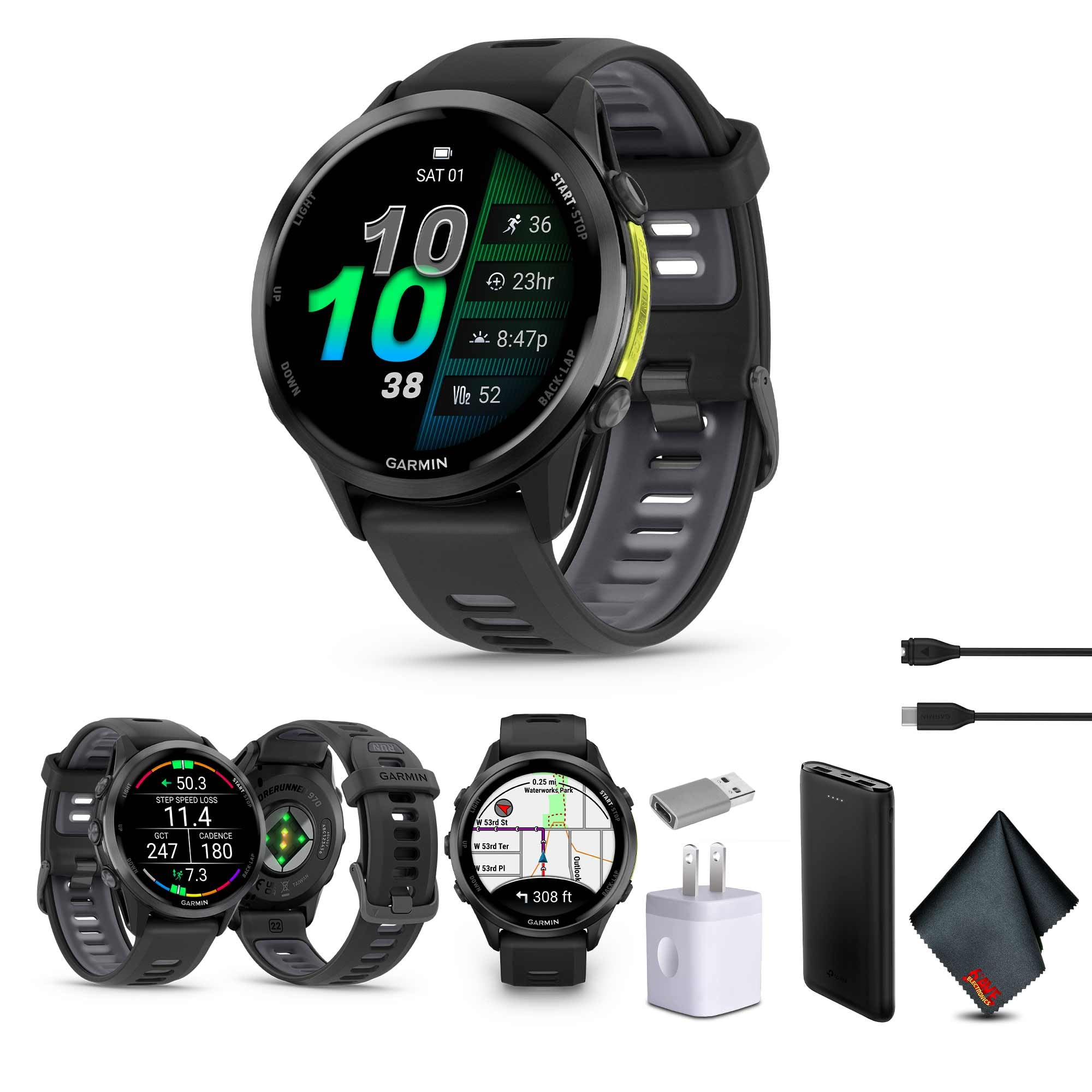
Image: Garmin Forerunner 970 Smartwatch. This image shows the watch face displaying time, date, activity tracking, and heart rate data.
- הפעלה: לחץ והחזק את כפתור הLIGHT (למעלה משמאל) כדי להפעיל את המכשיר.
- בחירת שפה: פעל לפי ההנחיות שעל המסך כדי לבחור את השפה המועדפת עליך.
- צימוד עם אפליקציית Garmin Connect: Download the Garmin Connect app on your smartphone. Follow the app's instructions to pair your Forerunner 970. This enables data synchronization, smart notifications, and access to additional features.
הוראות הפעלה
תצוגה וניווט
The Forerunner 970 features a vibrant AMOLED touchscreen display. You can navigate through menus and widgets by swiping up/down or tapping the screen. Physical buttons on the sides provide additional control, especially useful during activities or when the screen is wet.

Image: Garmin Forerunner 970 display showing activity data. The watch face displays current time, activity status, and recovery metrics.
Training and Performance Tracking
The watch offers comprehensive tracking for various sports. To start an activity:
- לחץ על כפתור התחל/עצור (למעלה מימין).
- Select your desired activity (e.g., Run, Bike, Swim).
- Wait for GPS acquisition (if outdoors) and press START/STOP again to begin.
Key metrics available include running economy, endurance score, and training readiness. Multi-band GPS and built-in maps provide accurate location data and navigation during your workouts.

Image: Garmin Forerunner 970 showcasing training and recovery features. Displays training status, full-color mapping, and Garmin Coach training plans.
תכונות חכמות
When paired with your smartphone, the Forerunner 970 provides smart notifications, allowing you to view alerts, texts, and calls directly on your wrist. You can also make and receive calls and access your phone's voice assistant through the watch. Music storage and playback are supported, allowing you to listen to music without your phone.
תַחזוּקָה
חיי סוללה וטעינה
ה-Forerunner 970 מציע חיי סוללה מרשימים:
- עד 15 ימים במצב שעון חכם.
- עד 26 שעות במצב GPS.
To charge, connect the provided USB charging cable to the charging port on the back of the watch and plug the other end into a USB power source (e.g., wall adapter, computer USB port).
Video: Garmin Forerunner 970 battery life demonstration. This video highlights the extended battery performance of the smartwatch.
טיפול וניקיון
נקו את השעון שלכם באופן קבוע עם מטלית רכהamp cloth to remove sweat and debris. The device has a water rating of 5 ATM, making it suitable for swimming and showering, but avoid prolonged submersion or high-pressure water activities.
פתרון בעיות
- GPS Accuracy Issues: ודא שיש לך ברור view of the sky for optimal GPS signal. Multi-band GPS with SatIQ technology enhances accuracy in challenging environments.
- נראות תצוגה: The AMOLED display is designed for visibility in direct sunlight. Adjust brightness settings if needed.
- בעיות קישוריות: Ensure Bluetooth is enabled on your smartphone and the watch is within range. Restart both devices if connection issues persist.
- הסוללה מתרוקנת במהירות: Review power management settings and disable unnecessary features or background activities to extend battery life.
For more complex issues, refer to the official Garmin support webאתר או צור קשר עם שירות הלקוחות.
מפרטים
| תכונה | פְּרָט |
|---|---|
| מידות המוצר | 1.85 x 0.5 x 1.85 אינץ' |
| משקל פריט | 0.87 פאונד (13.9 אונקיות) |
| מספר דגם של פריט | 010-02969-00 |
| גודל תצוגת מסך עומד | 1.4 אינץ' |
| מַעֲרֶכֶת הַפעָלָה | אנדרואיד, iOS |
| תכונה מיוחדת | Running Economy Metrics, Built-in LED Flashlight |
| טכנולוגיית קישוריות | בלוטות' |
| GPS | GPS מובנה |
| דירוג מים | 5 כספומט |
אחריות ותמיכה
The Garmin Forerunner 970 is covered by a manufacturer's warranty. For detailed information regarding warranty terms, product support, and service, please visit the official Garmin support webאתר. תוכלו למצוא שם גם שאלות נפוצות, מדריכים לפתרון בעיות ופרטי קשר לשירות לקוחות.
For additional assistance, please refer to the חנות גרמין באמזון.


