מָבוֹא
The Insta360 Mic Air Transmitter is an ultralight (7.9g) wireless microphone designed for seamless audio capture with compatible Insta360 cameras. It features advanced noise cancelling and high-quality 48kHz audio sampling, making it ideal for vlogging, streaming, and voice recording in various environments. This manual provides essential information for setting up, operating, and maintaining your Mic Air Transmitter.
מה יש בקופסה
ודא שכל הרכיבים נמצאים בחבילה שלך:
- 1x Insta360 Mic Air Transmitter
- 1x Charging Base to USB-A Cable
- 1x Button Magnet
- תליון מגנט אחד
- 1x Clip Magnet
- 1x שמשה קדמית
- 1x תיק נשיאה
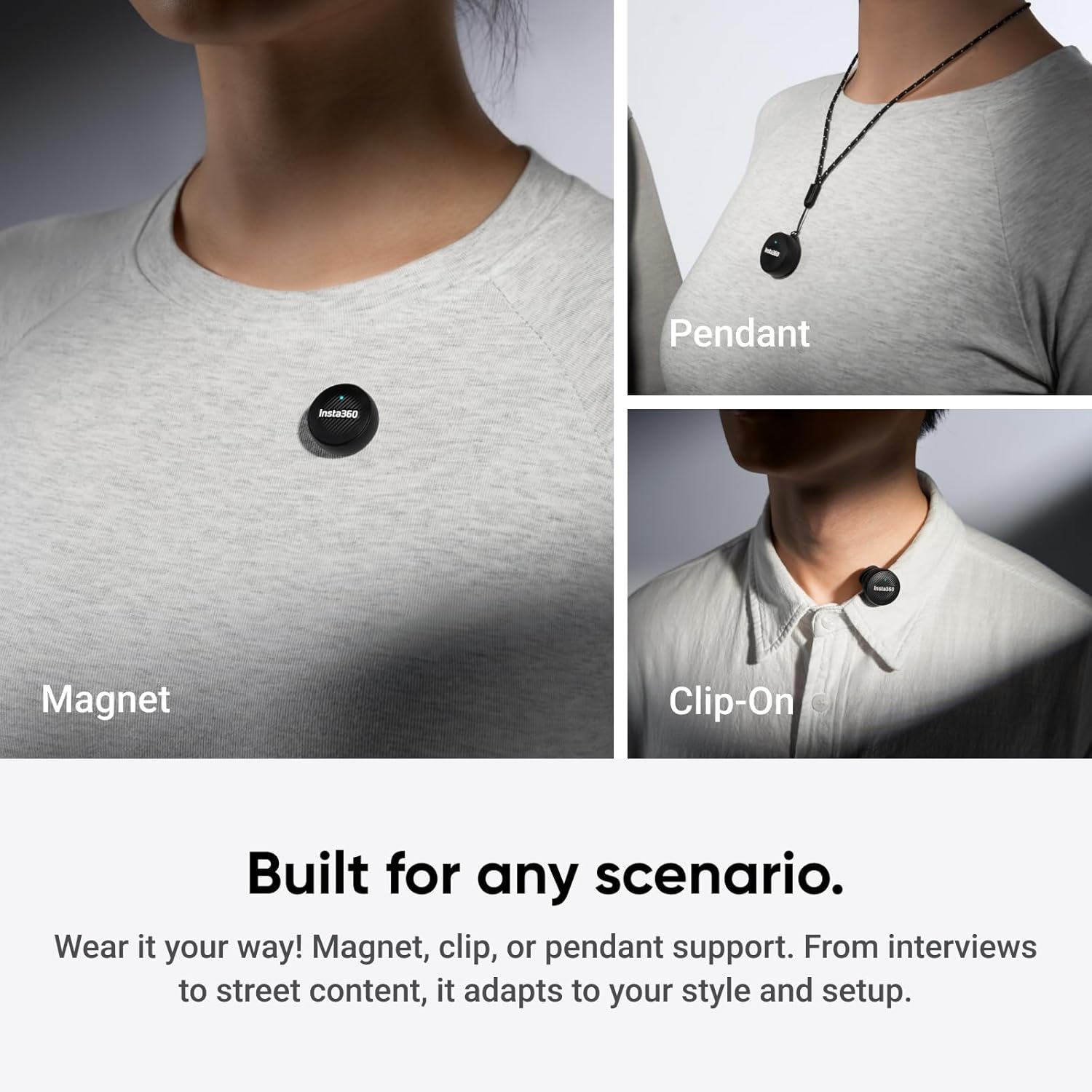
Image: All components included in the Insta360 Mic Air Transmitter package.
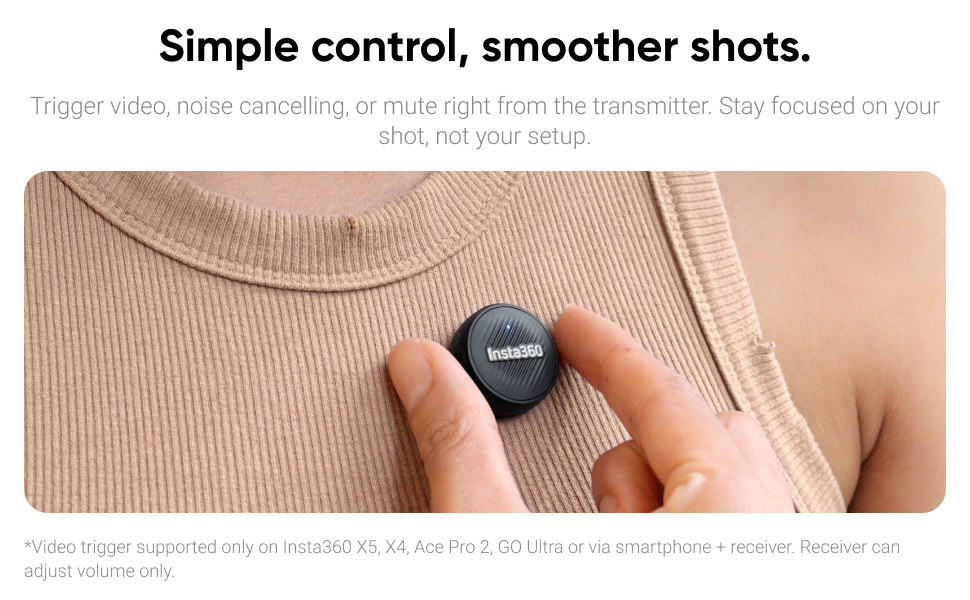
Image: The Insta360 Mic Air Transmitter, charging cable, magnets, windshield, and carry case.
Video: An unboxing of the Insta360 Mic Air Transmitter kit, showing all included items and their initial presentation.
תכונות המוצר
קישוריות חלקה
The Mic Air Transmitter connects wirelessly and directly to compatible Insta360 cameras such as the X5, X4, X4 Air, Ace Pro 2, and GO Ultra. No additional receiver is needed for these cameras, ensuring a smooth and reliable workflow. For connection with mobile devices and the Insta360 Flow series, the Insta360 Mic Air (1 TX + 1 RX) bundle is required.

Image: The Mic Air Transmitter paired with an Insta360 camera for direct wireless audio capture.
Ultralight and Discreet Design
Weighing only 7.9g, the Mic Air Transmitter is coin-sized and ultralight, allowing it to remain discreetly out of sight. This ensures that your voice remains the focus without distracting visual elements.

Image: The compact and lightweight design of the Mic Air Transmitter, held in a hand for scale.
לכידת אודיו באיכות גבוהה
Capture clear, true-to-life sound with 48kHz sampling and omnidirectional audio pickup. This ensures every detail of your voice is recorded with crystal clarity.

Image: The Mic Air Transmitter emphasizing its 48kHz high-quality audio capabilities.
Advanced Noise Cancelling
Equipped with advanced noise cancellation and a windshield, the Mic Air keeps your audio clean and sharp, even in noisy outdoor environments or windy conditions.

Image: The Mic Air Transmitter in use outdoors, showcasing its advanced noise cancelling feature.
שלט רחוק פשוט
The transmitter features a button that allows you to trigger video recording, activate noise cancelling, or mute the microphone directly. This enables you to stay focused on your shot without needing to interact with your camera.

Image: The Mic Air Transmitter's button for remote control of camera functions.
Versatile Wearing Options
The Mic Air Transmitter offers multiple wearing options including magnetic attachment, clip-on, and pendant functionality. This adaptability ensures it can be used in various scenarios, from interviews to street content, fitting your style and setup.
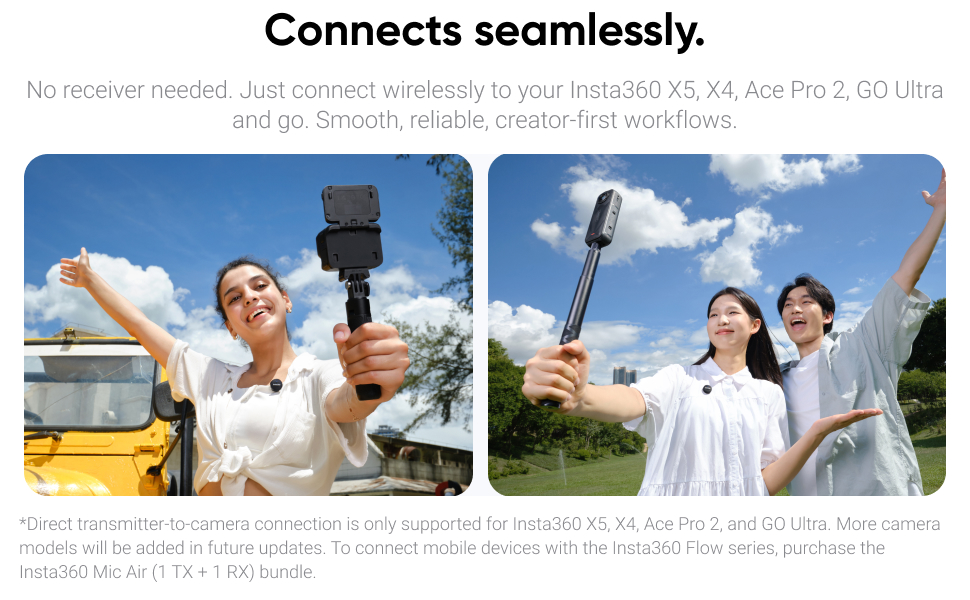
Image: Various wearing options for the Mic Air Transmitter, including magnetic, clip-on, and pendant styles.
Video: A short clip demonstrating the versatility of the Insta360 Mic Air Transmitter's wearing options.
הגדרה
Pairing with Insta360 Cameras
- Ensure your Insta360 camera (X5, X4, X4 Air, Ace Pro 2, GO Ultra) is powered on.
- Power on the Mic Air Transmitter.
- The transmitter will automatically attempt to connect to your camera via Bluetooth. A successful connection is indicated by a solid blue light on the transmitter.
- For X4, direct Bluetooth connection with the transmitter is supported.
Video: A real-world audio test of the Insta360 Mic Air Transmitter with an Insta360 X5 camera, demonstrating its direct connection.
Connecting to Mobile Devices (Requires Mic Air (1 TX + 1 RX) Bundle)
To connect to mobile devices (smartphones, tablets) and the Insta360 Flow series, you must use the Insta360 Mic Air (1 TX + 1 RX) bundle, which includes a receiver. The receiver typically connects via USB-C or Lightning adapter.
הצמדת אביזרים
- שִׁמשָׁה קִדמִית: Gently slide the windshield over the microphone element on the transmitter to reduce wind noise.
- Magnets/Clips: Use the provided button magnet, clip magnet, or magnet pendant to secure the transmitter to clothing or other surfaces.
הוראות הפעלה
הפעלה/כיבוי
לחץ והחזק את לחצן ההפעלה במשדר כדי להפעיל או לכבות אותו.
פונקציות שלט רחוק
The transmitter features a multi-function button for remote control:
- לחיצה אחת: Start/stop video recording or take a photo (functionality depends on camera mode).
- לחיצה כפולה: Activate/deactivate noise cancelling.
- לחיצה ארוכה: השתקה/בטל השתקה של המיקרופון.
Video: A demonstration of the Insta360 Mic Air Transmitter's remote control features with an Ace Pro camera.
תַחזוּקָה
- Keep the transmitter and accessories clean and dry.
- Store in the provided carry case when not in use to prevent damage.
- הימנע מחשיפת המכשיר לטמפרטורות קיצוניות או לאור שמש ישיר לתקופות ממושכות.
פתרון בעיות
תְאִימוּת
The Mic Air Transmitter connects directly to Insta360 X5, X4, Ace Pro 2, and GO Ultra via Bluetooth. Insta360 Mic Air (1 TX + 1 RX) is compatible with USB-C equipped smartphones, tablets, and computers.
חיי סוללה
Approximately 7.5 hours when Bluetooth connected to Insta360 X5 camera. Approximately 10 hours when connected to the Receiver (from the 1 TX + 1 RX bundle).
Connecting Two Transmitters to One Receiver
Yes, this is supported. Update the Transmitter and the Receiver separately to v1.0.0.20 or above. In Receiver Mode, one Receiver supports connecting to two Transmitters simultaneously. However, Insta360 cameras (X5/X4/Ace Pro 2) only support one Transmitter connection.
מפרטים
| גורם צורת מיקרופון | לאבלייר |
| מידות פריט (L x W x H) | 5 x 4 x 2 אינץ' |
| מקור כוח | בסיס טעינה |
| מספר סוללות | פולימר ליתיום אחד (כלול) |
| חוֹמֶר | Plastic Or Metal |
| מספר ערוצים | 2 |
| משקל פריט | 7.9 גרם (0.279 אונקיות) |
| מכשירים תואמים | Insta360 X5/X4/X4 Air/Ace Pro 2/GO Ultra |
| טכנולוגיית קישוריות | בלוטות' |
| סוג מחבר | USB Type-C (on charging base) |
| תכונות מיוחדות | Stable Transmission, Advanced Noise Reduction, Ultralight, Wireless, High-Quality Audio with 48kHz sampling |
| שימושים מומלצים | Daily Vlogs Travel, Live Streaming, Short-Form Videos, Voice Recording |
אחריות ותמיכה
למידע על אחריות ותמיכה טכנית, אנא עיינו באתר הרשמי של Insta360 webאתר או צרו קשר ישירות עם שירות הלקוחות שלהם. שמרו את הוכחת הרכישה שלכם לצורך תביעות אחריות.


