1. הקדמה
This manual provides comprehensive instructions for the Dell Latitude 5420 laptop. It is designed to assist users with initial setup, daily operation, maintenance, and basic troubleshooting. Please read this manual thoroughly to ensure proper use and longevity of your device.
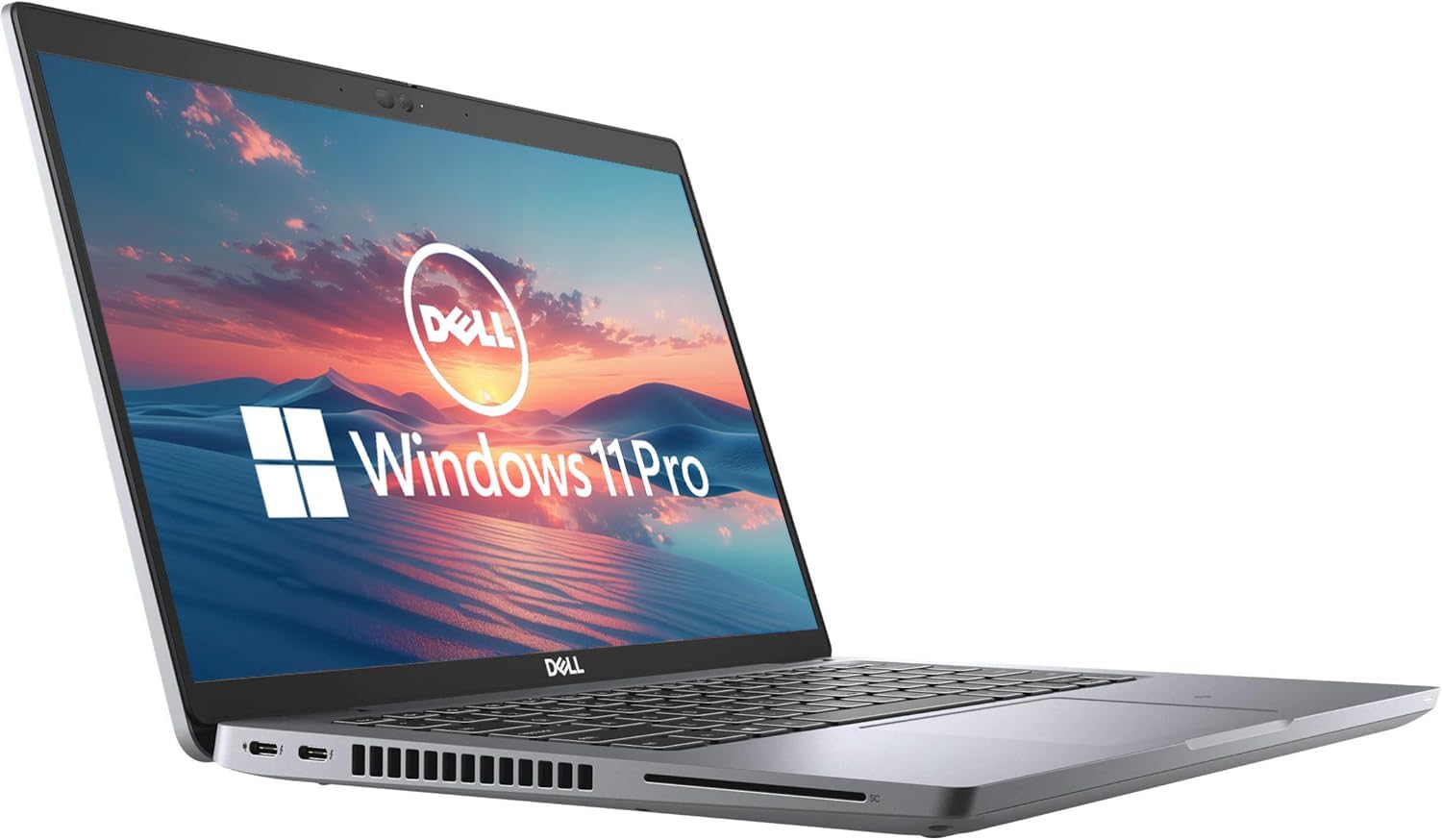
The Dell Latitude 5420 is a 14-inch business laptop featuring an Intel Quad-Core i5-1145G7 processor, 16GB DDR4 RAM, and a 256GB SSD, running Windows 11 Pro. This particular unit is a renewed product, which means it has been inspected and restored to full functionality.
2. המוצר נגמרview
The Dell Latitude 5420 is engineered for productivity and reliability. Its compact design and robust specifications make it suitable for various professional tasks.
תכונות עיקריות:
- מעבד: Intel Quad-Core i5-1145G7 for efficient performance.
- זֵכֶר: 16GB DDR4 RAM for smooth multitasking.
- אִחסוּן: 256GB Solid State Drive (SSD) for fast boot times and data access.
- לְהַצִיג: 14-inch Full HD (1920 x 1080) screen.
- מַעֲרֶכֶת הַפעָלָה: מותקן מראש עם Windows 11 Pro.
- קישוריות: Includes HDMI and various USB ports.
- מְשׁוּלָב Webפִּקָה: לשיחות וידאו ותקשורת מקוונת.
מחשב נייד Views:



3. הוראות התקנה
3.1 הפעלה ראשונית
- לִפְרוֹק: הוציאו בזהירות את המחשב הנייד ואת כל האביזרים מהאריזה.
- חבר חשמל: חבר את מתאם ה-AC לשקע החשמל של המחשב הנייד ולאחר מכן לשקע בקיר.
- הפעלה: Open the laptop lid and press the power button, usually located on the top-right of the keyboard deck.
- הגדרת Windows: פעל לפי ההנחיות שעל המסך כדי להשלים את הגדרת Windows 11 Pro. זה כולל בחירת האזור והשפה שלך, חיבור לרשת Wi-Fi ויצירת חשבון משתמש.
3.2 חיבור ציוד היקפי
You can connect external devices such as a mouse, keyboard, or external monitor using the available ports:
- יציאות USB: Use the USB-A or USB-C ports for connecting external storage, mouse, or keyboard.
- יציאת HDMI: Connect an external display using an HDMI cable.
- יציאת אתרנט: עבור חיבור רשת קווי.
- שקע אודיו: עבור אוזניות או רמקולים חיצוניים.
4. הוראות הפעלה
4.1 פעולה בסיסית
- הפעלה/כיבוי: לחץ על לחצן ההפעלה כדי להפעיל. כדי לכבות, לחץ על לחצן התחל, לאחר מכן על הפעלה > כיבוי.
- מקלדת ומשטח מגע: השתמש במקלדת המשולבת להקלדה ובמשטח המגע לניווט. משטח המגע תומך במחוות מגע מרובות.
- כוונון עוצמת הקול: Use the function keys (F-keys) on the keyboard, often F1-F12, in combination with the Fn key, to adjust volume. Refer to the keyboard icons for specific functions.

4.2 התחברות ל-Wi-Fi
- לחץ על סמל רשת (Wi-Fi or Ethernet) in the taskbar.
- בחר את רשת ה-Wi-Fi הרצויה מהרשימה.
- נְקִישָׁה לְחַבֵּר והזן את מפתח אבטחת הרשת (סיסמה) אם תתבקש.
5. תחזוקה
5.1 ניקוי המחשב הנייד
- מָסָך: השתמש קלות במטלית רכה נטולת מוך דampשטפו במים או בחומר לניקוי מסך. אין לרסס נוזל ישירות על המסך.
- מקלדת ושלדה: השתמשו במטלית רכה ויבשה. עבור לכלוך עיקש, נגבו מעטamp ניתן להשתמש במטלית עם סבון עדין, תוך הקפדה על כך שנוזלים לא ייכנסו לפתחים.
- אוורור: יש לנקות מעת לעת את סורגי האוורור באמצעות אוויר דחוס כדי למנוע הצטברות אבק ולהבטיח קירור תקין.
5.2 טיפול בסוללה
- הימנע מטמפרטורות קיצוניות.
- אין לפרוק את הסוללה לחלוטין לעתים קרובות.
- For prolonged storage, charge the battery to about 50-60%.
5.3 עדכוני תוכנה
Regularly check for and install Windows updates and Dell driver updates to ensure optimal performance and security. Go to הגדרות > עדכון Windows כדי לבדוק אם יש עדכונים.
6. פתרון תקלות
This section addresses common issues you might encounter with your Dell Latitude 5420 laptop.
6.1 המחשב הנייד לא נדלק
- ודא שמתאם ה-AC מחובר היטב הן למחשב הנייד והן לשקע חשמל תקין.
- בדוק אם שקע החשמל תקין על ידי חיבור מכשיר אחר.
- אם הסוללה ריקה לחלוטין, ייתכן שיחלפו מספר דקות של טעינה לפני שניתן יהיה להפעיל את המחשב הנייד.
6.2 בעיות קישוריות Wi-Fi
- ודא ש-Wi-Fi מופעל בהגדרות Windows.
- הפעל מחדש את הנתב והמודם שלך.
- ודא שאתה מזין את סיסמת ה-Wi-Fi הנכונה.
- נסה להתחבר לרשת Wi-Fi אחרת אם זמינה כדי לבודד את הבעיה.
6.3 ביצועים איטיים
- סגור יישומים מיותרים הפועלים ברקע.
- בדוק אם קיימים עדכוני Windows ממתינים והתקן אותם.
- ודא שהאחסון שלך (SSD) כמעט מלא.
- הפעל סריקת תוכנות זדוניות.
For more complex issues, refer to the Dell support website or contact the seller for assistance.
7. מפרטים
| תכונה | פְּרָט |
|---|---|
| שם הדגם | קו רוחב 5420 |
| גודל מסך | 14 אינץ' |
| רזולוציית מסך | 1920 x 1080 פיקסלים (FHD) |
| מעבד | מעבד אינטל Core i5-1145G7 בנפח 2.4 גיגה-הרץ |
| אַיִל | 16 GB DDR4 SDRAM |
| כונן קשיח | SSD 256 גיגה-בייט |
| מעבד גרפי | גרפיקה משולבת של אינטל |
| מַעֲרֶכֶת הַפעָלָה | Windows 11 Pro |
| סוג אלחוטי | 802.11n |
| משקל פריט | 2.2 פאונד |
| מידות המוצר | 8.35 x 12.76 x 0.76 אינץ' |
| תכונה מיוחדת | אודיו HD |
8. אחריות ותמיכה
As a renewed product, the Dell Latitude 5420 typically comes with a limited warranty provided by the seller or the Amazon Renewed program. Please refer to your purchase documentation for specific warranty details. The buybox winner indicates a 90-day return policy.
8.1 פנייה לתמיכה
- For product-specific issues or technical support, visit the official תמיכה של Dell webאֲתַר.
- For questions regarding your purchase, returns, or the renewed product condition, please contact the seller directly through your Amazon order history.
8.2 תנאי חידוש של אמזון
Amazon Renewed products are pre-owned and professionally inspected, tested, and cleaned by Amazon-qualified suppliers. They are fully functional and come with generic or original accessories and packaging. Cosmetic condition varies by grade (Excellent, Good, Acceptable).


