1. הקדמה
תודה על הרכישהasing the Gembird GMB Audio TWS-LCD-ANC-01-W Wireless In-Ear Headphones. These headphones are designed to provide a high-quality audio experience for music and calls, featuring Active Noise Cancellation (ANC) and an integrated microphone. This manual provides essential information for setting up, operating, maintaining, and troubleshooting your device.
2. תכולת החבילה
- 1x Pair of Gembird GMB Audio TWS-LCD-ANC-01-W Wireless In-Ear Headphones
- 1x נרתיק טעינה
- 1x כבל טעינה מסוג USB Type-C
3. המוצר נגמרview


4. התקנה
4.1 טעינה ראשונית
Before first use, fully charge the headphones and the charging case. Connect the supplied USB Type-C cable to the charging port on the case and plug the other end into a compatible USB power source (e.g., computer, wall adapter). The LED indicator on the case will show charging status. A full charge typically takes approximately 2 hours.
4.2 זיווג בלוטות '
- Ensure the headphones are in the charging case and the case is open. The headphones will automatically enter pairing mode.
- במכשיר הנייד שלך (סמארטפון, טאבלט, מחשב נייד), הפעל את Bluetooth.
- חפש available Bluetooth devices and select 'Gembird TWS-LCD-ANC-01-W' from the list.
- Once connected, the headphones will indicate successful pairing, and the device name will appear as 'Connected' on your mobile device.
5. הוראות הפעלה
5.1 הפעלה/כיבוי
- הפעלה: The headphones automatically power on when removed from the charging case.
- כיבוי: The headphones automatically power off and begin charging when placed back into the charging case and the lid is closed.
5.2 השמעת מוזיקה
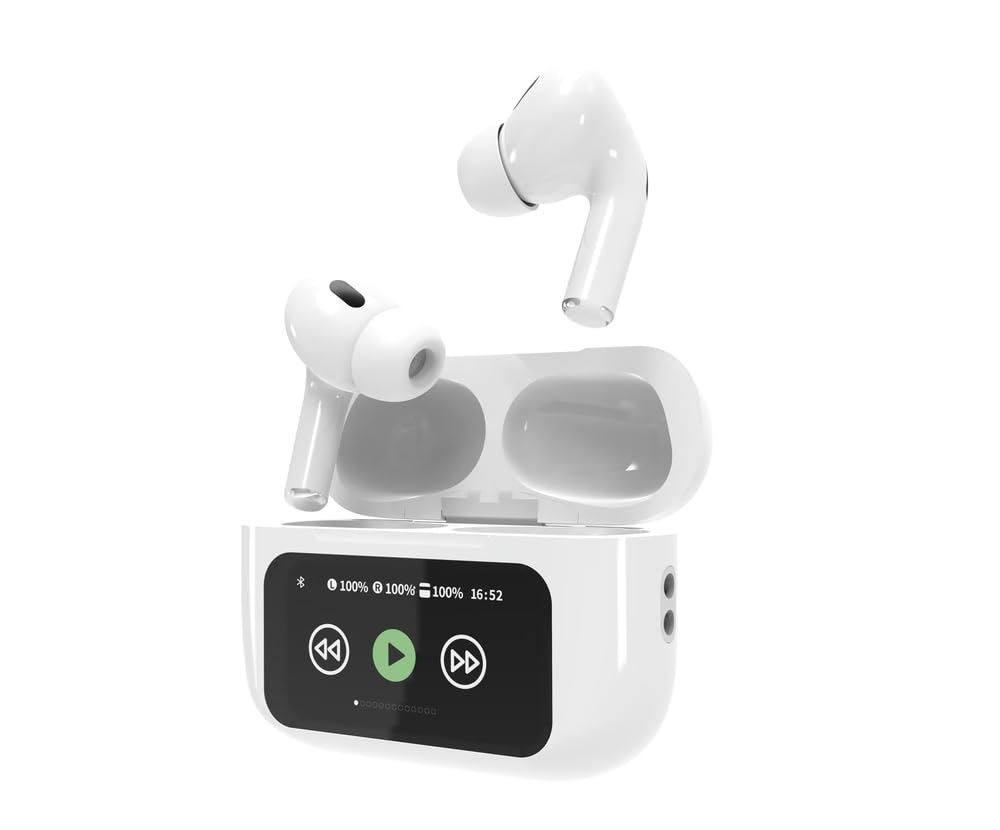
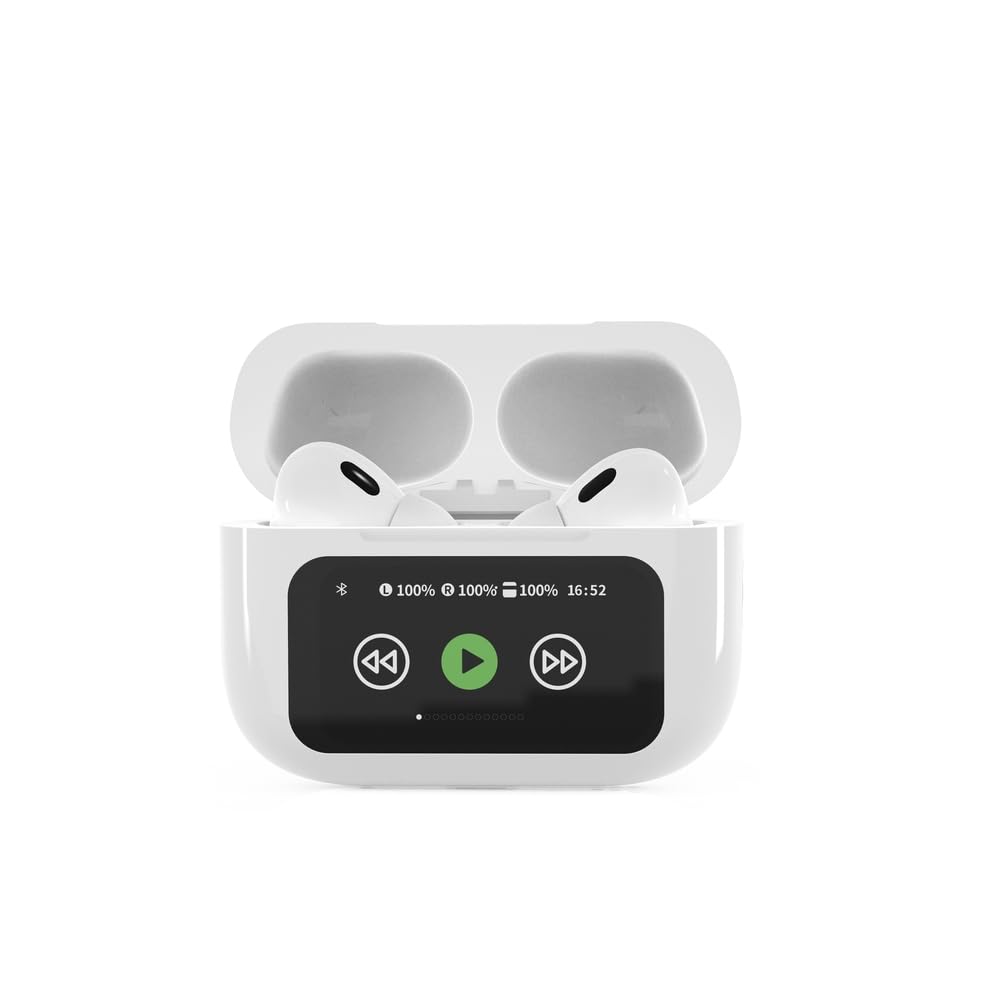
Control music playback using the touch-sensitive areas on the earbuds or the display on the charging case.
- הפעל/השהה: Single tap on either earbud or press the play/pause icon on the case display.
- הרצועה הבאה: Double tap on the right earbud or press the 'next' icon on the case display.
- רצועה קודמת: Double tap on the left earbud or press the 'previous' icon on the case display.
5.3 ניהול שיחות
When an incoming call is received, music playback will automatically pause.
- תשובה לשיחה: הקשה אחת על אחת האוזניות.
- סיום שיחה: נגיעה אחת על כל אחת מהאוזניות במהלך שיחה.
- דחה שיחה: לחץ והחזק את אחת האוזניות למשך 2 שניות.
5.4 ביטול רעש פעיל (ANC)
Activate or deactivate the Active Noise Cancellation feature to reduce ambient noise.
- החלף/הפעל ANC: Press and hold the touch-sensitive area on the left earbud for 2 seconds, or use the dedicated ANC control on the charging case display.
5.5 בקרת עוצמת הקול
Adjust the volume directly from your connected device or through the touch controls on the earbuds (if supported by the specific model's firmware) or the charging case display.
6. תחזוקה
6.1 ניקוי
- נגבו את האוזניות ואת נרתיק הטעינה בעזרת מטלית רכה, יבשה ונטולת סיבים.
- אין להשתמש בחומרי ניקוי שוחקים, ממסים או כימיקלים חזקים.
- ודאו שמגעי הטעינה הן באוזניות והן בנרתיק נקיים ויבשים.
6.2 אחסון
- Always store the headphones in their charging case when not in use to protect them and keep them charged.
- אחסן במקום קריר ויבש, הרחק מאור שמש ישיר וטמפרטורות קיצוניות.
6.3 טיפול בסוללה
- טען את המכשיר באופן קבוע, גם אם אינו בשימוש תכוף, כדי לשמור על תקינות הסוללה.
- הימנעו מפריקת הסוללה באופן מלא לעתים קרובות.
7. פתרון תקלות
| בְּעָיָה | סיבה אפשרית | פִּתָרוֹן |
|---|---|---|
| האוזניות לא נדלקות. | טעינת סוללה חלשה או ללא טעינה כלל. | Place headphones in the charging case and ensure the case is charged. Charge the case fully. |
| אין צליל מהאוזניות. | Not connected via Bluetooth; volume too low; media paused. | Verify Bluetooth connection. Increase volume on both headphones and connected device. Check if media is playing. |
| לא ניתן לבצע התאמה עם המכשיר. | Headphones not in pairing mode; device already connected to another Bluetooth device; interference. | Ensure headphones are in pairing mode (open case). Turn off Bluetooth on other nearby devices. Forget the device in your phone's Bluetooth settings and try re-pairing. |
| Active Noise Cancellation (ANC) is ineffective. | ANC not activated; improper earbud fit. | Ensure ANC is toggled on. Adjust earbud position for a secure and sealed fit in your ear canal. |
| המיקרופון לא עובד במהלך שיחות. | Microphone blocked; device settings. | Ensure the microphone port on the earbuds is not obstructed. Check your device's audio input settings to ensure the headphones are selected. |
8. מפרטים
- דֶגֶם: TWS-LCD-ANC-01-W
- קישוריות: אלחוטי, בלוטות' 5.3
- Bluetooth Profiles: A2DP, AVRCP, HPF, HSP
- יציאת טעינה: USB Type-C
- טווח תדרי שמע: 20 - 20000 הרץ
- מִיקרוֹפוֹן: מְשׁוּלָב
- סוג אוזניות: In-ear, Binaural
- שיטת בקרה: לָגַעַת
- בקרת רעש: ביטול רעש פעיל (ANC)
- סוג סוללה: Integrated Lithium Polymer (LiPo)
- קיבולת סוללה לטעינה: 300 מיליאמפר/שעה
- קיבולת סוללת אוזניות: 30 מיליאמפר/שעה (כל אחד)
- Continuous Audio Playback: עד 8 שעות
- זמן טעינה: בערך שעתיים
- משקל מוצר: 66 גרם
- Product Dimensions (Case): 40 מ"מ (רוחב) x 60 מ"מ (עומק) x 25 מ"מ (גובה)
- מכשירים תואמים: מחשב נייד, טאבלט, טלפון נייד
- עמידות במים: עמיד במים
- הסמכות: RoHS
9. אחריות ותמיכה
9.1 מידע אחריות
This product comes with a three-year warranty against manufacturing defects from the date of purchase. Please retain your proof of purchase for warranty claims. The warranty does not cover damage caused by misuse, accidents, unauthorized modifications, or normal wear and tear.
9.2 תמיכת לקוחות
For technical support, warranty claims, or further assistance, please contact your retailer or visit the official Gembird website. Contact information can typically be found on the product packaging or the Gembird corporate webאֲתַר.


