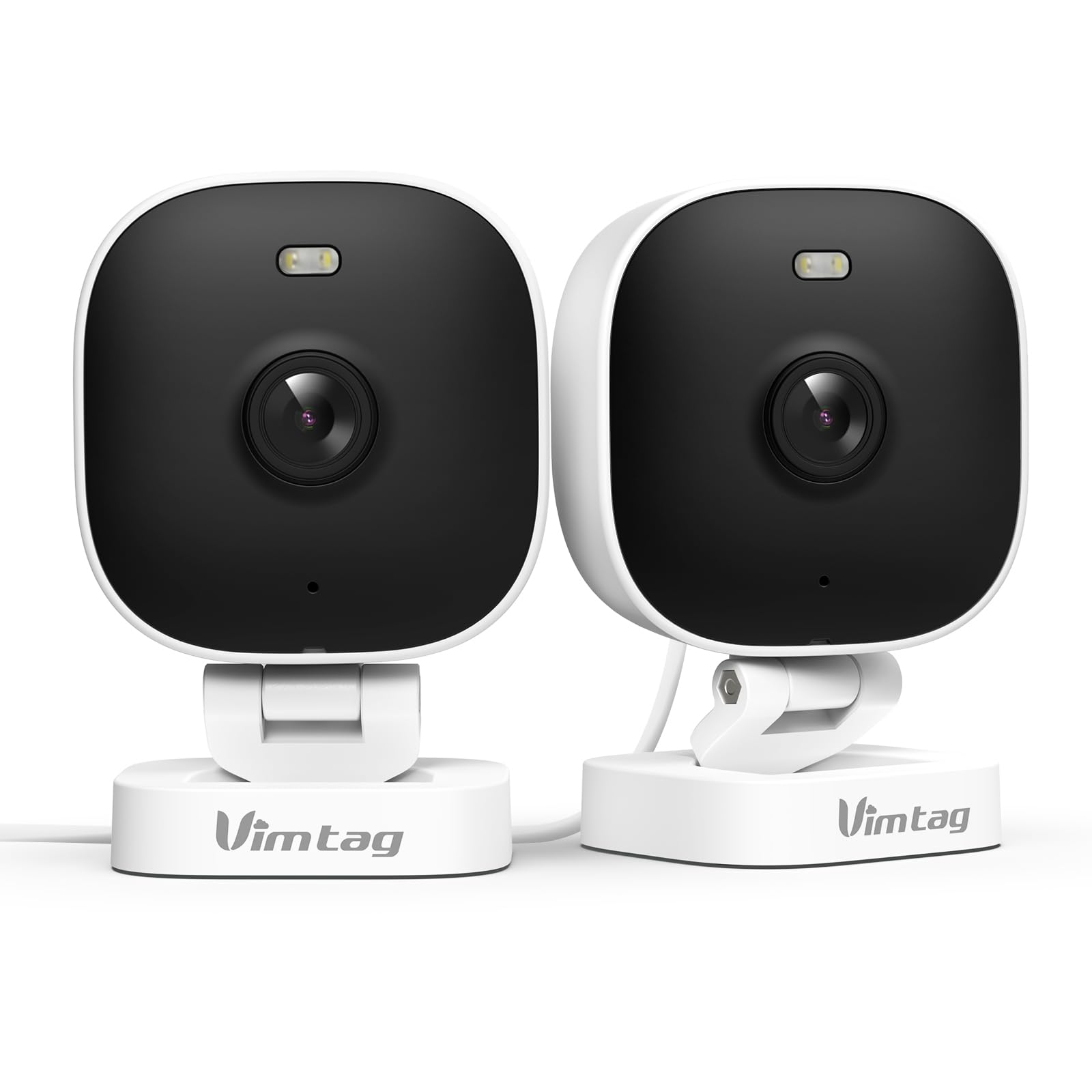
1. הקדמה
The VIMTAG 8310 2.5K Security Camera is designed to provide comprehensive surveillance for your home, pets, and loved ones. This manual provides detailed instructions for setting up, operating, and maintaining your camera to ensure optimal performance and security.
תכונות עיקריות:
- פעולה רציפה: The camera operates 24/7 via a plug-in power cable, eliminating the need for battery charging. It supports 2.4GHz and 5GHz dual-band WiFi, including WiFi 6 technology, for stable connections.
- סרטון ברזולוציה גבוהה: Provides 2.5K resolution for clear day and night visibility. Features full-color night vision, enhanced by a built-in LED light, for detailed monitoring in various indoor and outdoor environments.
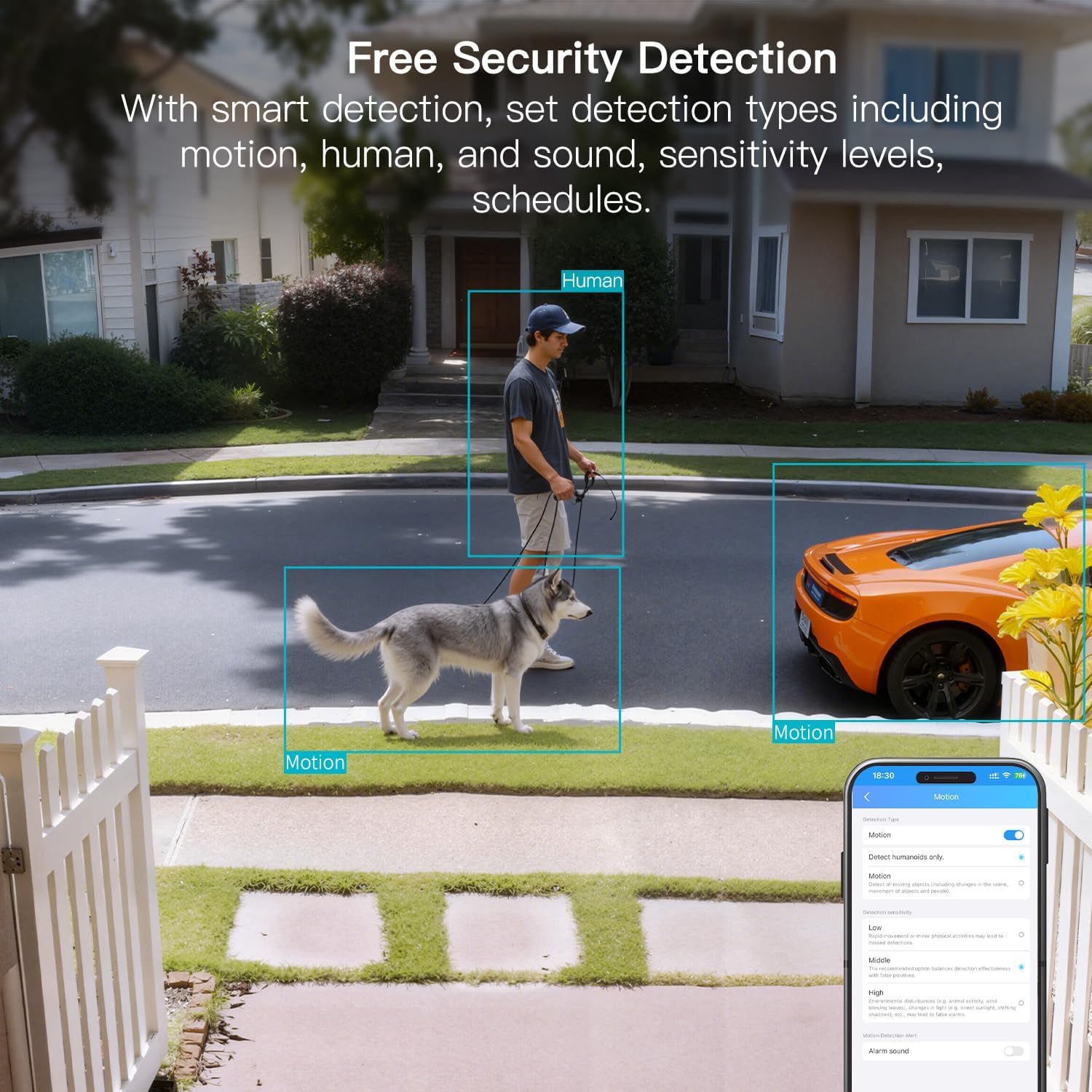
- זיהוי חכם: Offers advanced detection capabilities for motion, people, and sound up to 33 feet. Users receive instant alerts for detected activity.
- עמידות בפני מזג אוויר: Rated IP65, the camera is designed for outdoor use and can withstand rain, snow, heat, and cold, ensuring continuous operation in various weather conditions.
- Remote Access and Two-Way Audio: The mobile app allows remote access to live video footage and recorded content. Built-in two-way audio enables real-time communication through the camera.
- ניהול מרכזי: Up to 32 Vimtag WiFi cameras can be managed within a single application. Features include smart cloud storage (subscription required), motion detection, and event filtering.
2. מה בקופסה
אנא בדקו את תוכן החבילה כדי לוודא שכל הפריטים נמצאים:
- Camera with cable
- בורג הרכבה
- מתאם מתח
- מדריך הוראות (מסמך זה)
3. התקנה
3.1 הגדרה ראשונית וחיבור לאפליקציה
- הורד את האפליקציה: חפש "Canny Cam" in your smartphone's app store (iOS or Android) and download the application.
- רישום חשבון: Open the Canny Cam app and follow the on-screen instructions to register a new user account.
- הפעלה: Connect the camera to the power adapter using the provided cable and plug it into an electrical outlet. The camera will power on automatically.
- הוסף מכשיר: In the Canny Cam app, select the option to add a new device. Enable Bluetooth and Wi-Fi on your smartphone as prompted by the app.
- פעל לפי ההוראות בתוך האפליקציה: The app will guide you through the process of connecting the camera to your home Wi-Fi network. Ensure your Wi-Fi network is 2.4GHz or 5GHz compatible.
- אישור חיבור: Once successfully connected, the app will confirm the device has been added.

Image: Visual guide showing the steps to download the Canny Cam app, enable Bluetooth and Wi-Fi, and connect the camera.
3.2 אפשרויות הרכבה
The VIMTAG 8310 camera offers flexible mounting options to suit various indoor and outdoor locations. Use the provided mounting screws for secure installation.
- קיר קיר: Securely attach the camera to a wall using the mounting bracket and screws.
- תקרת הר: Install the camera on a ceiling for an overhead view.
- Tabletop Mount/Freestanding: Place the camera on a flat surface such as a table, shelf, or desk.
- Door Mount/Window Mount: Position the camera near doors or windows for specific entry point monitoring.

Image: A hand using a screwdriver to mount the VIMTAG camera to a surface.
תמונה: דוגמהamples of various mounting positions for the camera, including freestanding, wall-mounted, and ceiling-mounted.
4. הפעלת המצלמה
4.1 בשידור חי View והקלטה
גישה לשידור הווידאו החי והסרטונים המוקלטיםtage through the Canny Cam app on your smartphone or tablet.

Image: A comparison demonstrating the enhanced detail of 2.5K QHD resolution compared to 1080p.
4.2 ראיית לילה צבעונית
The camera features full-color night vision, providing clear and detailed images even in low-light conditions, unlike traditional black-and-white night vision.
Image: A visual comparison illustrating the difference between color night vision and traditional night vision.
4.3 קישוריות Wi-Fi כפולת פס
The camera supports both 2.4GHz and 5GHz Wi-Fi bands, offering flexibility for network connection. 2.4GHz provides a stable connection over longer distances, while 5GHz offers faster speeds for shorter ranges.

Image: Explanation of 2.4GHz and 5GHz Wi-Fi benefits for the camera's connectivity.
4.4 זיהוי חכם והתראות
Configure motion, human, and sound detection settings within the Canny Cam app. The camera can trigger a smart sound and light alarm and send instant notifications to your smartphone upon detecting activity.

Image: Depiction of the smart sound and light alarm feature in action.

Image: App interface showing options for setting detection types and sensitivity levels.
4.5 שמע דו-כיווני
Utilize the built-in microphone and speaker for two-way communication. This allows you to speak to visitors, deter intruders, or comfort pets remotely.
תמונה: דוגמהampשל שימוש בשמע דו-כיווני לתקשורת דרך המצלמה.
4.6 אפשרויות אחסון
The camera supports local storage via a MicroSD card (up to 512GB, sold separately) for continuous or event-triggered recording. Cloud storage is also available through a subscription service, offering event recording and multi-device playback.

Image: The camera's recording capabilities to a TF card or cloud storage.

תמונה: מעלview of Canny Cam app features, including those available with and without a cloud subscription.
4.7 שילוב אלקסה
The VIMTAG 8310 camera is compatible with Alexa, allowing for hands-free control and live streaming to compatible Alexa-enabled devices.

תמונה: דוגמהample of using Alexa to view הזנת המצלמה.
5. תחזוקה
To ensure the longevity and optimal performance of your VIMTAG 8310 camera, follow these maintenance guidelines:
- ניקוי: נגבו באופן קבוע את עדשת המצלמה וגוף המצלמה בעזרת מטלית רכה ויבשה כדי להסיר אבק וכתמים. הימנעו משימוש בכימיקלים חזקים או בחומרים שוחקים.
- עדכוני קושחה: Check the Canny Cam app periodically for available firmware updates. Keeping your camera's firmware up-to-date ensures you have the latest features and security enhancements.
- ספק כוח: Ensure the camera is connected to a stable power source. Avoid using damaged cables or adapters.
- הגנת הסביבה: While the camera is IP65-rated for weather resistance, avoid direct exposure to extreme conditions or prolonged submersion in water.
6. פתרון תקלות
If you encounter any issues with your VIMTAG 8310 camera, please refer to the following common troubleshooting tips or contact support:
- אין כוח: ודא שמתאם החשמל מחובר היטב הן למצלמה והן לשקע חשמלי תקין.
- בעיות חיבור Wi-Fi: Verify your Wi-Fi network is active and the camera is within range. Try restarting your router and the camera. Ensure you are connecting to the correct 2.4GHz or 5GHz network as supported by your router and camera settings.
- בעיות קישוריות לאפליקציה: Check if your smartphone has a stable internet connection. Ensure the Canny Cam app is updated to the latest version. Try restarting the app or your phone.
- איכות וידאו ירודה: Check your internet speed. A slow connection can affect streaming quality. Ensure the camera lens is clean.
- זיהוי תנועה לא עובד: Review the motion detection settings in the Canny Cam app to ensure they are configured correctly and sensitivity levels are appropriate.
Note: No relevant product videos with 'creator_type: Seller' were found in the provided data to include in this section.
7. מפרטים
| תכונה | פְּרָט |
|---|---|
| שימוש בפנים/חוץ | פנימי, חיצוני |
| מכשירים תואמים | Smartphone, iPhone, iPad, Android Phone, Android Pad |
| מקור כוח | חשמלי עם כבלים |
| פרוטוקול קישוריות | Wi-Fi |
| סוג בקר | APP |
| סוג הרכבה | Wall mount, Ceiling mount, Tabletop Mount, Freestanding, Door mount, Window mount |
| רזולוציית לכידת וידאו | 1440p (2.5K) |
| צֶבַע | לָבָן |
| מספר פריטים | 2 |
| מספר ערוצים | 2 |
| טכנולוגיית תקשורת אלחוטית | Wi-Fi |
| גורם צורה | קוּבִּיָה |
| רזולוציית וידאו יעילה | 4 מגה פיקסל |
| Viewזווית | 130 מעלות |
| טווח ראיית לילה | 33 רגל |
| קצב פריימים | 25 פריימים לשנייה |
| חוֹמֶר | פּלָסטִי |
| כרך ידtage | 5 וולט |
| מהtage | 5 וואט |
| מידות פריט L x B x H | 2.28 x 1.85 x 2.8 אינץ' |
| רמת עמידות במים | Waterproof (IP65) |
| סוללות נדרשות? | לֹא |
| סוג זיכרון פלאש | מיקרו SD |
| משקל פריט | 0.19 קילוגרם (6.7 אונקיות) |
| קידוד וידאו | H.264 & H.265 |
| צוּרָה | מַלבֵּנִי |
| סוג פוקוס | פוקוס אוטומטי |
| טכנולוגיית תאורה נמוכה | צבע לילה |
| סוג זום | זום דיגיטלי |
| יחס זום | 8 |
| סוג התראה | אודיו ותנועה |
| סוג מקור אור | LED, IR |
| פורמט לכידת וידאו | MPEG-4 |
| טכנולוגיית חיישן צילום | CMOS |
| רזולוציית סטילס אפקטיבית | 4 מגה פיקסל |
| דירוג הגנה בינלאומי | IP66 |
| מַקסִימוּם Webמצלמה רזולוציית תמונה | 4 מגה פיקסל |
| שיטת בקרה | אפליקציה, שלט |
| מספר נוריות ה- IR | 2 |
| זיכרון פלאש נתמך גודל מקסימלי | 512 ג'יגה-בייט |
| ציון מוצר | אזור מגורים |
| תאימות לבית חכם | Smart Home Compatible |
| טכנולוגיה סלולרית | 2.4G 5G |
| Audio Visual Recording Capabilities | Audio, Still Image, Video |
| מחלקה להקת תדרים | Dual-Band |

Image: Product dimensions of the VIMTAG 8310 camera.
8. אחריות ותמיכה
For expert support with setting up and optimizing your VIMTAG cameras, please contact our support team:
- תמיכה טלפונית: +1 (978) 437-5767
- זְמִינוּת: Monday to Friday, 9:00 AM - 6:00 PM (ET)
מֶרֶץTAG is committed to providing lifetime technical support for its products. For any inquiries or assistance, please reach out to our dedicated support channels.

Image: VIMTAG Free Expert Support contact information.


