1. המוצר נגמרview
The WVX Gaming Laptop R9-6900HX (Model A02) is a high-performance portable computer designed for demanding tasks such as gaming, content creation, and multitasking. It features an AMD Ryzen 9 6900HX processor, AMD Radeon 680M integrated graphics, and fast DDR5 memory.
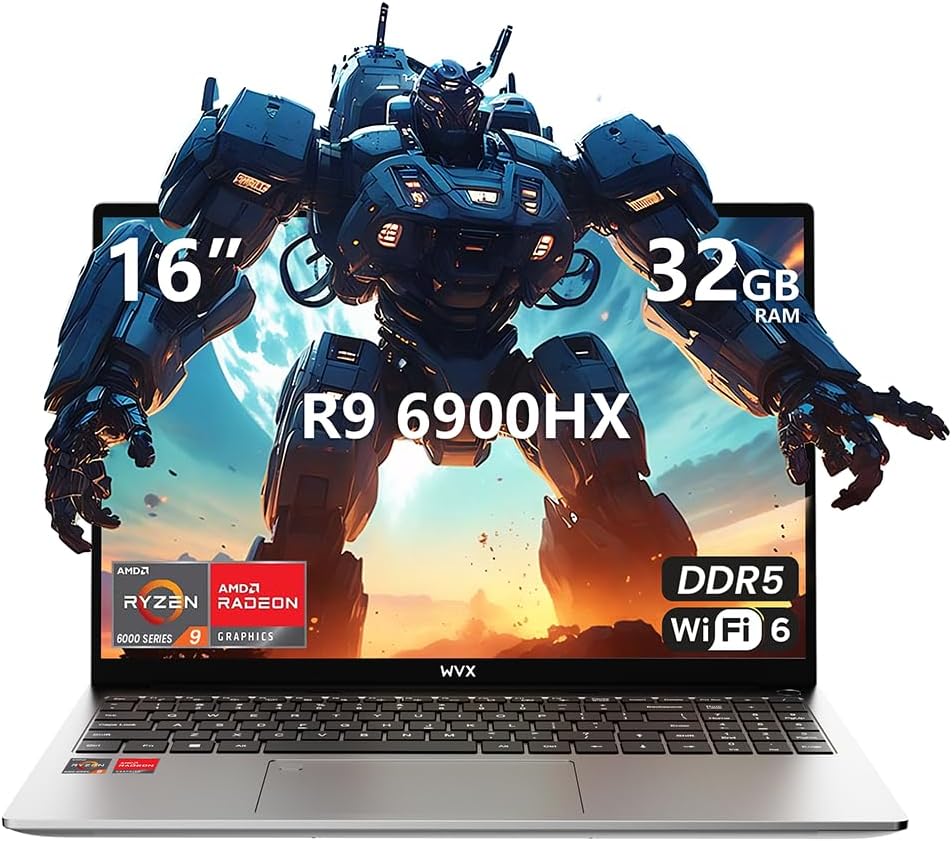
Image 1.1: WVX Gaming Laptop R9-6900HX
תכונות עיקריות:
- מעבד בעל ביצועים גבוהים: AMD Ryzen 9 6900HX with 8 cores and 16 threads, up to 4.9 GHz.
- גרפיקה משולבת: AMD Radeon 680M, delivering strong visual performance.
- זיכרון מהיר: זיכרון RAM של 32 ג'יגה-בייט DDR5, ניתן להרחבה עד 64 ג'יגה-בייט.
- Ample Storage: 512GB SSD, expandable up to 2TB.
- תצוגה תוססת: 16-inch Full HD (1920x1200) screen.
- קישוריות מתקדמת: Wi-Fi 6 and Bluetooth 5.2.
- מַעֲרֶכֶת הַפעָלָה: מותקן מראש עם Windows 11 Pro.
2. התקנה
2.1 פתיחת הקופסה ובדיקה ראשונית
Carefully remove the laptop and its accessories from the packaging. Ensure all components listed in the 'What's in the Box' section are present and undamaged.
- R9-6900HX laptop
- PD100W adapter (charger)
2.2 חיבור ספק הכוח
Connect the PD100W adapter to the laptop's power input port and then plug it into a power outlet. It is recommended to fully charge the laptop before its first use.
2.3 אתחול ראשוני והגדרת Windows
Press the power button located on the laptop. The system will guide you through the initial Windows 11 Pro setup process. Follow the on-screen instructions to configure your language, region, network, and user account.
3. הוראות הפעלה
3.1 מקלדת ומשטח מגע
The laptop features a full-size keyboard with a numeric keypad and a responsive touchpad. The keyboard is backlit for comfortable use in low-light conditions. The touchpad supports multi-touch gestures for enhanced navigation.

Image 3.1: Laptop keyboard and touchpad layout.
3.2 תצוגה וגרפיקה
The 16-inch FHD display offers a resolution of 1920x1200 pixels, providing clear and vibrant visuals. The AMD Radeon 680M graphics processor handles demanding visual tasks efficiently.

Image 3.2: Display features including 300 nits brightness, IPS, and low blue light.
3.3 יציאות וקישוריות
The laptop is equipped with various ports for external devices and connectivity:
- 4x יציאות USB 3.0
- יציאת HDMI
- Full-function Type-C Port (supports charging, data transfer, external 4K monitor)
- שקע אוזניות 3.5mm
- קורא כרטיסי SD
For wireless connectivity, the laptop supports Wi-Fi 6 for high-speed internet and Bluetooth 5.2 for connecting peripherals.
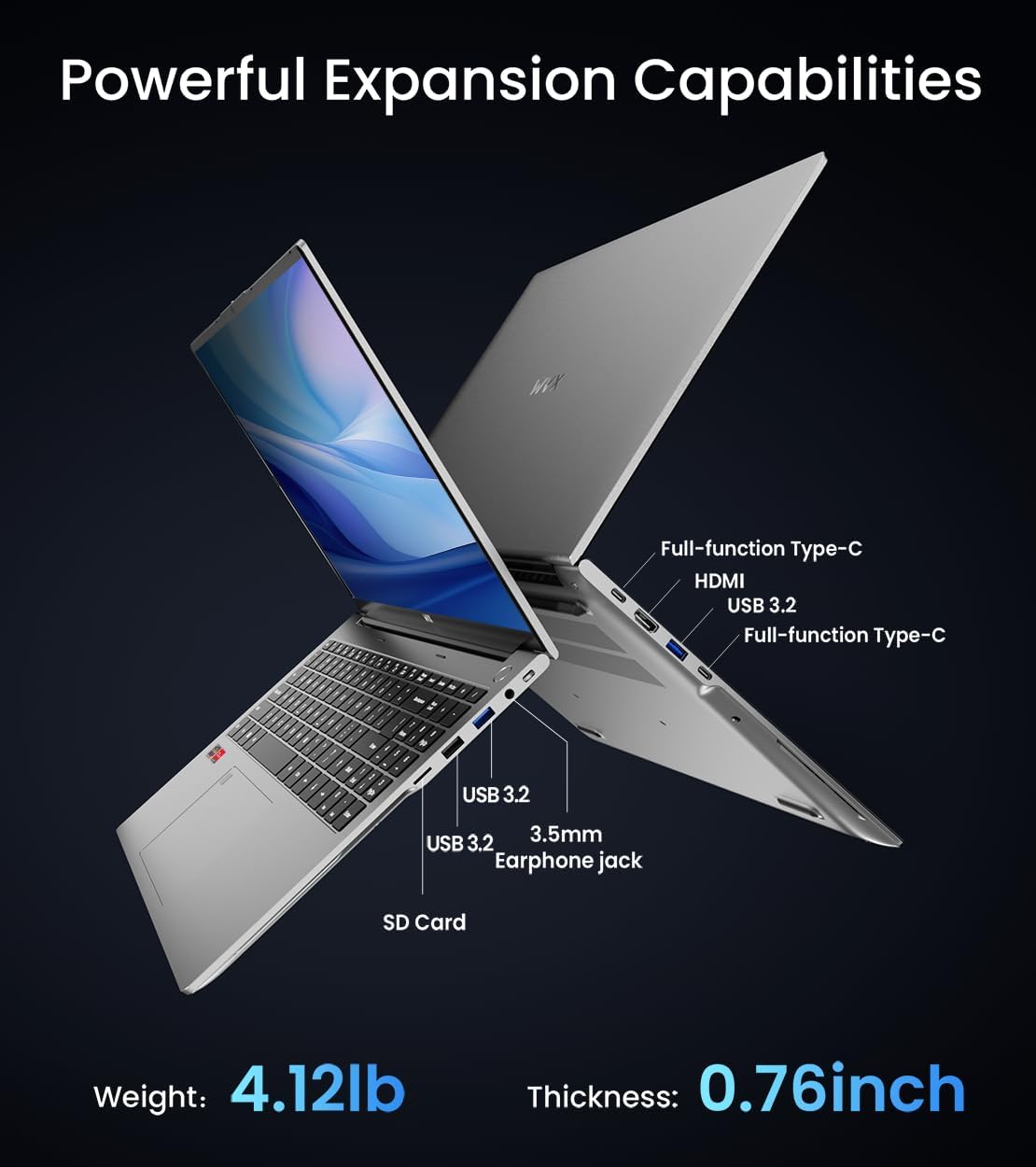
תמונה 3.3: נגמרview of available ports and physical dimensions.
4. תחזוקה
4.1 ניקוי
כדי לשמור על ביצועים ומראה אופטימליים, נקו את המחשב הנייד באופן קבוע. השתמשו במטלית רכה ונטולת סיבים למסך ולחלק החיצוני. עבור כתמים עקשניים, נקו מעט.ampניתן להשתמש במטלית רטובה במים או בחומר ניקוי מיוחד למסכים. הימנעו מכימיקלים חזקים.
4.2 עדכוני תוכנה
Regularly update your Windows operating system and drivers to ensure system stability, security, and optimal performance. Windows Update can be accessed through the Settings menu.
4.3 שדרוגי אחסון וזיכרון
The laptop's RAM can be upgraded to a maximum of 64GB, and the SSD storage can be expanded up to 2TB. Consult a qualified technician for hardware upgrades to avoid voiding your warranty.

Image 4.1: Illustration of memory and storage upgrade capabilities.
5. פתרון תקלות
5.1 בעיות חשמל
- מחשב נייד לא נדלק: ודא שמתאם החשמל מחובר היטב ושהסוללה טעונה מספיק. נסה שקע חשמל אחר.
- סוללה אינה נטענת: Verify the power adapter is functioning correctly. Check the charging port for any obstructions.
5.2 בעיות תצוגה
- מסך ריק: חבר צג חיצוני כדי לבדוק אם הבעיה היא בתצוגה של המחשב הנייד. הפעל מחדש את המחשב הנייד.
- מסך מהבהב: עדכן מנהלי התקנים של הגרפיקה. התאם את קצב רענון הצג בהגדרות Windows.
5.3 בעיות ביצועים
- ביצועים איטיים: סגור יישומים מיותרים. בדוק אם יש תוכנות זדוניות. ודא שיש מספיק מקום אחסון פנוי.
- התחממות יתר: Ensure ventilation vents are clear. Consider using a cooling pad.

Image 5.1: Illustration of the laptop's cooling system with pure copper heat pipes and fan speed.
6. מפרטים
| תכונה | מִפרָט |
|---|---|
| מותג | WVX |
| שם הדגם | R9-6900HX (A02) |
| מעבד | AMD Ryzen 9 6900HX (4.9 GHz, 8 Cores, 16 Threads) |
| מעבד גרפי | AMD Radeon 680M |
| אַיִל | 32 GB DDR5 (מקסימום 64GB) |
| כונן קשיח | 512 GB SSD (Max 2TB) |
| גודל מסך | 16 אינץ' |
| רזולוציית מסך מקסימלית | 1920x1200 פיקסלים |
| מַעֲרֶכֶת הַפעָלָה | Windows 11 Pro |
| סוג אלחוטי | 802.11ax (Wi-Fi 6) |
| בלוטות' | 5.2 |
| מספר יציאות USB 3.0 | 4 |
| מידות המוצר | 14 x 9.7 x 0.78 אינץ' |
| משקל פריט | 5.89 פאונד |
| סוֹלְלָה | 58Wh |
| תכונות מיוחדות | Backlit Keyboard, Fingerprint Reader, HD Audio |
7. אחריות ותמיכה
WVX offers comprehensive support for your laptop:
- תמיכה טכנית: Enjoy unlimited technical support.
- שירות תיקונים: 12 months of repair service for all customers.
- זמן תגובה: Online connection within 24 hours for inquiries.
For any questions or concerns, please reach out to the WVX support team.

תמונה 7.1: נגמרview of WVX customer support services.
8. סרטון מוצר רשמי
סרטון 8.1: הצגת וידאו רשמיתasing the WVX R9 6900HX Laptop, highlighting its features and design.


