מָבוֹא
This manual provides essential information for the safe and efficient operation of your BE COOL BCPSN2L01 Pedestal Fan. Please read these instructions carefully before use and retain them for future reference. The BCPSN2L01 combines powerful airflow with an integrated mist function and ambient lighting to enhance your indoor environment.
הוראות בטיחות חשובות
יש להקפיד תמיד על אמצעי זהירות בסיסיים בעת שימוש במכשירי חשמל כדי להפחית את הסיכון לשריפה, התחשמלות ופציעות.
- ודא את אספקת החשמל כרךtage תואם לתווית הדירוג שעל המכשיר.
- אין לטבול את המאוורר, כבל החשמל או התקע במים או בנוזלים אחרים.
- Unplug the fan from the outlet when not in use, before cleaning, or before moving.
- הרחק את המאוורר מהישג ידם של ילדים וחיות מחמד.
- אין להפעיל את המאוורר עם כבל או תקע פגומים.
- Avoid placing the fan near curtains or other objects that could be drawn into the fan blades.
- אין להכניס אצבעות או חפצים אחרים דרך הסורג כאשר המאוורר פועל.
- Use the fan only on a stable, level surface.
- אין לחסום את פתחי האוויר.
- Only use clean, distilled water in the water tank for the mist function.
המוצר נגמרview
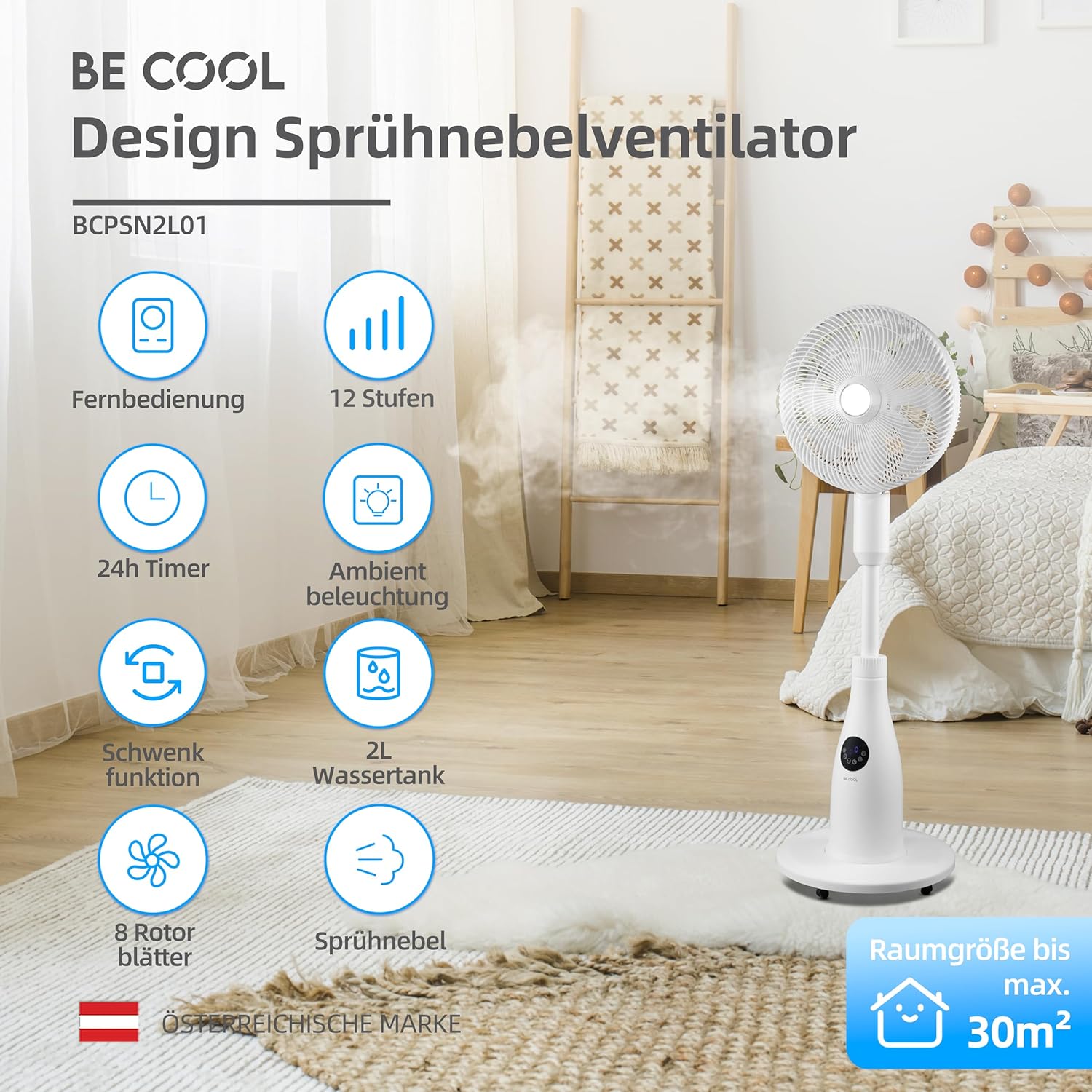
The BE COOL BCPSN2L01 is a versatile pedestal fan designed to provide efficient cooling and air circulation with an integrated mist function and ambient lighting.
רכיבים
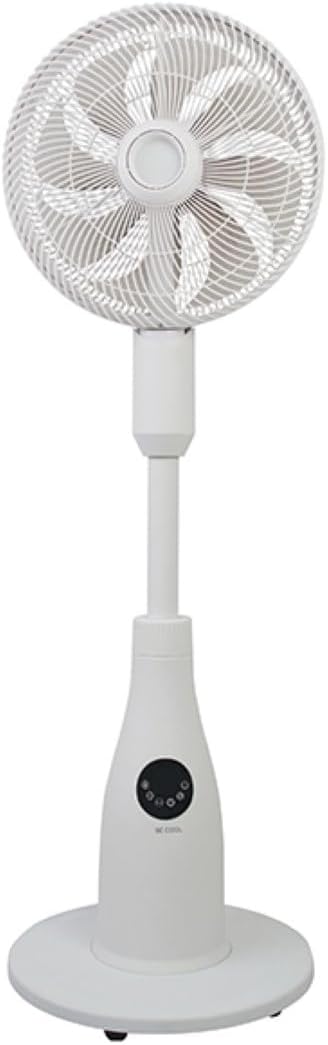
- Fan Head with Grille and Blades
- מעמד מתכוונן
- בָּסִיס
- מיכל מים (קיבולת 2 ליטר)
- Control Panel (Touch-sensitive)
- שְׁלַט רָחוֹק
- כבל חשמל
לוח בקרה ושלט רחוק
The fan can be operated using the touch-sensitive control panel on the unit or the included remote control.
פונקציות לוח הבקרה:
- לחצן הפעלה: מפעיל או מכבה את המאוורר.
- לחצן מהירות: כוונון מהירות המאוורר (12 רמות).
- לחצן מצב: Cycles through Normal, Nature, and Sleep modes.
- לחצן ערפל: Activates or deactivates the mist function.
- לחצן תנודה: Toggles the oscillation feature.
- כפתור טיימר: מגדיר את טיימר הכיבוי האוטומטי (עד 24 שעות).
- כפתור אור: Controls the ambient lighting.


הוראות התקנה
הַרכָּבָה
- פרק בזהירות את כל הרכיבים מהאריזה.
- Assemble the fan head, stand, and base according to the diagrams in the quick start guide (if provided separately). Ensure all connections are secure.
- הנח את המאוורר על משטח יציב וישר.
מילוי מיכל המים
- Locate the water tank at the rear of the fan's base.
- משוך החוצה בעדינות את מיכל המים.
- מלאו את המיכל במים נקיים ומזוקקים. אין לחרוג מקו המילוי המקסימלי.
- Carefully reinsert the water tank into its position until it clicks securely.
- Ensure the water tank is properly seated before operating the mist function.

הוראות הפעלה
חבר את כבל החשמל לשקע חשמל מתאים.
הפעלה/כיבוי
הקש על כפתור הפעלה on the control panel or remote control to turn the fan on or off.
התאמת מהירות המאוורר
הקש על כפתור מהירות repeatedly to cycle through the 12 available fan speed levels.
בחירת מצב הפעלה
הקש על כפתור מצב כדי לעבור בין המצבים הבאים:
- מצב רגיל: מספק זרימת אוויר קבועה במהירות הנבחרת.
- מצב טבע: Simulates natural breezes by varying fan speed intermittently.
- מצב שינה: Operates at a lower, quieter speed with reduced display brightness for undisturbed rest.

Activating Mist Function
ודא שמיכל המים מלא. לחץ על כפתור ערפל to activate or deactivate the refreshing mist function.
Using Oscillation
הקש על כפתור תנודה to start or stop the fan's oscillation, which distributes air across a wider area.

הגדרת הטיימר
הקש על כפתור טיימר repeatedly to set the desired auto-off time, from 1 to 24 hours. The fan will automatically turn off after the set duration.
תאורת סביבה
הקש על כפתור אור to turn the ambient lighting on or off. This feature provides a soft glow, particularly useful in Sleep Mode.
תחזוקה וניקיון
ניקוי קבוע מסייע בשמירה על ביצועי המאוורר ומאריך את תוחלת החיים שלו. יש לנתק תמיד את המאוורר מהחשמל לפני הניקוי.
ניקוי החלק החיצוני
נגבו את המשטחים החיצוניים של המאוורר בעזרת מטלית רכהamp בַּד. אין להשתמש בחומרי ניקוי שוחקים או ממסים.
ניקוי מיכל המים
- הסר את מיכל המים מהיחידה.
- רוקנו את כל המים שנותרו.
- Rinse the tank thoroughly with clean water. For deeper cleaning, use a mild detergent and a soft brush, then rinse completely.
- Allow the tank to air dry before refilling and reinserting.
Cleaning Fan Blades and Grille
Periodically, dust may accumulate on the fan blades and inside the grille. Refer to the product's specific instructions for safely removing the front grille to clean the blades. Use a soft cloth or vacuum cleaner with a brush attachment to remove dust.
פתרון בעיות
אם נתקלתם בבעיות עם המאוורר שלכם, אנא עיינו בבעיות הנפוצות ובפתרונות הבאות:
- המאוורר לא נדלק:
- ודא שכבל החשמל מחובר היטב לשקע חשמלי תקין.
- בדוק אם לחצן ההפעלה נלחץ.
- ודא שאין ניתוק חשמלtage באזור שלך.
- פונקציית הערפל לא עובדת:
- בדוק אם מיכל המים מלא במים.
- Ensure the water tank is correctly seated in the unit.
- Clean the mist nozzle if it appears blocked.
- המאוורר רועש:
- ודאו שהמאוורר ממוקם על משטח יציב ומאוזן.
- Check for any obstructions around the fan blades or grille.
- Dust accumulation on blades can cause imbalance; clean the blades if necessary.
- השלט רחוק לא מגיב:
- Check and replace the battery (1 CR2 battery included).
- ודא שאין חסימות בין השלט למקלט של המאוורר.
מפרטים
| תכונה | מִפרָט |
|---|---|
| מותג | תהיה מגניב |
| מספר דגם | BCPSN2L01 |
| כּוֹחַ | 80 וואט |
| כרך ידtage | 230 וולט (AC) |
| קיבולת זרימת אוויר | 1500 מ"ק לשעה |
| קיבולת מיכל מים | 2 ליטר |
| קצב התאדות | 0.25 L/h (approx.) |
| מספר מהירויות | 12 |
| תְנוּדָה | כֵּן |
| שָׁעוֹן עֶצֶר | עד 24 שעות |
| שְׁלַט רָחוֹק | כן (סוללת CR1 אחת כלולה) |
| מידות המוצר (D x W x H) | 42.9 x 42.9 x 114.5 ס"מ |
| משקל פריט | 6.9 קילוגרם |
| גודל חדר מומלץ | עד 30 מ"ר |

אחריות ותמיכה
For warranty information, please refer to the documentation provided at the time of purchase or contact your retailer. For technical support or service inquiries, please contact the manufacturer's customer service department.
יַצרָן: תהיה מגניב


