1. הקדמה
תודה על הרכישהasing the Surfola 15.6-inch HD Portable DVD Player, Model SD05W. This manual provides essential information for the safe and efficient use of your device. Please read it thoroughly before use and retain it for future reference.
2. תכולת החבילה
ודא שכל הפריטים המפורטים להלן כלולים בחבילה שלך:
- Surfola 15.6-inch Portable DVD Player
- שְׁלַט רָחוֹק
- AC Power Adapter (PSE certified, 100-240V global voltagתואם ל-e)
- Car Charger (1.8m cable)
- כבל AV 3 ב-1
- מדריך למשתמש
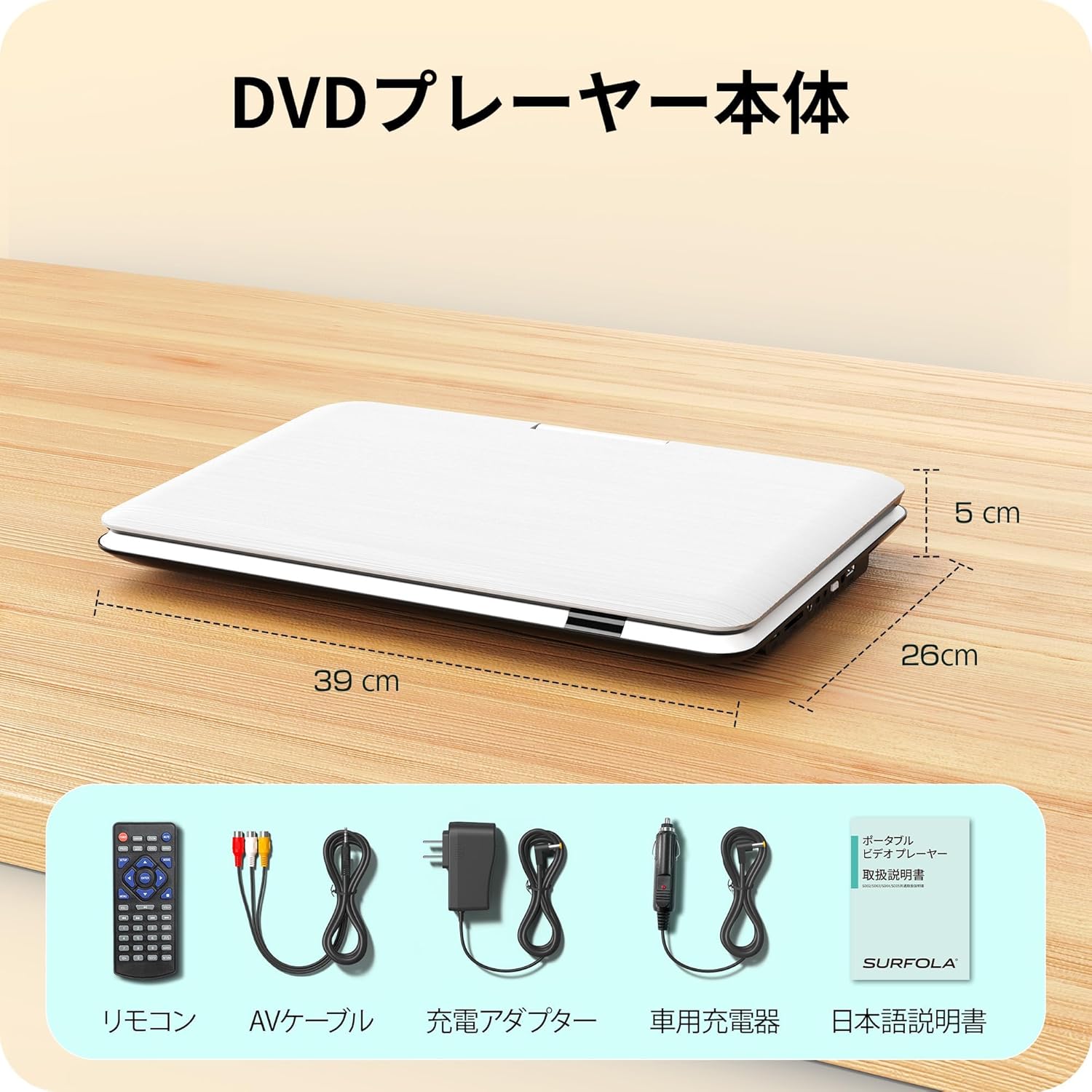
Image: Contents of the Surfola Portable DVD Player package, including the player, remote control, AV cable, AC adapter, car charger, and user manual.
3. המוצר נגמרview
Familiarize yourself with the various parts and connections of your portable DVD player.

תמונה: צד view of the Surfola Portable DVD Player showing various connection ports. These include a USB port, SD card slot, AV OUT, AV IN, DC IN, Power Switch, and Headphone Jack.
תכונות עיקריות:
- צג LCD HD בגודל 15.6 אינץ': 1366x768 resolution for clear video playback.
- 270° Rotation & 180° Flip: Screen can be adjusted for optimal viewזוויות.
- Region-Free & CPRM Compatible: Plays DVDs from any region and supports CPRM content.
- תמיכה בפורמטים רבים: Plays video, music, and photo files from USB drives (up to 16GB) and SD cards. Supported formats include MPEG, MP3, JPG. (Note: Blu-ray discs and MP4 format are not supported.)
- פונקציית קורות חיים: Automatically resumes playback from where it was last stopped.
- אפשרויות כוח מרובות: Built-in 5000mAh battery for up to 6 hours of playback, AC adapter (100-240V), and car charger (DC12V).
- AV Input/Output: Connect to a TV or projector for a larger screen experience.
4. התקנה
4.1 הפעלה ראשונית
- חבר חשמל: Use the provided AC adapter or car charger to power the device. For portable use, ensure the internal battery is charged.
- לְהַפְעִיל: Locate the power switch (usually on the side or back) and slide it to the "ON" position.

Image: A visual guide showing three simple steps: 1. Turn on the power, 2. Insert a DVD, 3. Video playback begins.
5. הוראות הפעלה
5.1 ניגון DVD בסיסי
- Open Disc Cover: Gently lift the disc cover.
- הכנסת DVD: Place a DVD disc onto the spindle with the label side facing up. Ensure it is seated correctly.
- Close Disc Cover: סגור את מכסה הדיסק.
- השמעה: The player will automatically detect the disc and begin playback. Use the remote control or front panel buttons for play, pause, stop, and navigation.
5.2 ניגון באמצעות כרטיס USB/SD
- הכנס מדיה: Insert a USB flash drive (up to 16GB) into the USB port or an SD card into the SD card slot.
- בחר מקור: Use the "Source" or "Mode" button on the remote or player to select USB or SD mode.
- לְדַפדֵף Files: נווט דרך files using the directional buttons and select the desired video, music, or photo file לשחק.
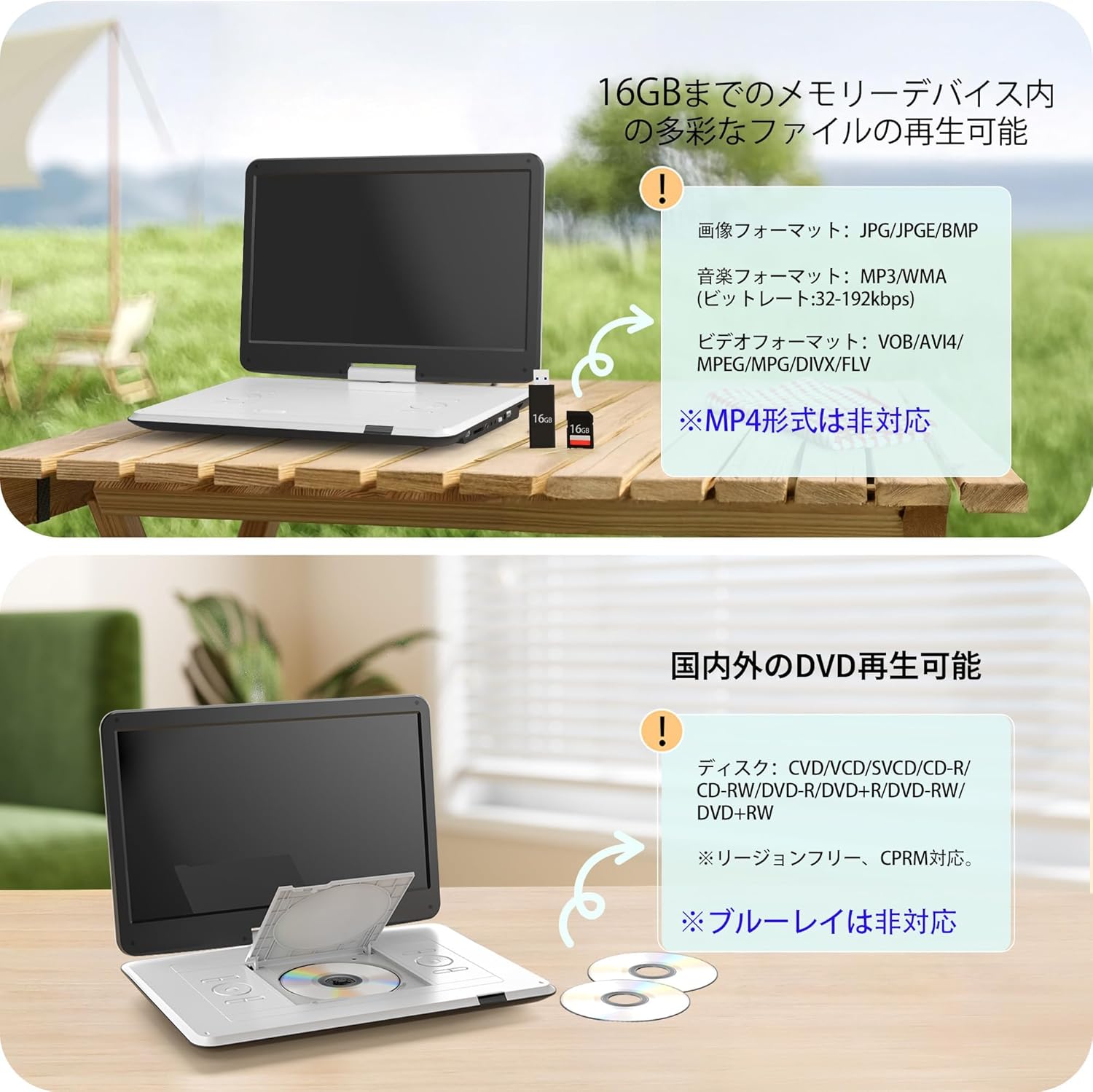
Image: The portable DVD player displaying content from a USB drive and SD card. Text indicates support for various image, music, and video formats, and notes that MP4 is not supported.
5.3 כוונון מסך
The screen can be rotated 270 degrees and flipped 180 degrees for flexible viewing. Adjust the screen to your preferred angle for comfortable viewing in various environments, including in a car.

Image: Demonstrates the screen's ability to rotate 270 degrees and flip 180 degrees, showing various viewing configurations including a folded tablet-like mode.
5.4 חיבור לצגים חיצוניים (טלוויזיה/מקרן)
Use the included 3-in-1 AV cable to connect your DVD player to a TV or projector for a larger viewניסיון.
- חיבור כבל AV: Insert one end of the AV cable into the AV OUT port on the DVD player.
- חיבור לתצוגה: Connect the other end of the AV cable to the corresponding AV IN ports (Yellow for Video, Red/White for Audio) on your TV or projector.
- בחר קלט: On your TV or projector, select the correct AV input source.

Image: The portable DVD player connected via AV cable to a television and a projector, demonstrating its capability to synchronize with external displays for a larger viewניסיון.
5.5 פונקציית קורות חיים
The player features a resume function that allows it to automatically continue playback from the exact point where it was last stopped, even after powering off the device. This is useful for uninterrupted viewing.

Image: A visual representation of the resume function, showing that playback continues from the last stopped position even after the device is powered off and on again.
6. ספק כוח
Your Surfola Portable DVD Player offers three power options:
- סוללה מובנית: The 5000mAh internal battery provides up to 6 hours of continuous playback on a full charge.
- מתאם למזגן: Use the included AC power adapter for home use. It supports 100-240V, making it suitable for international travel.
- מטען לרכב: The included 1.8m car charger connects to your vehicle's cigarette lighter socket (DC12V) for use on the go.
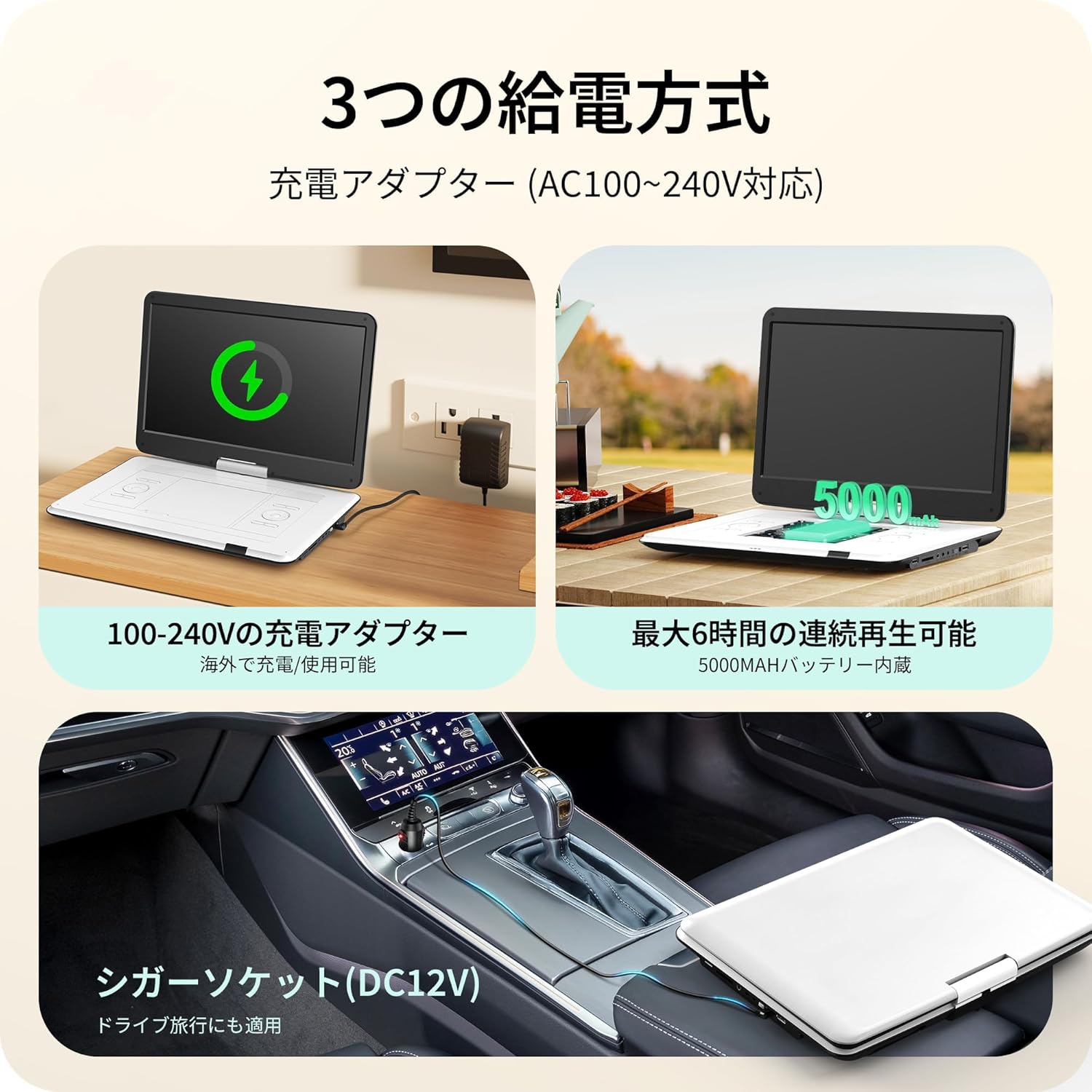
Image: Illustrates the three power supply methods: charging via AC adapter, continuous playback with the 5000mAh internal battery, and powering via car cigarette lighter socket.
7. תחזוקה
- ניקוי המסך: השתמשו במטלית רכה ונטולת סיבים כדי לנגב בעדינות את המסך. במקרה של סימנים עקשניים, נקו קלותampשטפו את המטלית במים או בחומר לניקוי מסכים. הימנעו מכימיקלים חזקים.
- ניקוי מגש הדיסקים: שמרו על מגש הדיסקים נקי מאבק ופסולת. השתמשו במברשת רכה או באוויר דחוס במידת הצורך.
- אִחסוּן: כאשר אינו בשימוש, יש לאחסן את הנגן במקום קריר ויבש, הרחק מאור שמש ישיר וטמפרטורות קיצוניות.
- טיפול בסוללה: כדי להאריך את חיי הסוללה, הימנעו מפריקה מלאה של הסוללה לעתים קרובות. טען אותה באופן קבוע, גם אם אינה בשימוש למשך פרקי זמן ממושכים.
8. פתרון תקלות
| בְּעָיָה | סיבה אפשרית | פִּתָרוֹן |
|---|---|---|
| אין כוח | Battery drained, power adapter not connected, power switch off. | Charge the battery, ensure AC adapter/car charger is properly connected, turn power switch ON. |
| דיסק לא מתנגן | Disc inserted incorrectly, disc is dirty/scratched, unsupported disc type (e.g., Blu-ray). | Reinsert disc correctly, clean disc, try a different disc. Note that Blu-ray discs are not supported. |
| אין קול | Volume too low, headphones not connected properly, external speaker issue. | Increase volume, check headphone connection, ensure external speakers are working if connected. |
| No picture on external display | AV cable not connected correctly, incorrect input selected on TV/projector. | Check AV cable connections, select the correct AV input on your TV/projector. |
| כרטיס USB/SD לא מזוהה | Unsupported format, card/drive capacity too large (over 16GB), media corrupted. | Ensure media is formatted correctly (e.g., FAT32), check capacity (max 16GB), try a different USB/SD card. |
9. מפרטים
| תכונה | פְּרָט |
|---|---|
| מספר דגם | SD05W |
| גודל מסך | 15.6 אינץ' |
| סוג תצוגה | LCD |
| הַחְלָטָה | 1366 x 768 |
| תאימות דיסק | DVD, CVD, VCD, SVCD, CD-R, CD-RW, DVD-R, DVD-RW, DVD+RW (Region-Free, CPRM compatible) |
| תמיכה בכרטיסי USB/SD | עד 16GB |
| Supported Formats (USB/SD) | Video: MPEG, VOB, AVI, DIVX, FLV; Audio: MP3, WMA; Image: JPG, JPEG, BMP |
| קיבולת סוללה | 5000mAh |
| זמן השמעה רציף | כ. 6 שעות |
| קלט כוח | AC 100-240V (Adapter), DC 12V (Car Charger) |
| קישוריות | USB, SD Card, AV IN, AV OUT, Headphone Jack |
| מידות (בערך) | 39 x 26 x 5 ס"מ (15.35 x 10.24 x 1.97 אינץ ') |
| משקל (בערך) | 1.8 ק"ג (3.97 פאונד) |
Note: Blu-ray discs and MP4 format are not supported.
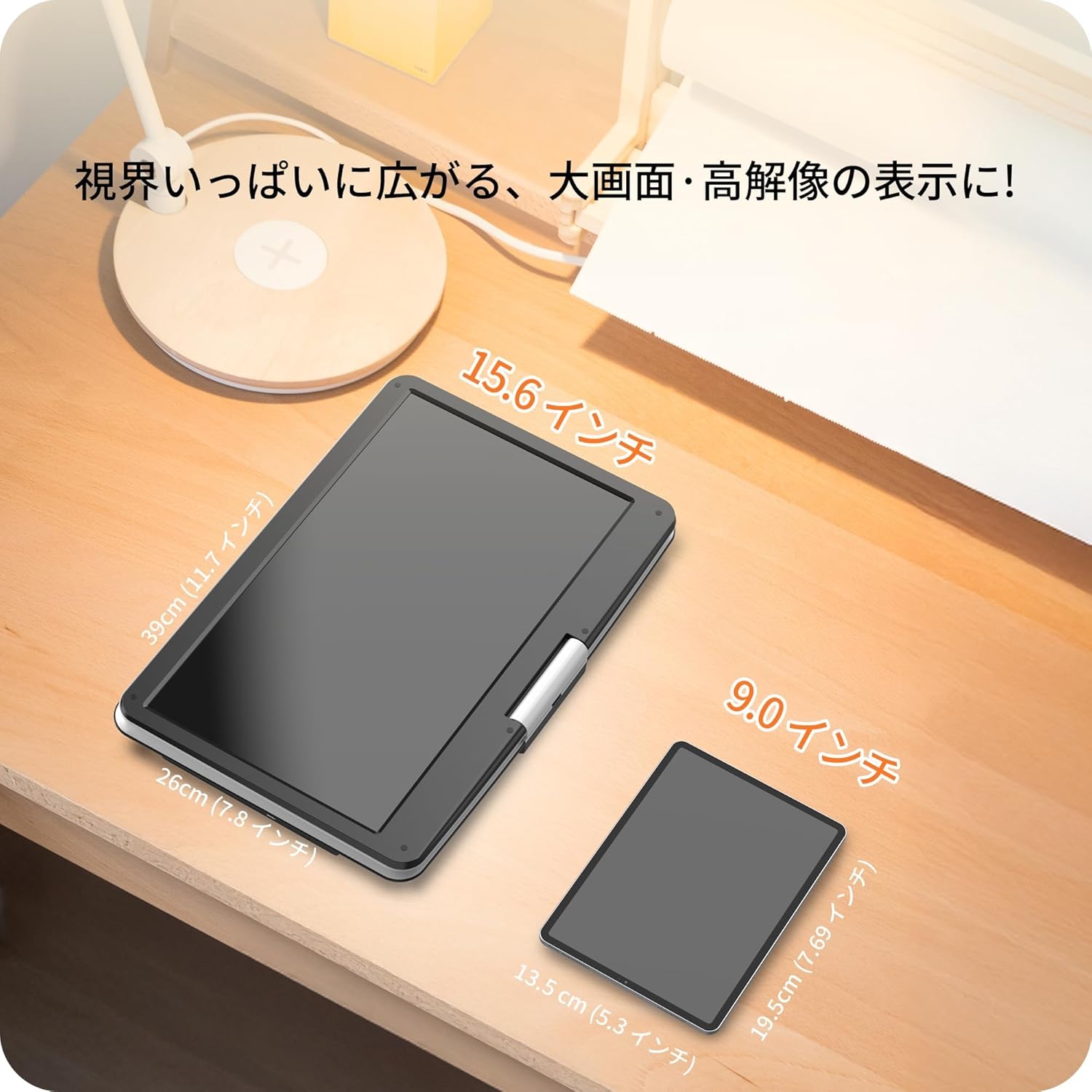
Image: A size comparison showing the 15.6-inch Surfola Portable DVD Player next to a smaller 9.0-inch player, highlighting its larger screen size.
10. אחריות ותמיכה
For warranty information and customer support, please refer to the contact details provided in your product packaging or visit the official Surfola webאתר. שמור את קבלת הרכישה כהוכחת קנייה לתביעות אחריות.
יַצרָן: סורפולה


