1. הקדמה
This manual provides essential information for the setup, operation, and maintenance of your VIMTAG 8310 5G/2.4G 4MP Camera. Please read thoroughly before use to ensure proper functionality and safety.

Figure 1: VIMTAG 8310 5G/2.4G 4MP Camera
2. מה בקופסה
ודא שכל הפריטים נמצאים בחבילה:
- Camera Body with power cable
- מדריך הוראות
- בורג הרכבה
- מתאם מתח
3. המוצר נגמרview
The VIMTAG 8310 camera features a compact design suitable for both indoor and outdoor use. Key components include:
- עֲדָשָׁה: Captures 2.5K (4MP) video.
- Infrared & White Light: עבור יכולות ראיית לילה.
- מִיקרוֹפוֹן: לתקשורת שמע דו כיוונית.
- רַמקוֹל: לתקשורת שמע דו-כיוונית והתראות.
- חריץ לכרטיס SD: Supports Micro SD cards up to 512GB for local storage.
- לחצן איפוס: לאיפוס להגדרות יצרן.
- יציאת חשמל: Micro USB for continuous power supply.

Figure 2: Camera features overview
4. התקנה והתקנה
4.1 הורדת אפליקציה ורישום חשבון
- Download the 'Canny Cam' app from your device's app store (iOS/Android).
- Register a new account using your email address and follow the on-screen instructions.
- התחבר לחשבון החדש שיצרת.

Figure 3: App download and registration process
4.2 Powering On and Device Connection
- Connect the camera to the power adapter using the provided USB cable and plug it into a power outlet.
- Open the 'Canny Cam' app and tap the '+' icon to add a new device.
- Follow the in-app instructions to connect the camera to your 5G/2.4G Wi-Fi network. This typically involves scanning a QR code displayed on your phone with the camera lens.
- לאחר החיבור, תוכלו לתת שם למצלמה שלכם ולהקצות אותה לחדר ספציפי.
Video 1: Why choose Vimtag Mini G3 Outdoor Security Camera? (Seller)
4.3 הרכבת המצלמה
The camera comes with a versatile stand that allows for various mounting options:
- Tabletop/Free Standing: Place the camera on any flat surface. The stand has padded feet for stability.
- מתקן קיר/תקרה: The base of the stand can be detached and screwed into a wall or ceiling using the provided mounting screws. The camera then easily attaches to the mounted base.

Figure 4: Easy setup and mounting options

Figure 5: Mounting the camera to a wall
5. הפעלת המצלמה
5.1 בשידור חי View ואודיו דו-כיווני
Access the live video feed anytime, anywhere through the Canny Cam app. Use the built-in microphone and speaker for two-way communication.

איור 6: שמע דו-כיווני בפעולה
5.2 מצבי ראיית לילה
The camera offers full-color night vision, enhanced by a built-in LED light, and traditional infrared night vision. Switch between modes via the app settings.

Figure 7: Comparison of Color and Infrared Night Vision
Video 2: How to set full-color night vision of Vimtag Mini G3 (Seller)
5.3 זיהוי חכם והתראות
Configure motion, human, and sound detection settings within the app. Receive instant alerts on your mobile device when activity is detected.
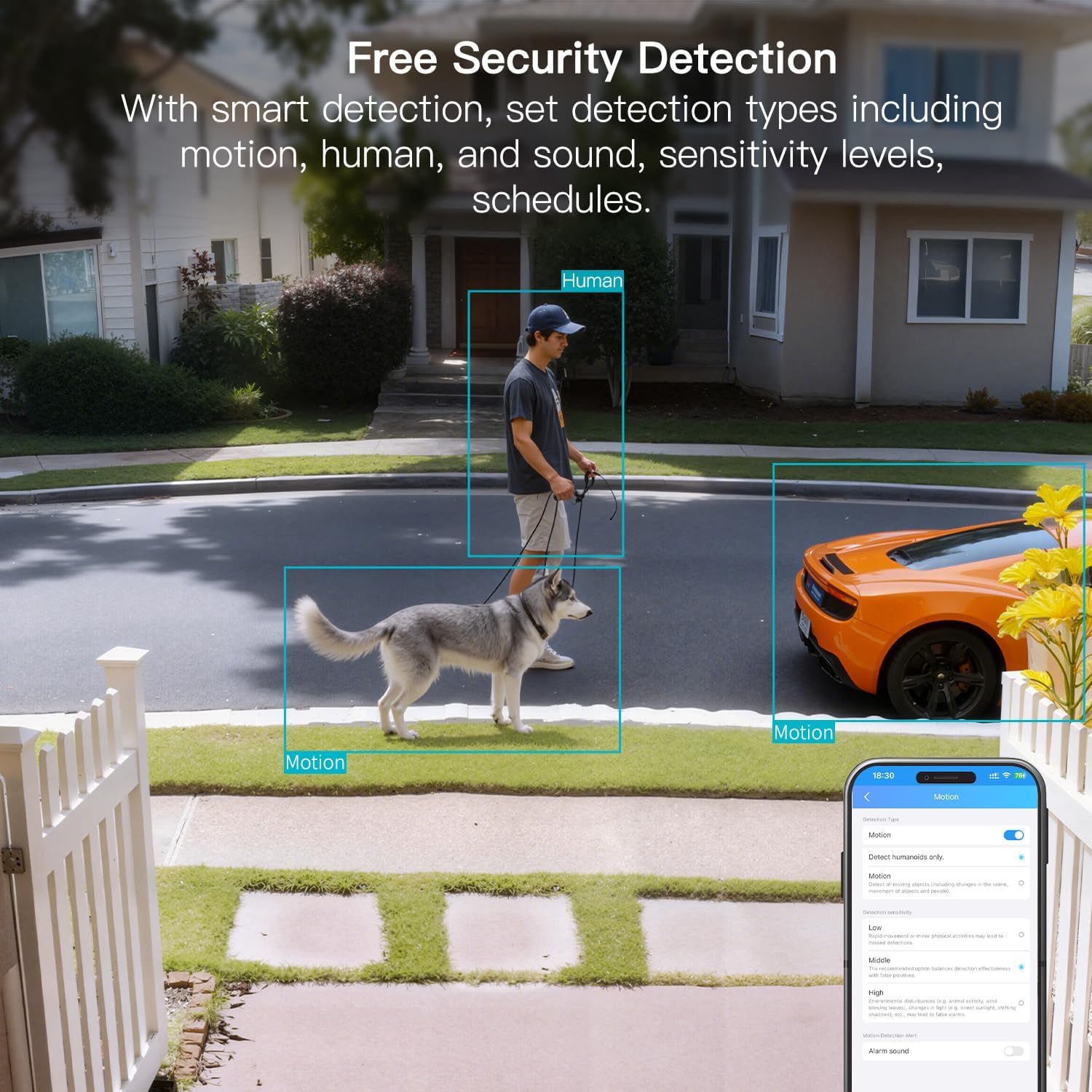
Figure 8: AI Detection capabilities

Figure 9: Smart alarm modes with sound and light
5.4 אפשרויות אחסון
The camera supports continuous 24/7 recording to a Micro SD card (up to 512GB, sold separately) or secure Cloud storage (subscription required).

Figure 10: Local and Cloud storage options
6. מפרטים
| תכונה | פְּרָט |
|---|---|
| שם הדגם | 8310 |
| שימוש בפנים/חוץ | חיצוני (IP65 עמיד למים) |
| רזולוציית לכידת וידאו | 2.5K (1440p) |
| רזולוציית סטילס אפקטיבית | 4 מגה פיקסל |
| טכנולוגיית קישוריות | Wi-Fi (2.4 & 5G Hz, Dual Band, Wi-Fi 6) |
| תכונות מיוחדות | 2-Way Audio, HD Resolution, Motion Sensor, Color Night Vision, AI Detection, Alexa Support |
| Viewזווית | 130 מעלות |
| טווח ראיית לילה | 33 רגל |
| מקור כוח | חשמל חוטי (5 וולט, 5 וואט) |
| זיכרון פלאש מקסימלי נתמך | 512 ג'יגה-בייט (מיקרו SD) |
| מידות המוצר | 1.57 x 2.28 x 2.76 אינץ' |
7. תחזוקה
- ניקוי: Use a soft, dry cloth to clean the camera lens and body. Avoid harsh chemicals.
- עדכוני קושחה: Regularly check the Canny Cam app for firmware updates to ensure optimal performance and security.
- ניהול כרטיסי SD: If using a Micro SD card, periodically check its status and format it via the app to maintain recording quality.
8. פתרון תקלות
- בעיות קישוריות: Ensure the camera is within range of your Wi-Fi router. Verify Wi-Fi password and network stability. The camera supports both 2.4GHz and 5GHz bands.
- בעיות הקלטה: Check if the Micro SD card is inserted correctly and has sufficient space. If using Cloud storage, verify your subscription status.
- אין התראות: Confirm motion/human/sound detection is enabled in the app settings and notification permissions are granted for the Canny Cam app on your phone.
- איכות תמונה ירודה: Ensure the lens is clean. Check network stability for optimal streaming resolution.
- איפוס מכשיר: If issues persist, use the reset button on the camera to restore factory settings. You will need to reconfigure the device after a reset.
9. אחריות ותמיכה
מֶרֶץTAG offers a 2-year warranty and lifetime technical support for this product. For assistance, please contact VIMTAG שירות לקוחות:
- אֶלֶקטרוֹנִי: Customer@vimtag.com
- תמיכה בתוך האפליקציה: Access the 'Message Center' within the Canny Cam app for direct support.
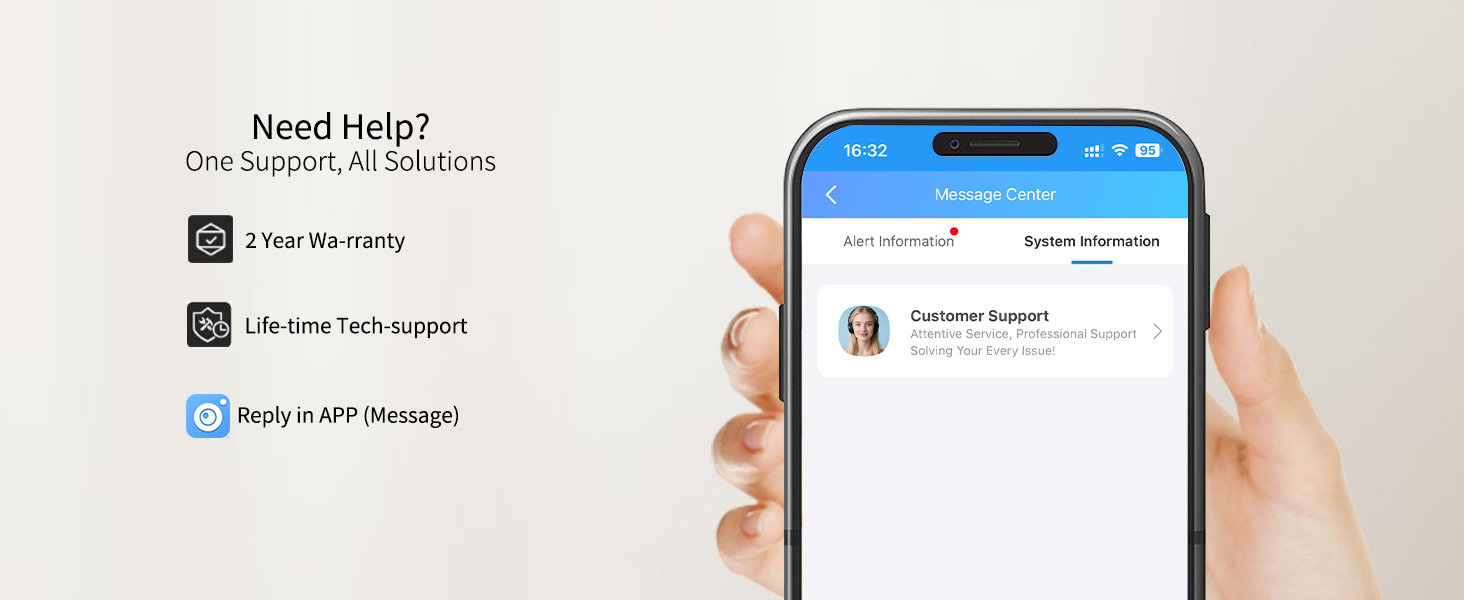
Figure 11: VIMTAG תמיכת לקוחות


