מָבוֹא
This manual provides instructions for the safe and effective use of your OGERY F11-20000mAh Portable Camping Fan. Please read this manual thoroughly before operating the device and retain it for future reference.
המוצר נגמרview
The OGERY F11-20000mAh is a portable, rechargeable fan designed for various environments including camping, travel, and home use. It features a 20000mAh battery, stepless speed regulation, an integrated LED lantern, and power bank functionality.

Image: OGERY F11-20000mAh Portable Camping Fan, front view עם שלט רחוק.
תכונות עיקריות:
- זרימת אוויר חזקה: Provides wind speeds up to 5.3m/s with advanced Turbocharging and PWM Control.
- חיי סוללה מורחבים: Equipped with a 20000mAh battery, offering 12 to 138 hours of operation (fan only) or 33 to 152 hours (light only).
- טעינה מהירה: Supports 20W fast charging, reaching full capacity in approximately 4.5 hours.
- Integrated LED Lantern: Features a 3-level eye-protective LED ring light for illumination.
- עיצוב רב תפקודי: Includes 30°/60°/90°/120° automatic oscillation, 270° manual tilt, a remote control, folding handle, and a 360° rotatable hook.
- פונקציית Power Bank: Dual output ports (USB and Type-C) allow charging of other devices.
רכיבים:

תמונה: מפורט view of the fan's control panel with indicators for power, fan speed, timer, and oscillation.
- לוּחַ בַּקָרָה: Located on the base, includes power indicator, fan speed indicator, timer indicator, rocking head indicator, sleep button, lighting button, fan speed control knob, oscillation button, and timer button.
- שְׁלַט רָחוֹק: For convenient operation of fan speed, light, oscillation, and timer.
- ידית מתקפלת: For portability and carrying.
- 360° Rotatable Hook: For hanging the fan in tents or other locations.
- יציאות טעינה: USB output and Type-C input/output ports.
הגדרה
טעינה ראשונית:
- Before first use, fully charge the fan. Connect the provided Type-C cable to the fan's Type-C input/output port and to a power adapter (not included, >18W recommended).
- The power indicator lights on the control panel will show charging progress. All lights will be solid when fully charged.
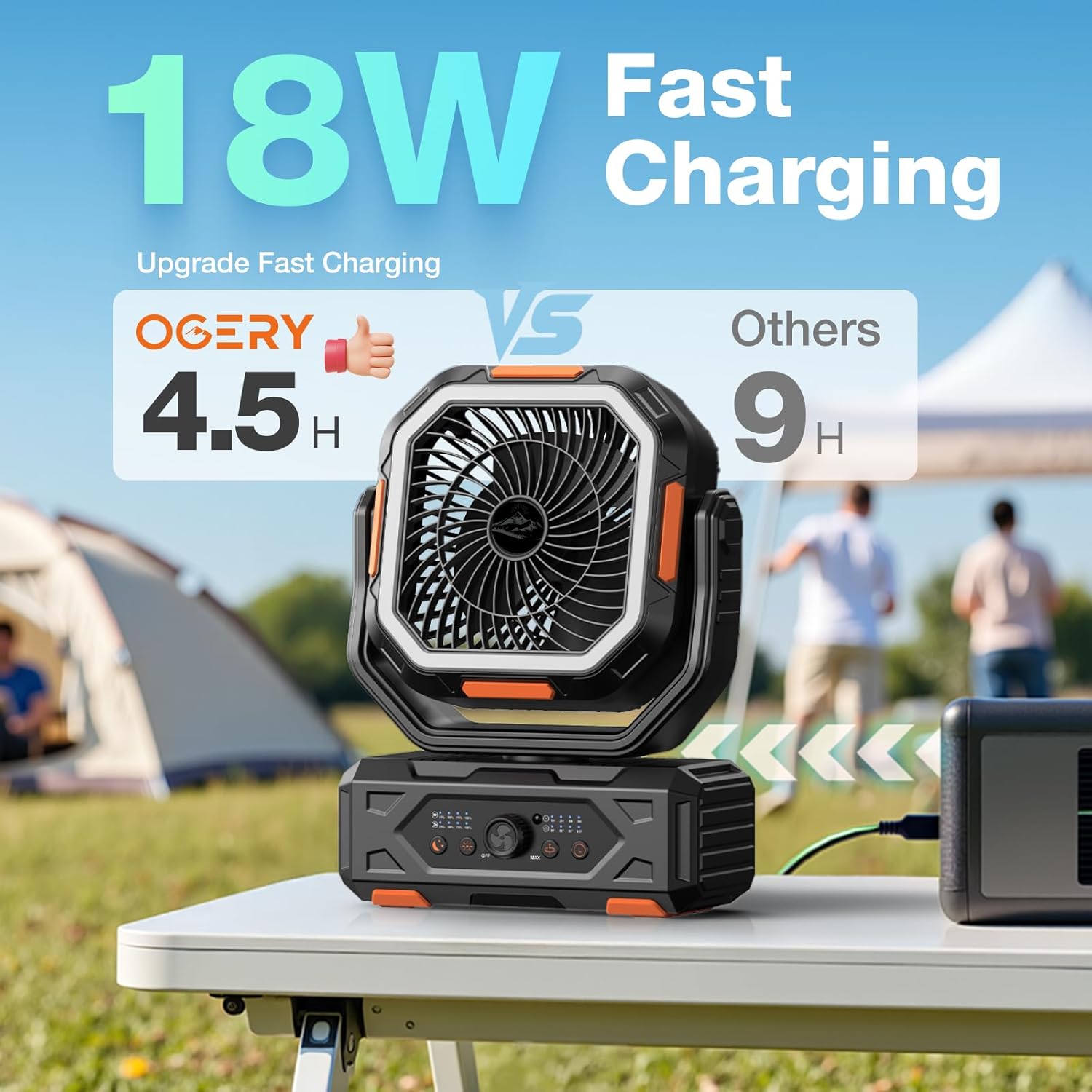
Image: The OGERY F11-20000mAh fan connected to a power source for charging.
התקנת סוללת שלט רחוק:
The remote control requires 2 CR5 batteries (included). Open the battery compartment on the back of the remote and insert the batteries, observing polarity.

Image: Diagram illustrating the buttons and functions of the remote control.
מִבצָע
הפעלה/כיבוי:
- במכשיר: Rotate the fan speed control knob clockwise from 'OFF' to turn on the fan. Rotate counter-clockwise to 'OFF' to power off.
- שְׁלַט רָחוֹק: לחץ על לחצן ההפעלה/כיבוי.
התאמת מהירות מאוורר:
- במכשיר: Rotate the fan speed control knob clockwise to increase speed (from MIN to MAX).
- שְׁלַט רָחוֹק: Use the '+' and '-' buttons to increase or decrease fan speed.

Image: A family outdoors, illustrating the fan's stepless speed regulation via the control knob.
בקרת תנודות:
The fan supports automatic oscillation at 30°, 60°, 90°, and 120°.
- במכשיר: Press the oscillation button on the control panel to cycle through oscillation angles or turn off oscillation.
- שְׁלַט רָחוֹק: Press the oscillation setting button.
The fan head can also be manually tilted 270° vertically.

תמונה: שתיים views of the fan demonstrating 270° front-back tilt and 30°/60°/90°/120° auto left-right swing.
פעולת אור LED:
The integrated LED lantern has 3 brightness levels.
- במכשיר: Press the lighting button on the control panel to cycle through brightness levels (Low, Medium, Strong) and off.
- שְׁלַט רָחוֹק: Use the light increase and light decrease buttons.

Image: Fan hanging inside a tent, providing 3 levels of eye-friendly lighting.
פונקציית טיימר:
Set the fan to operate for a specific duration.
- במכשיר: Press the timer button to select 1H, 2H, 4H, or 8H.
- שְׁלַט רָחוֹק: Press the timer setting button.
מצב שינה:
Activates a quiet operation mode with indicator lights off.
- במכשיר: Press the sleep button.
- שְׁלַט רָחוֹק: Press the sleep mode button.

Image: A person sleeping in a tent with the fan operating quietly, illustrating low noise levels.
פונקציונליות של Power Bank:
The fan can charge other devices using its 20000mAh battery.
- Connect your device's charging cable to the fan's USB output port or Type-C input/output port.
- Ensure the fan has sufficient battery charge.
טעינת המאוורר
To recharge the OGERY F11-20000mAh fan:
- השתמש בכבל הטעינה מסוג Type-C המצורף.
- Connect the cable to the fan's Type-C input/output port.
- Plug the other end into a compatible power adapter (e.g., wall charger, power bank) with an output of 18W or greater for fast charging.
- A full charge takes approximately 4.5 hours. The power indicator lights will show charging status.
תַחזוּקָה
ניקוי:
- ודא שהמאוורר כבוי ומנותק מהחשמל לפני הניקוי.
- נגב את המשטחים החיצוניים עם רך, דamp בַּד. אין להשתמש בחומרי ניקוי שוחקים או ממסים.
- For dust accumulation on the fan blades, use a soft brush or compressed air. Do not attempt to disassemble the fan for cleaning.
אִחסוּן:
- יש לאחסן את המאוורר במקום קריר ויבש, הרחק מאור שמש ישיר וטמפרטורות קיצוניות.
- If storing for an extended period, charge the battery to approximately 50-70% every 3 months to maintain battery health.
פתרון בעיות
| בְּעָיָה | סיבה אפשרית | פִּתָרוֹן |
|---|---|---|
| המאוורר לא נדלק. | הסוללה התרוקנה. | טען את המאוורר במלואו. |
| Power knob is in 'OFF' position. | Rotate the knob clockwise to turn on. | |
| זרימת אוויר חלשה. | מהירות המאוורר מוגדרת נמוך מדי. | Increase fan speed using the knob or remote. |
| חסימה מלפנים/מאחור של המאוורר. | Ensure clear path for airflow. | |
| נורת LED לא עובדת. | האור כבוי או מוגדר לבהירות הנמוכה ביותר. | Press the light button to cycle through brightness levels. |
| השלט רחוק לא מגיב. | סוללות השלט רחוקות או מותקנות בצורה שגויה. | Replace batteries or check polarity. Ensure line of sight to the fan. |
| Device not charging from fan's power bank. | Fan battery is low. | טען את המאוורר. |
| נעשה שימוש בכבל או ביציאה שגויים. | Use appropriate USB or Type-C cable and port. |
מפרטים
| תכונה | פְּרָט |
|---|---|
| מותג | אוגרי |
| שם הדגם | F11 |
| מקור כוח | מופעל על סוללה |
| קיבולת סוללה | 20000mAh |
| זמן טעינה | כ-4.5 שעות (עם מתאם >18W) |
| Operating Time (Fan) | 12 עד 138 שעות (בהתאם למהירות) |
| Operating Time (Light) | 33 to 152 hours (depending on brightness) |
| מהירות הרוח | עד 5.3 מטר לשנייה |
| תְנוּדָה | 30°/60°/90°/120° Automatic |
| זווית הטיה | ידני 270 ° |
| רמות אור LED | 3 |
| שיטת בקרה | Remote, On-device knob/buttons |
| מידות המוצר | 4.3" D x 9.5" W x 15" H |
| משקל פריט | 3.94 פאונד |
| כרך ידtage | 5 וולט |
| מהtage | 18 וואט |
| UPC | 716597693982 |
אחריות ותמיכה
OGERY products are designed for reliability and performance. For warranty information or technical support, please refer to the product packaging or contact OGERY customer service through their official channels. Keep your purchase receipt as proof of purchase for warranty claims.


