מָבוֹא
The Technoline WT175 is a compact and versatile quartz alarm clock designed for convenience and portability. It features a clear digital display and offers multiple functions including time, date, temperature, humidity, and various alarm settings. Its magnetic casing makes it suitable for travel and everyday use.

איור 1: חֲזִית view of the Technoline WT175 Mini Travel Alarm Clock, displaying the time and control buttons.
תכונות מפתח
- תצוגת זמן 12/24 שעות
- תצוגת תאריך
- Temperature display (in Celsius)
- תצוגת לחות
- אזעקה עם פונקציית נודניק
- Configurable alarm settings: Weekday, Weekend, or Daily
- Timer with countdown and stop function
- מחוון סוללה חלשה
- מגנטי גasing for versatile placement
תוכן החבילה
- Technoline WT175 Mini Travel Alarm Clock
- מדריך למשתמש (מסמך זה)
- הערה: סוללות אינן כלולות ויש לרכוש אותן בנפרד.

איור 2: Product packaging for the Technoline WT175, detailing specifications and features.
הגדרה
1. התקנת סוללה
- אתר את תא הסוללות בגב השעון המעורר.
- פתח את מכסה תא הסוללות.
- Insert 1x AAA Micro LR03 battery, ensuring correct polarity (+/-).
- סגור היטב את מכסה תא הסוללות.
2. הפעלה ראשונית
Upon successful battery installation, the display will activate. You may need to press the מַעֲרֶכֶת button to begin initial time and date configuration.
הוראות הפעלה
The Technoline WT175 features several control buttons: מַעֲרֶכֶת, START/STOP/RESET, ZZ (Snooze/Light), AL SET ON-OFF, +, ו MODE.
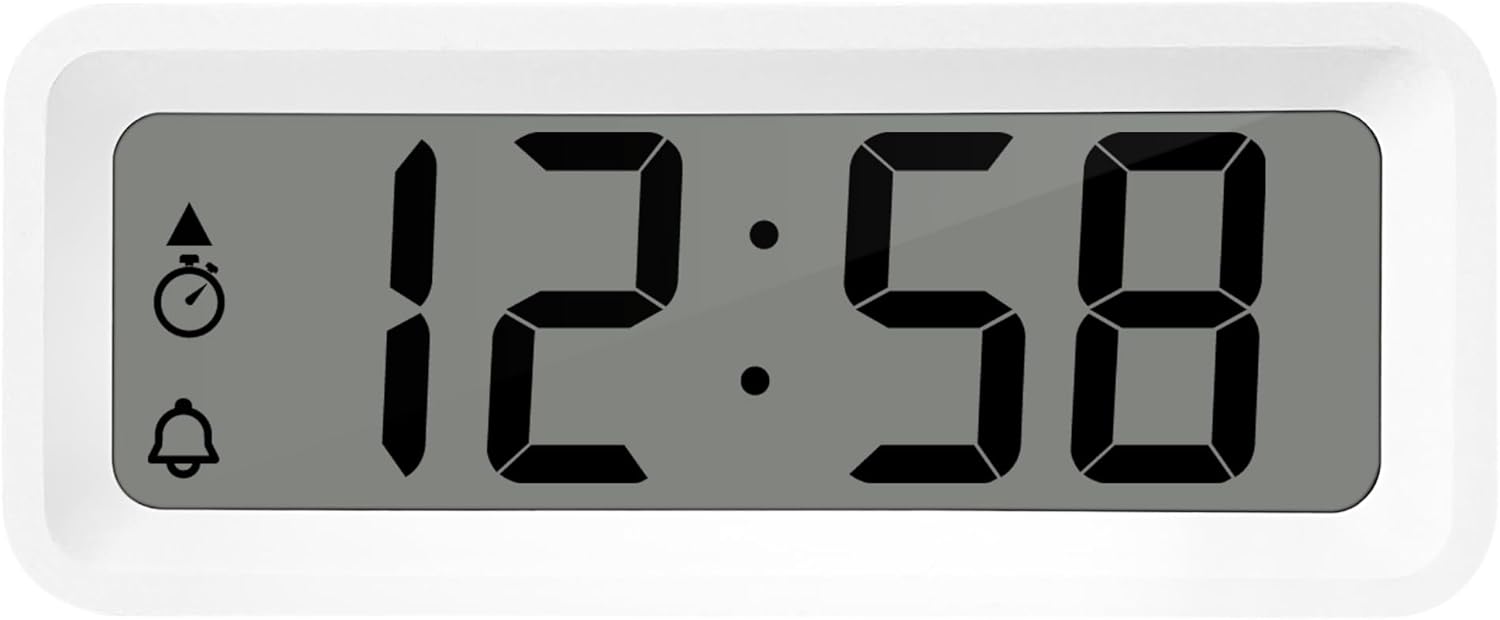
איור 3: מְפוֹרָט view of the alarm clock's display and control buttons.
1. הגדרת שעה ותאריך
- לחץ והחזק את מַעֲרֶכֶת עד שתצוגת הזמן תתחיל להבהב.
- השתמש ב- + or - כפתורים לכוונון השעה.
- לִלְחוֹץ מַעֲרֶכֶת שוב כדי לאשר את השעה ולעבור לדקות.
- לְהִשְׁתַמֵשׁ + or - כדי להתאים את הדקות.
- המשך ללחוץ מַעֲרֶכֶת to cycle through and set the year, month, and day using the + or - כפתורים.
- לִלְחוֹץ מַעֲרֶכֶת פעם אחרונה כדי לצאת ממצב ההגדרות.
2. 12/24 Hour Format Selection
במצב תצוגת זמן רגיל, לחצו על הלחצן MODE כפתור כדי לעבור בין פורמט זמן של 12 שעות ל-24 שעות.
3. הגדרת האזעקה
- הקש על AL SET ON-OFF button once to enter alarm setting mode. The alarm time will flash.
- השתמש ב- + or - לחצנים לכוונון שעת האזעקה.
- לִלְחוֹץ AL SET ON-OFF again to confirm the hour and move to alarm minutes.
- לְהִשְׁתַמֵשׁ + or - כדי לכוונן את דקות השעון המעורר.
- לִלְחוֹץ AL SET ON-OFF again to confirm and exit alarm setting mode.
4. Activating/Deactivating Alarm and Snooze
- To turn the alarm ON or כבוי, לחץ על AL SET ON-OFF button while in normal time display mode. An alarm icon will appear/disappear on the display.
- כאשר האזעקה נשמעת, לחץ על ZZ (Snooze) button to activate the snooze function. The alarm will temporarily stop and sound again after a few minutes.
- To stop the alarm completely, press any other button (e.g., מַעֲרֶכֶת or MODE).
5. Weekday/Weekend/Daily Alarm Settings
The WT175 allows for flexible alarm scheduling. While in alarm setting mode (after pressing AL SET ON-OFF), you can cycle through alarm types by pressing the + or - buttons after setting the alarm time. Look for indicators on the display for:
- אזעקה יומית: אזעקה נשמעת כל יום.
- Weekday Alarm: אזעקה נשמעת בימים שני עד שישי.
- אזעקת סוף שבוע: אזעקה תישמע בשבת ובראשון.
6. טיימר וספירה לאחור
- הקש על MODE button repeatedly until the timer display appears (often indicated by a stopwatch icon).
- To set the countdown timer, press and hold מַעֲרֶכֶת. לְהִשְׁתַמֵשׁ + or - to set the desired hours, minutes, and seconds. Press מַעֲרֶכֶת כדי לאשר כל קטע.
- לִלְחוֹץ START/STOP/RESET כדי להתחיל את הספירה לאחור.
- לִלְחוֹץ START/STOP/RESET שוב כדי להשהות/לחדש את הספירה לאחור.
- כדי לאפס את הטיימר, לחץ והחזק START/STOP/RESET.
7. תצוגת טמפרטורה ולחות
The Technoline WT175 continuously displays the current indoor temperature (in Celsius) and humidity levels. These readings are typically shown alongside the time and date on the main display.

איור 4: The WT175 alarm clock displaying time, temperature, and humidity in a bedroom setting.
תַחזוּקָה
1. החלפת סוללה
When the low battery indicator appears on the display, it is time to replace the battery. Follow the battery installation steps outlined in the הגדרה section. Ensure to dispose of old batteries responsibly according to local regulations.
2. ניקיון
To clean the alarm clock, use a soft, dry cloth. Do not use abrasive cleaners, solvents, or immerse the device in water. Avoid spraying cleaning solutions directly onto the unit.
פתרון בעיות
- התצוגה ריקה או עמומה:
- בדוק אם הסוללה מותקנת כהלכה.
- החלף את הסוללה בסוללה חדשה.
- האזעקה לא נשמעת:
- Ensure the alarm is activated (alarm icon visible on display).
- ודא שזמן האזעקה מוגדר כהלכה.
- Check the alarm type (Daily, Weekday, Weekend) matches your desired schedule.
- שעה או תאריך שגויים:
- Re-enter the time and date following the instructions in the הוראות הפעלה סָעִיף.
- Ensure the 12/24 hour format is set as desired.
- הכפתורים אינם מגיבים:
- הסר והכנס מחדש את הסוללה כדי לבצע איפוס רך.
- Ensure the device is not in a specific setting mode that locks other buttons.
מפרטים
| תכונה | פְּרָט |
|---|---|
| דֶגֶם | WT175 |
| מותג | טכנוליין |
| מידות (L x W x H) | 8.8 x 3.81 x 3.7 ס"מ |
| מִשׁקָל | 120 גרם |
| מקור כוח | 1x AAA Micro LR03 Battery (not included) |
| סוג תצוגה | דִיגִיטָלי |
| תכונות מיוחדות | Alarm, Snooze, Temperature, Humidity, Date, Timer, Countdown, Magnetic Casing, Low Battery Indicator |
| צֶבַע | לבן (בהתאם לגרסה הנוכחית של המוצר) |
| שימוש פנימי/חיצוני | מקורה |

איור 5: Dimensions of the Technoline WT175 alarm clock.
אחריות ותמיכה
For warranty information or technical support regarding your Technoline WT175 Mini Travel Alarm Clock, please refer to the warranty card included with your purchase or visit the official Technoline webאֲתַר.
Official Technoline Webאֲתַר: http://www.technoline.de


