1. הקדמה
This manual provides essential instructions for the safe and efficient use of your DALI IO-8 Wireless/Wired Hi-Fi Headphones. Please read this manual thoroughly before using the product and retain it for future reference. The DALI IO-8 headphones are designed to deliver a high-fidelity audio experience with advanced features such as Active Noise Cancellation (ANC), Bluetooth AptX Adaptive connectivity, and a long-lasting battery.
2. המוצר נגמרview
Familiarize yourself with the components and controls of your DALI IO-8 headphones.

איור 2.1: חֲזִית view of the DALI IO-8 headphones, showcasing the caramel and white color scheme and overall design.

איור 2.2: מלמעלה למטה view of the DALI IO-8 headphones, highlighting the earcups and visible control buttons on the side.
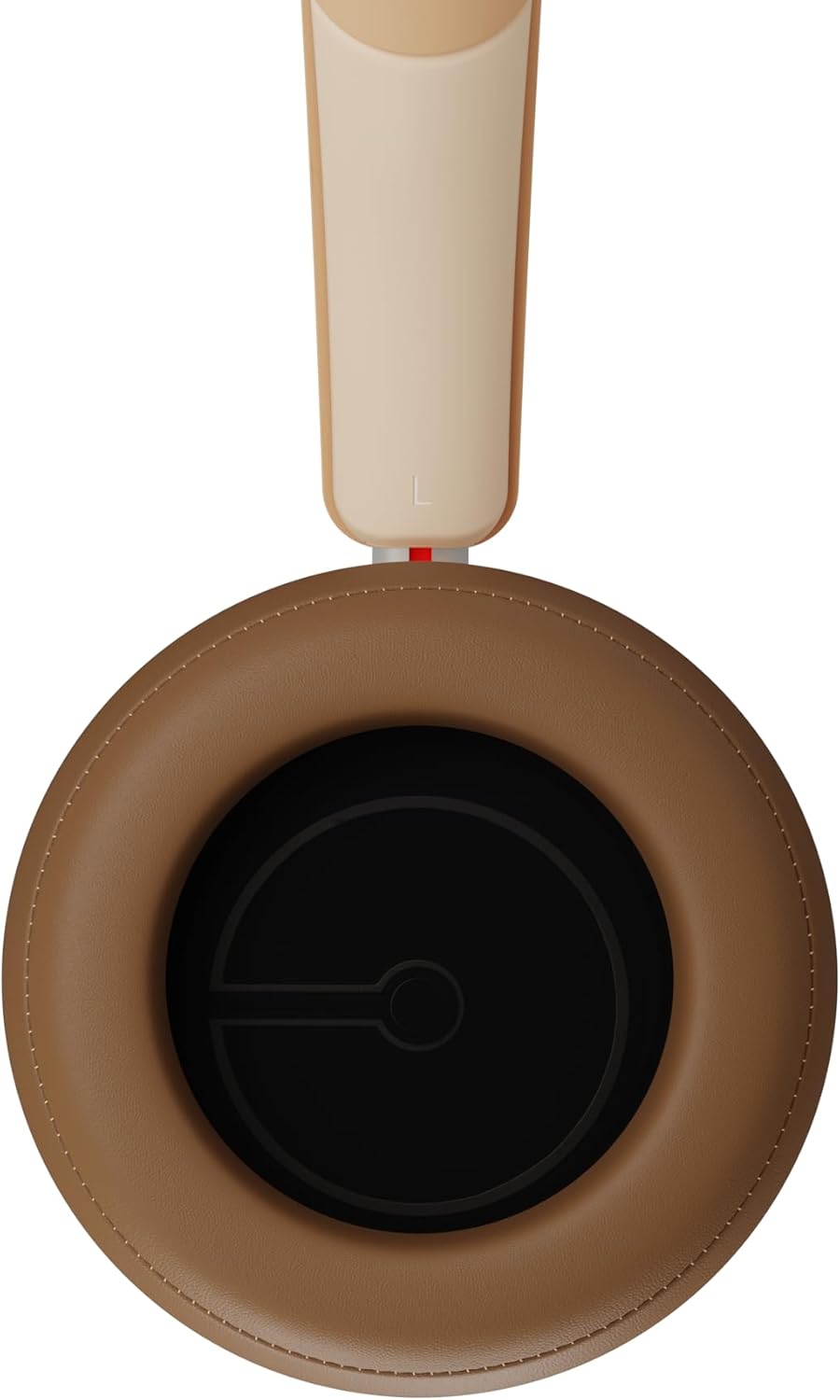
איור 2.3: פְּנִים view of a DALI IO-8 earcup, showing the soft padding and driver grille, designed for comfort and sound delivery.

איור 2.4: תקריב view of the DALI IO-8 earcup, showing the USB-C charging port and other control buttons.
2.1 תכולת החבילה
- אוזניות DALI IO-8
- כבל טעינה USB-C
- כבל שמע 3.5 מ"מ
- Travel Case (if included)
- מדריך למשתמש (מסמך זה)
2.2 רכיבי אוזניות

איור 2.5: התפוצץ view illustrating the internal components of the DALI IO-8 headphones, including the 50mm driver, circuitry, and earcup structure.
- Headband (Adjustable)
- Earcups (Over-ear design with genuine leather)
- 50mm Driver (SMC Driver Technology)
- Control Buttons (Power, Volume, ANC, Multifunction)
- USB-C Port (Charging and Wired Audio)
- 3.5mm Audio Jack (Wired Audio)
- Microphones (for ANC and calls)
3. התקנה
3.1 טעינת האוזניות
Before initial use, fully charge your DALI IO-8 headphones.
- Connect the supplied USB-C cable to the USB-C port on the headphone earcup.
- חבר את הקצה השני של כבל ה-USB-C למקור מתח USB תואם (למשל, יציאת USB של המחשב, מתאם USB לקיר).
- The LED indicator will show charging status. A full charge provides up to 35 hours of playback with ANC enabled.
- לאחר טעינה מלאה, נתק את הכבל.
3.2 הפעלה/כיבוי
- כדי להפעיל: לחץ והחזק את לחצן ההפעלה למשך כ-2 שניות עד שנורית ה-LED תידלק.
- כדי לכבות: לחץ והחזק את לחצן ההפעלה למשך כ-3 שניות עד שנורית ה-LED יכבה.
3.3 זיווג בלוטות '
The DALI IO-8 supports Bluetooth AptX Adaptive for high-quality wireless audio.
- ודא שהאוזניות כבויות.
- לחץ והחזק את לחצן ההפעלה למשך כ-5 שניות עד שנורית ה-LED תהבהב בכחול במהירות. פעולה זו מציינת מצב צימוד.
- במכשיר השמע שלך (סמארטפון, טאבלט, מחשב), הפעל את Bluetooth וחפש התקנים זמינים.
- Select "DALI IO-8" from the list of found devices.
- Once paired, the LED indicator will glow solid blue or flash slowly.
- האוזניות ינסו להתחבר מחדש באופן אוטומטי למכשיר האחרון שצומד לאחר הפעלתן.
3.4 חיבור קווי
The DALI IO-8 can be used with a wired connection via the 3.5mm audio jack or USB-C.
- כבל שמע 3.5 מ"מ: Connect one end of the supplied 3.5mm audio cable to the headphone's 3.5mm jack and the other end to your audio source's headphone output. The headphones can be used passively in this mode, or actively with ANC and amplification if powered on.
- USB-C Audio: Connect the supplied USB-C cable to the headphone's USB-C port and the other end to a compatible USB audio output on your computer or device. This mode allows for digital audio transmission and charging simultaneously.
4. הפעלת האוזניות
4.1 ביטול רעש פעיל (ANC)
The DALI IO-8 features three distinct ANC modes and wind noise suppression.
- Press the dedicated ANC button to cycle through the available modes:
- ANC פועל: ביטול רעשים מקסימלי.
- מצב שקיפות: Allows ambient sounds to pass through for situational awareness.
- ANC כבוי: Active noise cancellation is disabled.
- Wind noise suppression is automatically engaged in ANC modes to reduce interference from wind.
4.2 מצבי סאונד
Customize your listening experience with two sound profiles.
- Press the Sound Mode button (if available, or refer to specific button on device) to switch between:
- מצב Hi-Fi: Delivers a balanced and neutral sound signature.
- מצב בס: Enhances low-frequency response for a more impactful bass.
4.3 Playback and Volume Control
Use the control buttons on the earcup for media playback and volume adjustments.
- הגבר קול: לחץ על כפתור '+'.
- להנמיך קול: לחץ על כפתור '-'.
- הפעל/השהה: לחץ פעם אחת על כפתור ה- Multifunction.
- הרצועה הבאה: Double-press the Multifunction button.
- רצועה קודמת: Triple-press the Multifunction button.
4.4 ניהול שיחות
Manage phone calls when connected via Bluetooth.
- מענה/סיום שיחה: לחץ פעם אחת על כפתור ה- Multifunction.
- דחה שיחה: לחץ והחזק את הלחצן הרב-תכליתי למשך 2 שניות.
- הפעל את Assistant Voice: Press and hold the Multifunction button for 2 seconds (when not on a call).
5. תחזוקה
5.1 ניקוי
- נגבו את האוזניות בעזרת מטלית רכה, יבשה ונטולת סיבים.
- אין להשתמש בחומרי ניקוי שוחקים, ממסים או תרסיסים כימיים.
- עבור כיסויי האוזניים, נגבו בעדינות בעזרת מטלית קלה.amp מטלית במידת הצורך, ולאחר מכן יבשו מיד.
- Ensure no moisture enters the ports or openings.
5.2 אחסון
- When not in use, store the headphones in their protective travel case to prevent damage.
- הימנעו מחשיפת האוזניות לטמפרטורות קיצוניות, לחות או אור שמש ישיר.
6. פתרון תקלות
| בְּעָיָה | סיבה אפשרית | פִּתָרוֹן |
|---|---|---|
| אין כוח | הסוללה התרוקנה. | טען את האוזניות באמצעות כבל ה-USB-C המצורף. |
| לא ניתן להתאים דרך בלוטות' | האוזניות אינן במצב צימוד; בלוטות' של המכשיר כבוי; רחוק מדי מהמכשיר. | Ensure headphones are in pairing mode (rapid blue LED flash). Turn on Bluetooth on your device. Move headphones closer to the device. Forget "DALI IO-8" on your device and re-pair. |
| אין קול | Volume too low; incorrect input source; headphones not connected. | Increase volume on headphones and source device. Check Bluetooth connection or wired cable. Ensure the correct audio output is selected on your device. |
| ANC לא עובד ביעילות | ANC mode off; poor earcup seal. | Ensure ANC is enabled. Adjust headphones for a proper seal around your ears. |
7. מפרטים
| תכונה | פְּרָט |
|---|---|
| שם הדגם | DALI IO-8 |
| מותג | DALI |
| טכנולוגיית קישוריות | קווי, אלחוטי (בלוטות') |
| טכנולוגיית תקשורת אלחוטית | Bluetooth (AptX Adaptive) |
| ביטול רעשים | Active Noise Suppression (ANC) with Wind Noise Suppression |
| מיקום אוזניים | מעל האוזן |
| גודל דרייבר | 50mm (SMC Driver Technology) |
| עַכָּבָּה | 25 אוהם |
| שקע אוזניות | 3.5 מ"מ |
| חיי סוללה | עד 35 שעות (עם ANC) |
| חומרים | Genuine Leather (earcups) |
8. מידע בטיחות
Please observe the following safety guidelines to ensure safe operation and prevent damage to your headphones or injury to yourself.
- Do not expose the headphones to water, rain, or moisture.
- הימנע מטמפרטורות קיצוניות.
- Do not disassemble, repair, or modify the headphones. This voids the warranty.
- האזינו בעוצמת קול מתונה כדי למנוע נזק לשמיעה.
- הרחק מהישג ידם של ילדים.
- השלך את המוצר באחריות בהתאם לתקנות המקומיות.
9. אחריות ותמיכה
DALI products are manufactured to high standards and are covered by a limited warranty. For specific warranty terms and conditions, please refer to the warranty card included with your product or visit the official DALI website. For technical support, troubleshooting assistance, or service inquiries, please contact your authorized DALI dealer or DALI customer support.

איור 9.1: A person wearing the DALI IO-8 headphones, demonstrating their comfortable fit and use in a real-world environment.


