1. הקדמה
The Bose QuietComfort Wireless Noise Cancelling Earbuds deliver a high-quality audio experience with advanced noise cancellation capabilities. This manual provides essential information for the proper setup, operation, and maintenance of your earbuds to ensure optimal performance and longevity.
Key features include active noise cancellation, customizable tap controls, IPX4 water resistance, up to 8.5 hours of battery life per charge, and advanced Bluetooth 5.3 connectivity. The Bose QCE app allows for personalized sound adjustments and device management.
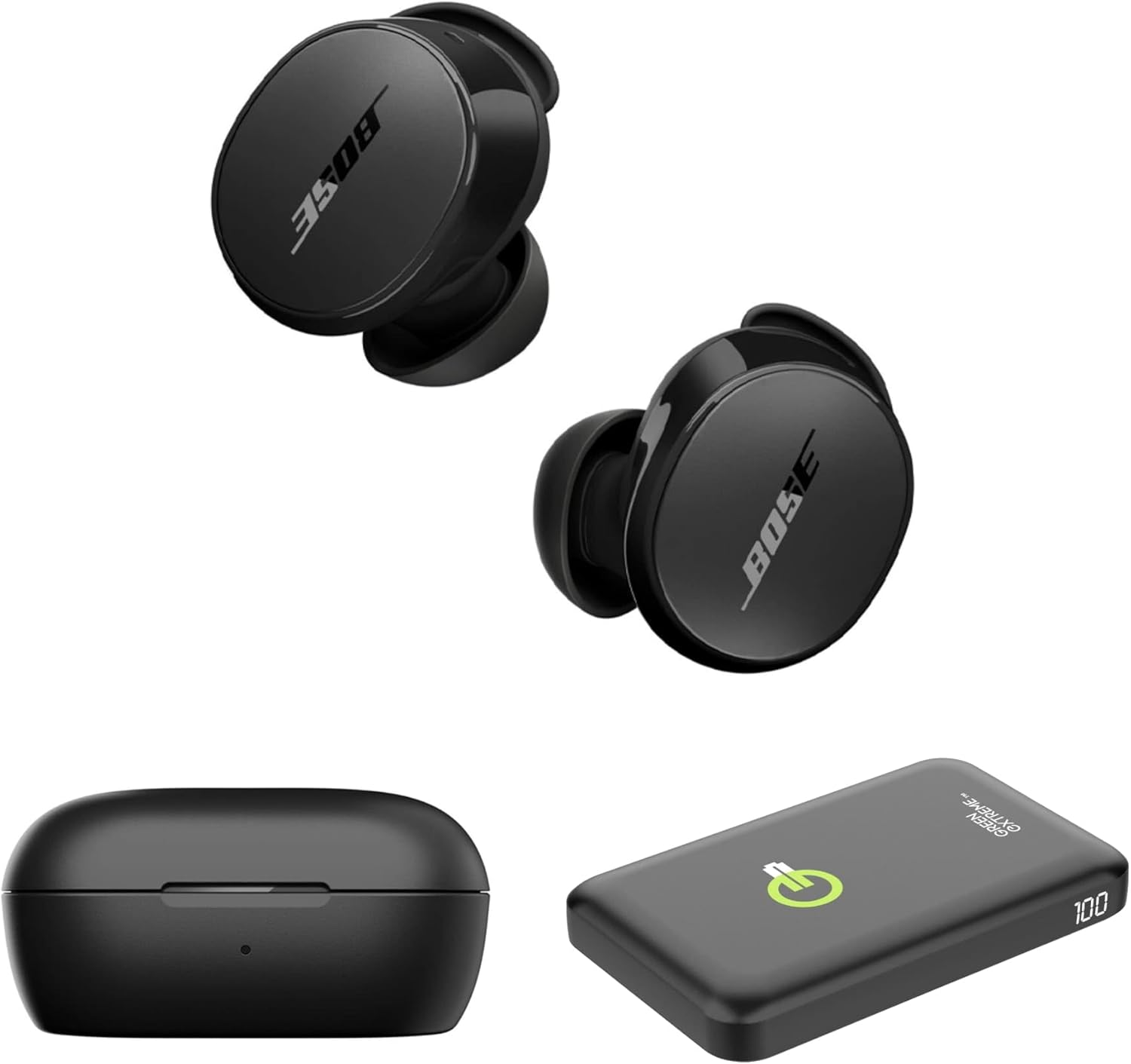
Image 1.1: Bose QuietComfort Earbuds, charging case, and Green Extreme portable charger.
2. התקנה
2.1 פתיחת האריזה ורכיבים
ודא שכל הרכיבים נמצאים באריזה:
- Bose QuietComfort Earbuds (Black)
- נרתיק טעינה
- כבל USB-A ל-USB-C
- Small, Medium, and Large Eartips & Stability Bands
- Green Extreme 10000mAh Qi Power Bank

Image 2.1: Bose QuietComfort Earbuds in open charging case with included eartips and stability bands.
2.2 טעינת האוזניות והנרתיק
- הניחו את האוזניות במארז הטעינה. ודאו שהן יושבות כראוי.
- Connect the USB-A to USB-C cable to the charging case and a power source.
- The charging case can also be charged wirelessly.
- A 20-minute charge provides approximately 2 hours of playback. Full charge provides up to 8.5 hours of playback. The case holds an additional 2.5 charges.

Image 2.2: Hand holding the Bose QuietComfort Earbuds charging case.
2.3 Selecting the Correct Fit
The earbuds come with three sizes of eartips and stability bands (S, M, L) to ensure a comfortable and secure fit. Experiment with different sizes to find the best seal for optimal sound quality and noise cancellation.
- Gently pull the eartip and stability band off the earbud.
- Select a new size and align it with the earbud.
- Press firmly until it clicks into place.

Image 2.3: Close-up of Bose QuietComfort Earbuds, highlighting the design and fit components.
2.4 זיווג בלוטות '
The earbuds utilize Bluetooth 5.3 for stable and efficient wireless connectivity.
- פתחו את מארז הטעינה. האוזניות ייכנסו למצב צימוד.
- במכשיר שלך (סמארטפון, טאבלט, מחשב), הפעל את Bluetooth וחפש מכשירים זמינים.
- Select "Bose QuietComfort Earbuds" from the list.
- The earbuds support multipoint connection, allowing seamless switching between multiple paired devices.
3. הוראות הפעלה
3.1 Customizable Tap Controls
The earbuds feature customizable tap controls for managing audio playback and calls. These controls can be configured via the Bose QCE app.
- הפעל/השהה: הקשה אחת על אחת האוזניות.
- דלג על מסלול: הקש פעמיים על האוזניה הימנית.
- בקרת עוצמת הקול: Swipe up or down on the earbud surface (customizable).
- מענה/סיום שיחה: הקשה אחת על אחת האוזניות.
3.2 ביטול רעש פעיל (ANC)
The earbuds feature active noise cancellation to reduce ambient sound. ANC settings can be adjusted through the Bose QCE app.
- מצב שקט: Maximizes noise cancellation for immersive listening.
- מצב מודע: Allows some ambient sound to pass through, enhancing situational awareness.
- כבוי: מבטל את ביטול הרעשים.
3.3 Bose QCE App Integration
The Bose QCE app provides comprehensive control and customization options for your earbuds:
- אקולייזר מתכוונן: Fine-tune bass, mid-range, and treble levels.
- ANC Settings: Switch between Quiet, Aware, and Off modes.
- חיי סוללה: Monitor the current battery level of each earbud and the charging case.
- קיצורי דרך מותאמים אישית: Personalize tap control functions.
- ניהול מכשירים: View and manage connected Bluetooth devices.
סרטון 3.1: אוברview of the Bose QuietComfort Wireless Noise Cancelling Earbuds, demonstrating key features and design.
4. תחזוקה
4.1 ניקוי
ניקוי קבוע מסייע לשמור על הביצועים וההיגיינה של האוזניות שלכם.
- Use a soft, dry cloth to wipe the earbuds and charging case.
- For eartips, remove them from the earbuds and clean with a mild soap solution, then rinse and dry thoroughly before reattaching.
- הימנע משימוש בחומרים שוחקים או כימיקלים קשים.
4.2 עמידות במים
The earbuds have an IPX4 rating, meaning they are resistant to splashes, drips, and sweat. This rating does not indicate resistance to submersion in water. Avoid exposing the earbuds to excessive moisture or liquids.
5. פתרון תקלות
If you encounter issues with your Bose QuietComfort Earbuds, refer to the following common solutions:
- אין צליל/איכות צליל ירודה: Ensure earbuds are properly seated in your ears with a good seal. Check the volume levels on both your device and the earbuds. Verify EQ settings in the Bose QCE app.
- בעיות קישוריות: Ensure Bluetooth is enabled on your device and the earbuds are in pairing mode. Try unpairing and re-pairing the earbuds. Ensure your device is within the 30-foot Bluetooth range.
- אוזניות לא נטענות: Ensure the earbuds are correctly placed in the charging case. Check that the charging case itself is charged or connected to a power source. Clean charging contacts if necessary.
- ביטול רעשים לא עובד: Verify ANC settings in the Bose QCE app. Ensure a proper fit of the eartips and stability bands to create an effective seal.
For further assistance, consult the Bose support webאתר או צור קשר עם שירות הלקוחות.
6. מפרטים
| תכונה | מִפרָט |
|---|---|
| מותג | בוס |
| מספר דגם | 888507-קיט |
| UPC | 192223262270 |
| גרסת בלוטות' | 5.3 |
| טווח בלוטות' | 30 רגל |
| חיי סוללה (אוזניות) | עד 8.5 שעות |
| Charging Case Charges | 2.5 additional charges |
| טעינה מהירה | 20 דקות למשך 2 שעות נגינה |
| תכונות בקרת רעש | ביטול רעשים אקטיבי |
| רמת עמידות במים | IPX4 (עמיד במים) |
| שיטת בקרה | לָגַעַת |
| סוג מנהל התקן שמע | מנהל התקן דינמי |
| צורת אפרכסת | קצה מעוגל |
| חוֹמֶר | Plastic or Aluminum (Case) |
7. אחריות ותמיכה
Your Bose QuietComfort Wireless Noise Cancelling Earbuds are covered by a manufacturer's warranty. Please refer to the warranty card included in your product packaging for specific terms and conditions.
For product support, frequently asked questions, and additional resources, visit the official Bose support webלאתר או לפנות למחלקת שירות הלקוחות שלהם.


