1. הקדמה
Welcome to your new Amazon Fire TV 55-inch 4-Series 4K UHD Smart TV. This manual provides essential information for setting up, operating, maintaining, and troubleshooting your television. Your Fire TV combines stunning 4K Ultra HD visuals with the intelligence of Alexa, offering a seamless entertainment experience.

תמונה: חזית view of the Amazon Fire TV 4-Series 55-inch TV, showcasinהמסגרת הדקה והמעמד.

Image: A graphic highlighting key features of the Fire TV 4-Series: 4K Resolution, HDR10+ display, Ambient Experience, and Alexa integration.
2. התקנה
2.1 פריקה ובדיקה
Carefully remove all components from the packaging. Inspect the TV and accessories for any signs of damage. Retain the packaging for future transport or service needs.
2.2 הרכבת מעמד (אופציונלי)
If you are not wall-mounting your TV, attach the included TV stand legs:
- הנח את הטלוויזיה כשמסך הטלוויזיה כלפי מטה על משטח רך ונקי כדי למנוע שריטות.
- יישרו כל רגל מעמד עם החריצים המתאימים בתחתית הטלוויזיה.
- Secure each leg using the provided screws (4 screws total).
The distance between the TV legs is approximately 43.3 inches.
2.3 התקנה על הקיר (אופציונלי)
For wall mounting, use a VESA-compatible mount that supports a 300 mm x 300 mm standard. Consult a professional for installation if you are unsure.
2.4 חיבור ציוד היקפי
חבר את המכשירים שלך לטלוויזיה באמצעות היציאות הזמינות:
- יציאות HDMI: 3 HDMI 2.0 ports and 1 HDMI 2.1 port with eARC for high-definition audio and video devices (e.g., gaming consoles, Blu-ray players, soundbars).
- יציאת USB: 1 USB 3.0 port for connecting external storage devices.
- יציאת שמע אופטית דיגיטלית: 1 port for connecting to external audio systems.
- יציאת אתרנט: 1 port for a wired internet connection.
ודא שכל הכבלים מחוברים היטב.
2.5 חיבור מתח
חבר את כבל החשמל לשקע החשמל של הטלוויזיה, ולאחר מכן לשקע בקיר.
2.6 הגדרת שלט רחוק
Insert the two included AAA batteries into the Alexa Voice Remote Enhanced. The remote will automatically pair with your TV upon initial setup.
2.7 הפעלה ראשונית והגדרת רשת
Press the power button on the remote. Follow the on-screen instructions to:
- בחר את השפה שלך.
- Connect to your Wi-Fi network (supports Wi-Fi 6) or use the Ethernet connection.
- היכנס עם חשבון אמזון שלך.
- Complete the guided setup for your Fire TV experience.
3. הפעלה
3.1 הפעלה/כיבוי
Press the power button on the Alexa Voice Remote Enhanced to turn the TV on or off. The TV may enter a sleep mode rather than fully powering down, allowing for quick startup and Ambient Experience features.
3.2 Alexa Voice Remote Enhanced
Your TV comes with an Alexa Voice Remote Enhanced, designed for intuitive control:
- שליטה קולית: Press and hold the Alexa button and speak naturally to find content, manage smart home devices, or ask questions.
- לחצנים מוגדרים מראש: Use the dedicated app buttons for quick access to your favorite streaming services.
- ניווט: Use the directional pad and select button to navigate the Fire OS interface.
Alternatively, you can use the free Fire TV app on your smartphone (available for Fire OS, Android, and iOS) for voice control and navigation.

Image: The Fire TV interface showing the Alexa search bar and icons for popular streaming applications, demonstrating voice control capabilities.
3.3 Fire OS Interface and Content Access
The Fire OS provides a personalized home screen where you can easily find and launch apps, movies, TV shows, and live TV. Navigate through categories and recommendations to discover new content. You can access over 1.8 million movies and TV episodes, including over 400,000 episodes of free content. Subscription fees may apply for certain services.
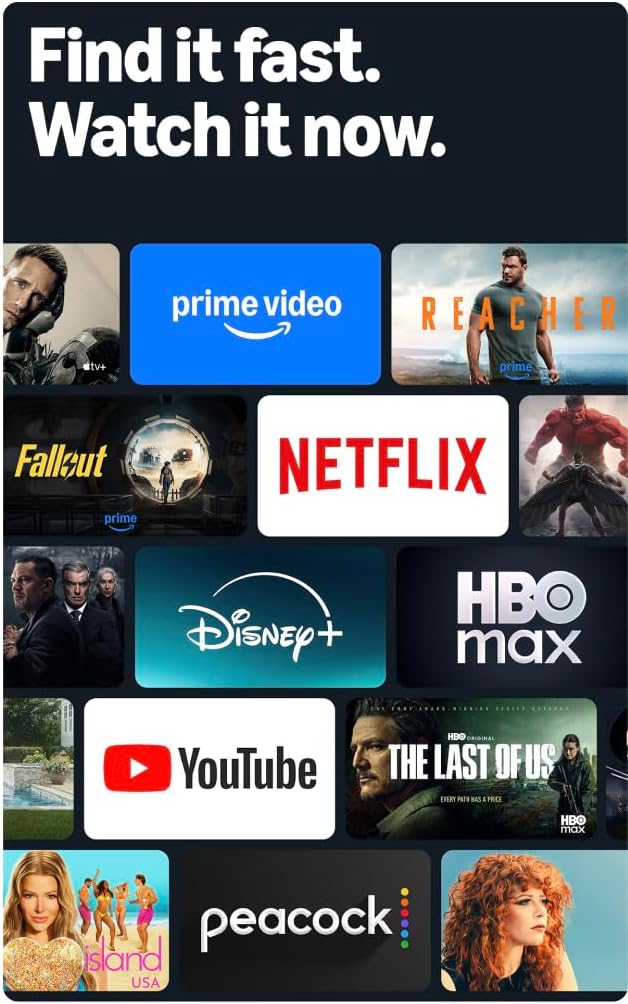
Image: A collage of streaming service logos and content thumbnails on the Fire TV screen, illustrating the wide range of available entertainment.
3.4 איכות תמונה
Experience vivid visuals with 4K Ultra HD resolution and HDR10+ support. This technology delivers bright, crisp images with enhanced contrast, ensuring details are visible even in dark scenes.

Image: A visual comparison demonstrating the superior detail and clarity of 4K resolution compared to HD, using a close-up of a chameleon.
3.5 אודיו
The TV features Dolby Digital Plus audio support with passthrough of Dolby-encoded audio, providing clear and immersive sound. The integrated speakers offer 10W + 10W audio power.
3.6 Ambient Experience
Utilize the custom Omnisense technology. Built-in sensors wake the display when you enter the room, allowing it to show your favorite artwork or quickly resume watching content.

Image: The Fire TV screen displaying vibrant abstract art, illustrating the Ambient Experience feature that activates when motion is detected.
3.7 משחקים
Download free games from the Appstore or stream games from the cloud with Amazon Luna, offering a versatile gaming experience directly on your TV.
4. תחזוקה
4.1 ניקוי הטלוויזיה שלך
- מָסָך: נגבו בעדינות את המסך בעזרת מטלית רכה, יבשה ונטולת סיבים. במקרה של סימנים עקשניים, נגבו קלותampשטפו את המטלית במים או בתמיסת ניקוי מסך המיועדת במיוחד למכשירי אלקטרוניקה. אין לרסס נוזל ישירות על המסך.
- Casing: השתמשו במטלית רכה ויבשה כדי לנגב את הטלוויזיה.asinז. הימנעו מחומרי ניקוי שוחקים או ממסים.
תמיד נתקו את הטלוויזיה משקע החשמל לפני ניקוי.
4.2 עדכוני תוכנה
Your Fire TV receives automatic software security updates. Ensure your TV is connected to the internet to receive these updates, which improve performance and security. This device receives guaranteed software security updates until at least four years after the device is last available for purchase as a new unit on our webאתרים.
5. פתרון תקלות
If you encounter issues with your Amazon Fire TV, refer to the following common troubleshooting steps:
- אין כוח: ודא שכבל החשמל מחובר היטב הן לטלוויזיה והן לשקע חשמל תקין. נסה שקע אחר.
- אין תמונה/קול: Verify that all HDMI cables are correctly connected to both the TV and your external devices. Check the input source on your TV.
- שלט לא מגיב: Replace the AAA batteries in the Alexa Voice Remote Enhanced. Ensure there are no obstructions between the remote and the TV.
- בעיות חיבור לרשת: Check your Wi-Fi router and ensure it is functioning correctly. Restart your router and the TV. If using a wired connection, ensure the Ethernet cable is securely connected.
- ביצועים איטיים: Restart your TV by unplugging it from the power outlet for 30 seconds and then plugging it back in. Clear cache for apps if necessary.
For more detailed troubleshooting or persistent issues, visit the Amazon Fire TV support webאתר או צור קשר עם שירות הלקוחות.
6. מפרטים
| תכונה | פְּרָט |
|---|---|
| גודל מסך | 55 inches (54.6 inches viewמְסוּגָל) |
| הַחְלָטָה | 4K UHD (3840 x 2160) |
| טווח דינמי גבוה (HDR) | HDR10+, HDR10, HLG |
| סוג תאורה אחורית | LED ישיר |
| קצב רענון | 60 הרץ |
| יציאות HDMI | 3 יציאות HDMI 2.0 + 1 יציאת HDMI 2.1 עם eARC |
| יציאת USB | 1 USB 3.0 |
| פלט אודיו אופטי דיגיטלי | 1 יציאה |
| קישוריות | Wi-Fi 6 + 1 Ethernet port |
| תמיכה קולית | Alexa Voice Remote Enhanced (included) or Fire TV app |
| תמיכת אודיו | Dolby Digital Plus |
| כוח אודיו | 10W + 10W |
| מַעֲרֶכֶת הַפעָלָה | Fire OS |
| Product Size with Stand | 48.3 אינץ' x 31.3 אינץ' x 11.3 אינץ' |
| משקל עם מעמד | 22.0 פאונד |
| Product Size without Stand | 48.3 אינץ' x 28.2 אינץ' x 3.2 אינץ' |
| משקל ללא מעמד | 21.5 פאונד |
| Distance between TV legs | 43.3 אינץ' |
| מספר מק"ט | 4K43N402 |
| תקן VESA לתלייה על הקיר | 300 מ"מ x 300 מ"מ |
| סוללות שלט רחוק | 2 AAA (כלול) |
| טכנולוגיית שלט רחוק | בלוטות' 5.0 |
7. אחריות ותמיכה
7.1 אחריות למוצר
Your Amazon Fire TV 4-Series includes a 1-year limited warranty and service. Optional 3-Year and 4-Year Extended Warranties are available for U.S. customers and are sold separately.
The Alexa Voice Remote Enhanced included with your TV has a 90-day limited warranty and service.
Use of Fire TV is subject to the terms found on the Amazon webאֲתַר.
7.2 תמיכת לקוחות
For technical assistance, warranty claims, or additional support, please visit the official Amazon support webאתר או צרו קשר עם שירות הלקוחות של אמזון.
8. תכונות נגישות
The Amazon Fire TV 4-Series includes several accessibility features to enhance the user experience:
- קוֹלView קורא מסך: Provides spoken feedback for navigation and on-screen text, assisting users who are blind or visually impaired.
- מגדיל מסך: Allows users to zoom in and out, and pan around the screen for better visibility of content.
- באנר טקסט: מאחד טקסט על המסך לבאנר הניתן להתאמה אישית.
- כתוביות סגורות: Displays text captions for dialogue and sounds in supported videos and TV shows.
- תיאור אודיו: Provides verbal descriptions of visual elements on the screen, such as actions, facial expressions, and scene changes, for supported content.
- מכשירי שמיעה בלוטות': תומך בהזרמת שמע עבור מכשירי שמיעה ומכשירים תואמים נבחרים של Bluetooth לחוויית האזנה פרטית. ניתן גם להשתמש באוזניות Bluetooth תואמות.
Note: Captions and audio descriptions are not available for all content. "Hearing aids" refers to compatible Bluetooth hearing devices such as traditional hearing aids, cochlear implants, and bone conduction hearing devices.


