1. הקדמה
This manual provides detailed instructions for the safe and efficient operation of your VGKE Mini Projector, model TS-6. Please read this manual thoroughly before using the projector and retain it for future reference.
The VGKE Mini Projector TS-6 is a portable Full HD projector designed for home entertainment, offering versatile connectivity options including WiFi and Bluetooth for seamless integration with various devices.
2. המוצר נגמרview
2.1 תכונות עיקריות
- Full HD 1080p Native Resolution (Supports 4K Sources)
- Built-in WiFi 6 for fast wireless connectivity
- Bluetooth 5.2 for external audio devices
- Portable design with a retractable stand
- 90-degree flip adjustment for ceiling projection
- Electric Focus and Keystone Correction (Auto Keystone 15° Vertical Only, 4-Direction, 4-Point Correction)
- 60-100% Zoom function
- Wide compatibility with Android, iOS, Laptops, TV Sticks, HDMI, and USB devices

Figure 1: VGKE Mini Projector TS-6. This image displays the compact and portable design of the projector.

Figure 2: Key features of the VGKE Mini Projector, including high brightness, Full HD resolution, 4K source support, and a retractable stand.
2.2 תכולת החבילה
אנא בדקו את החבילה עבור הפריטים הבאים:
- VGKE Mini Projector TS-6
- מתאם מתח
- שְׁלַט רָחוֹק
- מדריך למשתמש
- כבל HDMI (עשוי להשתנות בהתאם לאזור/חבילה)
3. התקנה
3.1 מיקום
Position the projector on a stable, flat surface. Ensure adequate ventilation around the device. The projector features a 90-degree flip adjustment, allowing for flexible placement, including ceiling projection.

Figure 3: Projector demonstrating 90-degree flip adjustment for versatile projection angles, including ceiling projection.
3.2 חיבור מתח
- חבר את מתאם החשמל לשקע החשמל של המקרן.
- חבר את מתאם החשמל לשקע בקיר.
- לחץ על לחצן ההפעלה במקרן או בשלט רחוק כדי להפעיל את המכשיר.
3.3 Initial Focus and Keystone Adjustment
Upon initial power-on, adjust the focus and keystone to achieve a clear, rectangular image.
- פוקוס חשמלי: השתמש בשלט רחוק כדי לכוון את המיקוד עד שהתמונה חדה.
- תיקון אבן מפתח: The projector supports auto 15° vertical keystone correction. Manual 4-direction and 4-point correction are also available via the settings menu for precise image alignment.

Figure 4: Illustration of the Electric Focus and various Keystone Correction options available on the projector.
4. הוראות הפעלה
4.1 חיבור התקנים
המקרן מציע אפשרויות קישוריות מרובות:
- HDMI: Connect laptops, TV sticks, gaming consoles (Switch/PS5), or TV boxes via the HDMI ports.
- USB: Insert USB sticks or external storage devices into the USB ports for media playback.
- יציאת שמע: חבר אוזניות או רמקולים חיצוניים.
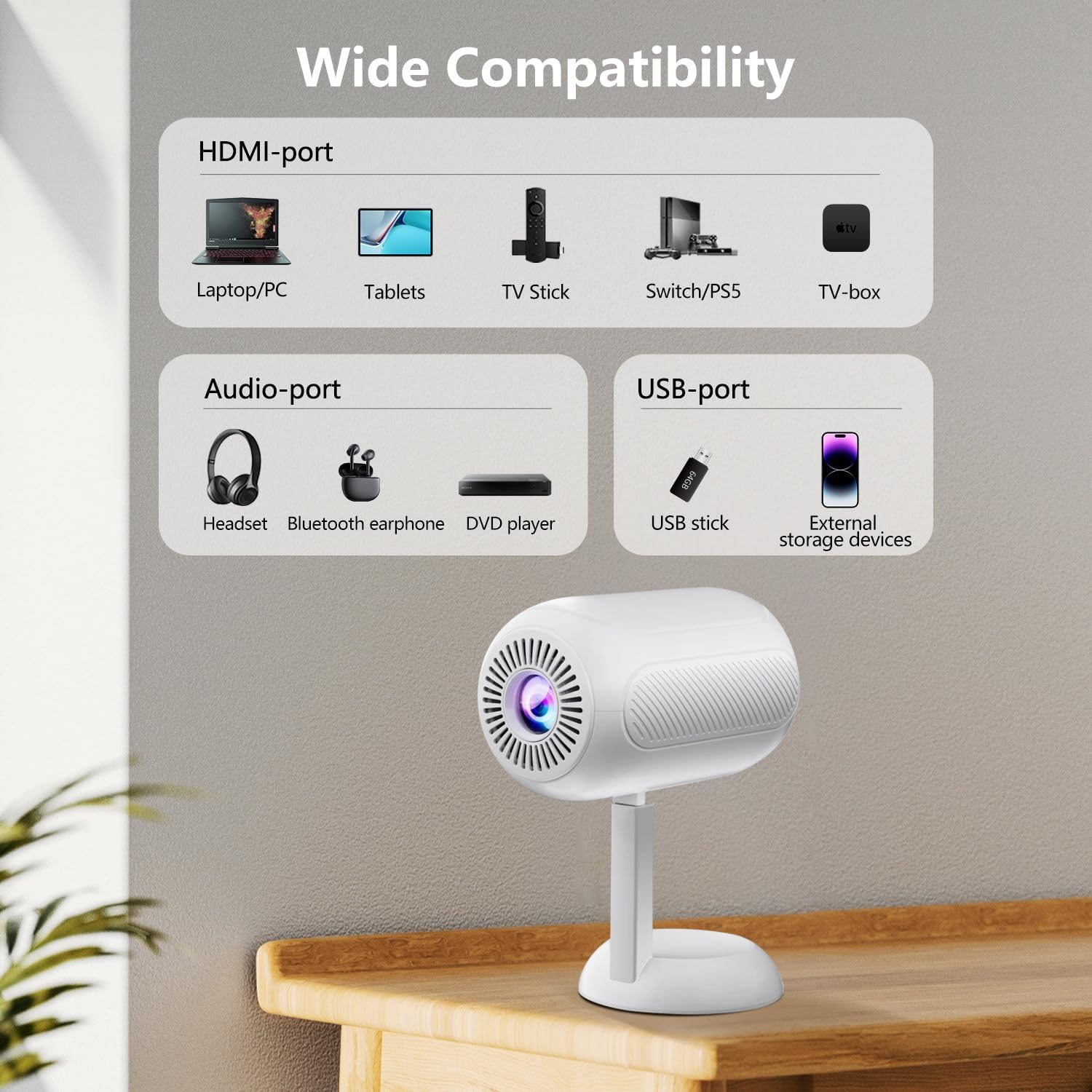
איור 5: מעלview of the projector's connectivity ports, including HDMI, USB, and Audio ports.
4.2 קישוריות אלחוטית (WiFi ו-Bluetooth)
The projector supports WiFi 6 and Bluetooth 5.2 for wireless connections.
- חיבור אינטרנט אלחוטי:
- Navigate to the projector's settings menu.
- בחר "רשת" או "הגדרות WiFi".
- בחר את רשת ה-WiFi הרצויה והזן את הסיסמה.
- Once connected, you can use screen mirroring features.
- חיבור Bluetooth:
- עבור לתפריט ההגדרות של המקרן.
- Select "Bluetooth Settings".
- אפשר Bluetooth וחפש מכשירים זמינים.
- Select your Bluetooth speaker or headphones to pair.

Figure 6: The projector connected wirelessly via WiFi and Bluetooth, demonstrating compatibility with iOS, Android, and Windows devices.
4.3 שיקוף מסך
The projector supports screen mirroring from Android, iOS, and Windows devices. Ensure your device and the projector are connected to the same WiFi network.
- למכשירי iOS:
- On the projector, select the "iOS Cast" or "Screen Mirroring" option.
- במכשיר ה-iOS שלך, פתח את מרכז הבקרה והקש על "שיקוף מסך".
- בחר את המקרן מרשימת המכשירים הזמינים.
- עבור מכשירי אנדרואיד:
- On the projector, select the "Android Cast" or "Screen Mirroring" option.
- On your Android device, enable "Wireless Display," "Smart View," or "Cast" (names may vary by device).
- בחר את המקרן מרשימת המכשירים הזמינים.
פֶּתֶק: Due to HDCP copyright protocols, certain streaming services (e.g., Netflix, Disney+, Prime Video, Hulu) may not support direct screen mirroring. For these services, it is recommended to use a TV Stick (e.g., Amazon Fire Stick, Roku) connected via HDMI.
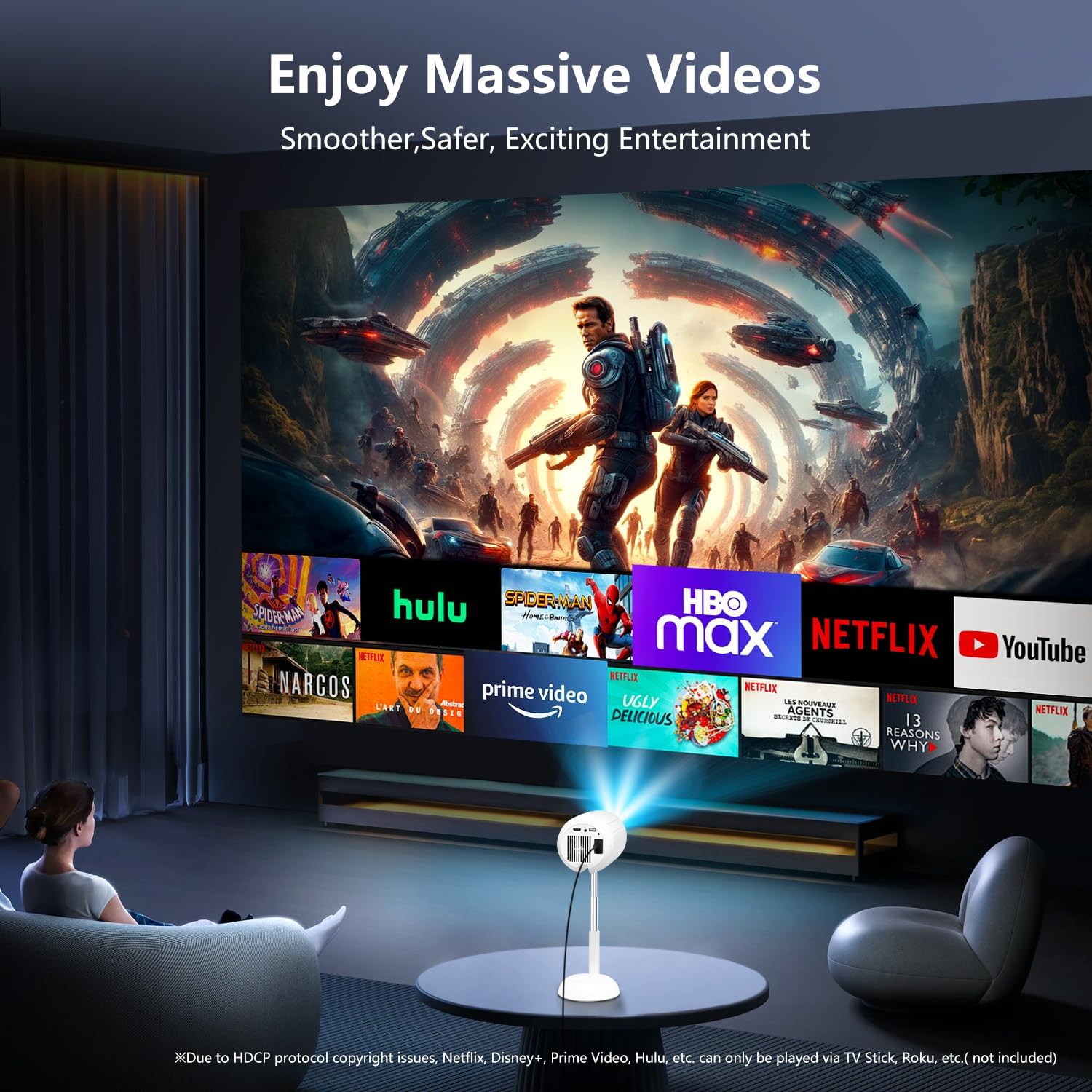
Figure 7: The projector displaying content from various streaming services, highlighting the use of external devices for copyrighted content.
5. תחזוקה
5.1 ניקוי העדשה
השתמשו במטלית רכה ונטולת סיבים המיועדת במיוחד לעדשות אופטיות כדי לנגב בעדינות את עדשת המקרן. הימנעו משימוש בחומרי ניקוי שוחקים או משימוש בכוח מופרז, שכן הדבר עלול לשרוט את העדשה.
5.2 ניקוי גוף המקרן
נגבו את החלק החיצוני של המקרן בעזרת מטלית רכה ויבשה. אין להשתמש בחומרי ניקוי נוזליים או ממסים, מכיוון שהם עלולים לפגוע בגימור.
5.3 אוורור
Ensure the ventilation openings are clear of dust and obstructions to prevent overheating. Do not block the air vents during operation.
6. פתרון תקלות
| בְּעָיָה | סיבה אפשרית | פִּתָרוֹן |
|---|---|---|
| לא הוצגה תמונה | Power cable disconnected; incorrect input source; device not connected properly. | Check power connection; select correct input source (HDMI, USB, etc.); ensure cables are securely connected. |
| תמונה מטושטשת | Out of focus; incorrect keystone adjustment. | Adjust electric focus using the remote; perform keystone correction. |
| אין קול | Volume too low; external audio device not connected/paired; projector muted. | Increase volume; connect/pair Bluetooth device; unmute projector. |
| שיקוף מסך לא עובד | Devices not on same WiFi network; HDCP restrictions; WiFi signal weak. | Ensure both devices are on the same WiFi; use HDMI for restricted content; check WiFi signal strength. |
7. מפרטים
| תכונה | פְּרָט |
|---|---|
| מותג | VGKE |
| מספר דגם | TS-6 |
| רזולוציית תצוגה | 1920 x 1080 (Full HD) |
| טכנולוגיית קישוריות | בלוטות', HDMI, USB, Wi-Fi |
| תכונות מיוחדות | Built-In Wi-Fi, Bluetooth |
| מידות המוצר | 4.93 x 4.93 x 8.45 אינץ' |
| משקל פריט | 2.88 פאונד |
| שימושים מומלצים | קולנוע ביתי |
8. אחריות ותמיכה
For warranty information and technical support, please refer to the contact details provided on the VGKE official webאתר האינטרנט או מסמכי הרכישה שלך. שמור את הוכחת הרכישה שלך לצורך תביעות אחריות.
For further assistance, you may contact VGKE customer service through their official channels.