1. הקדמה
The Flashpoint R2 Nano Remote is a compact and advanced wireless flash trigger designed for Panasonic and Olympus camera systems. It offers precise control over your flash settings through an intuitive touchscreen interface and OLED display, enhancing your photography experience with seamless integration and reliable performance.
תכונות מפתח כוללות:
- אינטגרציה חלקה: Full TTL compatibility with Olympus/Panasonic cameras for optimal exposure.
- Ultimate Reliability: Stable 2.4 GHz radio frequency with 32 channels, ensuring consistent triggering up to 328 feet (100 meters).
- סנכרון במהירות גבוהה (HSS): Achieve sync speeds up to 1/8000s for creative effects and motion freezing.
- בקרת מסך מגע אינטואיטיבית: Responsive interface for quick and easy adjustments.
- Versatile Group Control: Manage up to 16 groups (A-F, 0-9) independently for complex lighting setups.
2. מה בקופסה
Upon unboxing your Flashpoint R2 Nano, please verify that all components are present:
- Flashpoint R2 Nano Remote
- כבל טעינה USB-C
- תיק אחסון
- מדריך למשתמש (מסמך זה)
3. המוצר נגמרview
Familiarize yourself with the components and controls of your R2 Nano remote.
איור 3.1: חזית וצד View of the R2 Nano with Key Components Labeled.
- מסך מגע: Main interface for settings and control.
- בחר חיוג: לניווט בתפריטים והתאמת ערכים.
- מתג הפעלה: מפעיל/כיבוי את המכשיר.
- לחצן בדיקה: מפעיל הבזק ניסיון.
- Installing/Detaching Button: Releases the remote from the hotshoe.
- חריץ הרכבה: Connects to the camera's hotshoe.
- יציאת טעינה USB-C: לטעינת סוללה.

Figure 3.2: R2 Nano Touchscreen Interface Details.
- Channel (CH): Displays the current wireless channel (e.g., CH6).
- Group (A, B, C, etc.): Indicates the active flash groups.
- רמת הספק פלט: Shows the flash power setting (e.g., +0.0, 1/128).
- Parameters - / +: Touch controls for decreasinגרם/אינקרasinערכי g.
- מצבי סנכרון: Icons indicating sync modes (e.g., HSS, front curtain, rear curtain).
- דוגמנות לamp: Icon for modeling lamp סטָטוּס.
- מחוון סוללה: מציג את רמת הסוללה הנוכחית.
4. התקנה
4.1 טעינת הסוללה
The R2 Nano is equipped with a built-in rechargeable lithium battery. Before first use, fully charge the device.
- Locate the USB-C charging port on the side of the R2 Nano.
- חבר את כבל הטעינה USB-C המצורף ליציאה.
- חבר את הקצה השני של הכבל לספק כוח USB (לא כלול) או ליציאת USB של מחשב.
- The battery indicator on the screen will show charging status. A full charge from 0% to 100% typically takes approximately 2 hours.

Figure 4.1: Charging the R2 Nano via USB-C.
4.2 הרכבה על המצלמה
The R2 Nano features an easy-mounting, durable hotshoe design for secure attachment to your camera.
- ודא שהמצלמה שלך כבויה.
- Slide the R2 Nano's mounting slot onto your camera's hotshoe.
- Gently push until it clicks into place, ensuring a secure connection.
- To detach, press the Installing/Detaching Button and slide the remote off.

Figure 4.2: Mounting the R2 Nano on a Camera Hotshoe.
5. הוראות הפעלה
5.1 הפעלה/כיבוי
- To power on, press and hold the Power Switch until the screen illuminates.
- To power off, press and hold the Power Switch until the screen turns off.
5.2 ניווט בממשק מסך המגע
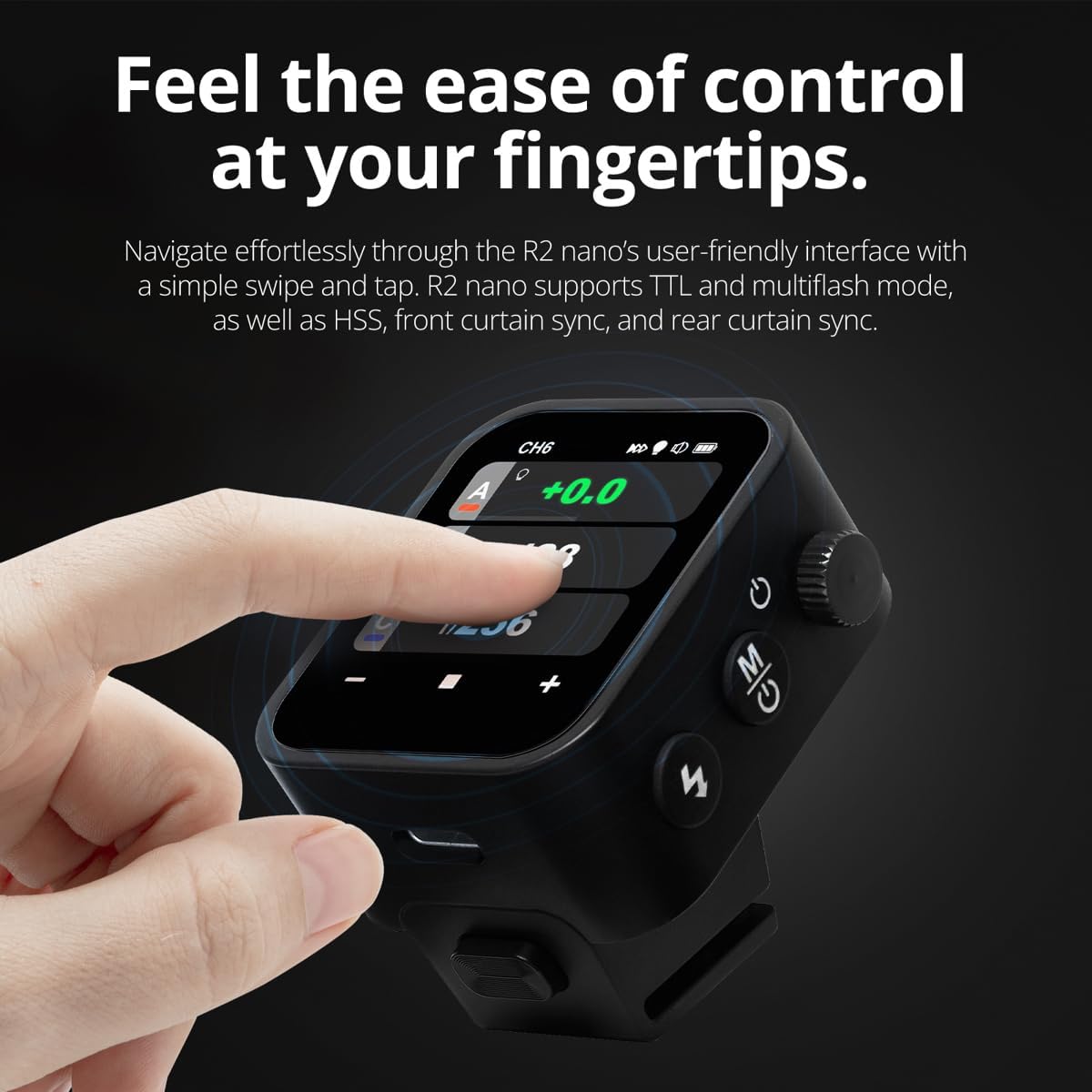
The R2 Nano features a responsive touchscreen and a select dial for intuitive control.

Figure 5.1: High Definition OLED Screen Interface.
- אינטראקציה עם מגע: Tap on a group (A, B, C, etc.) to select it for adjustment. Tap on parameters like power level to modify them.
- בחר חיוג: Rotate the dial to scroll through options or adjust values. Press the dial to confirm selections.
- התאמת פרמטר: Use the on-screen '-' and '+' buttons or the Select Dial to change flash power, exposure compensation, or other settings.

Figure 5.2: Touchscreen Interaction for Settings Adjustment.
5.3 Setting Channels and Groups
To avoid interference and control multiple flashes, set appropriate channels and groups.
- Access the channel settings through the touchscreen menu. Select a channel from 1 to 32. Ensure your flash units are set to the same channel.
- Assign flash units to different groups (A-F, 0-9) to control them independently. The R2 Nano allows control of up to 16 groups.
5.4 Flash Modes (TTL, Manual, Multi-flash)
The R2 Nano supports various flash modes to suit different shooting scenarios.
- TTL (דרך העדשה): Automatically adjusts flash output for correct exposure. Ideal for fast-paced shooting where lighting conditions change frequently.
- ידני (M): Allows precise control over flash power output (e.g., 1/1 to 1/256). Suitable for consistent lighting setups and creative control.
- Multi-flash (Stroboscopic): מפעיל סדרה של הבזקים מהירים במהלך חשיפה אחת כדי ללכוד תנועות מרובות של נושא הצילום.
5.5 Sync Modes (HSS, Front Curtain, Rear Curtain)
Select the appropriate sync mode based on your shutter speed and desired effect.
- HSS (סנכרון במהירות גבוהה): Enables flash synchronization at shutter speeds faster than the camera's native sync speed (up to 1/8000s). Useful for overpowering ambient light or using wide apertures in bright conditions.
- סנכרון וילון קדמי: The flash fires at the beginning of the exposure. This is the standard sync mode.
- סנכרון וילון אחורי: The flash fires just before the second curtain closes. This creates a streaking effect behind moving subjects, giving a sense of motion.
6. תחזוקה
Proper maintenance ensures the longevity and optimal performance of your R2 Nano remote.
- ניקוי: Use a soft, dry cloth to clean the exterior of the device. For the touchscreen, use a microfiber cloth specifically designed for electronics. Avoid using harsh chemicals or abrasive materials.
- אִחסוּן: When not in use, store the R2 Nano in its provided storage bag to protect it from dust and scratches. Store in a cool, dry place away from direct sunlight and extreme temperatures.
- טיפול בסוללה: כדי לשמור על תקינות הסוללה, הימנעו מפריקה מלאה של הסוללה לעתים קרובות. אם מאחסנים אותה לפרקי זמן ממושכים, טען את הסוללה לכ-50% כל כמה חודשים.
- אנשי קשר של Hotshoe: Keep the hotshoe contacts clean and free of debris to ensure reliable communication with your camera.
7. פתרון תקלות
If you encounter issues with your Flashpoint R2 Nano, refer to the following common problems and solutions.
| בְּעָיָה | סיבה אפשרית | פִּתָרוֹן |
|---|---|---|
| המכשיר לא נדלק. | הסוללה התרוקנה. | טען את המכשיר באמצעות כבל USB-C. |
| יחידות הפלאש אינן פועלות. | הגדרות ערוץ או קבוצה שגויות. | Ensure the R2 Nano and flash units are set to the same channel and correct groups. |
| יחידות הפלאש אינן פועלות. | Remote not securely mounted. | Ensure the R2 Nano is fully seated in the camera's hotshoe. |
| Inconsistent flash triggering. | הפרעה סביבתית. | Change the wireless channel to one with less interference. Ensure no obstructions between remote and flash. |
| מסך מגע לא מגיב. | תקלת תוכנה זמנית. | כבה את המכשיר, המתן מספר שניות ולאחר מכן הפעל אותו שוב. |
| HSS לא עובד. | Camera or flash not set to HSS mode. | Verify HSS is enabled on both the R2 Nano and your compatible flash unit. Ensure camera shutter speed is above sync speed. |
8. מפרטים
| תכונה | פְּרָט |
|---|---|
| דֶגֶם | Flashpoint R2 Nano |
| תְאִימוּת | Panasonic and Olympus Cameras |
| תדר אלחוטי | 2.4 גיגה-הרץ |
| ערוצים | 32 |
| קבוצות | 16 (AF, 0-9) |
| טווח אלחוטי | עד 100 מטר (328 רגל) |
| מהירות סנכרון | עד 1/8000 שניות (HSS) |
| לְהַצִיג | Touchscreen OLED |
| סוֹלְלָה | סוללת ליתיום נטענת מובנית |
| יציאת טעינה | USB-C |
| מידות המוצר | 5.25 x 4.25 x 2.5 אינץ' |
| משקל פריט | 6.4 אונקיות |
| יַצרָן | נקודת הבזק |
| תאריך ראשון זמין | 19 ביוני 2024 |
9. אחריות ותמיכה
Flashpoint products are designed for reliability and performance. For warranty information, technical support, or service inquiries, please refer to the official Flashpoint webאתר או צור קשר עם הסוכן המורשה שלך.
אנא שמור את הוכחת הרכישה שלך לכל תביעת אחריות.


