מדריך הוראות למתג תאורה חכם תלת-כיווני של MOES Zigbee (כנופייה אחת)
Model: 1 GANG
1. הקדמה
This manual provides comprehensive instructions for the installation, operation, and maintenance of your MOES Zigbee 3-Way Smart Light Switch. This device is designed to integrate with your smart home system, offering remote control, voice control, and scheduling capabilities for your lighting.
The switch supports both 3-way and single-pole configurations, requiring a neutral wire and a MOES Zigbee Hub for full functionality. It is compatible with Amazon Alexa and Google Assistant for convenient voice commands.
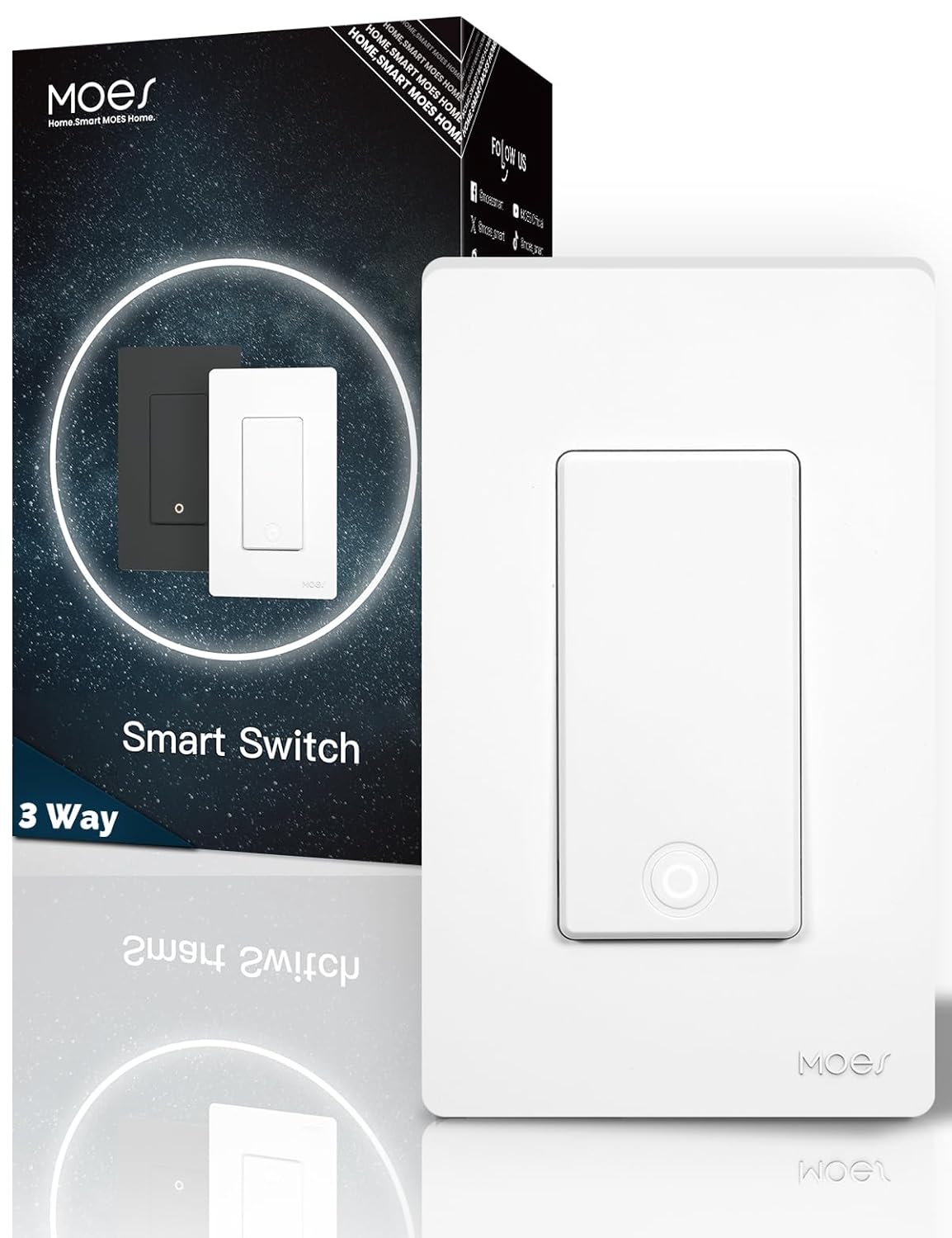
Image 1.1: MOES Zigbee 3-Way Smart Light Switch (1-Gang) with packaging.
2. מידע בטיחות חשוב
- סכנה חשמלית: Installation involves high voltage. Always turn off power at the circuit breaker before installation, removal, or servicing.
- התקנה מקצועית: אם אינך בטוח לגבי חלק כלשהו בתהליך ההתקנה, התייעץ עם חשמלאי מוסמך.
- שימוש פנימי בלבד: מכשיר זה מיועד לשימוש פנימי במקומות יבשים.
- חוט ניטרלי נדרש: A neutral wire is mandatory for the operation of this smart switch.
- לא דימר: This switch is designed for on/off control only and does not support dimming functions.
- Not for Smart Light Bulbs: This switch is not intended for use with smart light bulbs.
3. תכולת החבילה
- MOES Zigbee 3-Way Smart Light Switch (1-Gang)
- לוחית קיר ללא ברגים
- ברגי הרכבה
- מדריך למשתמש
4. מפרט מוצר
| תכונה | מִפרָט |
|---|---|
| מותג | MOES |
| דֶגֶם | 1 כנופיה |
| מצב פעולה | אוֹטוֹמָטִי |
| סוג איש קשר | בדרך כלל פתוח |
| סוג מחבר | מסופי בורג |
| מָסוֹף | לִדפּוֹק |
| סוג מעגל | 3-כיווני / קוטב יחיד |
| סוג מפעיל | כפתור לחיצה |
| צור קשר עם חומר | נְחוֹשֶׁת |
| מספר עמדות | 2 |
| פרוטוקול קישוריות | ZigBee 3.0 Max |
| תדר אלחוטי | 2.4GHz WiFi (for hub connection) |
| יַצרָן | וונג'ואו מורנינג אלקטרוניקה בע"מ |

Image 4.1: Detailed dimensions and technical specifications of the MOES Smart Switch.
5. התקנה
5.1 דרישות לפני התקנה
- A neutral wire is required in your electrical box.
- A MOES Zigbee Hub (sold separately) is required for smart functionality.
- Your home Wi-Fi network must operate on the 2.4GHz frequency for hub connectivity.
5.2 דיאגרמות חיווט
The MOES Zigbee Smart Switch supports both single-pole and 3-way wiring configurations. Ensure you identify your existing wiring type before proceeding.
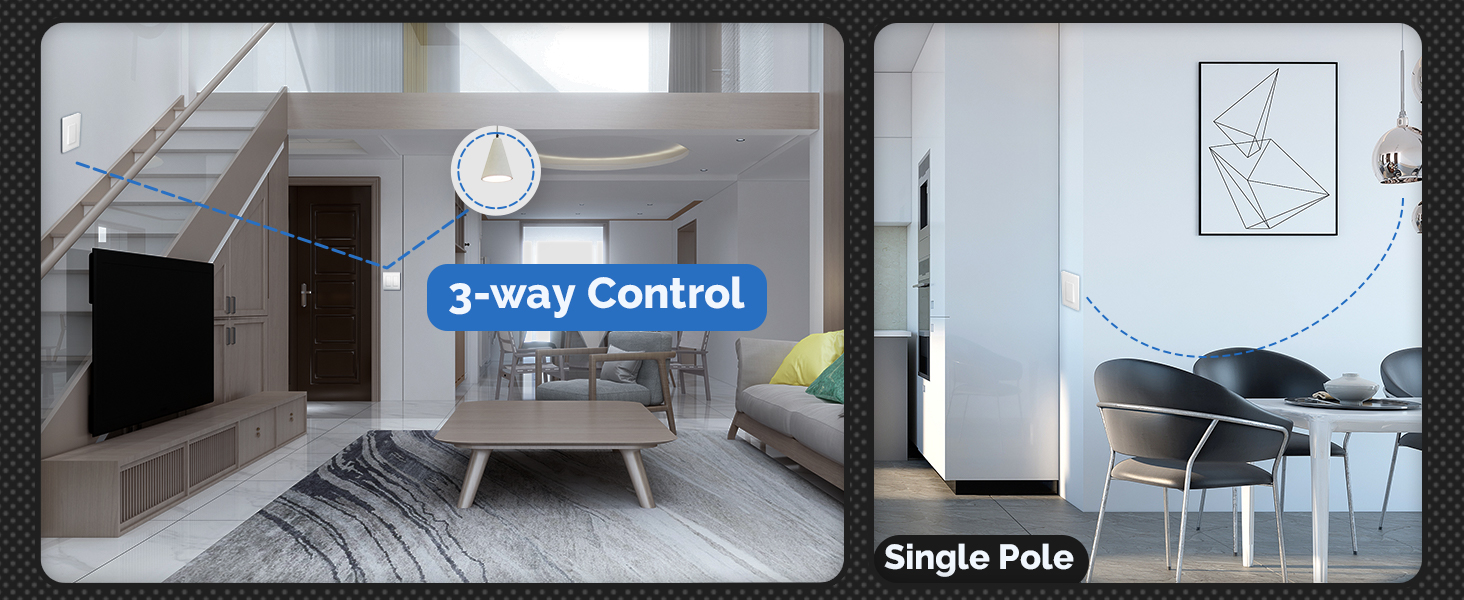
Image 5.1: Illustration of 3-way control and single-pole wiring scenarios.

Image 5.2: Wiring diagrams comparing MOES 3-way control (Smart Switch + Traditional Switch or Smart Switch + Smart Switch) with other common 3-way setups.
5.3 שלבי התקנה
- כבה את המתח: Locate your circuit breaker and turn off the power to the light switch you are replacing. Verify the power is off using a voltagבודק e.
- הסר את המתג הישן: הסר בזהירות את לוחית הקיר הקיימת ופתח את המתג הישן מקופסת החשמל. נתק את החוטים, תוך שים לב לחיבורים שלהם.
- זיהוי חוטים: Identify the Line (hot), Load, Neutral, and Ground wires. For 3-way setups, identify the Traveler wires.
- חיווט את המתג החכם: Connect the wires to the MOES Smart Switch terminals according to the provided wiring diagram for your specific configuration (single-pole or 3-way). Ensure all connections are secure.
- הרכב את המתג: Gently push the wired switch into the electrical box and secure it with the mounting screws. Attach the screwless wall plate.
- החזר כוח: הפעל מחדש את החשמל במפסק החשמל.
5.4 Pairing with MOES App and Zigbee Hub
After physical installation, you need to pair the switch with your MOES Zigbee Hub and the MOES Smart App.
- הורד אפליקציה: Download the MOES Smart App from your smartphone's app store.
- Add Hub: Open the app and add your MOES Zigbee Hub if you haven't already. Follow the in-app instructions for hub setup.
- הוסף מכשיר: In the MOES Smart App, select your Zigbee Hub and choose to add a new device.
- היכנסו למצב התאמה: Follow the app's instructions to put the smart switch into pairing mode (usually involves pressing and holding the switch button for a few seconds until an indicator light blinks).
- זיווג מלא: The app will detect and add the switch. You can then rename the switch and assign it to a room.
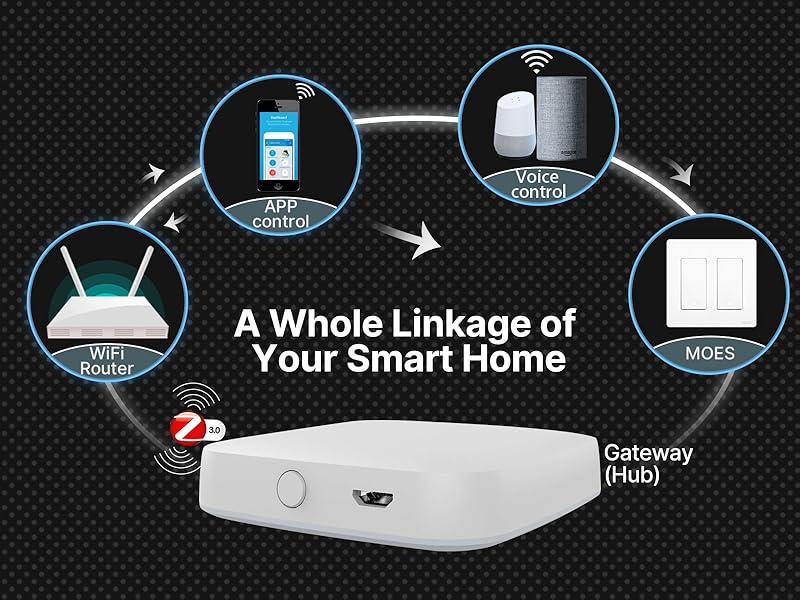
Image 5.3: Diagram illustrating the smart home ecosystem with the MOES switch, WiFi router, app, voice control, and Zigbee gateway (hub).
6. Operating Your Smart Switch
6.1 שליטה ידנית
Press the physical button on the smart switch to manually turn the connected light on or off.
6.2 בקרת אפליקציות
Use the MOES Smart App on your smartphone or tablet to control the switch remotely. The app allows you to:
- Turn lights on/off from anywhere.
- Set schedules for automatic on/off times (e.g., daily, weekly).
- Configure countdown timers for lights to turn off after a set duration.
- Create scenes and automations with other smart devices.

Image 6.1: Screenshot of the MOES Smart App demonstrating the timer and scheduling functions.
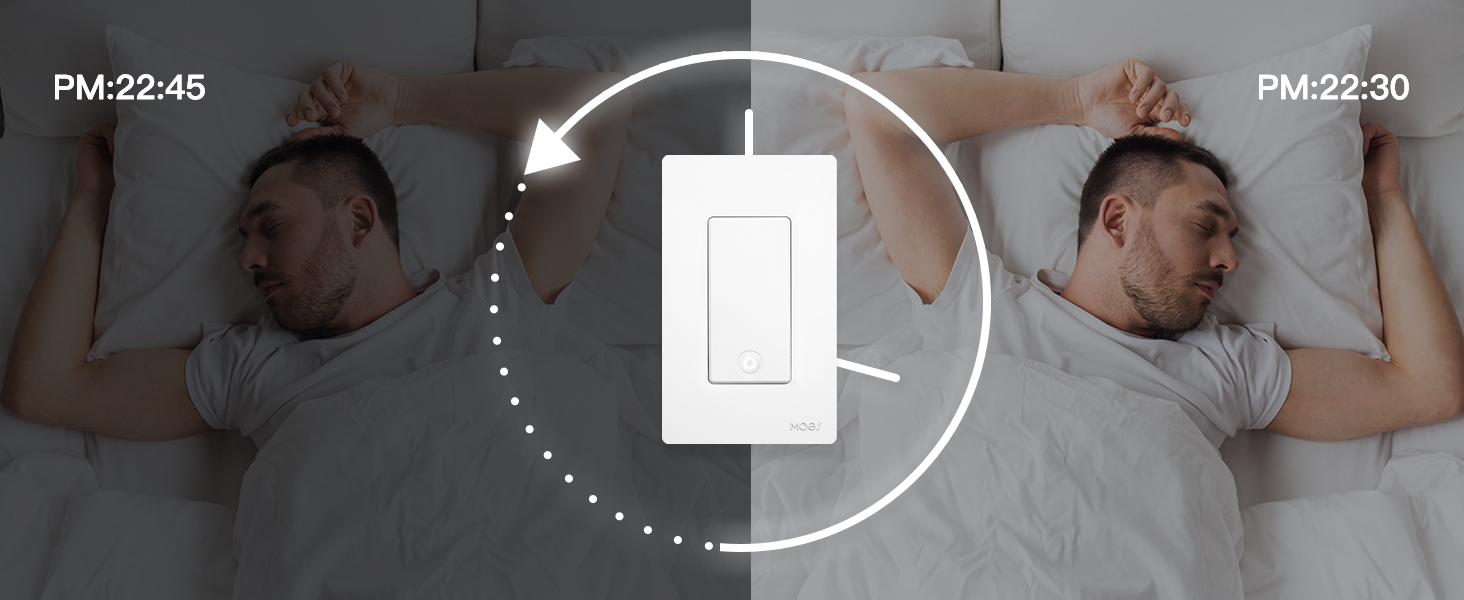
Image 6.2: Illustration of the timer function, showing lights turning off automatically at a set time.
6.3 שליטה קולית
לאחר שילוב עם אמזון אלקסה או גוגל אסיסטנט, תוכלו לשלוט באורות שלכם באמצעות פקודות קוליות.
- עבור אלכסה: "Alexa, turn on [Light Name]" or "Alexa, turn off [Light Name]".
- עבור Google Assistant: "Hey Google, turn on [Light Name]" or "Hey Google, turn off [Light Name]".

תמונה 6.3: דוגמהample of voice control with the MOES Smart Switch and an Amazon Echo Dot.
6.4 Indicator Light Modes
The indicator light on the switch can be configured to different modes via the MOES Smart App:
- הוביל את: The indicator light remains off.
- הפעלה/כיבוי: The indicator light reflects the current state of the switch (e.g., on when the light is on, off when the light is off).
- החלף מיקום: The indicator light is on when the main light is off, helping to locate the switch in the dark.

Image 6.4: App interface showing options for adjusting the indicator light modes (LED off, switch on/off, switch location).
7. תחזוקה
To ensure the longevity and proper functioning of your MOES Smart Switch, follow these maintenance guidelines:
- ניקוי: Wipe the switch and wall plate with a soft, dry cloth. Do not use abrasive cleaners, solvents, or harsh chemicals, as these can damage the finish or internal components.
- הימנע מלחות: Keep the switch away from water and excessive humidity.
- בדיקות רגילות: Periodically check the switch for any signs of damage or loose connections. If any issues are found, turn off power at the breaker and consult a qualified electrician.
8. פתרון תקלות
- המתג לא מגיב:
- ודא שהחשמל מופעל במפסק החשמל.
- Verify the neutral wire is correctly connected.
- Check if the switch is properly paired with the Zigbee hub. Try re-pairing if necessary.
- לא ניתן להתחבר ל-Zigbee Hub:
- Ensure your Zigbee hub is powered on and connected to your 2.4GHz Wi-Fi network.
- Move the switch closer to the Zigbee hub to improve signal strength.
- Reset the switch to factory settings (refer to app instructions for specific method) and attempt pairing again.
- 3-Way Configuration State Sync Issues:
- If the smart switch does not correctly report the light's on/off state when controlled by a traditional (non-smart) 3-way switch, verify all wiring connections, especially the traveler and load wires.
- Some 3-way setups with a traditional switch may not provide real-time state feedback to the smart switch. For full state synchronization, consider replacing both 3-way switches with MOES smart switches.
- בקרת קול לא עובדת:
- Ensure your MOES account is linked to your Alexa or Google Home app.
- Check that the device name in the MOES app matches the name used in voice commands.
- ודא שהרמקול החכם שלך מחובר לאינטרנט.
9. אחריות ותמיכת לקוחות
MOES products are designed for reliability and performance. For warranty information, technical assistance, or customer support, please refer to the contact details provided on the MOES official website or within the MOES Smart App. Please have your product model and purchase information ready when contacting support.


