1. הקדמה
This manual provides detailed instructions for the setup, operation, and maintenance of your DANFI AUDIO DF TE-103 Vinyl Record Player. This versatile audio system features a 3-speed turntable, Bluetooth input, USB/SD card playback and recording, FM radio, and auxiliary input/output options. Please read this manual thoroughly before use to ensure proper function and longevity of your device.
2. מידע בטיחות
- אין לחשוף את היחידה לגשם או לחות.
- אין לחסום פתחי אוורור.
- ודא שכבל החשמל אינו צבט או נדחף עליו.
- נתק את היחידה מהחשמל במהלך סופות ברקים או כאשר אינו בשימוש לתקופות ארוכות.
- הפנה כל טיפול לצוות שירות מוסמך.
- הרחק את היחידה מאור שמש ישיר, מקורות חום ושדות מגנטיים חזקים.
3. תכולת החבילה
ודא שכל הפריטים המפורטים להלן כלולים בחבילה שלך:
- DANFI AUDIO DF TE-103 Vinyl Record Player
- יחידת כוח
- מתאם 45 סל"ד
- סליפמאט
- Backup Needle
4. המוצר נגמרview
הכירו את הרכיבים והבקרות העיקריים של הפטיפון שלכם.

איור 4.1: חזית view of the DANFI AUDIO DF TE-103 Vinyl Record Player.
4.1 בקרות וחיבורים בלוח הקדמי

איור 4.2: מפורט view of the front panel with USB, AUX IN, LED Display, and Mode Switch key.
- תצוגת לד: מציג את המצב הנוכחי, פרטי הרצועה או תדר FM.
- מקש החלפת מצב: Toggles between Turntable, Bluetooth, USB/SD, FM Radio, and AUX modes.
- יציאת USB: For USB flash drives for playback and recording.
- AUX IN: כניסת 3.5 מ"מ לחיבור התקני שמע חיצוניים.
- בקרת עוצמת הקול: מכוונן את עוצמת היציאה.
- לחצן EQ: Selects sound equalizer presets (Jazz, Pop, Classical, Rock, Vocal).
4.2 חיבורי לוח אחורי

Figure 4.3: Rear panel with RCA Line Out connections.
- RCA Line Out: מתחבר למערכת חיצונית ampמרים או רמקולים מופעלים.
- קלט כוח: מתחבר למתאם החשמל המצורף.
5. התקנה
- פריקת אריזה: Carefully remove the record player and all accessories from the packaging. Retain packaging for future transport or storage.
- מיקום: הנח את היחידה על משטח יציב ומאוזן, הרחק מאור שמש ישיר, מקורות חום ואבק מוגזם.
- כיסוי אבק: חברו את כיסוי האבק לצירים בחלק האחורי של היחידה.
- חיבור חשמל: Connect the power unit to the DC input on the rear of the record player, then plug the power adapter into a wall outlet.
- הפעלה ראשונית: לחץ על כפתור ההפעלה כדי להפעיל את המכשיר. תצוגת ה-LED תאיר.
6. הוראות הפעלה
6.1 ניגון תקליטי ויניל

Figure 6.1: The turntable supports 3 speeds for various record types.
- ודא שהיחידה מופעלת.
- הרם את מכסה האבק.
- Place a vinyl record on the platter. If playing a 45 RPM single, use the included 45 RPM adaptor.
- בחר את המהירות המתאימה (33, 45 או 78 סל"ד) באמצעות מתג בורר המהירות.
- Gently move the tonearm to the desired position on the record. The platter will begin to spin automatically.
- התאם את עוצמת הקול לפי העדפתך.
- The AUTO STOP function will automatically stop the turntable when the record finishes playing.
6.2 Bluetooth Connection (Input Only)
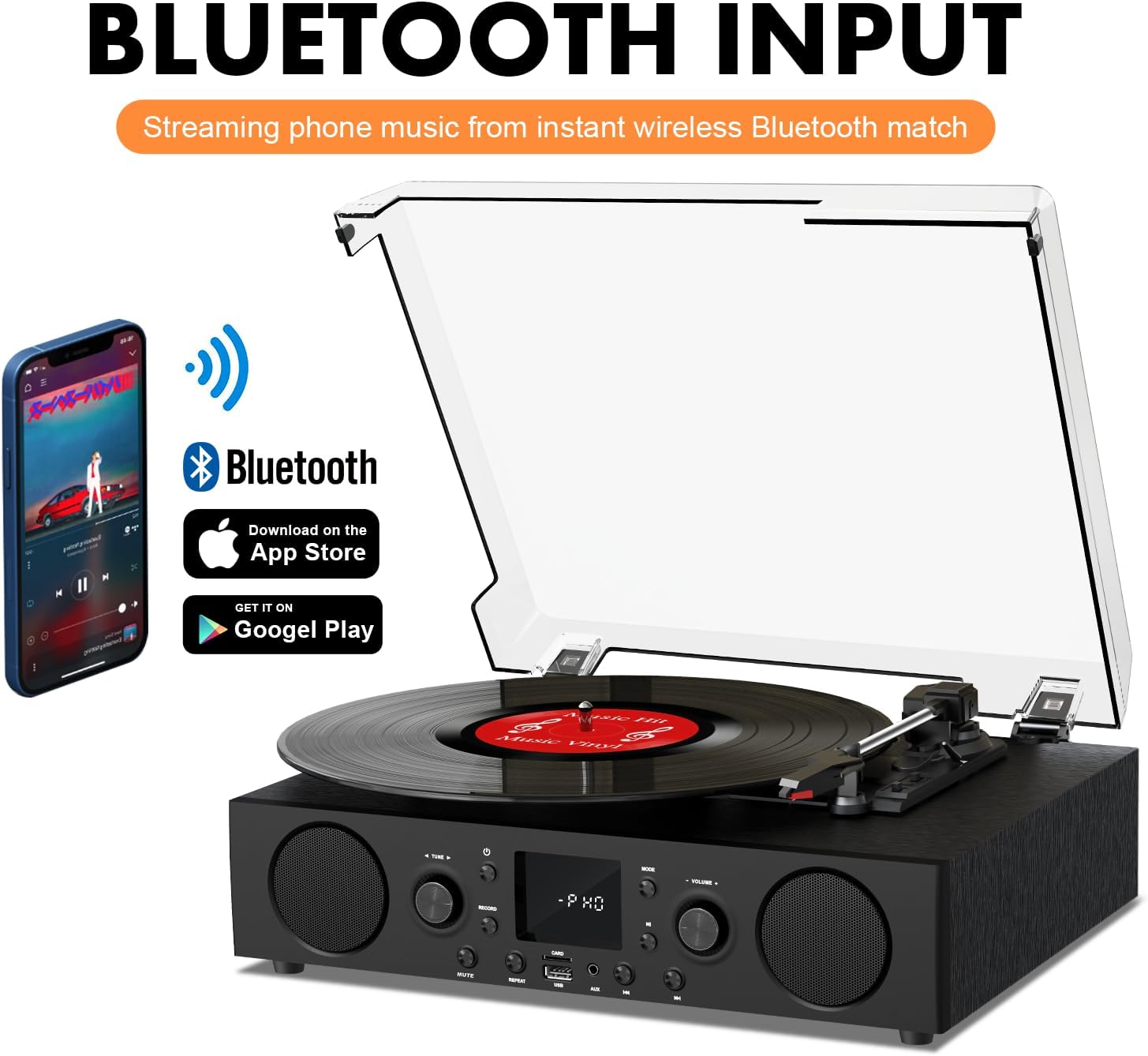
Figure 6.2: Connecting a smartphone via Bluetooth to the turntable.
- הקש על מצב button until "Bluetooth" or a similar indicator appears on the LED display. The unit will enter pairing mode.
- בטלפון החכם, בטאבלט או במחשב שלך, הפעל את Bluetooth וחפש מכשירים זמינים.
- Select "DANFI AUDIO DF TE-103" (or similar name) from the list of devices to pair.
- Once paired, you can stream audio wirelessly from your device to the record player.
- פֶּתֶק: This turntable supports Bluetooth input only and cannot transmit audio to Bluetooth headphones or speakers.
6.3 USB/SD Input and MP3 Encoding

Figure 6.3: Vinyl to MP3 encoding process using a USB flash drive.
- הפעלת USB/SD: Insert a USB flash drive or SD card into the respective port. Press the מצב button to select USB/SD mode. The unit will automatically play compatible audio files.
- Vinyl to MP3 Encoding:
- Insert a USB flash drive or SD card into the port.
- Start playing a vinyl record.
- הקש על רְשׁוּמָה button. The LED display will indicate recording is in progress.
- הקש על רְשׁוּמָה button again to stop recording. The recorded audio will be saved as an MP3/WAV file on the USB drive/SD card.
6.4 רדיו FM
- הקש על מצב button to select FM Radio mode. The current frequency will appear on the LED display.
- Use the tuning controls (often the Skip/Search buttons) to scan for radio stations.
- The unit can store approximately 20 stations.
6.5 RCA Line Out and AUX Input

Figure 6.4: Connecting to external speakers using RCA Line Out.
- RCA Line Out: Connect RCA cables from the rear of the record player to the audio input of an external amplifier or powered speakers. This allows for boosted volume and playback through a larger sound system. The turntable's internal speakers will not be muted automatically when using RCA output.
- כניסת AUX: Connect an external audio source (e.g., MP3 player, smartphone) to the 3.5mm AUX IN port on the front panel using an audio cable. Press the מצב button to select AUX mode to play audio from the connected device.
6.6 אקולייזר (EQ)

Figure 6.5: Available equalizer presets for audio customization.
הקש על EQ button to cycle through the available sound equalizer presets: Jazz, Pop, Classical, Rock, and Vocal. Select the preset that best suits your audio preference.
7. תחזוקה
- ניקוי: Use a soft, dry cloth to clean the exterior of the unit. For the dust cover, use a slightly damp מטלית ולאחר מכן יבשו היטב. הימנעו מחומרי ניקוי שוחקים.
- טיפול בסטיילוס: Periodically check the stylus (needle) for wear or damage. A worn stylus can damage records and degrade sound quality. Replace the stylus with a compatible backup needle when necessary.
- טיפול ברשומות: שמרו על תקליטי הוויניל שלכם נקיים ואחסנו אותם אנכית בתוך השרוולים שלהם כדי למנוע הצטברות אבק ועיוות.
8. פתרון תקלות
| בְּעָיָה | סיבה אפשרית | פִּתָרוֹן |
|---|---|---|
| אין כוח | כבל חשמל לא מחובר; שקע החשמל אינו פעיל | ודא שכבל החשמל מחובר היטב; בדוק את השקע עם מכשיר אחר |
| אין קול | Volume too low; Incorrect mode selected; External speakers not connected/powered | Increase volume; Press Mode button to select correct source; Check RCA connections and external speaker power |
| פטיפון לא מסתובב | Unit not powered on; Tonearm not moved over record | Ensure power is on; Gently move tonearm over the record to activate platter |
| בלוטות' לא מתחבר | Not in Bluetooth mode; Device too far; Already paired with another device | Select Bluetooth mode; Move device closer; Disconnect from other devices and try pairing again |
| איכות צליל ירודה מוויניל | Dirty record; Worn stylus; Incorrect speed selected | Clean record; Replace stylus; Select correct RPM speed |
9. מפרטים
| תכונה | פְּרָט |
|---|---|
| שם הדגם | TE-103 |
| מותג | DANFI AUDIO DF |
| מידות המוצר | 14.37 x 10.82 x 5.28 אינץ' |
| משקל פריט | 6.2 פאונד |
| חוֹמֶר | Acrylic, Engineered Wood |
| מהירויות פטיפון | 33 1/3, 45, 78 סל"ד |
| רכיבים כלולים | Power unit, 45 rpm adaptor, Slipmat, Backup needle |
| תכונות מיוחדות | Equalizer (EQ), FM Radio, USB Input, USB/SD Card Recording, Bluetooth Input |
| קישוריות | Bluetooth (Input only), USB, SD Card, AUX Input, RCA Line Out |
| מכשירים תואמים | Headphones, MP3 Players, Personal Computers, Smartphones, Speakers, Tablets |
| צריכת חשמל (במצב פעיל) | 5 וואט |
10. אחריות ותמיכה
For warranty information or technical support, please refer to the documentation provided with your purchase or contact DANFI AUDIO DF customer service through their official channels. Keep your purchase receipt as proof of purchase for warranty claims.


