1. הקדמה
Thank you for choosing the Vandlion V22-64GB Voice Recorder. This manual provides detailed instructions on how to set up, operate, and maintain your device to ensure optimal performance. Please read this manual thoroughly before using the product.
The Vandlion V22-64GB is a compact and powerful digital voice recorder designed for clear audio capture in various environments. Key features include:
- קיבולת אחסון: 64GB of internal storage for extended recording sessions.
- 7-Level Noise Reduction: Enhances audio clarity by minimizing background noise.
- Voice-Activated Recording (VAR): Automatically starts recording when sound is detected, conserving memory and battery.
- פעולה בלחיצת כפתור אחת: Simple and quick recording activation.
- הזמן הטוב ביותרamped Recordings: Easy organization and retrieval of audio files.
2. תכולת החבילה
אנא בדקו את החבילה עבור הפריטים הבאים:
- Vandlion V22-64GB Voice Recorder
- כבל נתונים
- אוזניות
- OTG adapters
- מדריך למשתמש (מסמך זה)
3. המוצר נגמרview
The Vandlion V22-64GB Voice Recorder is designed for portability and ease of use. Its compact metal casing ensures durability while providing a sleek appearance.

Image 3.1: Vandlion V22-64GB Voice Recorder in use. This image shows the compact size of the recorder, suitable for various recording environments like meetings or lectures.
The device features a simple ON/OFF/SAVE toggle switch for intuitive operation and a built-in microphone for 360-degree panoramic sound capture.

Image 3.2: The ON/REC and OFF/SAVE switch on the Vandlion V22-64GB Voice Recorder. This switch allows for quick initiation and saving of recordings.
4. התקנה
4.1 טעינת המכשיר
Before first use, fully charge the voice recorder. Connect the device to a computer's USB port or a USB wall adapter (not included) using the provided data cable. The indicator light will show charging status and turn off when fully charged.
- Connect the small end of the data cable to the recorder's charging port.
- Connect the standard USB end to a power source.
- טעינה אורכת בדרך כלל כ-2-3 שעות.
4.2 הפעלה ראשונית
To power on the device, slide the ON/REC switch to the 'ON' position. The device will vibrate briefly or an indicator light will illuminate, indicating it is ready for operation.
5. הוראות הפעלה
5.1 הקלטה בסיסית
The Vandlion V22-64GB features a simple one-key recording function:
- To start recording, slide the switch to the 'ON/REC' position. The device will begin recording within approximately 5 seconds.
- כדי להפסיק את ההקלטה ולשמור את file, slide the switch to the 'OFF/SAVE' position. The recording will be saved automatically.
כל אודיו file is automatically timestamped for easy organization and retrieval when connected to a computer.
5.2 Voice-Activated Recording (VAR)
The voice-activated recording feature helps conserve battery life and memory by only recording when sound is detected. To enable and adjust VAR:
- Connect the recorder to a computer.
- Access the device's settings file (usually a configuration file or through dedicated software, refer to device's internal documentation if available).
- Adjust the sensitivity level for voice activation (typically 7 levels available). A higher sensitivity will trigger recording with softer sounds, while lower sensitivity requires louder sounds.
- Save the settings and disconnect the device. The VAR function will now be active.
5.3 הפחתת רעש
The recorder features 7-level noise reduction to improve audio clarity. This function is typically automatic, but its effectiveness can be influenced by recording environment and microphone placement.

Image 5.1: Illustration of the noise reduction capability of the Vandlion V22-64GB Voice Recorder. The image depicts how unwanted noise (red waves) is reduced, resulting in clearer audio (blue waves).
5.4 השמעה
You can play back recordings directly from the device using the included headphones:
- ודא שהמכשיר מופעל.
- Connect the included headphones to the recorder's headphone jack.
- Use the controls on the headphone cable (if available) or the device's internal controls (if applicable, refer to specific model's internal documentation) to navigate and play audio files.

Image 5.2: The Vandlion V22-64GB Voice Recorder connected to earphones for direct audio playback. This feature allows listening to recordings without needing a computer.
Alternatively, connect the recorder to a computer to play back fileבאמצעות נגן המדיה של המחשב שלך.
5.5 File הַנהָלָה
To manage your recorded files:
- Connect the voice recorder to your computer using the provided data cable.
- ההתקן יופיע ככונן דיסק נשלף.
- Open the drive to access your recorded audio files (typically in a folder like 'RECORD' or 'VOICE').
- You can copy, move, delete, or rename files as you would with any other files במחשב שלך.
- תמיד הוצא את המכשיר מהמחשב בבטחה לפני ניתוקו.
The included OTG adapters allow you to connect the recorder to compatible Android smartphones for file הַנהָלָה.
6. תחזוקה
- ניקוי: השתמשו במטלית רכה ויבשה לניקוי המכשיר. אין להשתמש בחומרי ניקוי נוזליים או ממסים.
- אִחסוּן: Store the recorder in a cool, dry place away from direct sunlight, extreme temperatures, and humidity.
- טיפול בסוללה: כדי להאריך את חיי הסוללה, הימנעו מפריקה מלאה של הסוללה לעתים קרובות. טען את המכשיר באופן קבוע, גם אם אינו בשימוש למשך פרקי זמן ממושכים.
- גיבוי נתונים: גבה באופן קבוע הקלטות חשובות למחשב שלך כדי למנוע אובדן נתונים.
7. פתרון תקלות
| בְּעָיָה | סיבה אפשרית | פִּתָרוֹן |
|---|---|---|
| המכשיר לא נדלק. | סוללה חלשה או שהמכשיר כבוי. | Charge the device fully. Ensure the ON/REC switch is in the 'ON' position. |
| לא ניתן להקליט. | Insufficient storage space or device not in recording mode. | Check available memory and delete unnecessary files. Ensure the switch is in the 'ON/REC' position. |
| Poor sound quality during recording. | Microphone obstructed, noisy environment, or incorrect VAR sensitivity. | Ensure the microphone is clear. Record in a quieter environment. Adjust VAR sensitivity if enabled. |
| המכשיר לא מזוהה על ידי המחשב. | Faulty USB cable, incorrect port, or driver issue. | Try a different USB cable or port. Restart your computer. Ensure the device is powered on when connecting. |
| Cannot hear playback through headphones. | Headphones not properly connected, volume too low, or corrupted file. | Ensure headphones are fully plugged in. Adjust volume. Try playing the file במחשב. |
8. מפרטים
| מותג | ונדיון |
| דֶגֶם | V22-64GB |
| קיבולת אחסון זיכרון | 64 ג'יגה-בייט |
| מידות המוצר | 0.76 x 2.21 x 7.37 cm; 150 g (or 8 x 22 x 74 Millimeters) |
| ממשק חומרה | USB 2.0 |
| מכשירים תואמים | אֹזְנִיָה |
| גורם צורת מיקרופון | מובנה |
| שקע אוזניות | 3.5 מילימטרים |
| סוללות כלולות | כן (ליתיום פולימר) |
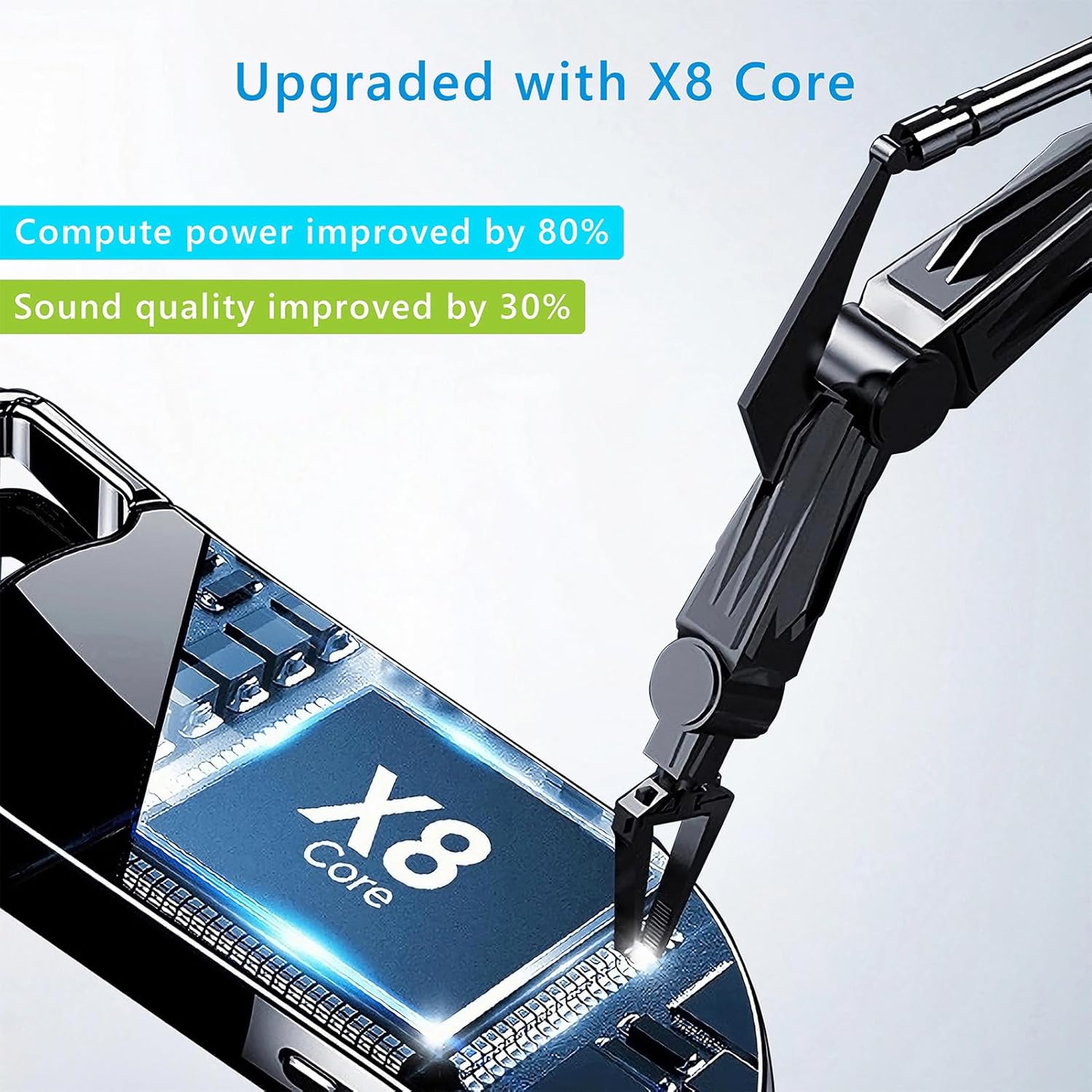
Image 8.1: Internal component view of the Vandlion V22-64GB Voice Recorder, showcasing the X8 Core. This illustrates the advanced processing unit within the device.
9. אחריות ותמיכה
For warranty information and technical support, please refer to the documentation provided with your purchase or contact Vandlion customer service through their official webהאתר או הקמעונאי שממנו רכשת את המוצר.
שמור את קבלת הרכישה כהוכחת קנייה לתביעות אחריות.


