1. הקדמה
Thank you for choosing the VIMTAG Light Bulb Security Camera Model 847. This device is designed to provide reliable surveillance for your home, offering 2.5K/4MP high-definition video, pan/tilt functionality, night vision, two-way audio, and smart detection features. This manual will guide you through the setup, operation, and maintenance of your camera to ensure optimal performance.
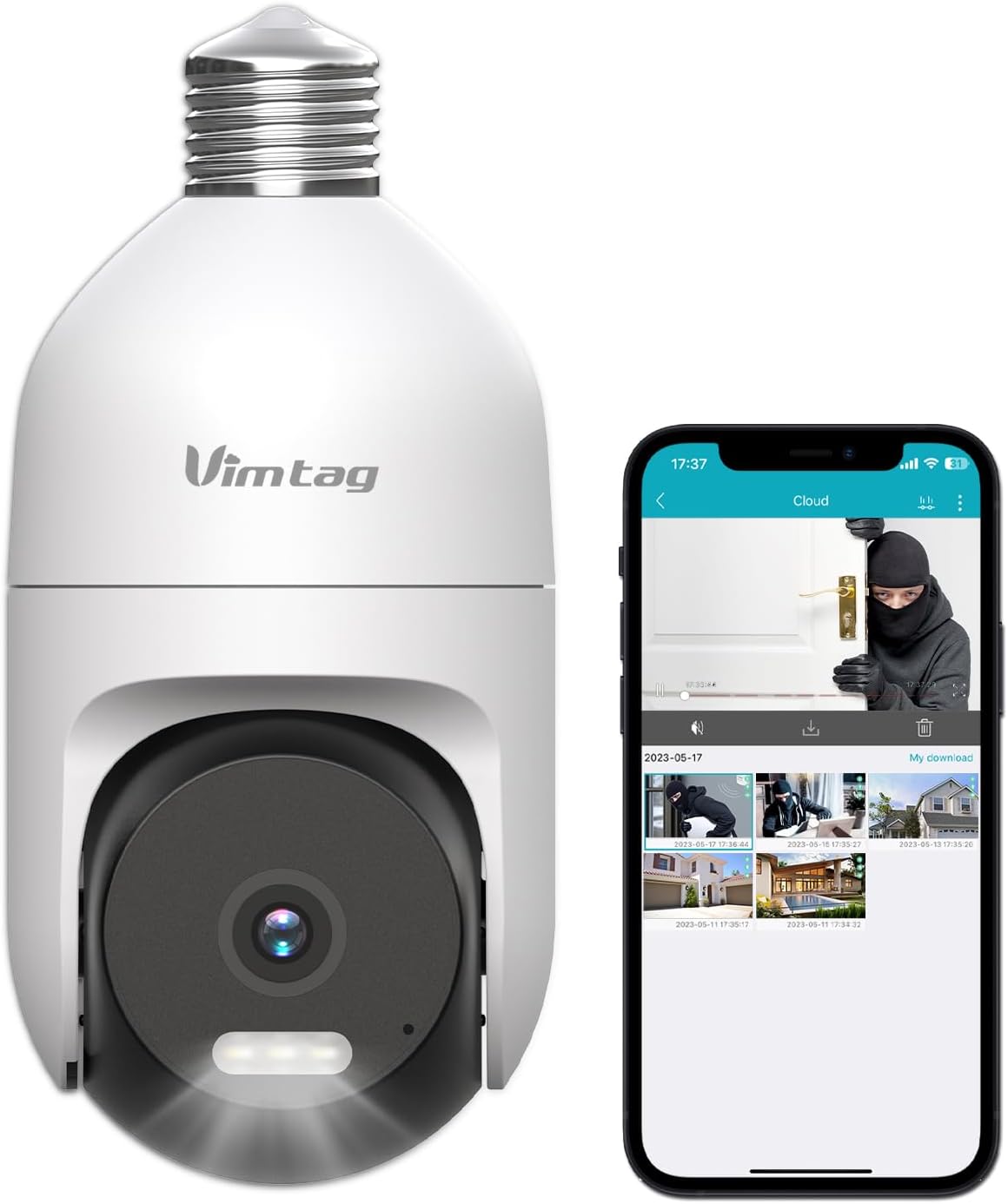
Image: The VIMTAG Light Bulb Security Camera Model 847, shown alongside a smartphone displaying its live feed.
2. מידע בטיחות
- Ensure the power is off before installing or removing the camera from a light socket.
- Install the camera in a standard E27/E26 light bulb socket.
- אין לחשוף את המצלמה לטמפרטורות או לחות קיצוניים מעבר לטווח הפעולה שלה.
- הרחק את המצלמה משדות מגנטיים חזקים.
- אל תנסה לפרק או לתקן את המצלמה בעצמך. צור קשר עם תמיכת הלקוחות לקבלת סיוע.
- This camera is rated IP66 for weather resistance, suitable for outdoor use, but avoid submerging it in water.
3. תכולת החבילה
The VIMTAG Light Bulb Security Camera package includes:
- מֶרֶץTAG Light Bulb Security Camera (Model 847)
- מדריך הוראות (מסמך זה)
Note: An SD card for local storage is not included and must be purchased separately if desired.
4. המוצר נגמרview
The VIMTAG Light Bulb Security Camera features a compact design that fits into a standard light bulb socket. Key components include:
- עדשת מצלמה: Captures 2.5K/4MP video.
- נוריות אינפרא אדום (IR): לראיית לילה בשחור לבן.
- זַרקוֹר: Provides color night vision and acts as a deterrent.
- מִיקרוֹפוֹן: For audio input during two-way talk and sound detection.
- רַמקוֹל: For audio output during two-way talk and siren alarms.
- חריץ לכרטיס מיקרו SD: לאחסון וידאו מקומי (תומך בעד 512GB).
- לחצן איפוס: Used for factory reset (usually a small pinhole).
- E27/E26 Base: Standard light bulb screw-in base for power and mounting.
5. התקנה
5.1 התקנה פיזית
- כיבוי: Ensure the power to the light socket is turned off at the circuit breaker before installation.
- בורג פנימה: Carefully screw the VIMTAG Light Bulb Camera into a standard E27/E26 light bulb socket. Ensure it is securely fastened.
- הפעלה: החזר את שקע התאורה לחשמל. המצלמה תידלק ותתחיל את רצף האתחול שלה.

Image: Illustration of screwing the camera into a light bulb socket.
5.2 הורדת אפליקציה ויצירת חשבון
- הורד אפליקציה: חפש "Vimtag" in your smartphone's app store (iOS App Store or Google Play Store) and download the official VIMTAG אפליקציה.
- רישום חשבון: פתחו את האפליקציה ופעל לפי ההוראות שעל המסך כדי לרשום חשבון חדש באמצעות כתובת הדוא"ל או מספר הטלפון שלכם.

Image: A smartphone screen showing the VIMTAG app icon, indicating the app download step.
5.3 Camera Pairing and Wi-Fi Connection
- הוסף מכשיר: In the VIMTAG app, tap the "+" icon (usually in the top right or center) to add a new device.
- בחר סוג מצלמה: Choose "Light Bulb Camera" from the list of device types.
- פעל לפי ההנחיות בתוך האפליקציה: The app will guide you through connecting the camera to your 2.4GHz Wi-Fi network. This typically involves scanning a QR code generated by the app with the camera lens or listening for an audio prompt.
- אישור חיבור: Once connected, the camera will indicate successful pairing (e.g., a voice prompt or LED indicator change), and its live feed will appear in the app.

Image: A smartphone screen showing the process of adding a new device, specifically selecting the light bulb camera.

Image: A smartphone displaying the live video feed from the VIMTAG camera after successful setup.
6. הפעלת המצלמה
6.1 בשידור חי View ובקרת סיבוב/הטיה
Once connected, open the VIMTAG app and select your camera to view the live feed. Use the on-screen controls to pan (horizontal 355°) and tilt (vertical 100°) the camera lens to adjust the viewing angle. The camera offers 8x digital zoom for closer inspection.

Image: Multiple devices (phone, tablet, laptop, desktop) displaying the live feed from the VIMTAG camera, illustrating multi-terminal viewing.
6.2 שמע דו-כיווני
The camera features a built-in microphone and speaker. Tap the microphone icon in the app to speak through the camera, and listen to audio from the camera's location. This allows for real-time communication with visitors or to deter intruders.

Image: A person speaking into a phone to communicate with a delivery person at the door via the VIMTAG camera's two-way audio.
6.3 מצבי ראיית לילה
המצלמה תומכת בשני מצבי ראיית לילה:
- חזון לילה IR: Defaults to black and white infrared vision in low light conditions.
- Color Night Vision with Spotlight: When the spotlight mode is activated (manually or via motion detection settings), the camera will switch to full-color night vision.
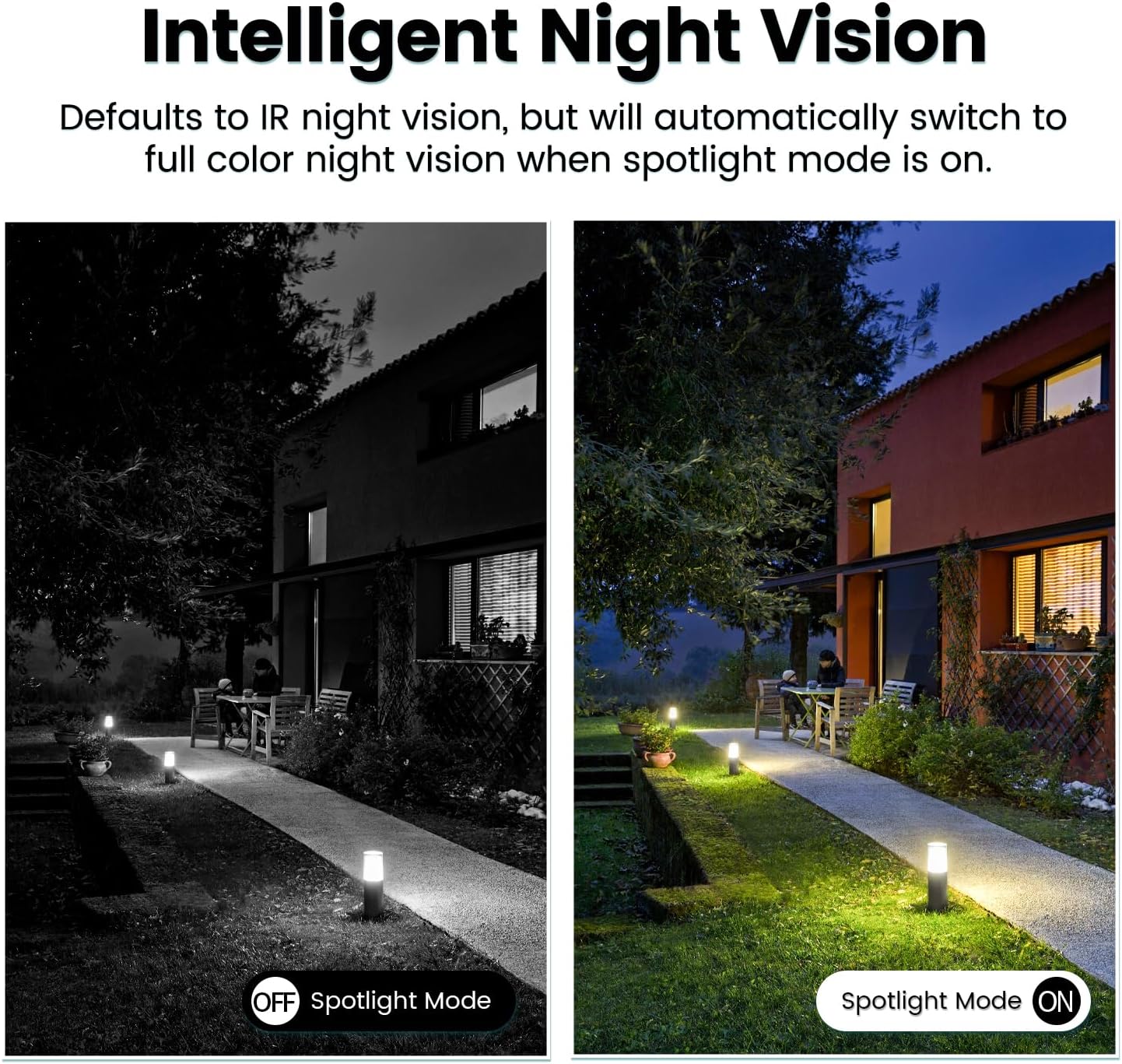
Image: Comparison of IR night vision (black and white, spotlight off) and color night vision (full color, spotlight on) from the VIMTAG מַצלֵמָה.
6.4 AI Human/Motion/Sound Detection and Alarms
Configure detection settings in the VIMTAG app. The camera can detect human shapes, general motion, and sounds. Upon detection, you will receive notifications on your phone, and the camera can trigger a siren alarm or activate its spotlight to deter unwanted activity.

Image: An illustration of the VIMTAG camera detecting an intruder, triggering a spotlight and sending an alert to a smartphone.

Image: A smartphone displaying a "Motion Detection Alert" notification from the VIMTAG אפליקציה.
6.5 הקלטת ואחסון וידאו
המצלמה תומכת בשתי אפשרויות אחסון:
- אחסון מקומי: Insert a Micro SD card (up to 512GB, not included) into the camera's SD card slot for continuous 24/7 recording. Recorded footage can be accessed and managed through the VIMTAG אפליקציה.
- אחסון בענן: An optional cloud storage service is available through the VIMTAG app for secure, encrypted video storage. Subscription details can be found within the app.
6.6 שילוב אלקסה
The VIMTAG camera is compatible with Amazon Alexa. To integrate:
- Enable the VIMTAG skill in the Alexa app.
- Link your VIMTAG חֶשְׁבּוֹן.
- גלה מכשירים.
You can then use voice commands such as, "Alexa, show me the [camera name]" to view the live feed on compatible Alexa-enabled devices with screens (e.g., Echo Show).

Image: A person interacting with an Amazon Echo Show to view the VIMTAG camera feed using voice commands.
7. תחזוקה
- ניקוי: נגבו בעדינות את עדשת המצלמה ואת גוף המצלמה בעזרת מטלית רכה ויבשה. אין להשתמש בכימיקלים חזקים או בחומרי ניקוי שוחקים.
- עדכוני קושחה: Regularly check the VIMTAG app for available firmware updates. Keeping your camera's firmware updated ensures optimal performance, security, and access to new features.
- ניהול כרטיסי SD: אם משתמשים בכרטיס SD, יש לעדכן אותו מעת לעתview ולגבות מזון חשובtage. Format the SD card through the app if you experience recording issues or to clear old data.
8. פתרון תקלות
| בְּעָיָה | סיבה אפשרית | פִּתָרוֹן |
|---|---|---|
| Camera fails to power on. | No power to the light socket; camera not screwed in properly. | Check the light socket's power supply; ensure the camera is securely screwed in. |
| לא ניתן להתחבר ל-Wi-Fi. | Incorrect Wi-Fi password; camera too far from router; 5GHz Wi-Fi network used. | Verify Wi-Fi password; move camera closer to router; ensure you are connecting to a 2.4GHz Wi-Fi network. |
| איכות וידאו ירודה. | אות Wi-Fi חלש; עדשה מלוכלכת. | שפר את עוצמת אות ה-Wi-Fi; נקה את עדשת המצלמה. |
| זיהוי תנועה לא עובד. | Detection settings disabled or sensitivity too low; camera positioned incorrectly. | Check and adjust motion detection settings in the app; ensure camera has a clear view של האזור. |
| כרטיס SD לא מקליט. | כרטיס SD מלא או פגום; הגדרות הקלטה שגויות. | Format the SD card via the app; check recording schedule and settings. Replace SD card if necessary. |
9. מפרטים
| תכונה | פְּרָט |
|---|---|
| שם הדגם | 847 |
| רזולוציית וידאו | 2.5K / 4MP (1440p) |
| טווח פאן/הטיה | 355° אופקי, 100° אנכי |
| זום דיגיטלי | 8x |
| ראיית לילה | IR Night Vision & Color Night Vision with LED Spotlight |
| אודיו דו-כיווני | Yes (Built-in Microphone & Speaker) |
| איתור | AI Human, Motion, Sound Detection |
| קישוריות | רשת אלחוטית 2.4GHz (IEEE 802.11b/g/n) |
| אפשרויות אחסון | Micro SD Card (up to 512GB), Cloud Storage (optional subscription) |
| מקור כוח | Corded Electric (E27/E26 Light Bulb Socket) |
| שימוש פנימי/חיצוני | כן (IP66 עמיד בפני מזג אוויר) |
| מכשירים תואמים | iOS, Android, Mac, iPad, Windows, Amazon Alexa |
| מידות (L x W x H) | 3.07 x 3.07 x 5.31 אינץ' |
| משקל פריט | 9.1 אונקיות |
| קצב פריימים | 25 פריימים לשנייה |
| קידוד וידאו | H.264/H.265 |
10. אחריות ותמיכה
מֶרֶץTAG products come with a standard manufacturer's warranty. For specific warranty terms and conditions, please refer to the warranty card included with your product or visit the official VIMTAG website. For technical support, troubleshooting assistance, or any product-related inquiries, please contact VIMTAG customer service through the VIMTAG app or their official webאֲתַר.
משאבים מקוונים:
- מֶרֶץTAG רִשְׁמִי Webאֲתַר: Visit the VIMTAG חנות באמזון
- In-App Support: Access support features directly within the VIMTAG אפליקציה לנייד.


