1. הקדמה
The JADENS Bluetooth Thermal Printer is a portable, inkless printing solution designed for convenience and efficiency. This device supports 8.5" x 11" US Letter size thermal paper and offers versatile connectivity options, including Bluetooth for iOS and Android devices, and USB for laptops. This manual provides essential information for setting up, operating, maintaining, and troubleshooting your printer to ensure optimal performance.

Image: The JADENS Bluetooth Thermal Printer in black, shown with a smartphone connected via Bluetooth, illustrating its portable nature and ease of use for printing documents.
2. מה בקופסה
אנא ודא שכל הפריטים נמצאים בחבילה:
- Portable Printer x 1
- מדריך למשתמש x 1
- מתאם מתח x 1
- US Letter Thermal Paper Roll x 1
- כבל USB מסוג C x 1
3. מדריך התקנה
3.1. הגדרה ראשונית וטעינה
Before first use, ensure the printer is fully charged using the provided power adapter and Type-C USB cable. The printer features 2 built-in 2600mAh batteries, offering extended use.
3.2. טעינת נייר תרמי
This printer exclusively uses thermal paper. Open the paper compartment, insert the thermal paper roll or fan-fold paper, ensuring the printable side faces the print head. Close the compartment securely.

Image: Illustration of the JADENS portable printer demonstrating the two methods for loading thermal paper: using the built-in paper bin for rolls or fan-fold paper.
3.3. התחברות למכשירים
The printer offers both Bluetooth and USB connectivity.
3.3.1. Bluetooth Connection (for iOS & Android)
- הורד את האפליקציה: Scan the QR code below or search for "Jadens Printer" in your device's app store (App Store for iOS, Google Play for Android).
- הפעלת בלוטות' ומיקום: On your smartphone, turn on Bluetooth and location services.
- הענק הרשאות: Allow the "Jadens Printer" app to access location, position, and Bluetooth for device discovery.
- הפעלת המדפסת: Power on your JADENS printer.
- התחברות דרך אפליקציה: Open the "Jadens Printer" app, tap "+" to add a printer. Your printer should appear; tap "Connect". Alternatively, double-click the printer's power button to print a QR code, then scan it within the app.
- הגדרות נייר: After connecting, tap "More settings" to configure paper type and size.

Image: A step-by-step visual guide demonstrating how to connect the JADENS printer to a smartphone using the dedicated mobile application, including scanning a QR code for app download and Bluetooth pairing instructions. The QR code links to https://u.shengcai.net/bnl7/H666G_ayKEG.

Image: The JADENS printer illustrating its Bluetooth pairing capability with both iOS and Android smartphones through a dedicated application.
3.3.2. USB Cable Connection (for Windows & Mac)
For laptop and computer printing, install the appropriate driver first. Connect the printer to your computer using the provided Type-C USB cable.

Image: A user operating the JADENS portable printer, which is connected to a laptop via a USB cable, demonstrating its compatibility with desktop and laptop computers.
4. הוראות הפעלה
4.1. הדפסת מסמכים
Once connected, you can print various documents such as recipes, forms, letters, assignments, study materials, and travel documents. Ensure your document is formatted for the thermal paper size (up to 8.5" x 11").
- מאפליקציית מובייל: Select the document or image within the "Jadens Printer" app and initiate the print command.
- מהמחשב: Use your computer's standard print function, selecting the JADENS printer from the available options.

Image: A visual representation of the JADENS printer's versatility, showing its application in various settings such as business, travel, and educational environments.
4.2. תכונות עיקריות
- טכנולוגיה תרמית ללא דיו: The printer uses advanced thermal technology, eliminating the need for ink, toner, or ribbons. This provides a cost-effective and mess-free printing experience.
- High Definition Printing: Enjoy crisp and clear monochrome prints with a resolution of 203 dpi.
- הִטַלטְלוּת: Its compact and lightweight design makes it ideal for travel and on-the-go printing.
- חיי סוללה ארוכים: Equipped with two 2600mAh batteries, the printer can continuously print up to 360 sheets or operate for 3 hours on a single charge, with a standby time of up to 90 days.
- Adjustable Paper Sizes: Supports documents ranging from 2 to 8.5 inches in width.
- אחסון מקומי מאובטח: The printer allows direct printing from your device without transferring files to the cloud, ensuring data privacy.

תמונה: מוגדלת view highlighting the high-definition output of the JADENS thermal printer, emphasizing its inkless technology and the low cost per sheet.
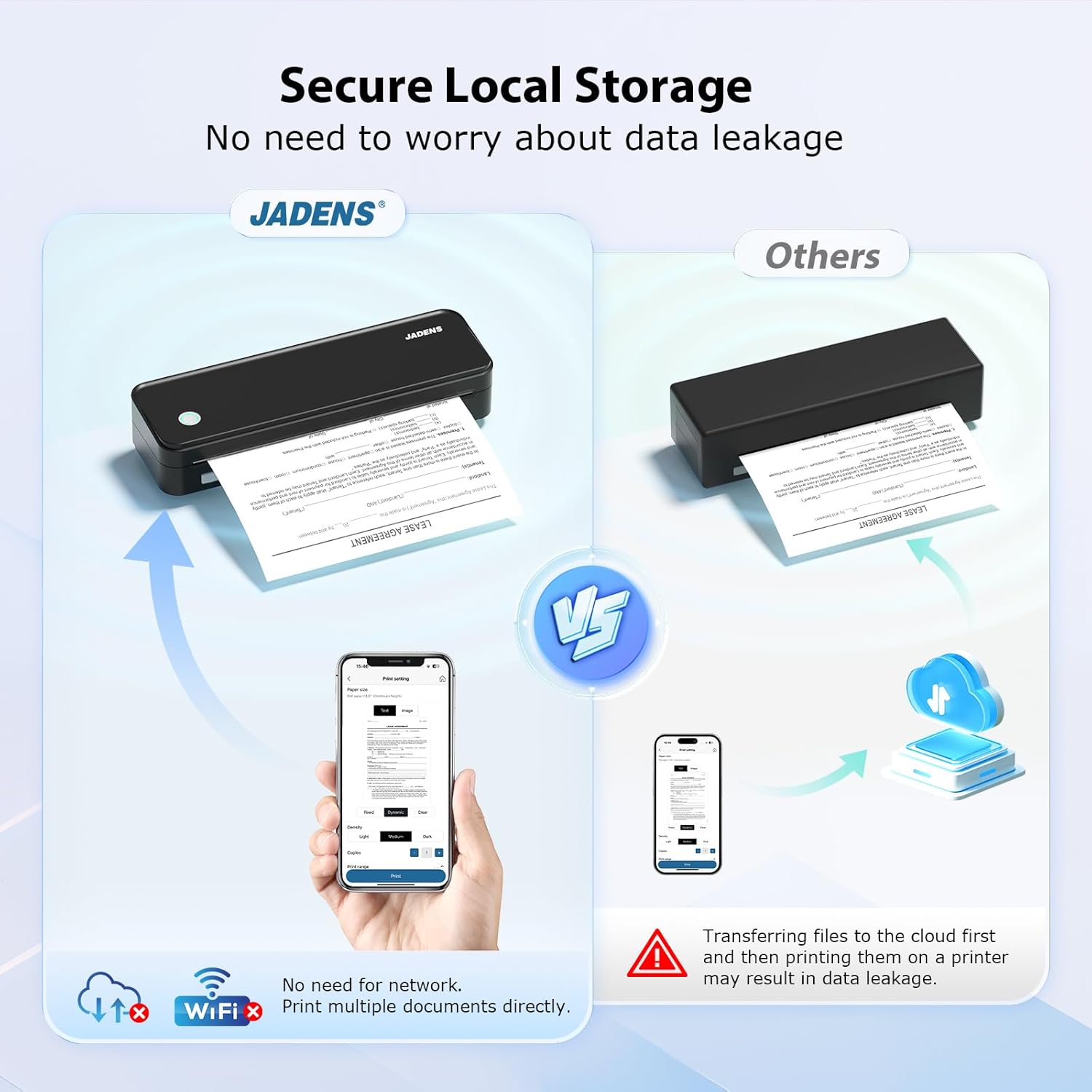
Image: A comparison graphic illustrating the JADENS printer's secure local storage printing method against other printers that may require cloud transfer, emphasizing data privacy.

Image: A person demonstrating the compact size of the JADENS printer by easily placing it into a backpack, highlighting its portability for travel.

Image: The JADENS printer displaying its 2600mAh battery capacity and indicating its readiness to print, emphasizing its long-lasting power.
5. תחזוקה
5.1. ניקוי ראש ההדפסה
To maintain print quality, periodically clean the thermal print head. Turn off the printer and allow it to cool. Gently wipe the print head with a lint-free cloth lightly dampיש לשטוף באלכוהול איזופרופילי. יש לאפשר לו להתייבש לחלוטין לפני השימוש.
5.2. Thermal Paper Care
Thermal paper is sensitive to heat, light, and certain chemicals. Store thermal paper in a cool, dark, and dry place. Avoid prolonged exposure of printed documents to direct sunlight, high temperatures, or contact with plastics containing plasticizers, as this can cause the print to fade over time.
6. פתרון תקלות
- המדפסת לא מתחברת דרך בלוטות':
Ensure Bluetooth is enabled on your mobile device and the printer. Verify that the "Jadens Printer" app has necessary location and Bluetooth permissions. Try restarting both the printer and your mobile device. If issues persist, refer to the app's connection guide or the printer's indicator lights for status.
- Printer Not Connecting via USB:
Confirm that the correct driver for your operating system (Windows/Mac) is installed. Try a different USB port or cable. Ensure the printer is powered on.
- Poor Print Quality or Fading:
Check if you are using thermal paper. Regular paper will not work. Ensure the thermal paper is loaded correctly with the printable side facing the print head. Clean the print head as described in the Maintenance section. If prints are fading quickly after printing, ensure the thermal paper is not old or improperly stored.
- המדפסת לא מדפיסה:
Check if the printer is powered on and has sufficient battery charge. Ensure there is thermal paper loaded correctly. Verify the printer is properly connected to your device (Bluetooth or USB) and selected as the active printer in your application.
- הבנת נוריות חיווי:
The printer features indicator lights that convey its status (e.g., power, battery, error). Refer to the quick start guide included with your printer for a detailed explanation of specific light patterns and their meanings.
7. מפרטים
| מותג | ג'אדנס |
| שם הדגם | A4black |
| טכנולוגיית הדפסה | תֶרמִי |
| פלט מדפסת | מונוכרום |
| רזולוציית הדפסה מרבית בשחור לבן | 203 dpi |
| מהירות הדפסה מקסימלית מונוכרום | 20 עמודים לדקה (ppm) |
| טכנולוגיית קישוריות | Bluetooth, USB (Type-C) |
| מכשירים תואמים | Smartphones (iOS, Android), Laptops (Windows, Mac) |
| גודל מדיה מקסימלי | 8.5 x 11 אינץ' (US Letter) |
| תמיכה בגודל גיליון | 8.5×11, 8.2×11.6 inches |
| קיבולת גיליון קלט מקסימלית | 50 גיליונות |
| סוללות | 2 סוללות ליתיום יון (כלולות) |
| מידות המוצר | 10 x 1.8 x 3.1 אינץ' (25.4 x 4.57 x 7.87 ס"מ) |
| משקל פריט | 2.29 פאונד (1.04 ק"ג) |
| קיבולת אחסון זיכרון | 64 מגה-בייט |
8. אחריות ותמיכה
8.1. אחריות מוגבלת
The JADENS Bluetooth Thermal Printer comes with a limited warranty. Please refer to the warranty card included in your package or contact customer support for detailed terms and conditions.
8.2. תמיכת לקוחות
JADENS is committed to providing exceptional after-sale service. For technical assistance, inquiries, or support, please contact our dedicated team via phone or email. Contact information can be found on the JADENS official webבאתר או בתיעוד המצורף למוצר שלך.


