1. המוצר נגמרview
The OPTIMA QUAD12 ORANGETOP Lithium Battery is a high-performance powersports battery designed with advanced HYPERCORE LITHIUM Cell Technology. It features a built-in Engine Start Reserve (CPR) and a sophisticated Battery Management System (BMS) for optimal performance and longevity. The patented POWERLINK system provides convenient battery control, status monitoring, and charging capabilities.

Image 1.1: OPTIMA QUAD12 ORANGETOP Lithium Battery connected to its Powerlink cable.
This battery is engineered for broad fitment with quad terminals and includes necessary spacers for secure installation. It offers 380 Cranking Amps and a 4.5AH capacity, making it a reliable power source for various powersports applications.
2. מידע בטיחות
יש לתת עדיפות לבטיחות בעת טיפול בסוללות. אי הקפדה על הוראות אלה עלולה לגרום לפציעה חמורה או נזק לרכוש.
- הגנת עיניים: יש ללבוש תמיד הגנה מתאימה לעיניים בעת עבודה עם סוללות.
- כפפות: Wear insulated gloves to prevent electrical shock and protect against chemical exposure.
- אוורור: יש לוודא אוורור נאות באזור העבודה.
- אסור לעשן/להבות גלויות: הרחק ניצוצות, להבות וחומרי עישון מהסוללה.
- מעגלים קצרים: Avoid short-circuiting battery terminals. Do not place metal objects on the battery.
- טְעִינָה: Use only chargers specifically designed for lithium iron phosphate (LiFePO4) batteries. Using an incompatible charger can cause damage or fire.
- רְשׁוּת: יש להשליך סוללות בהתאם לתקנות המקומיות. אין לשרוף.
- יְלָדִים: הרחק סוללות מהישג ידם של ילדים.
3. תכולת החבילה
ודא שכל הרכיבים נמצאים בחבילה לפני שתמשיך בהתקנה.
- OPTIMA QUAD12 ORANGETOP Lithium Battery
- POWERLINK Cable with LED display
- Fitment Spacers (various sizes)
- Terminal Bolts and Nuts
- מדריך למשתמש

Image 3.1: The complete package contents, including the battery, Powerlink cable, fitment spacers, and hardware.
4. התקנה והתקנה
Proper installation is crucial for the battery's performance and safety.
- הֲכָנָה: Ensure the vehicle's ignition is off and disconnect the negative (-) terminal of the old battery first, followed by the positive (+) terminal. Remove the old battery.
- התאמה: The QUAD12 features quad terminals for versatile installation. Use the provided fitment spacers to ensure a snug and secure fit in your battery tray. A loose battery can be damaged by vibration.
- חיבור מסוף: Connect the positive (+) terminal of the OPTIMA QUAD12 battery first, then the negative (-) terminal. Ensure connections are tight and secure using the provided hardware.
- POWERLINK Cable Installation: Connect the POWERLINK cable to the designated port on the battery. This cable is essential for the battery's functionality, including the CPR feature and status display. Route the cable securely to an accessible location on your vehicle.
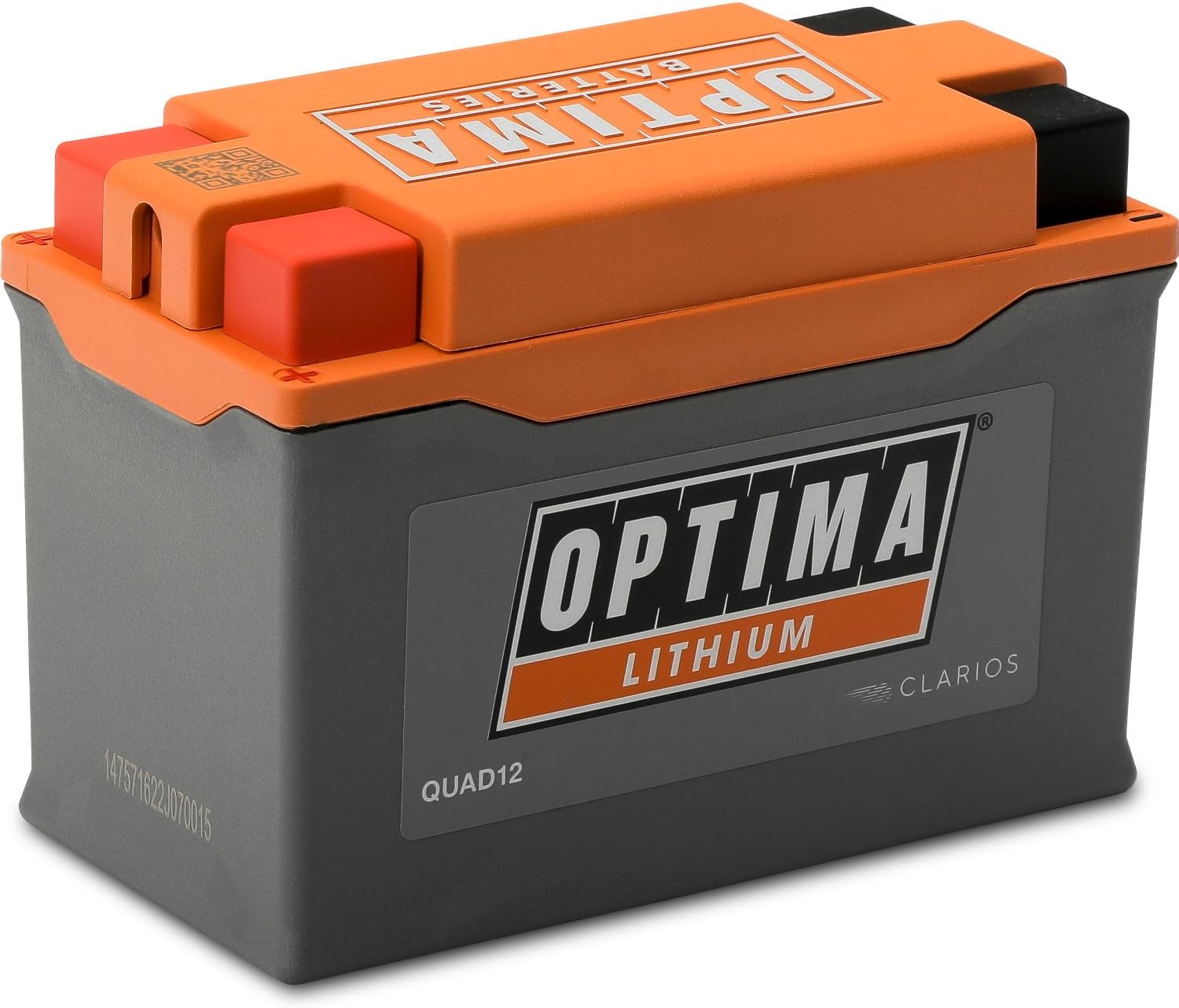
Image 4.1: The OPTIMA QUAD12 battery, designed with quad terminals for flexible installation.
5. תפעול
The OPTIMA QUAD12 ORANGETOP Lithium Battery incorporates several advanced features for enhanced user experience.
5.1. POWERLINK System
The patented POWERLINK system provides a convenient connection for OPTIMA lithium-enabled maintainers and chargers. It also features a state-of-charge indicator, allowing you to monitor the battery's condition.

Image 5.1: The OPTIMA POWERLINK system provides convenient battery control, status, and charging.
5.2. OPTIMA CPR (Engine Start Reserve)
The OPTIMA CPR feature automatically disconnects the battery from parasitic key-off loads when the voltage drops below a critical level. This reserves enough power to start your vehicle, preventing you from being stranded. To activate the reserve, press the button on the POWERLINK cable.
5.3. מצב אחסון
The POWERLINK system allows you to toggle the battery into storage mode. This feature helps prolong battery life by optimizing its state for long periods of inactivity. Consult the POWERLINK cable's instructions for specific steps to engage storage mode.
5.4. מערכת ניהול סוללות (BMS)
An advanced microprocessor-controlled BMS continuously monitors and controls all battery functions automatically. This includes balancing the state-of-charge of individual cells, protecting against overcharge, over-discharge, and over-current conditions, and managing temperature.

תמונה 5.2: יתרון מרכזיtages of the ORANGETOP battery, including its microprocessor-controlled management system and IP67 rating.
6. תחזוקה
Proper maintenance ensures the longevity and optimal performance of your OPTIMA QUAD12 battery.
- בדיקה רגילה: יש לבדוק מעת לעת את מסופי הסוללה לאיתור קורוזיה ולוודא שהחיבורים מהודקים היטב.
- ניקוי: Keep the battery clean and dry. Use a damp מטלית לניגוב החלק החיצוני. אין להשתמש בממסים או בכימיקלים חזקים.
- טְעִינָה: If the battery requires charging, use only a charger compatible with lithium iron phosphate (LiFePO4) batteries. The POWERLINK cable provides a convenient charging port.
- אִחסוּן: For extended periods of inactivity, engage the battery's storage mode via the POWERLINK cable. Store the battery in a cool, dry place.
7. פתרון תקלות
This section addresses common issues you might encounter with your OPTIMA QUAD12 battery.
| בְּעָיָה | סיבה אפשרית | פִּתָרוֹן |
|---|---|---|
| Vehicle does not start (no power) | Battery discharged below starting voltage. | Activate OPTIMA CPR via the POWERLINK cable button. If still no start, charge the battery. |
| POWERLINK LED display is off | POWERLINK cable not connected or faulty. Battery completely discharged. | Ensure POWERLINK cable is securely connected. If battery is completely discharged, it may require a specific recovery charge from a compatible charger. |
| סוללה לא מחזיקה טעינה | Parasitic draw from vehicle. Faulty charging system (regulator/rectifier). Battery fault. | Check vehicle for parasitic draws. Have vehicle's charging system inspected by a professional. Contact OPTIMA support if issues persist. |
| Battery appears physically damaged | פגיעה או טיפול לא נכון. | Do not use a damaged battery. Contact OPTIMA support for assistance. |
If you encounter issues not listed here or if solutions do not resolve the problem, please contact OPTIMA customer support.
8. מפרטים
| תכונה | מִפרָט |
|---|---|
| מותג | OPTIMA |
| מספר דגם | QUAD12 |
| טֶכנוֹלוֹגִיָה | ליתיום ברזל פוספט (LiFePO4) |
| מכשף Amps | 380 CA |
| יְכוֹלֶת | 4.5 AH |
| כרך נומינליtage | 12V |
| משקל פריט | 2.4 פאונד |
| מידות המוצר (L x W x H) | 5.24 x 2.72 x 3.66 אינץ' |
| טרמינלים | טרמינל מרובע |
| תכונות | Built-in Engine Start Reserve (CPR), BMS, POWERLINK Cable, IP67 Rating |
| מחליף את מספרי החלקים המקוריים (OEM) | BTX9-BS, BTZ10S, BT12B-4, BT12A-BS, B14A-A2, B14L-A2, BT9B-4, BTX14AH, B14-A2, BTX14AH-BS, B14-B2, B12A-A, B9-B, B12AL-A, B14L-B2, B7C-A, B10L-B2, B10L-A2, B12AL-A2, BT12B-BS, B12C-A, B9L-B, 12N7D-3B, B10L-B, B14L-A1, B12A-B, B14A-A1, B10A-A2, B9A-A, BTX14AHL-BS, B7-A, 12N9-4B-1, SB14L-B2, B7L-B, BTX14AHL, 12N73BY, BTX9, YTX9-BS, YTZ10S, YT12B-4, YT12A-BS, YB14A-A2, YB14L-A2, YT9B-4, YTX14AH, YB14-A2, YTX14AH-BS, YB14-B2, YB12A-A, YB9-B, YB12AL-A, YB14L-B2, YB7C-A, YB10L-B2, YB10L-A2, YB12AL-A2, YT12B-BS, YB12C-A, YB9L-B, 12N7D-3B, YB10L-B, YB14L-A1, YB12A-B, YB14A-A1, YB10A-A2, YB9A-A, YTX14AHL-BS, YB7-A, 12N9-4B-1, YB14L-B2, YB7L-B, YTX14AHL, 12N7-3B, YTX9 |
| UPC | 721112916835 |

Image 8.1: Physical dimensions of the OPTIMA QUAD12 ORANGETOP Lithium Battery.
9. אחריות ותמיכה
For warranty information and customer support, please refer to the official OPTIMA Batteries webאתר או צרו קשר ישירות עם שירות הלקוחות שלהם. שמרו את הוכחת הרכישה שלכם לצורך תביעות אחריות.
OPTIMA Batteries Contact Information:
אנא בקר www.optimabatteries.com לקבלת מידע על משאבי התמיכה ופרטי הקשר העדכניים ביותר.


