מָבוֹא
This manual provides detailed instructions for the setup, operation, and maintenance of your Retekess TD167F Restaurant Pager System. Please read this manual thoroughly before using the product to ensure proper function and longevity.

Image: The Retekess TD167F system, featuring a central transmitter unit, a charging base, and 20 individual pagers.
תוכן החבילה
Before proceeding with setup, verify that all components are present in the package:
- 1 x משדר
- 1 x Smart Box (with antenna)
- 20 x Pagers
- 2 מתאמים
- 1 x שלט רחוק
- 1 x כבל HDMI
- 1 x מדריך למשתמש
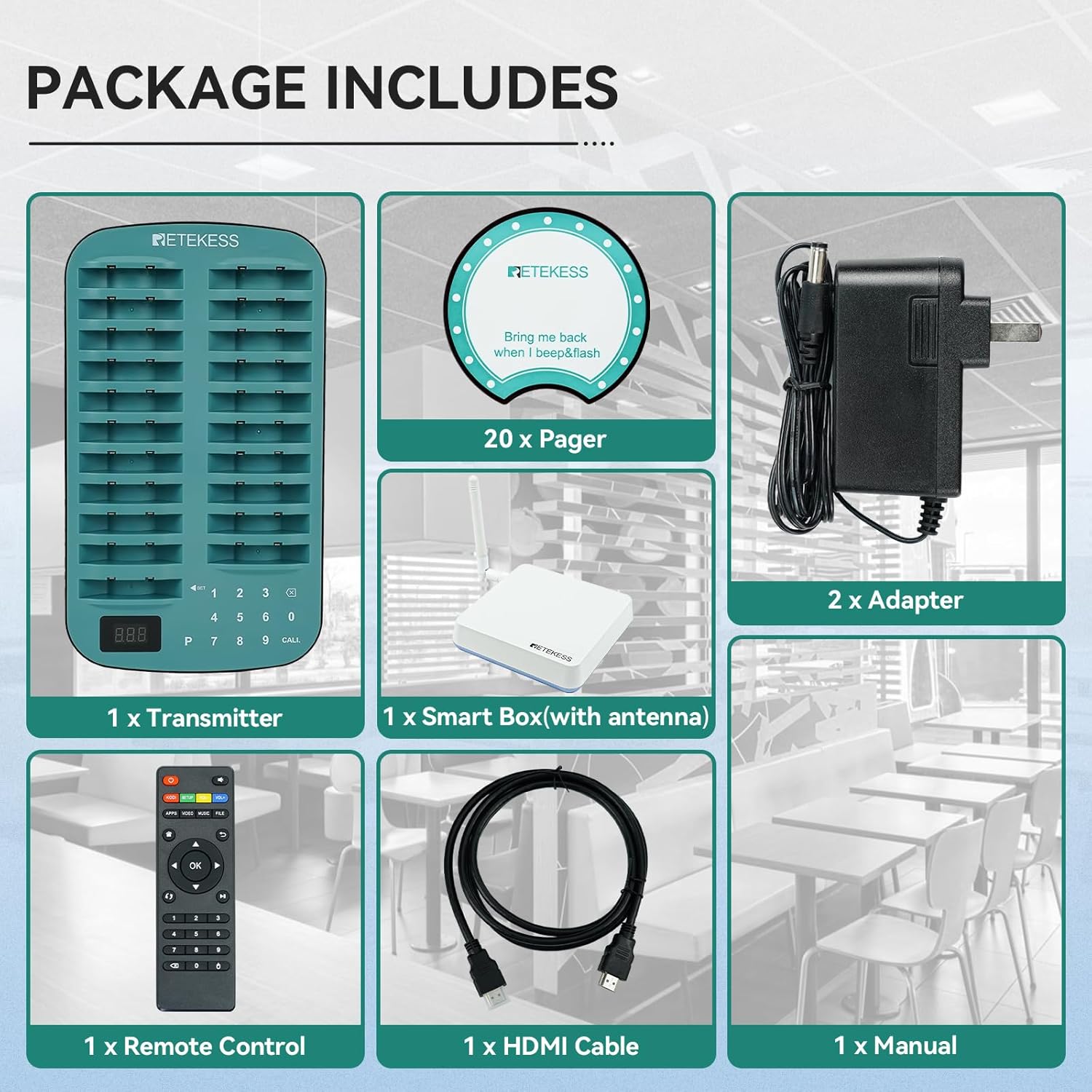
Image: A visual representation of all items included in the Retekess TD167F product package.
הוראות התקנה
1. טעינה ראשונית
Place all pagers into the charging slots on the base. The pager lights will flash during charging and remain solid when fully charged. Ensure the charging base is connected to a power source using the provided adapter.
2. Pairing Settings
To pair pagers with the system or change their ID numbers, follow these steps:
- Click the setting button on the transmitter to enter the setting mode.
- Select "F2" and press the checkmark (✓) button. The system will beep.
- Enter the desired ID number for the pager.
- Place the pager into a dedicated slot on the charging base for pairing.
- חזור על הפעולה עבור כל הביפרים.
Video: Demonstrates the process of pairing pagers and modifying their ID numbers with the Retekess system.
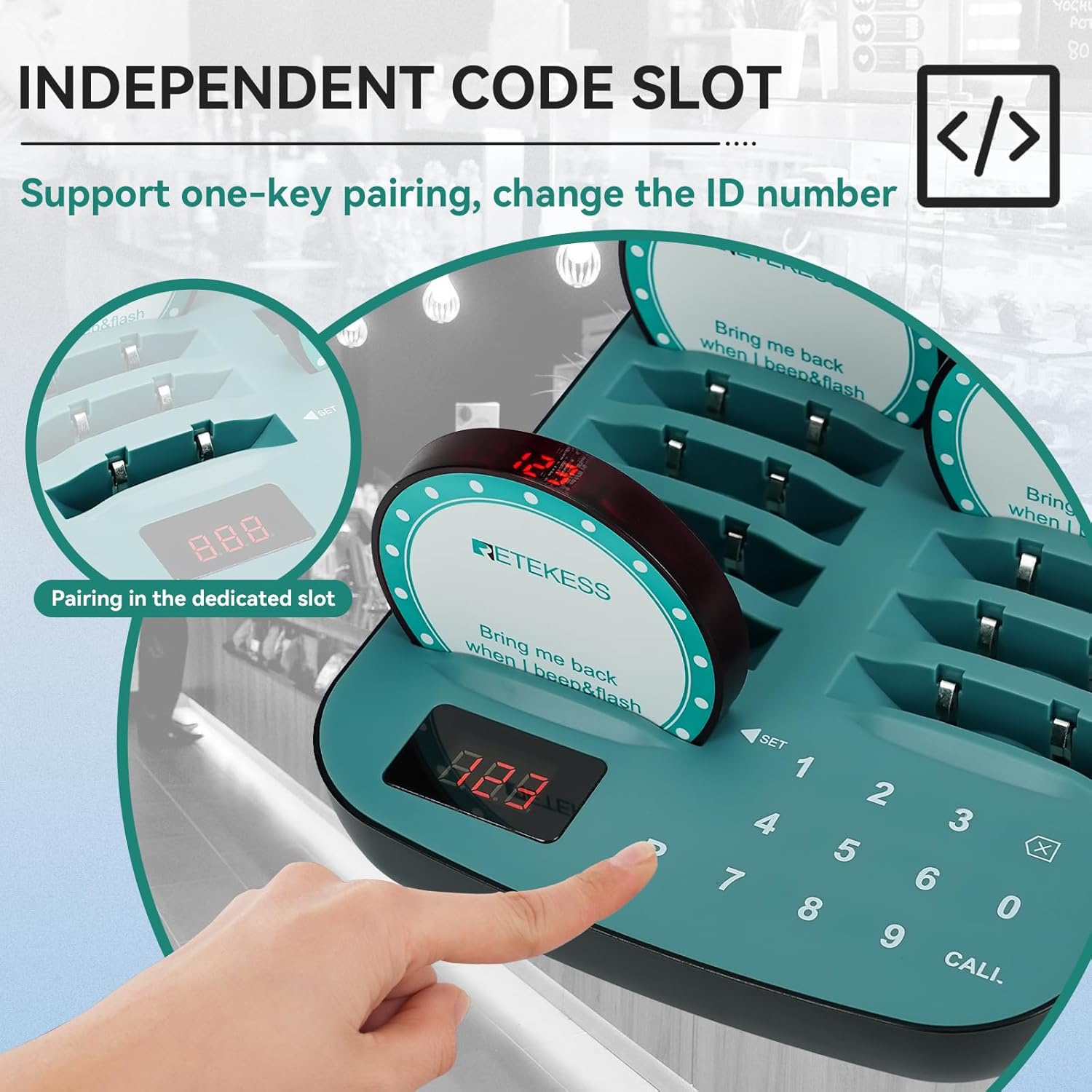
Image: A pager being placed into a dedicated slot on the charging base for pairing, illustrating the "Independent Code Slot" feature.
הוראות הפעלה
1. קריאה למכשיר זימונית
To call a customer, simply enter the pager's ID number on the transmitter and press the "CALL" button. The corresponding pager will activate according to its set reminder mode.
2. Setting Reminder Duration
You can adjust how long a pager reminds the customer:
- Click the setting button on the transmitter to enter the setting mode.
- Select "F4" and press the checkmark (✓) button. The system will beep.
- Enter the desired duration in seconds (1-99S).
- Press the checkmark (✓) button to save the setting.
Video: Illustrates how to set the reminder duration for the pagers. This video is part of the pairing settings video.
3. Multiple Prompt Modes
The pager system offers various alert modes to suit different environments:
- זמזם: התראה קולית.
- רֶטֶט: A tactile alert.
- הֶבזֵק: A visual light alert.
These modes can be used individually or in combination. Refer to the system settings for customization.

Image: Visual representation of the buzzer, flash, and vibration alert options for the pagers.
4. Out of Range Alarm
To prevent lost pagers, the system includes an out-of-range alarm. If a pager moves beyond the set working distance (up to 800m/2625ft in open space), it will trigger an alarm to notify the user to return.

Image: Depicts the out-of-range alarm feature, showing a pager alerting when it exceeds the operational distance.
5. Multilingual Support and Custom Functions
The system supports multiple languages including English, French, German, Italian, Portuguese, Russian, and Spanish. It also offers customizable features such as voice broadcasts, calling page layouts, subtitles, and advertising breaks.

Image: Illustrates the customizable functions of the system, including voice broadcast and display options.
6. פונקציית ספירה לאחור
The system includes a countdown function, allowing for timed alerts or service management.

Image: A visual representation of the countdown function on a pager.
7. One-Key Shutdown
The system supports a one-key shutdown feature for convenience.

Image: Depicts the one-key shutdown feature, simplifying system management.
תַחזוּקָה
1. ניקיון
The pagers are waterproof, allowing for easy cleaning. Use a damp cloth to wipe down the pagers and the charging base. Avoid using harsh chemicals or abrasive materials.
2. טיפול בסוללה
The pagers are equipped with Lithium Ion batteries, providing approximately 25 hours of battery life. For optimal performance, ensure pagers are regularly charged when not in use.
פתרון בעיות
If you encounter issues with your Retekess TD167F system, consider the following common solutions:
- Pager not responding: Ensure the pager is within the operating range and fully charged. Re-pair the pager if necessary (refer to "Pairing Settings").
- Short working distance: Verify that the smart box antenna is properly connected and unobstructed. Environmental factors can affect signal range.
- Pagers not charging: Check the power connection to the charging base and ensure pagers are correctly seated in their slots.
- Incorrect ID display: Re-check pairing settings and ensure the correct ID is entered during the pairing process.
לסיוע נוסף, אנא צרו קשר עם תמיכת הלקוחות.
מפרטים
| תכונה | פְּרָט |
|---|---|
| מותג | רטקס |
| מספר דגם | TD167F |
| צֶבַע | כְּחוֹל |
| מקור כוח | חשמלי עם כבלים |
| מידות פריט (L x W x H) | 6.69 x 11.69 x 1.18 אינץ' |
| טכנולוגיית קישוריות | אַלחוּט |
| סוג התראה | Buzzer, Vibration, Flash |
| שיטת בקרה | לָגַעַת |
| הרכב תא הסוללה | ליתיום יון |
| חיי סוללה | 25 שעות |
| רכיבים כלולים | Transmitter, Smart Box, 20 Pagers, 2 Adapters, Remote Control, HDMI Cable, Manual |
| משקל פריט | 4.74 פאונד |
| מרחק עבודה | 800m / 2625ft (open space) |
General Usage Scenarios
The Retekess TD167F Pager System is designed for various service environments, including restaurants, food trucks, and food courts, to enhance customer flow and service efficiency.
Video: Shows the Retekess pager system in various commercial settings like cafes and outdoor food vendors, highlighting its versatility.
אחריות ותמיכה
Retekess provides a אחריות לשנה for this product and a מדיניות החזרה ללא סיבה תוך 30 יום. Beyond the warranty period, maintenance services are still offered, with buyers responsible for associated costs.
For any inquiries or support, please contact Retekess customer service via Amazon. Responses are typically provided within 12 hours.


