מָבוֹא
Thank you for choosing the POMUIC Wireless Earbuds. These earbuds are designed to provide a high-fidelity audio experience with advanced features such as Bluetooth 5.3 connectivity, extended battery life, and IP7 waterproof rating. This manual will guide you through the setup, operation, and maintenance of your new earbuds.

Image: The POMUIC Wireless Earbuds, purple in color, resting inside their open charging case, showcasing the earhook design and the digital display on the case.
מה יש בקופסה
- POMUIC Wireless Earbuds (Left and Right)
- נרתיק טעינה
- כבל טעינה USB-C
- מדריך למשתמש
המוצר נגמרview
Familiarize yourself with the components of your POMUIC Wireless Earbuds.
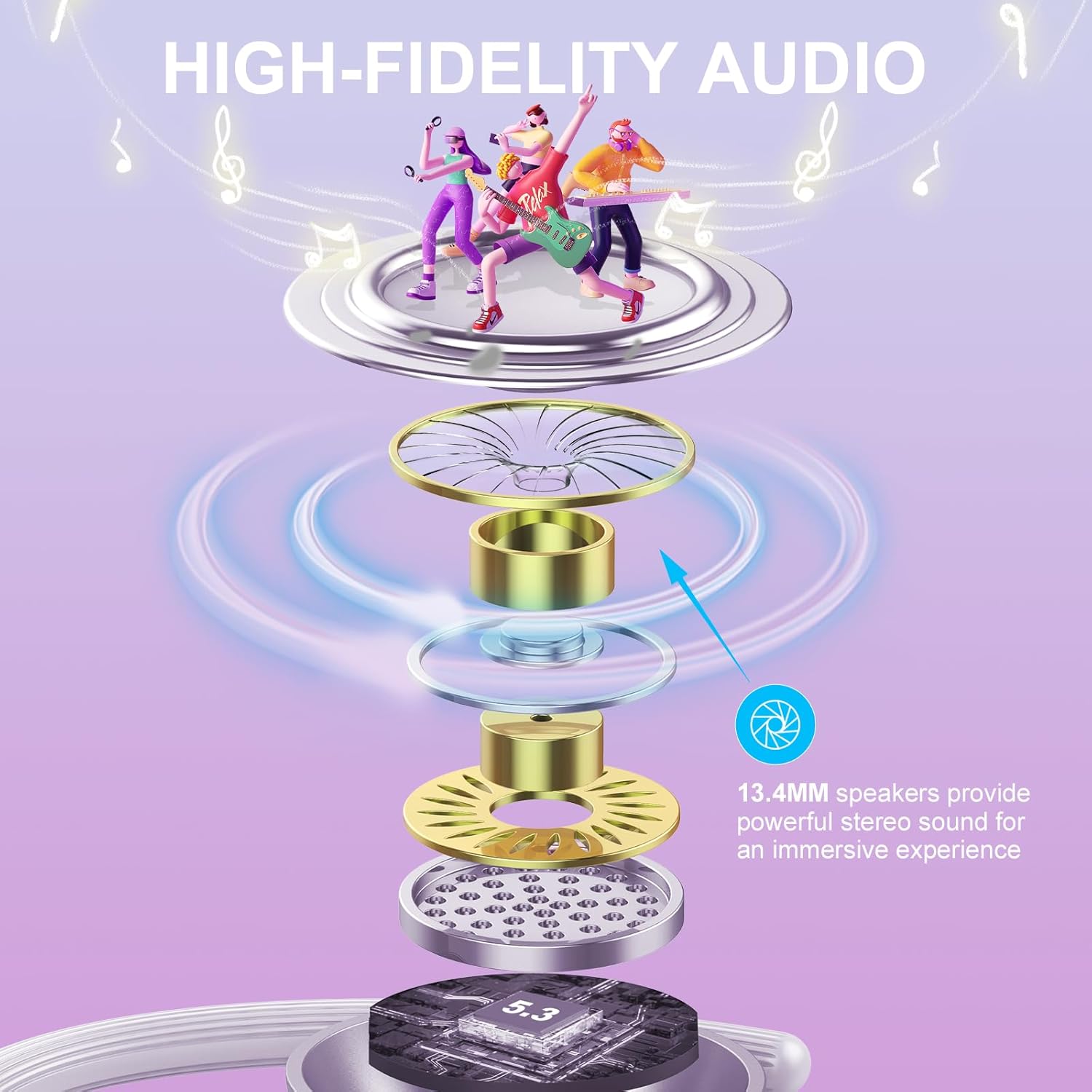
Image: An exploded diagram illustrating the internal components of the earbud, highlighting the 13.4mm dynamic driver for high-fidelity audio.
The earbuds feature 13.4mm dynamic drivers designed to deliver powerful stereo sound and an immersive musical experience. The ergonomic earhook design ensures a secure and comfortable fit, ideal for sports and active use.
הגדרה
1. טעינת האוזניות והמארז
לפני השימוש הראשון, טען את האוזניות ואת נרתיק הטעינה במלואן.
- הניחו את האוזניות במארז הטעינה. ודאו שהן יושבות כראוי.
- חברו את כבל הטעינה מסוג USB-C לשקע הטעינה במארז ואת הקצה השני למקור חשמל מסוג USB (למשל, מתאם קיר, שקע USB של מחשב).
- The LED display on the charging case will indicate the charging status. A full charge provides up to 8 hours of playtime for the earbuds and up to 120 hours with the charging case.

Image: The charging case displaying battery levels for both earbuds and the case, alongside icons indicating 8 hours of earbud playtime, 120 hours with the case, 1.5 hours fast charging, and USB-C charging.
The charging case also functions as a 2200mAh emergency power bank for mobile phones or other devices. Simply connect your device to the USB-A output port on the charging case using your device's charging cable.

Image: The earbud charging case connected via USB-C to a smartphone, demonstrating its function as a 2200mAh emergency power bank.
2. צימוד עם המכשיר שלך
The earbuds utilize Bluetooth 5.3 technology for stable and fast connections.
- פתחו את מכסה מארז הטעינה. האוזניות ייכנסו אוטומטית למצב צימוד.
- במכשיר שלך (סמארטפון, טאבלט, מחשב נייד), הפעל את Bluetooth וחפש מכשירים זמינים.
- Select "Q53" from the list of found devices to connect.
- Once paired, the earbuds will automatically connect to your device when you open the charging case lid in the future.

Image: A visual representation of the earbuds pairing with a smartphone, showing the "Q53" device name in the Bluetooth settings, compatible with Android, iOS, and Windows devices.

Image: A detailed diagram of the Bluetooth 5.3 chip, emphasizing its role in providing stable and fast wireless communication.
הוראות הפעלה
לובש את האוזניות
The soft silicone ear hooks are designed to fit all ear shapes perfectly, ensuring your earphones stay comfortable and secure during sports and outdoor activities.

Image: A diagram showing how to wear the earbuds with flexible earhooks, illustrating that either the left or right earbud can be used independently.
פקדי מגע חכמים
The earbuds feature sensitive touch controls for easy management of audio playback and calls.
| פְּעוּלָה | אוזניה שמאלית | Earbud נכון |
|---|---|---|
| הפעל/השהה | Double tap (X2) | Double tap (X2) |
| החלפת שיר (הבא) | לא | Long press for 2 seconds (2S) |
| Switch Song (Previous) | Long press for 2 seconds (2S) | לא |
| ענה לשיחה | Double tap (X2) | Double tap (X2) |
| דחה שיחה | Long press for 2 seconds (2S) | Long press for 2 seconds (2S) |
| Activate Voice Assistant (SIRI) | Double tap (X2) | Double tap (X2) |
| Adjust Volume (Up) | לא | Single tap (X1) |
| Adjust Volume (Down) | Single tap (X1) | לא |

Image: A detailed diagram illustrating the touch control functions for both the left and right earbuds, including actions for music playback, call management, voice assistant activation, and volume adjustment.
תַחזוּקָה
ניקוי
ניקוי קבוע מסייע לשמור על ביצועים והיגיינה אופטימליים.
- נגבו בעדינות את האוזניות ואת נרתיק הטעינה בעזרת מטלית רכה, יבשה ונטולת סיבים.
- אין להשתמש בחומרי ניקוי שוחקים, אלכוהול או ממסים כימיים.
- ודאו שמגעי הטעינה הן באוזניות והן בנרתיק נקיים ויבשים.
עמידות למים (IP7)
The earbuds are IP7 waterproof, meaning they are protected against the effects of temporary immersion in water (up to 1 meter for 30 minutes). This makes them suitable for use during workouts and in rainy conditions.
- Do not intentionally submerge the earbuds for extended periods or in depths greater than 1 meter.
- ודאו שהאוזניות יבשות לחלוטין לפני החזרתן לנרתיק הטעינה כדי למנוע נזק.
- מארז הטעינה אינו עמיד למים.

Image: The earbuds shown with water droplets, illustrating their IPX7 waterproof rating, designed to prevent damage from sweat and rain.
פתרון בעיות
| בְּעָיָה | פתרון אפשרי |
|---|---|
| האוזניות לא מתחברות/מתחברות. |
|
| אין צליל או עוצמת קול נמוכה. |
|
| אוזניה אחת לא עובדת. |
|
| מארז הטעינה לא נטען. |
|
מפרטים
| תכונה | פְּרָט |
|---|---|
| שם הדגם | Q53-Z-1 |
| טכנולוגיית קישוריות | אלחוטי (בלוטות' 5.3) |
| חיי סוללה של אוזניות | עד 8 שעות |
| זמן משחק כולל (עם נרתיק טעינה) | עד 120 שעות |
| מארז טעינה קיבולת סוללה | סוללת גיבוי 2200mAh (סוללת חירום) |
| רמת עמידות במים | IP7 עמיד למים |
| גודל מנהל התקן שמע | נהג דינמי 13.4 מ"מ |
| מִיקרוֹפוֹן | CVC8.0 HD Microphones |
| סוג בקרה | בקרת מגע |
| מיקום אוזניים | בתוך האוזן עם וו לאוזניים |
| מכשירים תואמים | Bluetooth enabled devices (iOS, Android, Windows) |
| חוֹמֶר | אלסטומר תרמופלסטי (TPE) |
| משקל פריט | 5.3 אונקיות |
אחריות ותמיכה
For warranty information and customer support, please refer to the contact details provided with your purchase or visit the official POMUIC webאתר. שמור את הוכחת הרכישה שלך עבור כל תביעת אחריות.