1. הקדמה
This manual provides detailed instructions for the operation and maintenance of the LAUNCH CRP129E Plus OBD2 Scanner. Please read this manual thoroughly before using the device to ensure proper and safe operation. The CRP129E Plus is a comprehensive diagnostic tool designed for automotive professionals and enthusiasts, offering full system diagnostics and various service reset functions.
2. המוצר נגמרview
2.1. רכיבי מכשיר
The LAUNCH CRP129E Plus features a user-friendly interface with a 5-inch touchscreen and physical buttons for navigation.

תמונה 2.1: The LAUNCH CRP129E Plus OBD2 Scanner and its protective carrying case.
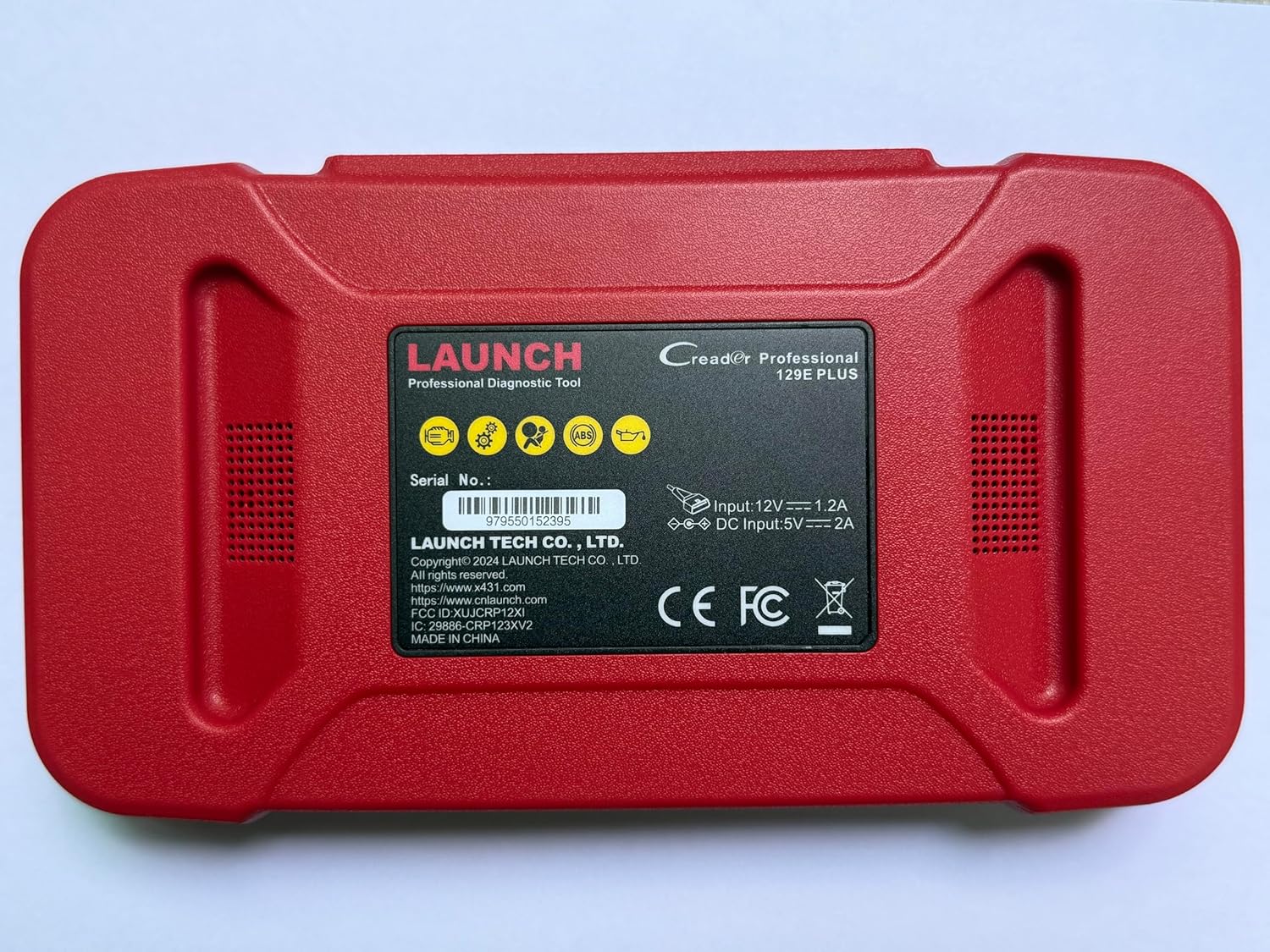
תמונה 2.2: אֲחוֹרִי view of the CRP129E Plus, displaying input voltage, current specifications, and serial number (e.g., 979550152395).
2.2. תכולת החבילה
לאחר פתיחת הקופסה, יש לוודא שכל הפריטים המפורטים להלן נמצאים:
- CRP129E PLUS OBD2 Scanner (x1)
- OBDII Cable (x1)
- 5V DC Charging Cable (x1)
- מדריך למשתמש (x1)
- מדריך התחלה מהירה (x1)
- תיק נשיאה (x1)

תמונה 2.3: Visual representation of the CRP129E Plus package contents.
3. התקנה ושימוש ראשוני
3.1. טעינת ההתקן
Before first use, ensure the device is fully charged using the provided 5V DC charging cable. Connect the cable to the device and a suitable power source.
3.2. הפעלה / כיבוי
- הפעלה: לחץ והחזק את לחצן ההפעלה עד שהמסך יידלק.
- כיבוי: Press and hold the power button, then select "Power Off" from the options.
3.3. חיבור לרכב
Locate the vehicle's OBDII port, typically under the dashboard on the driver's side. Connect the provided OBDII cable from the CRP129E Plus to the vehicle's OBDII port. Ensure the vehicle's ignition is in the ON position (engine off or running, depending on the diagnostic task).
3.4. Wi-Fi Connection and Updates
The CRP129E Plus supports one-click Wi-Fi updates. Connect the device to a stable Wi-Fi network to download the latest software and vehicle data. Regular updates ensure compatibility with new vehicle models and improved diagnostic functions.
- מהתפריט הראשי, הקש על "הגדרות".
- Select "WLAN" and connect to an available network.
- Return to the main menu and tap "Upgrade".
- Select the desired software updates and tap "Update".

תמונה 3.1: The device interface showing options for updates, DTC lookup, live data stream, and battery test.
4. הוראות הפעלה
4.1. סריקת VIN אוטומטית
The device can automatically identify vehicle information. After connecting to the vehicle, select "Diagnose" and the device will attempt an Auto VIN scan to quickly identify the vehicle's make, model, and year.

תמונה 4.1: Visual representation of the Auto VIN scan process and systems covered by diagnosis.
4.2. אבחון מערכת מלא
The CRP129E Plus can access and diagnose all available vehicle systems. This includes, but is not limited to, Engine, ABS, SRS, SAS, TCM, TPMS, Body, Chassis, Powertrain, Fuel System, and Lighting System.
- מהתפריט הראשי, בחר "אבחון".
- Choose "Health Report" or select specific systems for diagnosis.
- The device will scan for Diagnostic Trouble Codes (DTCs) and display results.
- You can read fault codes, clear fault codes, and view זרמי נתונים חיים.

תמונה 4.2: מֵעַלview of the comprehensive system diagnostic capabilities.
4.3. פונקציות OBD2
The device supports all 10 modes of OBDII testing for emissions-related issues.
- קריאה/ניקוי של DTC: אחזור ומחיקה של קודי תקלה אבחון.
- זרם נתונים חי: View real-time data from the vehicle's sensors.
- מוכנות I/M: בדוק את מצב המנטרים הקשורים לפליטות.
- הקפאת נתוני מסגרת: View תמונת מצב של מצב הרכב כאשר נקבע קוד תקלה.
- מבחן חיישן O2: אחזור תוצאות בדיקת ניטור חיישן חמצן.
- בדיקת צג מובנה: אחזור תוצאות עבור רכיבי מערכת הנעה הקשורים לפליטות.
- בדיקת מערכת אידוי: התחל בדיקה של מערכת פליטת האידוי.
- מידע לגבי הרכב: אחזור מספר זיהוי רכב (VIN), מזהה כיול ומספר אימות כיול (CVN).
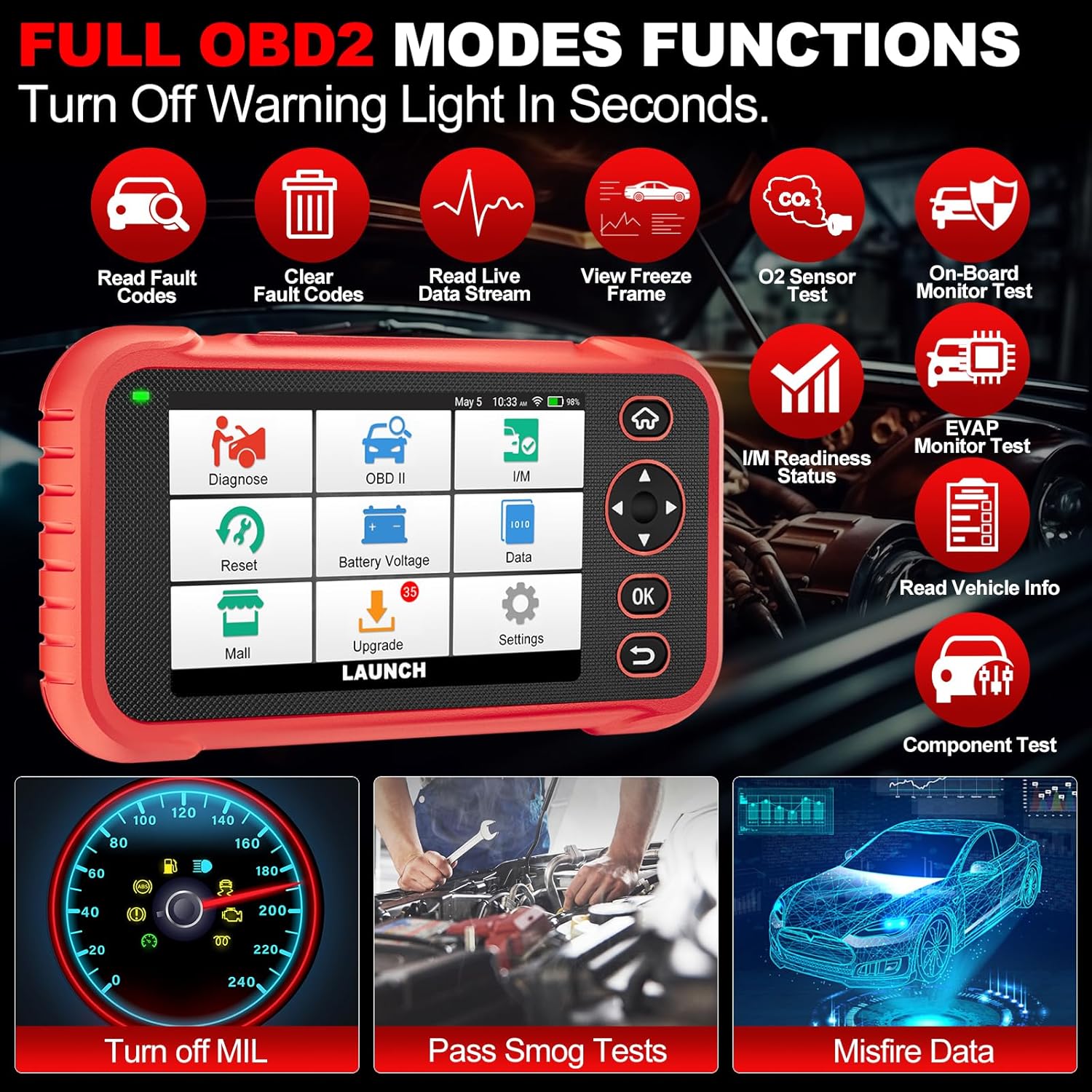
תמונה 4.3: Main menu options for OBD2 functions.
4.4. Service Reset Functions
The CRP129E Plus offers 12+ essential service reset functions for common maintenance tasks.
- איפוס שמן: מאפס את מערכת חיי השמן לאחר החלפת שמן.
- הסתגלות מצערת: מאתחל את מפעילי המצערת למצב ברירת המחדל.
- איפוס אדבלו: Resets the urea after the diesel exhaust fluid (AdBlue) is replaced or refilled.
- כותרתamp תוֹאֵם: Calibrates the adaptive front lighting system.
- איפוס TPMS: מאפס את חיישני מערכת ניטור לחץ האוויר בצמיגים.
- איפוס SAS: מכייל את חיישן זווית ההיגוי.
- Battery Matching (BMS Reset): רושם החלפת סוללה חדשה.
- איפוס A/F: מכוונן את פרמטרי יחס האוויר/דלק.
- התחדשות DPF: מנקה חלקיקים ממסנן ה-DPF.
- קידוד מזרק: קודד מספרי מזרק חדשים ל-ECU.
- איפוס EPB: מאפס את רפידות בלם החניה האלקטרוניות לאחר החלפה.
- דימום במערכת העצבים המרכזית: Performs bleeding of the brake system.

תמונה 4.4: מֵעַלview of available service reset functions.
4.5. Live Data Graphing and Recording
The device can display live data streams in merged quadrant graphs, allowing for comprehensive analysis of up to four parameters simultaneously. Data can also be recorded and played back for further review.

תמונה 4.5: Example of 4-in-1 live data graphing and diagnostic report generation.
4.6. סוללה כרךtagמבחן
ניטור עוצמת הסוללה של הרכבtage in real-time to assess its status and identify potential issues.

תמונה 4.6: סוללה כרךtage test interface and other diagnostic support features.
5. תחזוקה
- ניקוי: השתמשו במטלית רכה ויבשה לניקוי המכשיר. הימנעו מחומרי ניקוי שוחקים או ממסים.
- אִחסוּן: יש לאחסן את המכשיר בתיק הנשיאה שלו במקום קריר ויבש כאשר אינו בשימוש.
- עדכוני תוכנה: Regularly check for and install software updates via Wi-Fi to ensure optimal performance and vehicle compatibility.
- טיפול בסוללה: הימנעו מפריקה מלאה של הסוללה לעתים קרובות. טען את המכשיר באופן קבוע, גם אם אינו בשימוש פעיל, כדי לשמור על תקינות הסוללה.
6. פתרון תקלות
| בְּעָיָה | סיבה אפשרית | פִּתָרוֹן |
|---|---|---|
| המכשיר לא נדלק. | סוללה חלשה; כפתור הפעלה/כיבוי פגום. | Charge the device for at least 30 minutes. If issue persists, contact support. |
| שגיאת תקשורת עם הרכב. | Loose OBDII connection; vehicle ignition off; incompatible vehicle protocol. | Ensure cable is securely connected. Turn ignition to ON. Verify vehicle compatibility. |
| Unable to update software. | No Wi-Fi connection; unstable internet; insufficient storage. | Check Wi-Fi connection. Ensure stable internet. Free up storage if necessary. |
| המסך לא מגיב. | תקלת תוכנה; נזק פיזי. | הפעל מחדש את המכשיר. אם הבעיה נמשכת, צור קשר עם התמיכה. |
7. מפרטים
- דֶגֶם: CRP129E פלוס
- מַעֲרֶכֶת הַפעָלָה: אנדרואיד 7.0
- לְהַצִיג: מסך מגע בגודל 5 אינץ'
- זֵכֶר: 16GB
- סוֹלְלָה: 6100mAh
- קישוריות: Wi-Fi
- מידות: 7.09 x 6.3 x 2.36 אינץ'
- משקל פריט: 2.27 פאונד
- פרוטוקולים נתמכים: OBDII/EOBD
- כיסוי רכב: Over 85 brands (1996-2025)
- UPC: 884508007774
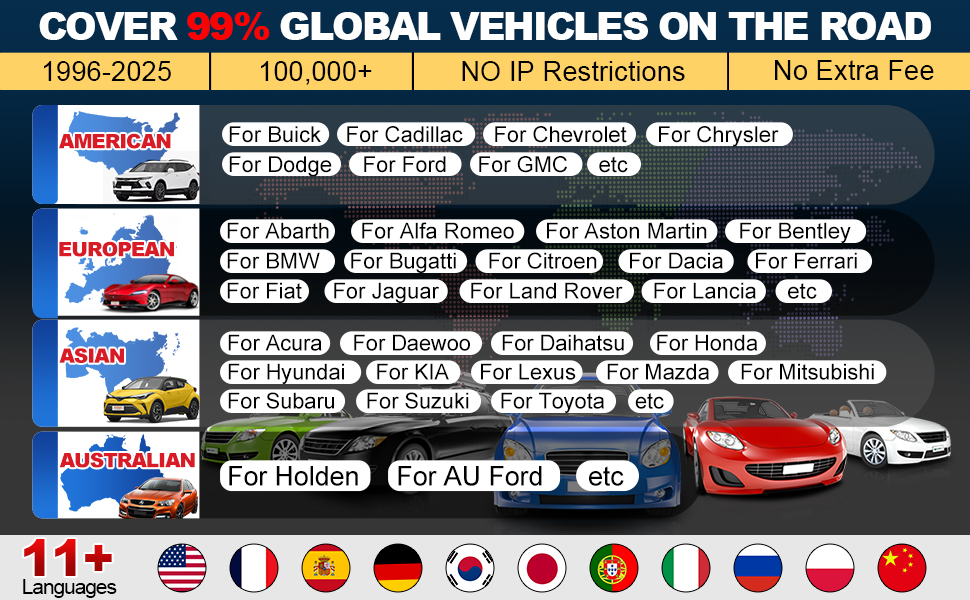
תמונה 7.1: Summary of key hardware and software specifications.

תמונה 7.2: Extensive vehicle brand coverage and multi-language support.
8. אחריות ותמיכה
The LAUNCH CRP129E Plus comes with a manufacturer's warranty. Please refer to the official LAUNCH webבאתר או במסמכי הרכישה שלך לקבלת תנאי האחריות הספציפיים.
- אַחֲרָיוּת: 5 Years (as per product information)
- Return/Replace Policy: 90 Days (as per product information)
- תמיכה טכנית: 24/7 technical support is available. For assistance, please contact LAUNCH customer service.
- משוב מקוון: The device supports online feedback for quick resolution of diagnostic issues.
For further assistance or to provide feedback, please visit the official LAUNCH support channels.


