מָבוֹא
This instruction manual provides essential information for the safe and efficient use of your Siemens HS758G3B1 iQ700 Smart Built-in Steam Oven. Please read this manual thoroughly before installation, operation, or maintenance to ensure proper functioning and to prevent damage.
The Siemens HS758G3B1 iQ700 is a smart built-in steam oven, 59.4 cm wide, featuring humidClean Plus for easy cleaning, an oven assistant with voice control, cookControl Pro, and a TFT-Full-Touchdisplay Pro. It offers energy efficiency class A+ and is designed for optimal cooking results with minimal power consumption.
התקנה והתקנה
Proper installation is crucial for the performance and safety of your oven. This appliance is designed for built-in installation. Ensure that the installation area meets the required dimensions and ventilation specifications.
מידות ופינוי
The product dimensions are approximately 54.8 cm (depth) x 59.4 cm (width) x 59.5 cm (height). The weight of the item is 39.6 kg. Ensure sufficient clearance for proper ventilation and electrical connections.

Figure 1: Detailed installation diagram with measurements in millimeters for cabinet integration.

Figure 2: Diagram illustrating the installation of two appliances stacked vertically, showing recommended airflow for ventilation.
קשר חשמלי
The oven operates on an electrical fuel type with a wattage of 2200.0 W. Ensure the electrical supply meets the requirements and that the connection is performed by a qualified electrician.
Worktop Thickness for Cooktop Installation
If the appliance is installed under a cooktop, the following worktop thicknesses (including substructure if applicable) must be observed:

Figure 3: Minimum worktop thickness requirements for various cooktop types when installed above the oven.
| סוג כיריים | Minimum Worktop Thickness (Surface-mounted) | Minimum Worktop Thickness (Flush-mounted) |
|---|---|---|
| כיריים אינדוקציה | 37 מ"מ | 38 מ"מ |
| Full-surface Induction Cooktop | 47 מ"מ | 48 מ"מ |
| כיריים גז | 30 מ"מ | 38 מ"מ |
| כיריים חשמליות | 27 מ"מ | 30 מ"מ |
הוראות הפעלה
Your Siemens iQ700 oven offers a range of advanced features for intuitive and precise cooking.
TFT-Full-Touchdisplay Pro
The high-resolution TFT-Full-Touchdisplay Pro provides simple and intuitive control over all oven functions. Navigate through menus and settings with ease.
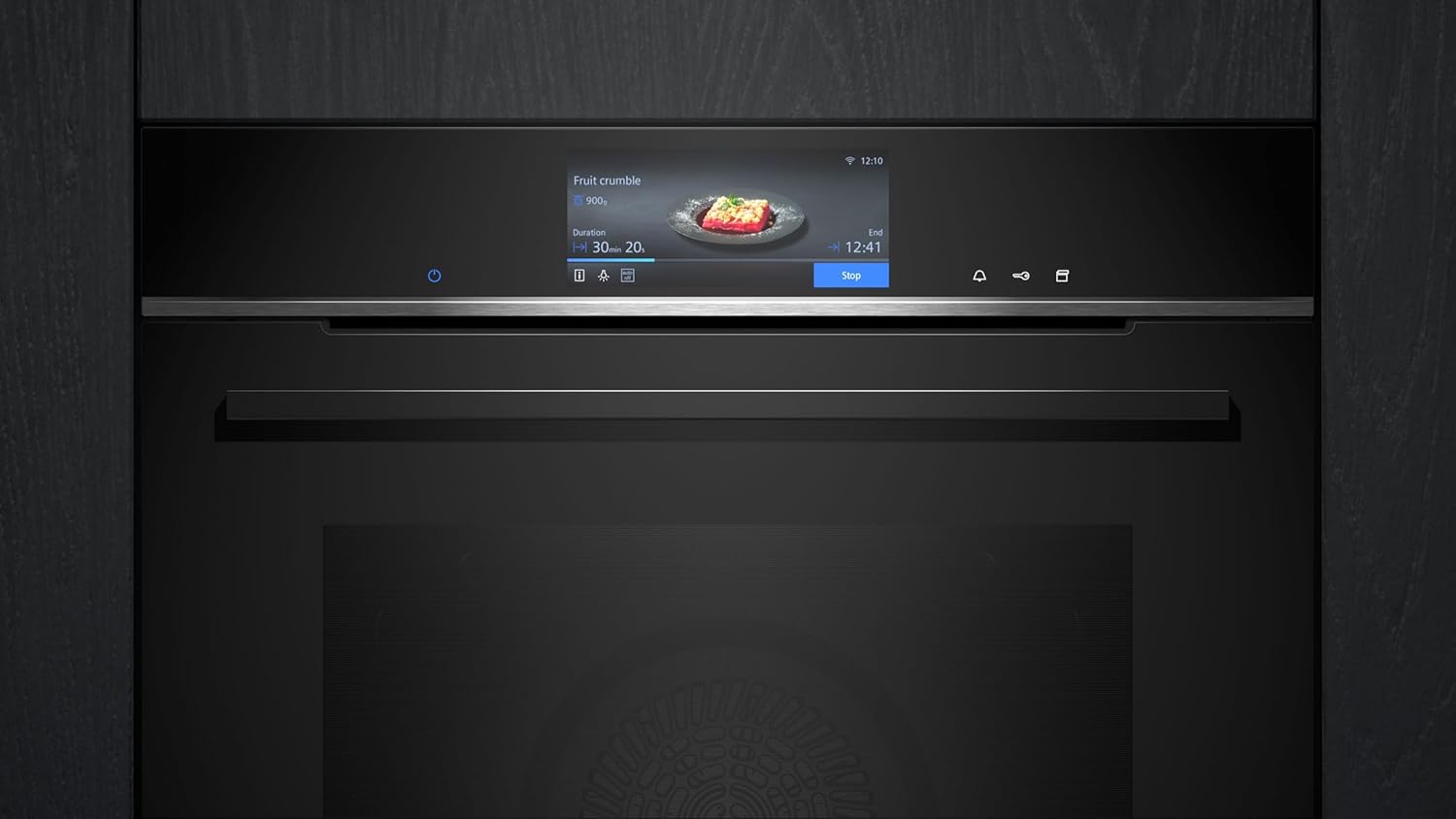
Figure 4: The oven's full-touch display showing a recipe and cooking progress.
cookControl Pro
With cookControl Pro, simply select the dish and its weight, and the oven automatically sets the ideal parameters for perfect results. This feature simplifies cooking and ensures consistent outcomes.
Versatile Heating Modes
The oven offers 22 heating modes, including:
- אוויר חם תלת-ממדי: Ensures even heat distribution for perfect baking and roasting results on all levels.
- אייר פריי: For healthier frying with hot air, achieving crispy results without excessive oil.
- Steam Cooking Plus: Allows cooking up to 50 percent faster at temperatures of 120 °C, preserving nutrients and flavors.
- Other modes for various cooking needs.

Figure 5: Oven interior showcasing different accessories for various cooking methods.
Integrated Meat Thermometer Plus
Achieve the perfect doneness for any dish with the integrated Meat Thermometer Plus. It precisely measures the core temperature of your food, ensuring optimal cooking results.

Figure 6: The Meat Thermometer Plus in use, ensuring precise cooking of a roast.
Home Connect and Voice Control
Control your oven conveniently using the Home Connect app or via voice commands through Amazon Alexa. This smart connectivity allows for remote operation and monitoring.

Figure 7: The Home Connect app on a smartphone, enabling remote control of the oven.
תחזוקה וניקיון
ניקוי ותחזוקה שוטפים מבטיחים את אורך החיים והביצועים האופטימליים של התנור שלכם.
ecoClean Plus and humidClean Plus
The oven features an ecoClean Plus wall coating that breaks down dirt and odors. The humidClean Plus function supports this process through hydrolysis. After the cycle, simply wipe away any residue with a damp cloth, leaving the oven sparkling clean.
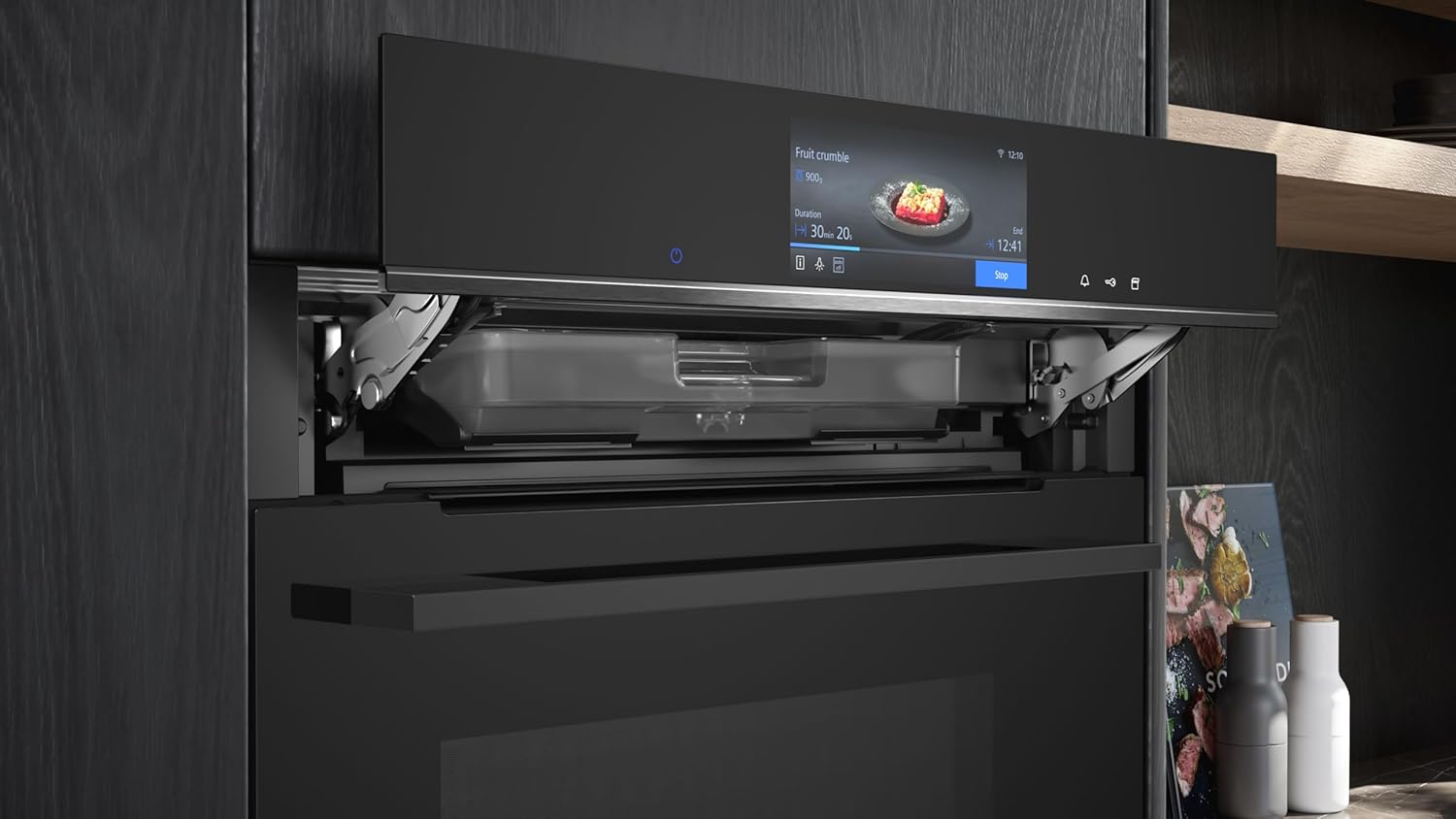
Figure 8: The water tank for the steam function, used for humidClean Plus and steam cooking.
For humidClean Plus, ensure the water tank is filled as instructed in the full user manual. The steam helps to loosen food residues, making manual cleaning easier.
פתרון בעיות
If you encounter any issues with your Siemens HS758G3B1 oven, refer to the following general troubleshooting tips. For detailed solutions, consult the comprehensive user manual or contact customer support.
- תנור לא מתחמם: Check if the power supply is connected correctly and if the circuit breaker has tripped. Ensure the oven door is fully closed.
- המסך לא מגיב: Try restarting the oven by switching it off at the main power supply for a few minutes, then switching it back on.
- בישול לא אחיד: Ensure food is placed correctly in the oven and that the appropriate heating mode is selected. Avoid overcrowding the oven.
- Steam function issues: Verify that the water tank is correctly filled and inserted. Check for any blockages in the steam nozzles.
- קודי שגיאה: If an error code appears on the display, note the code and consult the full user manual for specific instructions or contact Siemens customer service.
מפרטים
Key technical specifications for the Siemens HS758G3B1 iQ700 Smart Built-in Steam Oven:
- יַצרָן: סימנס
- מספר דגם: HS758G3B1
- מידות המוצר (עומק x רוחב x גובה): 54.8 x 59.4 x 59.5 ס"מ
- משקל פריט: 39.6 ק"ג
- צֶבַע: TFT Display | Full-Touch Pro
- שיטת חימום: הולכת חום
- סוג דלק: חַשׁמַלִי
- סוג התקנה: מובנה
- מהtage: 2200.0 W
- פונקציית טיימר: זָמִין
- יעילות אנרגטית: A+
- תאריך זמין ראשון: 19 בספטמבר 2023
אחריות ותמיכה
סימנס מחויבת לספק מוצרים באיכות גבוהה ושירות לקוחות מעולה.
Spare Part Guarantee
Siemens offers a spare part guarantee, ensuring the availability of functional and storable spare parts for your appliance for up to 15 years from the date of production (for appliances produced after January 1, 2023). This commitment helps ensure your device functions like new for an extended period.
שֵׁירוּת לָקוֹחוֹת
For further assistance, technical support, or warranty claims, please contact Siemens customer service. Refer to the official Siemens website or the documentation included with your appliance for contact details specific to your region.


