Introduction to Your Pixel 8 Pro
The Google Pixel 8 Pro is an advanced Android smartphone designed by Google, featuring a powerful Google Tensor G3 chip, a sophisticated triple camera system, and intelligent AI capabilities. This manual provides essential information for setting up, operating, maintaining, and troubleshooting your device.
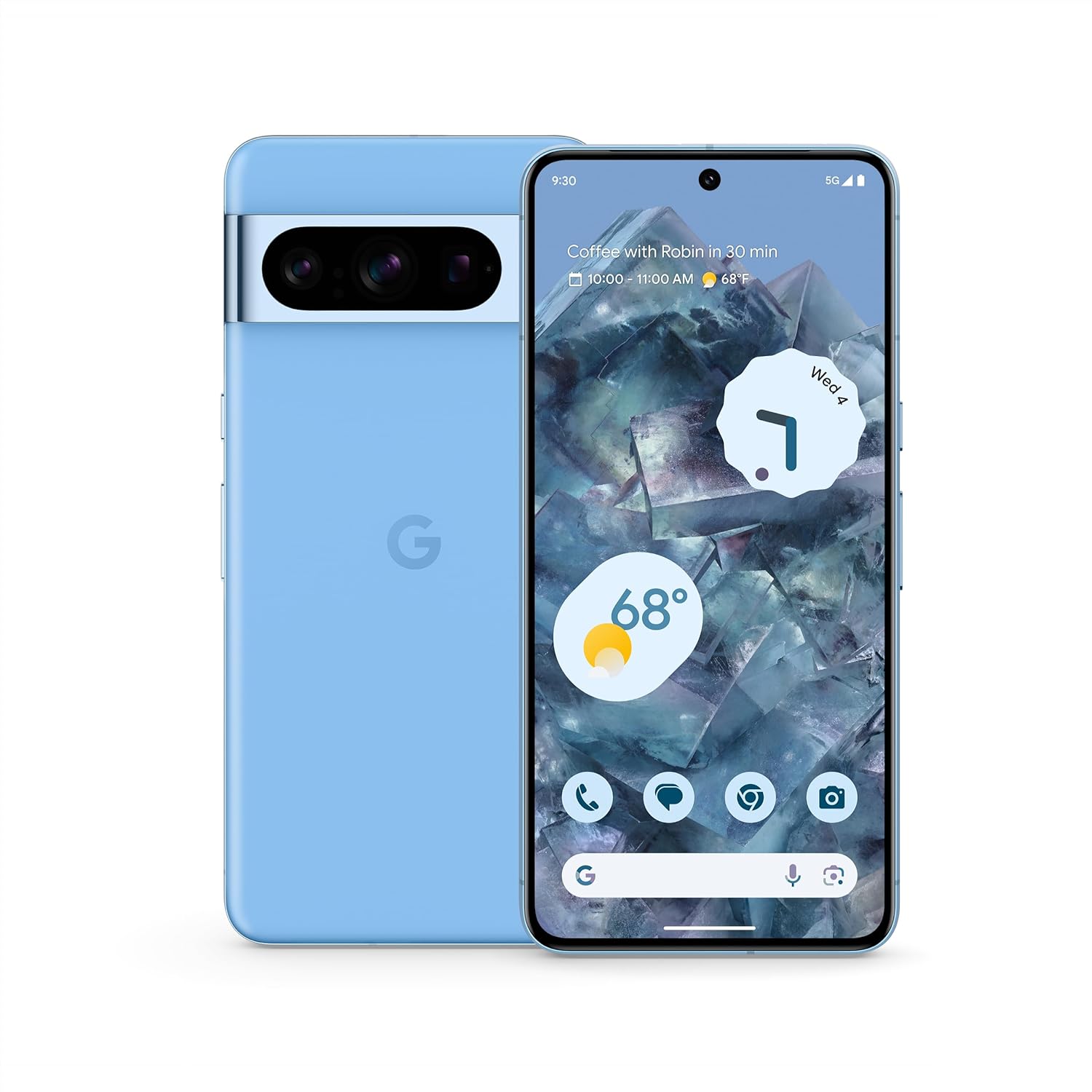
תמונה: חזית ואחורה view of the Google Pixel 8 Pro in Bay color, showcasinהעיצוב החלקלק וסרגל המצלמה שלו.
וידאו: סיכום מהירview of the Google Pixel 8 Pro, highlighting its key features and design elements.
מה יש בקופסה
חבילת ה-Google Pixel 8 Pro שלך כוללת את הפריטים הבאים:
- סמארטפון גוגל פיקסל 8 פרו
- מוציא מגש SIM
- כבל USB (USB-C ל-USB-C)
- Quick Switch Adapter (USB-A to USB-C)
הגדרה
הגדרה ראשונית
- הכנס כרטיס SIM: Use the provided SIM tray ejector tool to open the SIM tray. Place your nano-SIM card into the tray and reinsert it into the phone.
- הפעלה: לחץ והחזק את לחצן ההפעלה בצד המכשיר עד להופעת לוגו גוגל.
- פעל לפי ההנחיות שעל המסך: The phone will guide you through selecting your language, connecting to a Wi-Fi network, and signing in with your Google Account.
- נעילת טביעות אצבע: Set up your fingerprint for secure and convenient unlocking.
- העברת נתונים: If you're switching from another device, use the Quick Switch Adapter and follow the prompts to transfer your data, contacts, and apps.
הפעלת ה-Pixel 8 Pro שלך
ניווט בסיסי
Your Pixel 8 Pro uses intuitive gesture navigation. Swipe up from the bottom to go home, swipe up and hold to view recent apps, and swipe from the left or right edge to go back.
תכונות המצלמה
The Pixel 8 Pro features a triple camera system with a dedicated 5x telephoto lens, improved autofocus, and advanced photography controls.

Image: Detailed breakdown of the Pixel 8 Pro's camera system, including megapixel counts for main, ultrawide, telephoto, and front cameras.
- Pro Controls: Access advanced settings for full-resolution photos, including shutter speed, ISO, and focus.
- מחק קסם אודיו: Utilize Google AI to reduce distracting noises in your videos, such as wind or traffic.
Video: Demonstrates how to edit videos on your Pixel phone, including trimming, adjusting, and applying effects like Audio Magic Eraser.
תכונות AI
Google AI enhances your Pixel 8 Pro experience with smart features designed for convenience and efficiency.
- סיוע בשיחות: Get help making and screening calls.
- תרגום חי: Translate languages in real-time.
- הקף בעיגול לחיפוש: Instantly search what you see on your phone by circling, highlighting, or scribbling on images, text, or videos.

תמונה: דוגמה חזותיתamples of the Pixel 8 Pro's AI capabilities, including call screening, Google Assistant integration, and real-time language translation.
חיישן טמפרטורה
The Pixel 8 Pro includes a dedicated temperature sensor for measuring the surface temperature of everyday objects.
Video: Instructions on how to use the Pixel 8 Pro's temperature sensor to measure the temperature of objects around you.
תַחזוּקָה
עדכוני תוכנה
Google provides 7 years of security updates and OS upgrades for your Pixel 8 Pro to ensure your device remains secure and up-to-date with the latest features.
- Ensure your device is connected to Wi-Fi and has sufficient battery life before initiating updates.
- נווט אל הגדרות > מערכת > עדכון מערכת כדי לבדוק ולהתקין עדכונים זמינים.
טיפול בסוללה
The Pixel 8 Pro features an all-day battery (5050 mAh) with fast charging and wireless charging capabilities.
- Use certified chargers and cables for optimal charging performance and safety.
- הימנעו מטמפרטורות קיצוניות, שכן הן עלולות לפגוע בחיי הסוללה ובביצועיה.
- Enable Adaptive Battery in settings to optimize battery usage based on your habits.
ניקוי
To keep your Pixel 8 Pro clean and in good condition:
- נגבו את המסך והגוף בעזרת מטלית רכה ונטולת סיבים.
- הימנע משימוש בכימיקלים קשים או חומרים שוחקים.
פתרון בעיות
If you encounter issues with your Pixel 8 Pro, refer to the common solutions below:
| לְהַנפִּיק | פתרון אפשרי |
|---|---|
| הטלפון לא נדלק | ודא שהסוללה טעונה. לחץ והחזק את לחצן ההפעלה למשך 10-15 שניות כדי לאלץ הפעלה מחדש. |
| אפליקציות קורסות או קופאות | Clear app cache/data (Settings > Apps > [App Name] > Storage). Update the app or uninstall/reinstall. |
| חיי סוללה גרועים | Check battery usage in settings to identify draining apps. Reduce screen brightness, disable unnecessary features (GPS, Bluetooth, Wi-Fi when not in use). |
| בעיות קישוריות (Wi-Fi/Bluetooth) | Toggle Wi-Fi/Bluetooth off and on. Restart the phone. Forget and reconnect to the network/device. |
| סורק טביעות האצבע לא עובד | Ensure your finger is clean and dry. Re-register your fingerprints in settings. |
מפרטים
| תכונה | פְּרָט |
|---|---|
| שם הדגם | Pixel 8 Pro |
| מידות | 6.4 x 3.01 x 0.35 אינץ' |
| משקל פריט | 7.5 אונקיות |
| גודל תצוגה | 6.7 Inches Super Actua Display |
| הַחְלָטָה | 1344 x 2992 |
| קצב רענון | 1-120 Hz adaptive |
| מַעֲרֶכֶת הַפעָלָה | Android 13.0 (ships with) |
| מעבד | Google Tensor G3 |
| אַיִל | 12 ג'יגה-בייט |
| קיבולת אחסון | 128 GB (as per current product) |
| קיבולת סוללה | 5050 מיליאמפר/שעה |
| מצלמות | Triple Camera System (50MP Main, 48MP Ultrawide, 48MP Telephoto), 10.5MP Front |
| קישוריות | 5G, Wi-Fi, בלוטות', NFC |
מידע בטיחות ורגולטורי
For detailed safety, regulatory, and warranty information, please refer to the official Google Pixel support webהאתר או התיעוד המצורף למכשיר שלך.
אחריות ותמיכה
Your Google Pixel 8 Pro comes with a manufacturer's warranty. For warranty details, technical support, or service inquiries, please visit the official Google Support webאֲתַר:


