מָבוֹא
Thank you for choosing the Strex Universal AA/AAA Rechargeable Battery Charger. This device is designed to efficiently and safely charge your rechargeable batteries, ensuring they are always ready for use. This manual provides essential information for the proper setup, operation, and maintenance of your charger.
מידע בטיחות
To ensure safe operation and prolong the life of your charger and batteries, please observe the following safety guidelines:
- Do not attempt to charge non-rechargeable batteries. This can lead to leakage, rupture, or explosion.
- Use only compatible battery types: NiMH, NiCD, and Lithium-Ion.
- הימנעו מחשיפת המטען למים או ללחות מוגזמת.
- אין לפרק או לשנות את המטען.
- Keep the charger away from direct sunlight and high temperatures.
- הקפידו על אוורור נאות במהלך הטעינה.
- The charger features a smart chip that prevents overheating, overcharging, short circuits, and overvoltage. However, always monitor the charging process.

Image: The Strex charger highlights its comprehensive safety features, including protection against overcharging, overcurrent, flame, voltage fluctuations, and short circuits.
תכונות המוצר
The Strex SP282 charger offers a range of features designed for convenience and safety:
- תאימות אוניברסלית: Charges AA and AAA size rechargeable batteries.
- טעינה מרובת סוללות: Capable of charging up to four batteries simultaneously.
- תצוגת LCD: A practical LCD screen provides real-time charging status for each battery, indicating 'CHG' for charging and an error symbol if charging is not possible.
- יציאות קלט מרובות: Connects via Micro USB or USB Type-C (cable included).
- תהליך טעינה חכם: Automatically detects battery type and optimizes charging for speed and safety, including trickle charging once full.
- הגנות בטיחות מתקדמות: Built-in smart chip prevents overheating, overcharging, overcurrent, short circuits, and overvoltage.
- סוגי סוללות נתמכים: Compatible with NiMH, NiCD, and Lithium-Ion rechargeable batteries.

תמונה: מעלview of the Strex charger, highlighting its key features such as the LCD display, multiple charging slots, and dual USB input options.
הגדרה
Follow these steps to set up your Strex battery charger:
- חבר חשמל: Use the provided USB Type-C cable or a Micro USB cable to connect the charger to a 5V-2A USB power adapter (not included) or a compatible USB port.
- הכנס סוללות: Open the battery slots and insert up to four AA or AAA rechargeable batteries. Ensure the positive (+) and negative (-) terminals of the batteries match the markings inside the charger slots. You can mix AA and AAA batteries.
- אמת חיבור: Once batteries are inserted and power is connected, the LCD screen will activate.
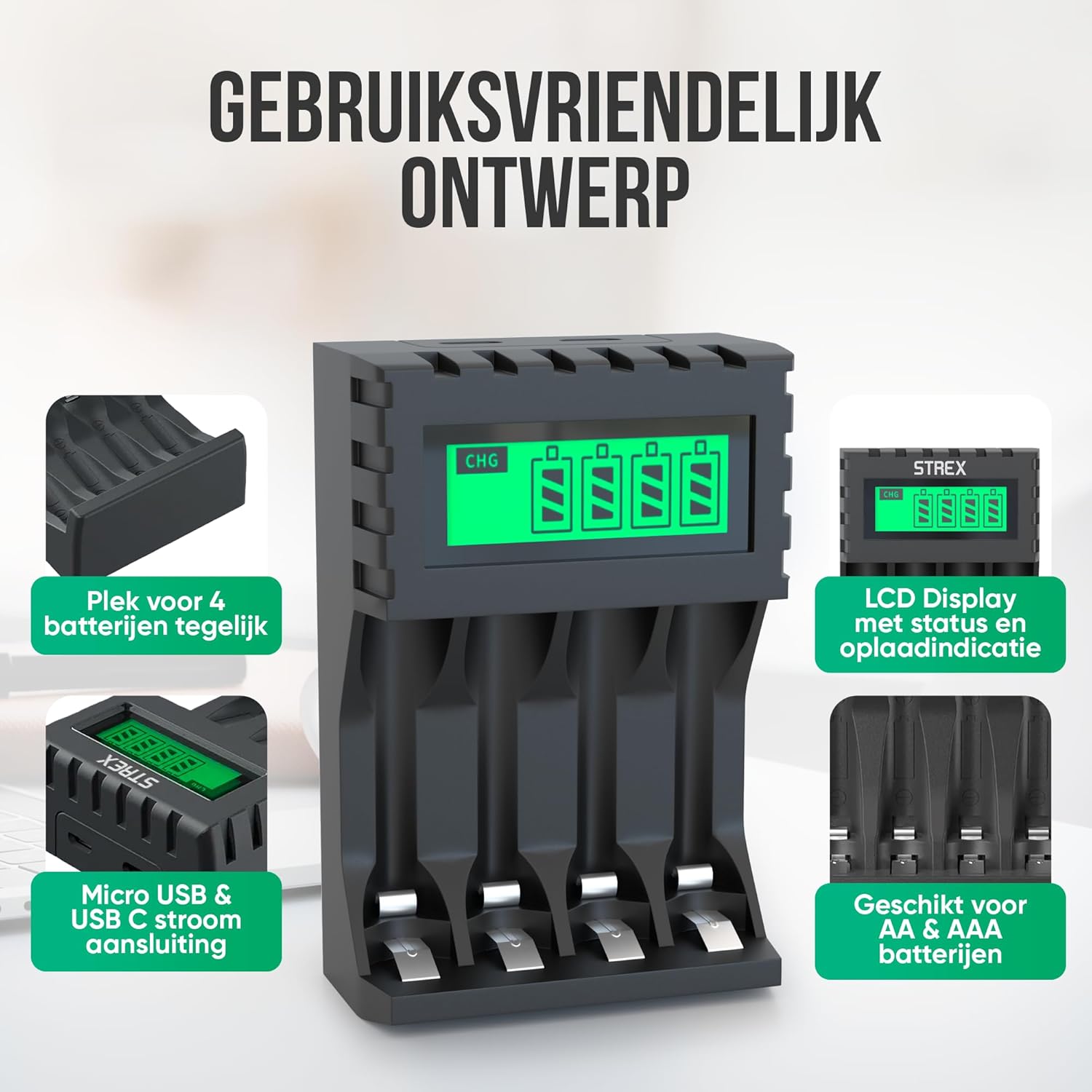
Image: The charger's user-friendly design, illustrating the four battery slots and the Micro USB and USB-C input ports for power connection.
הוראות הפעלה
The Strex battery charger is designed for simple and efficient operation:
- זיהוי אוטומטי: Upon inserting batteries and connecting power, the charger automatically detects the battery type and begins the charging process.
- ניטור מצב טעינה: The LCD screen will display the charging status for each individual battery. A flashing 'CHG' symbol indicates that charging is in progress. The screen also shows the approximate charge level (e.g., 30%, 60%, 100%).
- השלמת טעינה: When a battery is fully charged, the 'CHG' symbol will stop flashing or indicate 100%. The charger will then switch to a trickle charging mode to maintain optimal battery health.
- זמני טעינה:
- Approximately 4 hours for four AA batteries.
- Approximately 3 hours for four AAA batteries.
- הסרת סוללות: Once charging is complete, disconnect the power and remove the batteries from the charger.

Image: The LCD display of the Strex charger, illustrating how it shows charging status ('CHG' flashing) and error indications (error symbol) for each battery.

Image: The smart charging process, showing how each charging port is independently managed and charged, with both Micro USB and USB-C input options visible.
תַחזוּקָה
תחזוקה נאותה מבטיחה את אורך החיים והביצועים האופטימליים של המטען שלך:
- ניקוי: Disconnect the charger from power before cleaning. Use a soft, dry cloth to wipe the exterior. Do not use liquid cleaners or solvents.
- אִחסוּן: יש לאחסן את המטען במקום קריר ויבש, הרחק מאור שמש ישיר וטמפרטורות קיצוניות, כאשר אינו בשימוש.
- טיפול בסוללה: Always use high-quality rechargeable batteries. Avoid mixing old and new batteries or different types of batteries in the same charging cycle if possible, although the charger supports mixed types.
פתרון בעיות
אם נתקלת בבעיות עם המטען שלך, עיין בבעיות הנפוצות ובפתרונות הבאים:
- המטען לא נדלק: Ensure the USB cable is securely connected to both the charger and a working power source. Verify the power source is active (e.g., wall adapter is plugged in).
- Batteries not charging / Error symbol on LCD:
- בדוק אם הסוללות מוכנסות כהלכה עם הקוטביות הנכונה (+/-).
- Ensure the batteries are rechargeable (NiMH, NiCD, or Li-ion). Non-rechargeable batteries will cause an error.
- The battery might be faulty or severely discharged. Try a different battery.
- Clean the battery contacts and charger terminals with a dry cloth.
- טעינה איטית: Ensure your USB power adapter provides sufficient output (recommended 5V-2A). Lower current adapters may result in slower charging.
מפרטים
| מותג | סטרקס |
| מספר דגם | SP282 |
| מידות המוצר | 15.1 x 6.8 x 3 ס"מ |
| משקל פריט | 85 גרם |
| צֶבַע | שָׁחוֹר |
| קלט כרךtage | 5V |
| זרם קלט | 2A |
| פלט כרךtage | 1.2V DC |
| מקס יציאת זרם | 1800mAh |
| גדלי סוללה נתמכים | AA, AAA |
| סוגי סוללות נתמכים | NiMH, NiCD, Lithium-Ion |
| יציאות טעינה | 4 חריצים עצמאיים |
| ממשק קלט | מיקרו USB, USB מסוג C |
| חומרים | Heat-resistant ABS, Stainless Steel |
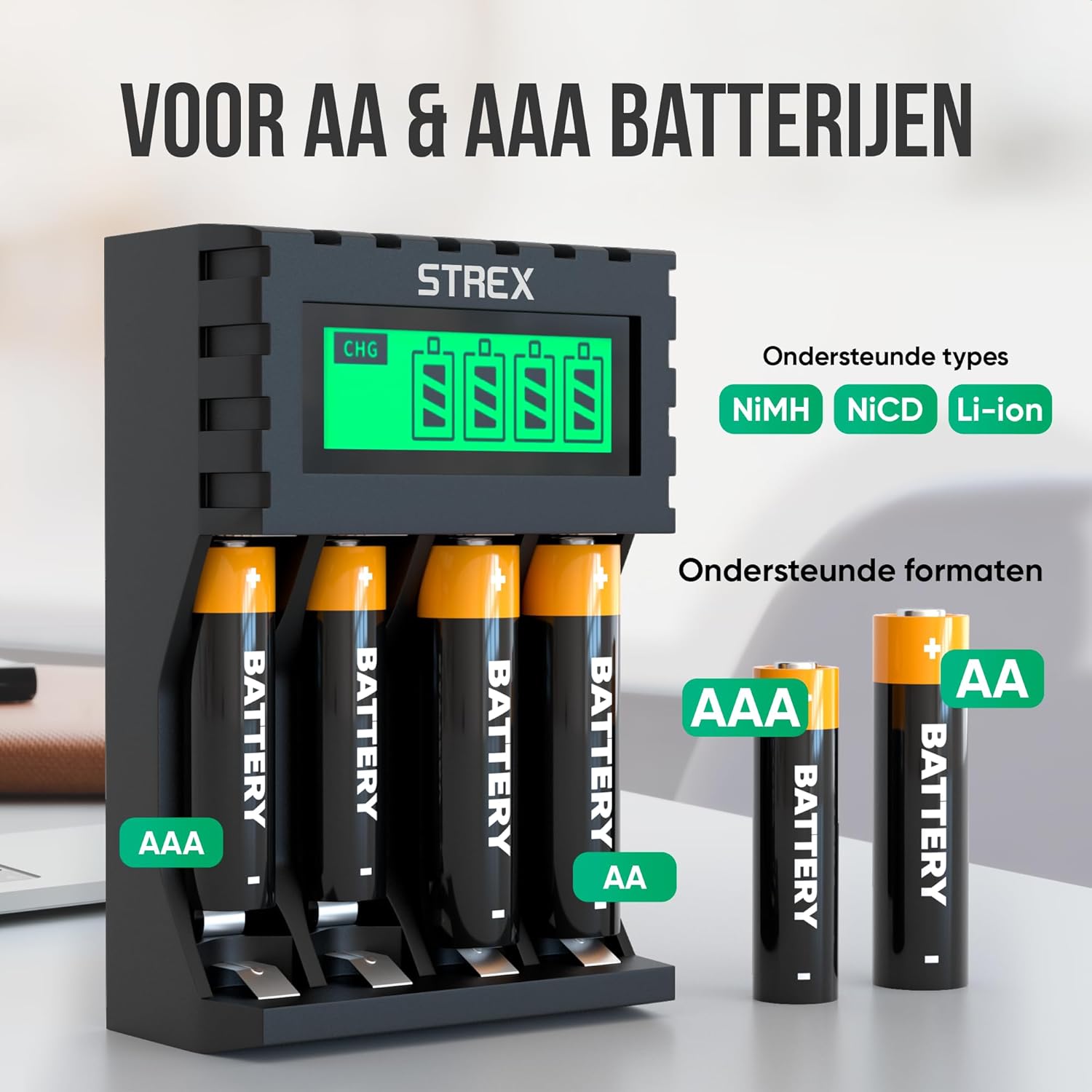
Image: The charger's compatibility with both AA and AAA battery sizes, and a list of supported battery types (NiMH, NiCD, Li-ion).
אחריות ותמיכה
למידע על אחריות או תמיכה טכנית, אנא עיינו בפרטי הקשר שסופקו עם הרכישה או בקרו באתר הרשמי של Strex. webאתר. שמור את הוכחת הרכישה שלך עבור כל תביעת אחריות.
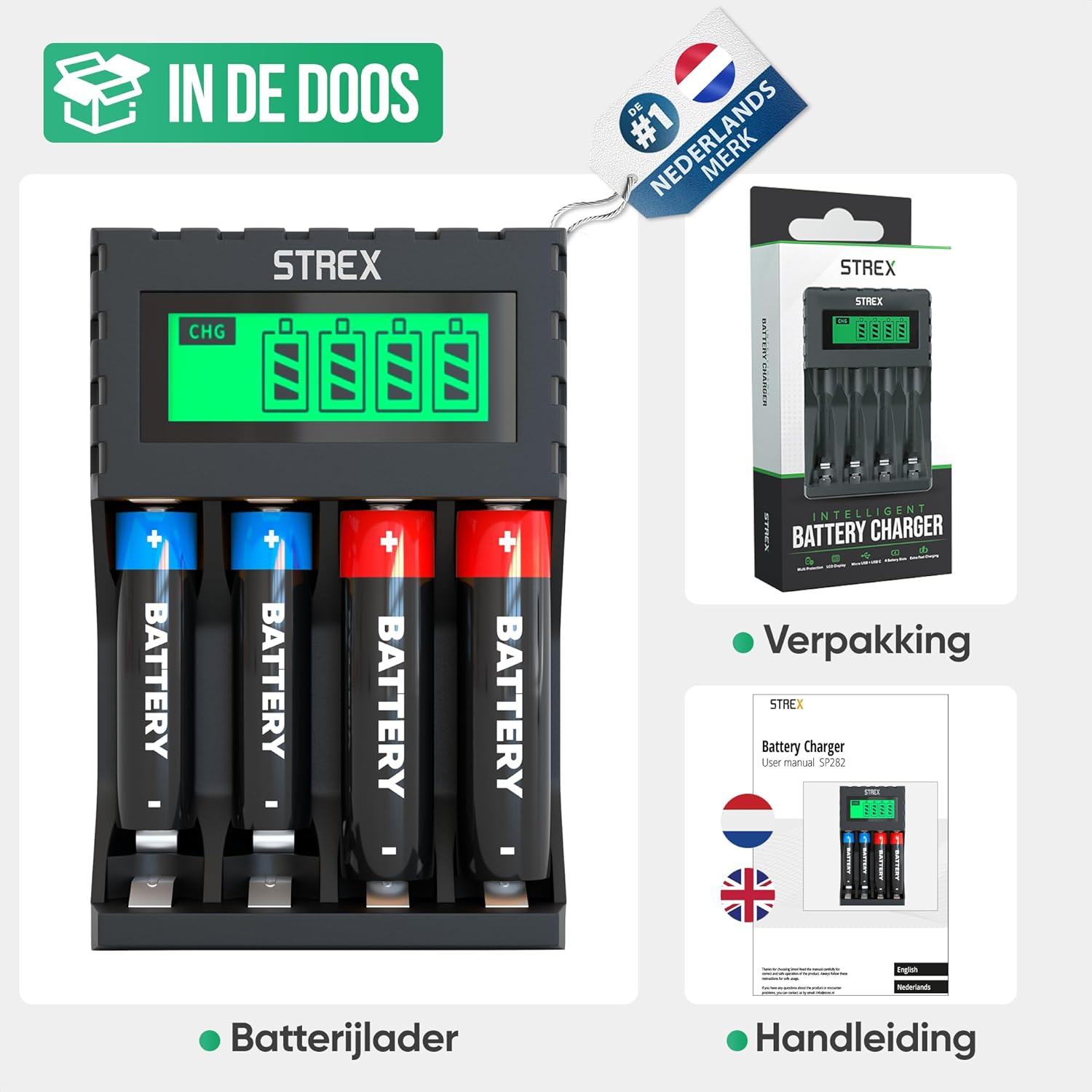
Image: What's included in the box: the battery charger, a user manual, and the product packaging.


