מָבוֹא
Thank you for choosing the RG N35 TWS Gaming Headset. This manual provides essential information for setting up, operating, and maintaining your new wireless earbuds. Please read this manual thoroughly before use to ensure optimal performance and longevity of your device.
תוכן החבילה
- RG N35 TWS Gaming Earbuds (Left and Right)
- נרתיק טעינה
- כבל טעינה
- מדריך למשתמש
המוצר נגמרview
The RG N35 TWS Gaming Headset features a low-latency design optimized for gaming, true wireless stereo audio, and touch controls. The earbuds are housed in a distinctive charging case with LED indicators.

RG N35 TWS Gaming Earbuds in their charging case, with the lid open, showcasing the earbuds and the case's internal design.
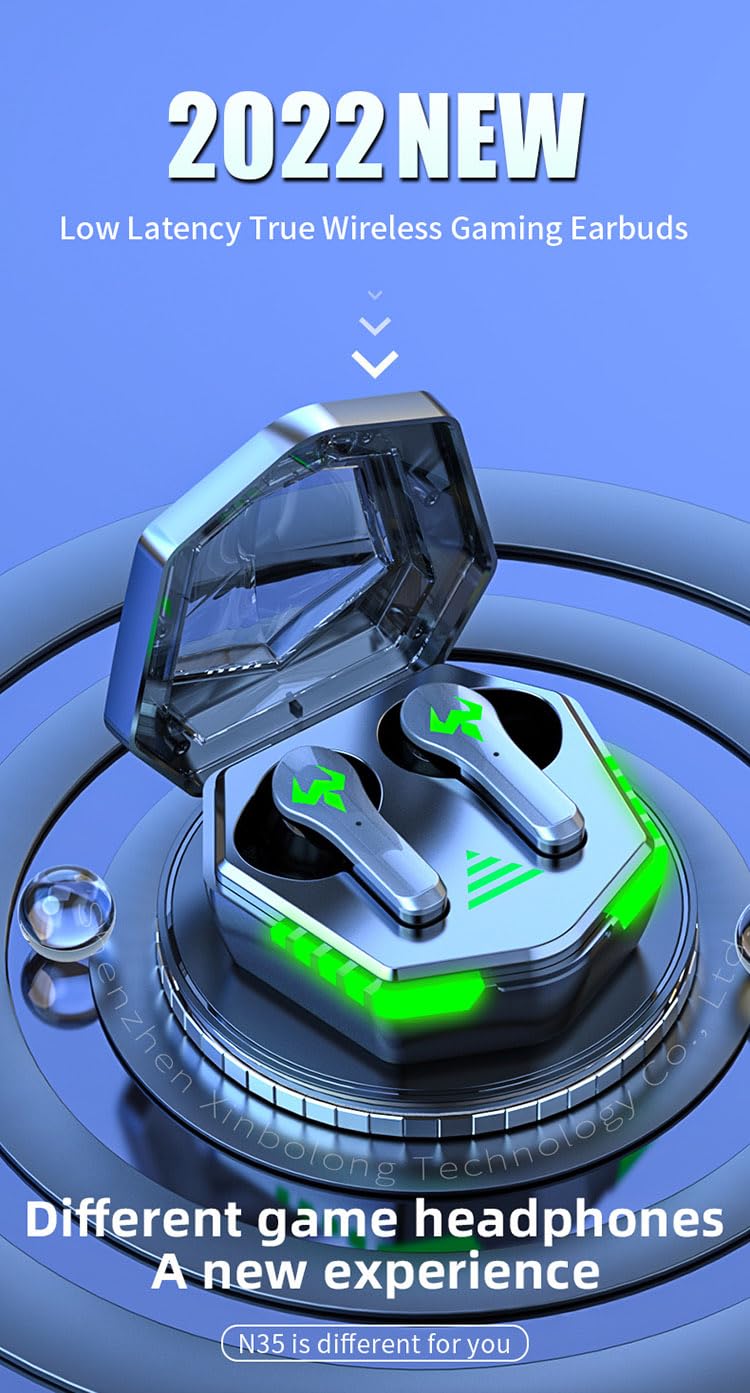
A visual representation of the RG N35 TWS Gaming Earbuds and charging case, emphasizing their low latency and gaming-specific design.
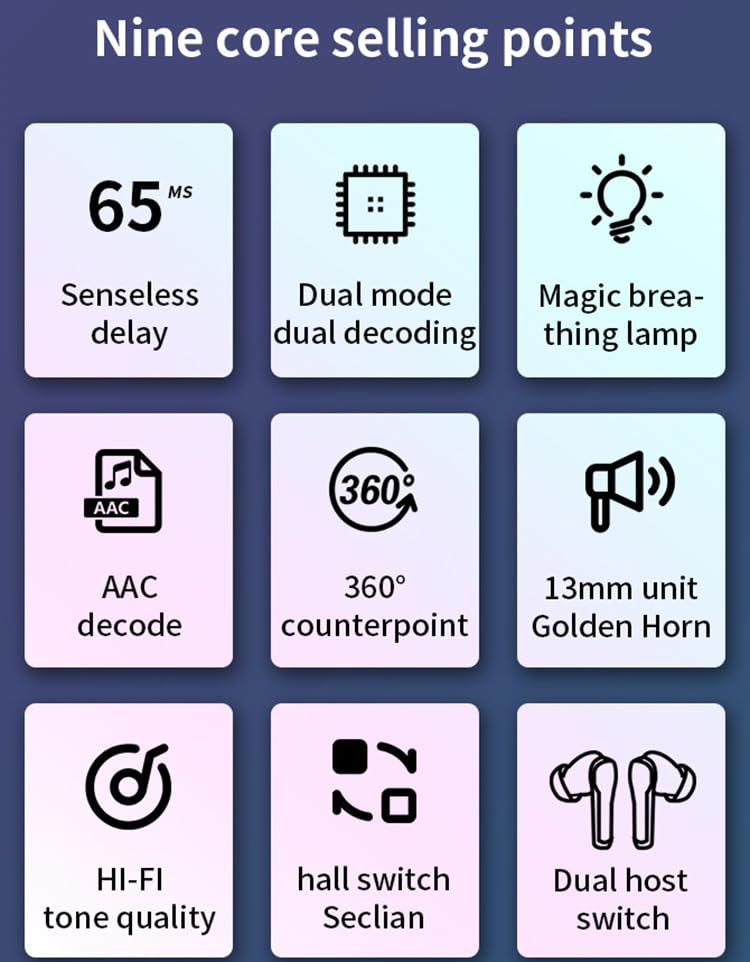
An infographic detailing key features of the RG N35 earbuds, including 65ms low latency, dual mode decoding, breathing lamp, AAC decode, 360-degree sound, 13mm driver, Hi-Fi audio, hall switch, and dual host switch.
הגדרה
1. טעינת ההתקן
Before first use, fully charge the earbuds and the charging case. Connect the provided charging cable to the charging port on the case and a compatible USB power source. The LED indicators on the case will show the charging status. A full charge typically takes approximately 1.5 hours.
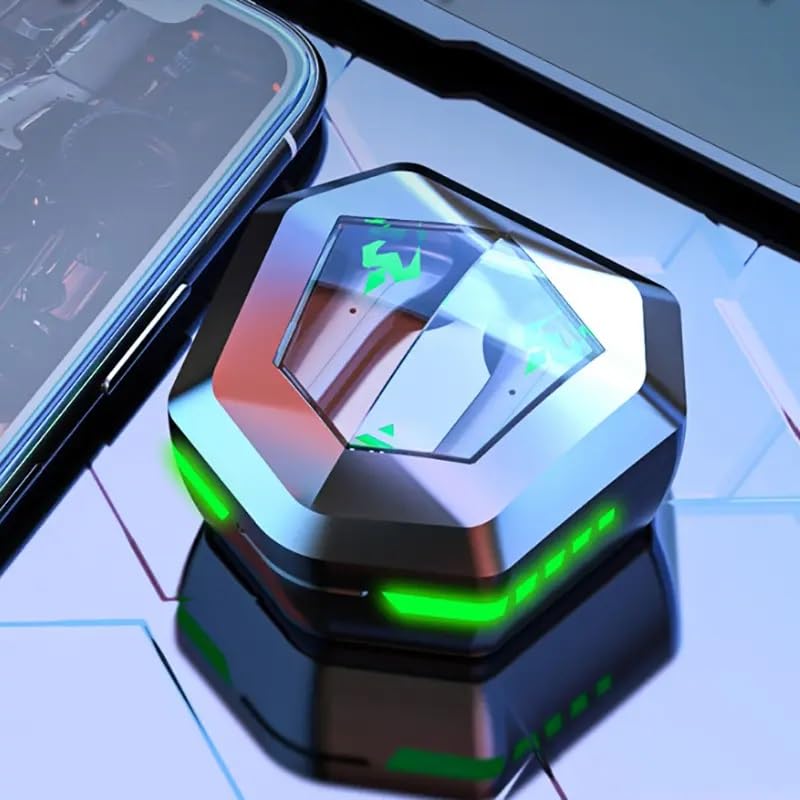
The RG N35 TWS Gaming Earbuds charging case, closed, displaying its hexagonal shape and illuminated green LED accents, indicating charging or power status.
2. זיווג ראשוני
- ודא שהאוזניות טעונות.
- פתחו את מארז הטעינה. האוזניות יידלקו אוטומטית ויכנסו למצב צימוד.
- On your device (smartphone, computer, etc.), enable Bluetooth.
- חפש available Bluetooth devices and select "N35" from the list.
- לאחר החיבור, יישמע הנחיה קולית שתאשר את ההתאמה המוצלחת.
The earbuds support synchronous transmission, meaning either earbud can function independently after initial pairing, allowing for single-ear use.
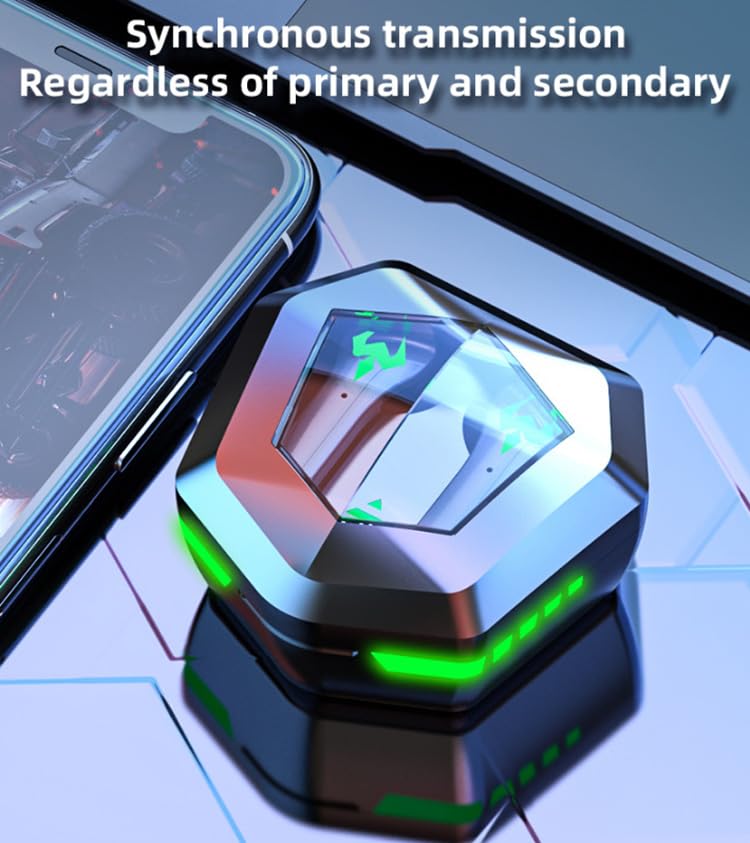
An image depicting the synchronous transmission capability of the earbuds, indicating that either earbud can function independently as primary or secondary.
הוראות הפעלה
הפעלה/כיבוי
- הפעלה: פתחו את מארז הטעינה, או לחצו לחיצה ארוכה על אזור המגע בשתי האוזניות למשך 3 שניות.
- כיבוי: החזירו את האוזניות למארז הטעינה וסגרו את המכסה, או לחצו לחיצה ארוכה על אזור המגע בשתי האוזניות למשך 5 שניות.
החלפת מצבי מוזיקה/משחק
The RG N35 features a dual mode for music and gaming. In gaming mode, the earbuds provide ultra-low latency (approximately 45-65ms) for a synchronized audio-visual experience.
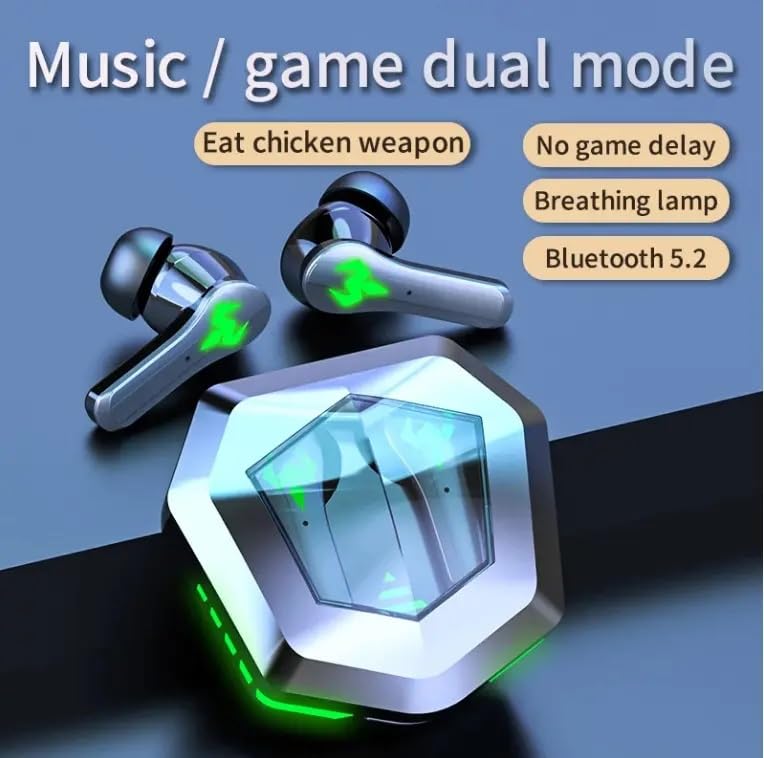
An illustration highlighting the dual mode functionality (music/game) of the RG N35 earbuds, emphasizing low latency for gaming and Bluetooth 5.2 connectivity.
To switch between modes, triple-tap the touch area on either earbud. A voice prompt will indicate the current mode.
מגע בפקדים
The earbuds are equipped with touch-sensitive controls for various functions:
- הפעל/השהה: Single-tap either earbud.
- הרצועה הבאה: הקש פעמיים על האוזניה הימנית.
- רצועה קודמת: הקש פעמיים על האוזנייה השמאלית.
- הגבר קול: Long-press the right earbud.
- להנמיך קול: Long-press the left earbud.
- הפעלת העוזרת הקולית (Siri, Google Assistant, Alexa): Triple-tap either earbud (when not in game mode).
ביצוע שיחות
- מענה/סיום שיחה: Single-tap either earbud.
- דחה שיחה: לחץ לחיצה ארוכה על כל אחת מהאוזניות למשך 2 שניות.
תַחזוּקָה
ניקוי
Regularly clean your earbuds and charging case to ensure optimal performance and hygiene. Use a soft, dry, lint-free cloth. For stubborn dirt, a slightly damp cloth can be used, but ensure no moisture enters the charging ports or speaker grilles. Do not use harsh chemicals or abrasive materials.
אִחסוּן
When not in use, store the earbuds in their charging case to protect them from dust and damage. Store the device in a cool, dry place away from direct sunlight and extreme temperatures.
עמידות במים
The RG N35 earbuds are rated IPX-5 water resistant and sweatproof. This means they can withstand splashes of water and sweat, making them suitable for workouts and light rain. They are not designed for submersion in water or exposure to heavy rain. Ensure the earbuds are dry before placing them back in the charging case to prevent damage.
פתרון בעיות
| בְּעָיָה | פתרון אפשרי |
|---|---|
| אוזניות לא נדלקות | Ensure the earbuds and charging case are fully charged. Place earbuds in the case, close, then reopen. |
| לא ניתן להתאים למכשיר | Make sure Bluetooth is enabled on your device. Ensure earbuds are in pairing mode (open case). Forget "N35" from your device's Bluetooth list and try pairing again. Move closer to your device. |
| אין קול או קול לסירוגין | Check volume levels on both earbuds and your connected device. Ensure earbuds are properly seated in your ears. Reconnect the earbuds to your device. |
| פקדי המגע אינם מגיבים | ודאו שהאצבעות שלכם נקיות ויבשות. נסו להפעיל מחדש את האוזניות על ידי הנחתן במארז והוצאתן שוב. |
| Low latency not active in game mode | Ensure you have successfully switched to game mode (triple-tap either earbud). Verify your device's settings are not interfering with Bluetooth performance. |
מפרטים
| תכונה | פְּרָט |
|---|---|
| שם הדגם | N35 |
| טכנולוגיית קישוריות | אלחוטי (Bluetooth) |
| טכנולוגיית תקשורת אלחוטית | בלוטות' 5.2 |
| טווח בלוטות' | 10 מטר - 15 מטר |
| עקרון הווקאליזם | נהג אבזור מאוזן |
| גודל מנהל התקן שמע | יחידת 13 מ"מ |
| פורמט פענוח | AAC |
| זמן השהייה אלחוטי | 45-65 ms (Gaming Mode) |
| קיבולת סוללת אוזניות | 35mAh |
| קיבולת תיבת טעינה | 300mAh |
| זמן טעינה | כ. 1.5 שעות |
| זמן השמעת מוסיקה | כ. 5 שעות |
| זמן דיבור | כ. 5 שעות |
| תקן עמיד למים | IPX-5 (Water Resistant, Sweatproof) |
| סוג בקרה | בקרת מגע, בקרת עוצמת קול |
| מִיקרוֹפוֹן | מובנה |
| משחק אור אווירה | Single Color (LED Display) |
| מכשירים תואמים | Mobile Phone, Computer, MP3 Player, Smartphone |
| מידות המוצר | 5 x 5 x 5 ס"מ |
| משקל פריט | 200 גרם |
אחריות ותמיכה
For warranty information or technical support, please refer to the documentation provided at the time of purchase or contact your seller directly. Keep your proof of purchase for any warranty claims.