1. המוצר נגמרview
The Xiaomi Redmi Buds 4 Lite are True Wireless Stereo (TWS) earbuds designed for a comfortable audio experience. They feature Bluetooth 5.3 connectivity, AI Call Noise Cancelling, and an IP54 water resistance rating, making them suitable for various activities including gaming, calls, music, and exercise.

Image: Xiaomi Redmi Buds 4 Lite TWS Wireless Earbuds in their charging case.
2. תכולת החבילה
ודא שכל הפריטים נמצאים בחבילה:
- Xiaomi Redmi Buds 4 Lite Earbuds (Left and Right)
- נרתיק טעינה
- מדריך למשתמש (מסמך זה)
3. התקנה
3.1. טעינה ראשונית
Before first use, fully charge the earbuds and the charging case. Connect the charging case to a power source using a compatible USB cable. The indicator light on the case will show charging status.

Image: The charging case connected to a power source for charging.
3.2. התאמה עם מכשיר
- ודאו שהאוזניות נמצאות במארז הטעינה ומכסה המארז פתוח.
- במכשיר שלך (סמארטפון, טאבלט וכו'), הפעל את Bluetooth.
- חפש מכשירי Bluetooth זמינים ובחר "Redmi Buds 4 Lite" מהרשימה.
- The earbuds will automatically connect. A voice prompt or indicator light will confirm successful pairing.
The Redmi Buds 4 Lite support Google Fast Pair for quick and seamless connection with compatible Android devices.

Image: Earbuds and case illustrating Google Fast Pair feature.
3.3. ענידת האוזניות
Gently insert the earbuds into your ears. Adjust them for a snug and comfortable fit. The lightweight design and rounded tips ensure they stay securely in place during various activities.
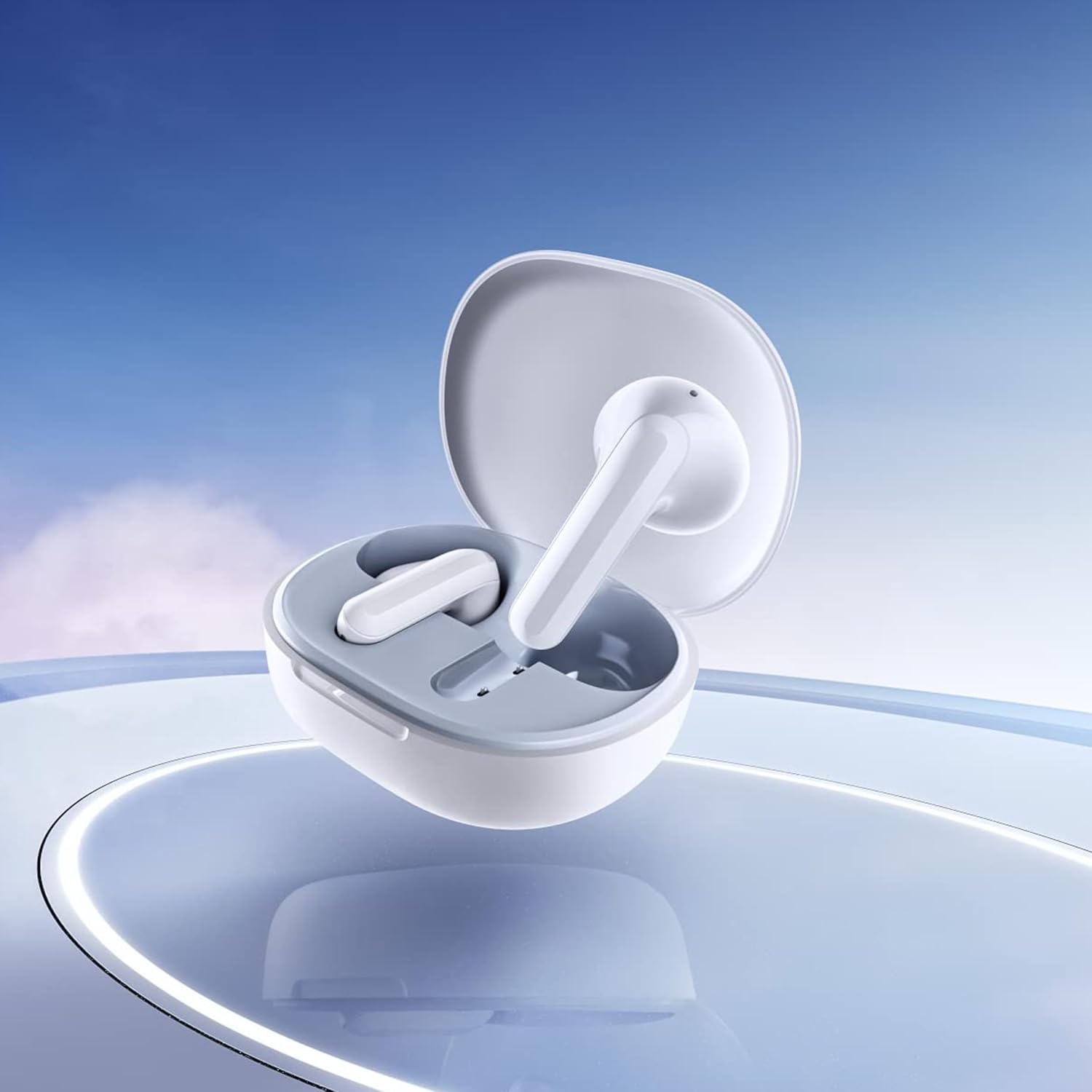
Image: Close-up of the individual earbuds, highlighting their design.
4. הוראות הפעלה
4.1. גע בפקדים
The Redmi Buds 4 Lite feature intuitive touch controls for media playback and call management. Specific touch gestures may vary slightly, but common functions include:
- הפעל/השהה: הקשה אחת על אחת האוזניות.
- הרצועה הבאה: הקש פעמיים על האוזניה הימנית.
- רצועה קודמת: הקש פעמיים על האוזניה השמאלית.
- מענה/סיום שיחה: הקשה אחת על אחת האוזניות.
- דחה שיחה: לחץ והחזק את הלחצן על כל אחת מהאוזניות.
- הפעל את Assistant Voice: הקש שלוש פעמים על כל אחת מהאוזניות.
4.2. ביטול רעשי שיחות באמצעות בינה מלאכותית
The earbuds are equipped with AI Call Noise Cancelling technology to enhance call clarity by reducing background noise during phone conversations.
4.3. מצב גיימינג עם השהייה נמוכה
For an optimized gaming experience, the earbuds offer a low-latency mode. Refer to your device's Bluetooth settings or the official Xiaomi app (if available) for activation instructions.
5. תחזוקה
5.1. ניקיון
נקו את האוזניות ואת נרתיק הטעינה באופן קבוע כדי לשמור על ביצועים והיגיינה מיטביים. השתמשו במטלית רכה, יבשה וללא סיבים. אין להשתמש בחומרי ניקוי שוחקים או לטבול את האוזניות או את נרתיק הטעינה במים.
5.2. עמידות למים (IP54)
The Redmi Buds 4 Lite have an IP54 rating, meaning they are protected against dust ingress and splashing water from any direction. This makes them suitable for workouts and light rain. However, they are not designed for swimming or showering. Avoid exposing them to high-pressure water or submerging them.

Image: Earbuds shown with an IP54 water resistance indicator.
5.3. אחסון
כאשר אינן בשימוש, יש לאחסן את האוזניות בנרתיק הטעינה שלהן כדי להגן עליהן ולוודא שהן יישארו טעונות. יש לאחסן במקום קריר ויבש הרחק מאור שמש ישיר וטמפרטורות קיצוניות.
6. פתרון תקלות
6.1. אוזניות לא מתחברות
- ודא ששתי האוזניות טעונות.
- Place earbuds back in the case, close the lid, then open it again to reset.
- כבה והפעל את ה-Bluetooth של המכשיר שלך.
- Forget "Redmi Buds 4 Lite" from your device's Bluetooth list and try pairing again.
6.2. אין צליל או עוצמת קול נמוכה
- בדקו את עוצמת הקול גם במכשיר וגם באוזניות.
- ודאו שהאוזניות יושבות כראוי באוזניים.
- נקו כל פסולת מרמקולי האוזניות.
- חבר מחדש את האוזניות למכשיר שלך.
6.3. בעיות באיכות השיחה
- ודא שהאוזניות טעונות במלואן.
- התקרבו למכשיר המחובר כדי למנוע הפרעות לאות.
- The AI Call Noise Cancelling feature helps, but extreme noisy environments may still affect clarity.
6.4. האוזניות אינן נטענות
- ודא שכבל הטעינה מחובר היטב הן למארז והן למקור החשמל.
- ודאו שמגעי הטעינה באוזניות ובתוך המארז נקיים וללא לכלוך.
- נסה כבל טעינה או מתאם חשמל אחר.
7. מפרטים
| תכונה | פְּרָט |
|---|---|
| שם הדגם | Redmi Buds 4 Lite |
| טכנולוגיית קישוריות | אלחוטי (בלוטות' 5.3) |
| גרסת בלוטות' | 5.3 |
| טווח בלוטות' | 10 מטר |
| סוג מנהל התקן שמע | דרייבר דינמי (12 מ"מ) |
| חיי סוללה | עד 20 שעות (עם מארז טעינה) |
| שיטת בקרה | מגע, בקרת מדיה |
| תכונות בקרת רעש | ביטול רעשי שיחות באמצעות בינה מלאכותית |
| רמת עמידות במים | IP54 (עמיד במים) |
| משקל פריט | 39 Grams (total), 1.38 ounces (product) |
| מידות המוצר | 2.56 x 1.89 x 1.02 אינץ' |
| חוֹמֶר | Plastic (earbuds and case) |
| צֶבַע | לָבָן |
| מיקום אוזניים | אין אוזן |
| מכשירים תואמים | Devices with Bluetooth 5.3 and supporting A2DP, AVRCP, HFP profiles |

תמונה: חזית view of the Redmi Buds 4 Lite in their charging case.

תמונה: צד view of the Redmi Buds 4 Lite in their charging case.
8. אחריות ותמיכה
8.1. מידע על אחריות
Warranty details for the Xiaomi Redmi Buds 4 Lite are typically provided with your purchase documentation. Please refer to the warranty card or contact your retailer for specific terms and conditions regarding your product's warranty coverage.
8.2. תמיכת לקוחות
For further assistance, technical support, or inquiries, please visit the official XIAOMI website or contact their customer service department. You can often find support contact information on the product packaging or the brand's official online channels.
חנות שיאומי הרשמית: חנות שיאומי באמזון


