1. המוצר נגמרview
הוואניםview 2K Security Camera W7 is a high-resolution outdoor surveillance camera designed to provide comprehensive home security. Featuring 2K (3MP) video capture, full-color night vision, two-way audio, and advanced motion detection, it offers reliable monitoring day and night. The camera is IP65 waterproof, ensuring durability in various weather conditions, and supports both local SD card storage and cloud storage options.

Figure 1.1: wansview 2K Security Camera W7 and its mobile application interface.
2. מדריך התקנה
2.1. תכולת החבילה
- wansview 2K Security Camera W7
- כבל חשמל USB
- תקע חשמל
- מדריך התקנה
- Mounting Screws (2 sets)
2.2. הגדרה ראשונית
- חיבור חשמל: Connect the USB power cord to the camera and then to the power plug. Plug the power plug into a standard electrical outlet. The camera requires a wired power connection for operation.
- הורד את האפליקציה: Download the "Wansview Cloud" app from the Apple App Store or Google Play Store on your smartphone.
- רישום חשבון: פתח את ה-Wansview Cloud app and register for a new account or log in if you already have one.
- הוסף מכשיר: Tap the "+" icon in the app to add a new device. Select the W7 camera model.
- חיבור Wi-Fi: Follow the in-app instructions to connect the camera to your 2.4GHz Wi-Fi network. Ensure your Wi-Fi signal is strong at the camera's intended mounting location. You will be prompted to scan a QR code displayed on your phone screen with the camera's lens.
- הַרכָּבָה: Once the camera is successfully connected, choose a suitable outdoor location for mounting. Use the provided mounting screws and the installation guide to securely attach the camera to a wall. The camera is designed for wall-mounted installation.

Figure 2.1: Key features and weather resistance of the wansview W7 camera.
3. הוראות הפעלה
3.1. לחיות View ובקרת סיבוב/הטיה
Access the live video feed from your camera through the Wansview Cloud app. You can remotely control the camera's viewing angle with its 350° pan and 55° tilt capabilities to monitor a wide area.
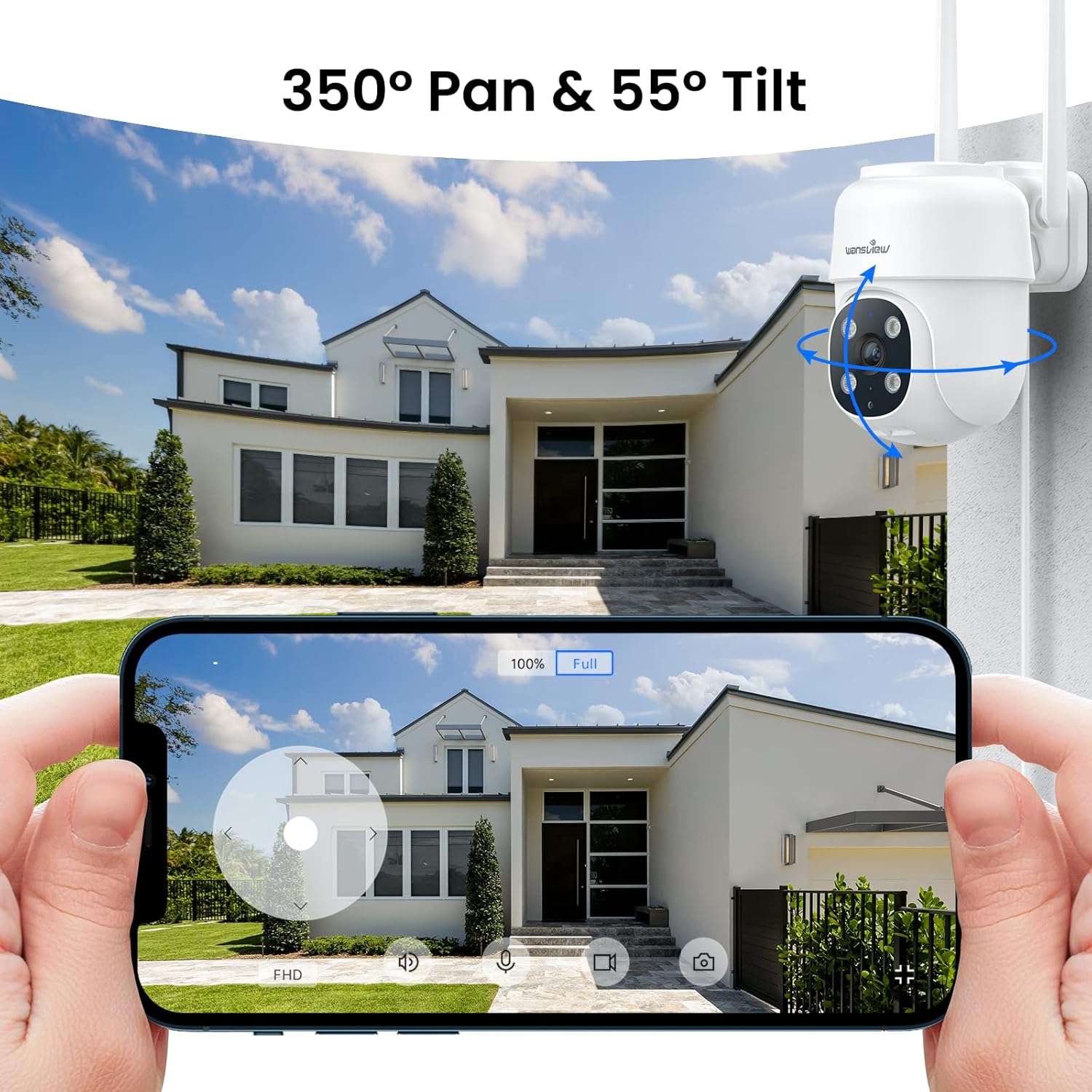
Figure 3.1: Remote pan and tilt control via the Wansview אפליקציית ענן.
3.2. שמע דו-כיווני
The camera features a built-in microphone and speaker, enabling two-way communication. Use the app to speak to visitors or deter unwanted guests from your property.
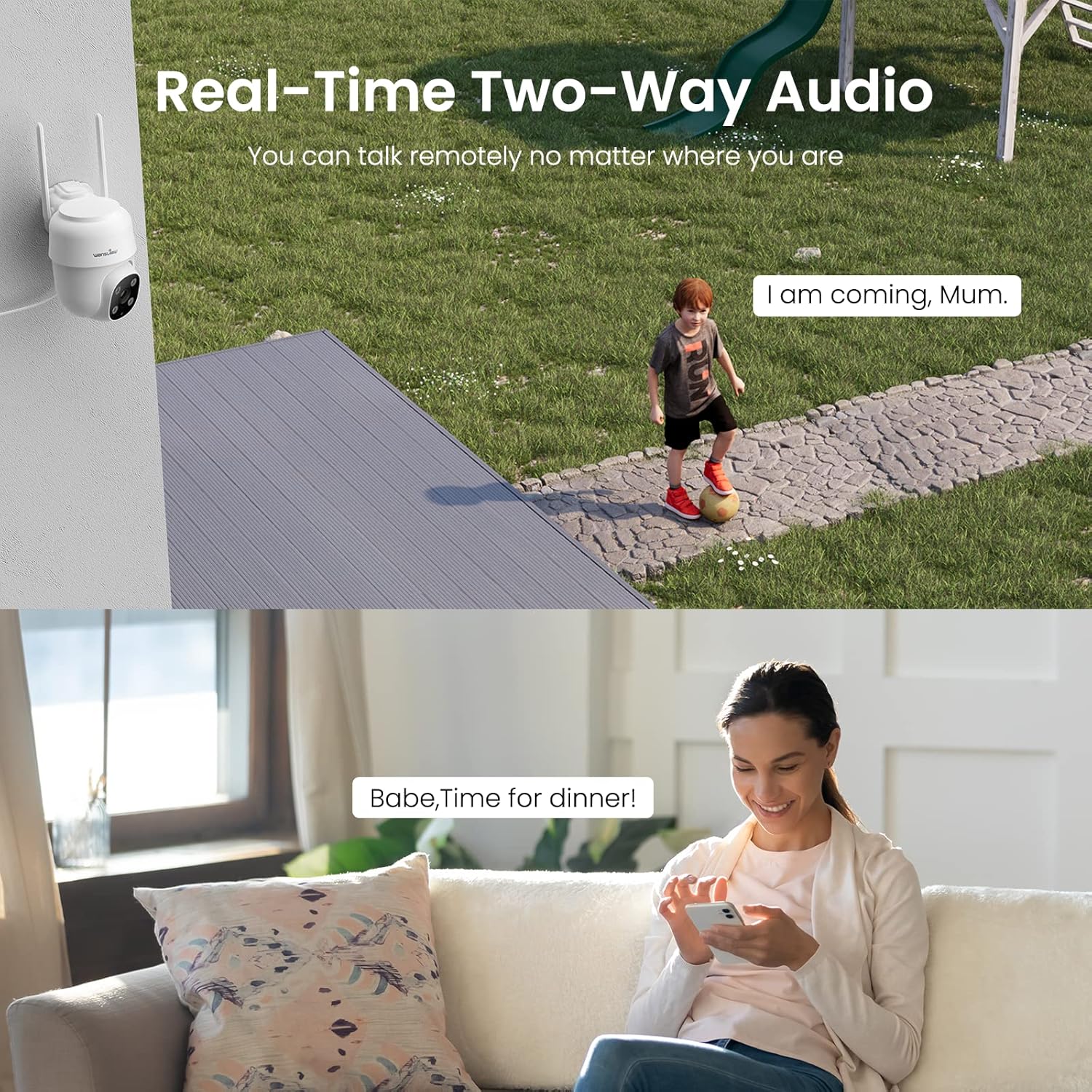
Figure 3.2: Demonstrating the real-time two-way audio functionality.
3.3. מצבי ראיית לילה
The W7 camera offers two night vision modes for clear visibility in low-light conditions:
- ראיית לילה אינפרא אדום: מספק תמונות שחור-לבן ברורות בחושך מוחלט.
- ראיית לילה בצבע מלא: Utilizes built-in white lights to display color images at night when activated.

Figure 3.3: Visual comparison of infrared and full-color night vision.
3.4. זיהוי תנועה והתראות
The camera's built-in sensor detects motion and can trigger real-time alerts to your phone. You can customize the motion detection sensitivity and define specific detection areas within the app to minimize false alarms.
- אזעקת אור: The camera's white light can be set to turn on automatically or manually upon motion detection.
- אזעקת סירנה: ניתן להפעיל סירנה קולית כדי להרתיע פולשים.
- הוֹדָעָה: Receive push notifications on your smartphone when motion is detected.
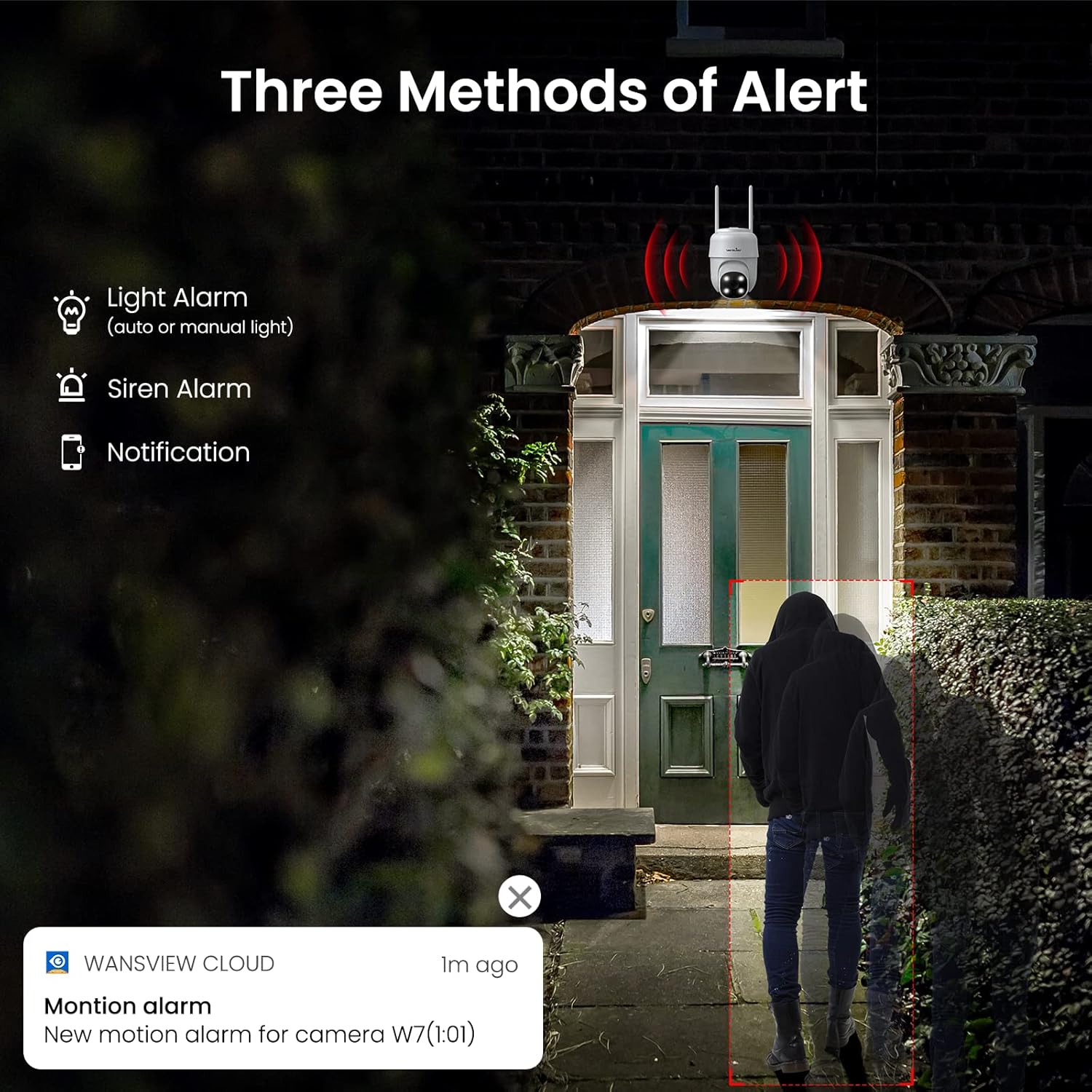
איור 3.4: מעלview of the three alert methods available.

Figure 3.5: Customizing the motion detection area for precise alerts.
3.5. הקלטה ואחסון
The W7 camera supports continuous 24/7 recording to ensure no important moments are missed. You have two primary storage options:
- אחסון כרטיס SD: הכנס כרטיס microSD (עד 128GB, לא כלול) למצלמה לאחסון מקומי של הקלטות.
- אחסון בענן: Optional cloud storage provides a secure backup for your video footage.
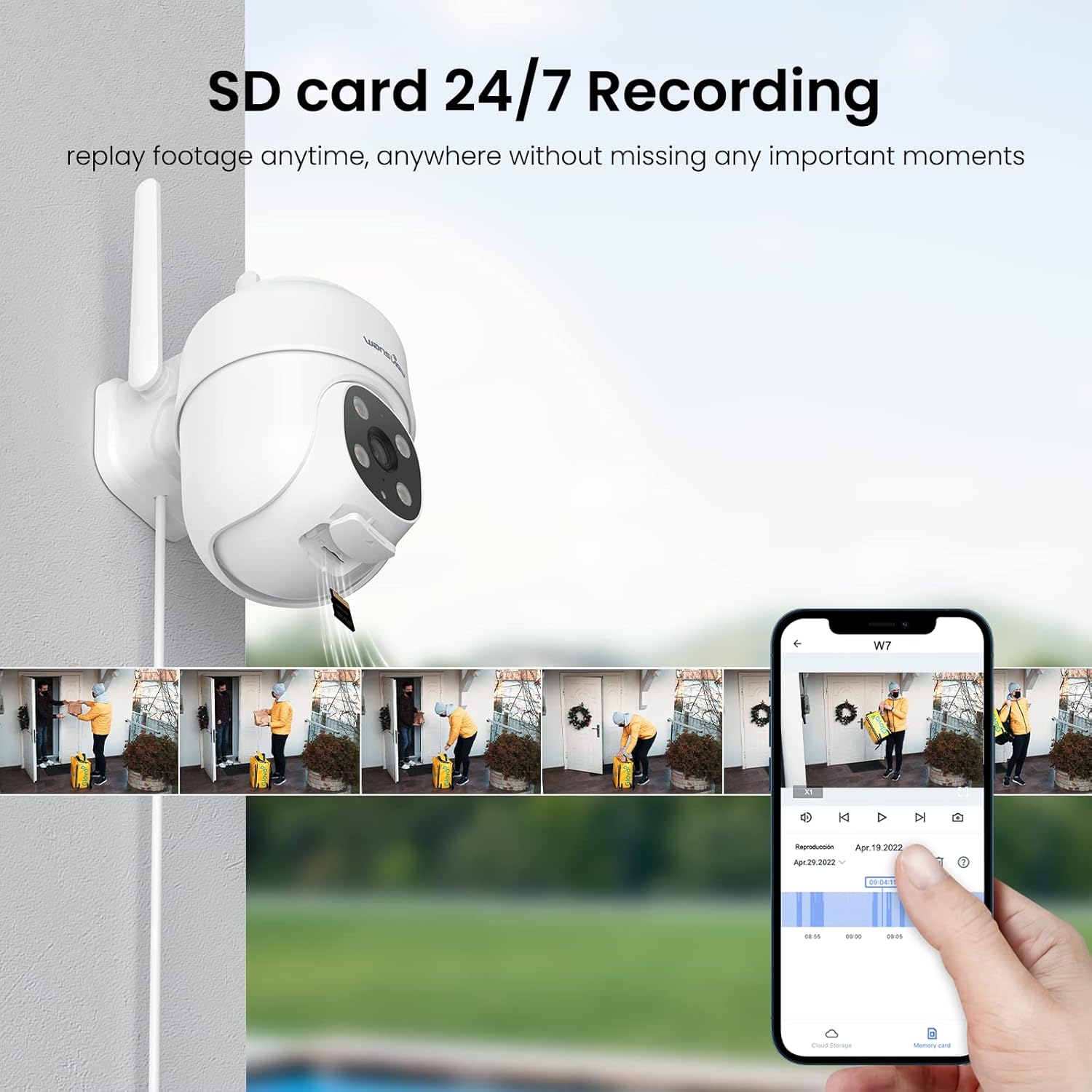
Figure 3.6: SD card storage and playback of recorded footage.
3.6. שילוב בית חכם
הוואניםview W7 camera is compatible with Amazon Alexa Echo Show and Google Home. You can use voice commands to view your camera's live feed on compatible smart displays.

Figure 3.7: Integrating the camera with smart home assistants like Alexa.
3.7. גישה מרובה משתמשים
You can share camera access with family members or trusted individuals through the Wansview Cloud app, allowing multiple users to view השידור החי וההקלטות בו זמנית.

Figure 3.8: Sharing camera access with family and friends.
4. תחזוקה
- ניקוי: Regularly clean the camera lens and body with a soft, dry cloth to ensure clear image quality. Avoid using harsh chemicals or abrasive materials.
- חיבור חשמל: Periodically check the power cord and plug for any signs of damage. Ensure the connection remains secure.
- אות Wi-Fi: Verify that the camera maintains a strong 2.4GHz Wi-Fi signal at its installed location for optimal performance. Consider a Wi-Fi extender if the signal is weak.
- עדכוני קושחה: Keep the Wansview Cloud app updated to the latest version, as this often includes firmware updates for the camera that improve performance and security.
- ניהול כרטיסי SD: If using an SD card for storage, periodically check its status in the app. Format the SD card as needed to maintain optimal recording performance.
5. פתרון תקלות
5.1. בעיות נפוצות ופתרונות
| בְּעָיָה | סיבה אפשרית | פִּתָרוֹן |
|---|---|---|
| Camera offline/Cannot connect | No power; Weak Wi-Fi signal; Incorrect Wi-Fi password; Router issues. | Check power connection. Ensure camera is within Wi-Fi range. Verify Wi-Fi password. Restart router and camera. |
| איכות וידאו ירודה | עדשה מלוכלכת; תאורה לא מספקת; בעיות רוחב פס של הרשת. | Clean the camera lens. Ensure adequate lighting for optimal 2K resolution. Check network speed. |
| Motion alerts are inaccurate/too frequent | Sensitivity too high; Detection area too broad. | Adjust motion detection sensitivity in the app (e.g., set to 'Normal'). Refine the detection area to focus on critical zones. |
| Night vision not clear/not activating | Obstruction in front of lens; Ambient light interference. | ודא שאין חפצים שחוסמים את המצלמה view. Minimize external light sources that might interfere with infrared sensors. |
| בעיות שמע דו-כיווני | מיקרופון/רמקול חסום; הרשאות אפליקציה; עיכוב רשת. | Check for obstructions around microphone/speaker. Ensure app has microphone permissions. Check network stability. |
| כרטיס SD לא מקליט | SD card full/corrupted; Incorrect format; Card not inserted properly. | Format the SD card via the app. Ensure the card is correctly inserted. Replace if corrupted. |
5.2. איפוס המצלמה
If issues persist, you can reset the camera to its factory settings through the Wansview Cloud app under device management. This can resolve many software-related problems.
6. מפרטים
| תכונה | פְּרָט |
|---|---|
| מספר דגם | W7 |
| רזולוציית וידאו | 2K (3 מגה פיקסל) |
| שימוש בפנים/חוץ | בָּחוּץ |
| מקור כוח | חשמל חוטי (5 וולט, 5 וואט) |
| קישוריות | 2.4GHz Wi-Fi |
| טווח פאן/הטיה | פאן 350°, הטיה של 55° |
| Viewזווית | 95 מעלות |
| ראיית לילה | Full-Color Night Vision, Infrared Night Vision (up to 10 meters) |
| דירוג עמיד למים | IP65 |
| טמפרטורת הפעלה | -10°C עד 50°C (14°F עד 122°F) |
| אפשרויות אחסון | כרטיס MicroSD (עד 128GB, לא כלול), אחסון בענן |
| מידות (L x W x H) | 4.5 x 3.44 x 4.8 אינץ' |
| משקל פריט | 13.3 אונקיות |
| רכיבים כלולים | Camera, USB cable, Plug, Installation guide, Mounting screws |
7. אחריות ותמיכה
For warranty information and technical support, please refer to the official wansview website or contact wansview customer service directly. Customer support can assist with setup, troubleshooting, and product inquiries.
לא היו סרטוני מוצר רשמיים זמינים להטמעה על סמך הנתונים שסופקו.


