1. הקדמה
This manual provides essential information for the proper use and maintenance of FLASHFORGE Chameleon PLA 3D Printer Filament. This filament is designed for FDM 3D printers and features a unique color-shifting effect, changing appearance with light and viewing angles. The material is Polylactic Acid (PLA), known for its ease of use and environmental considerations.
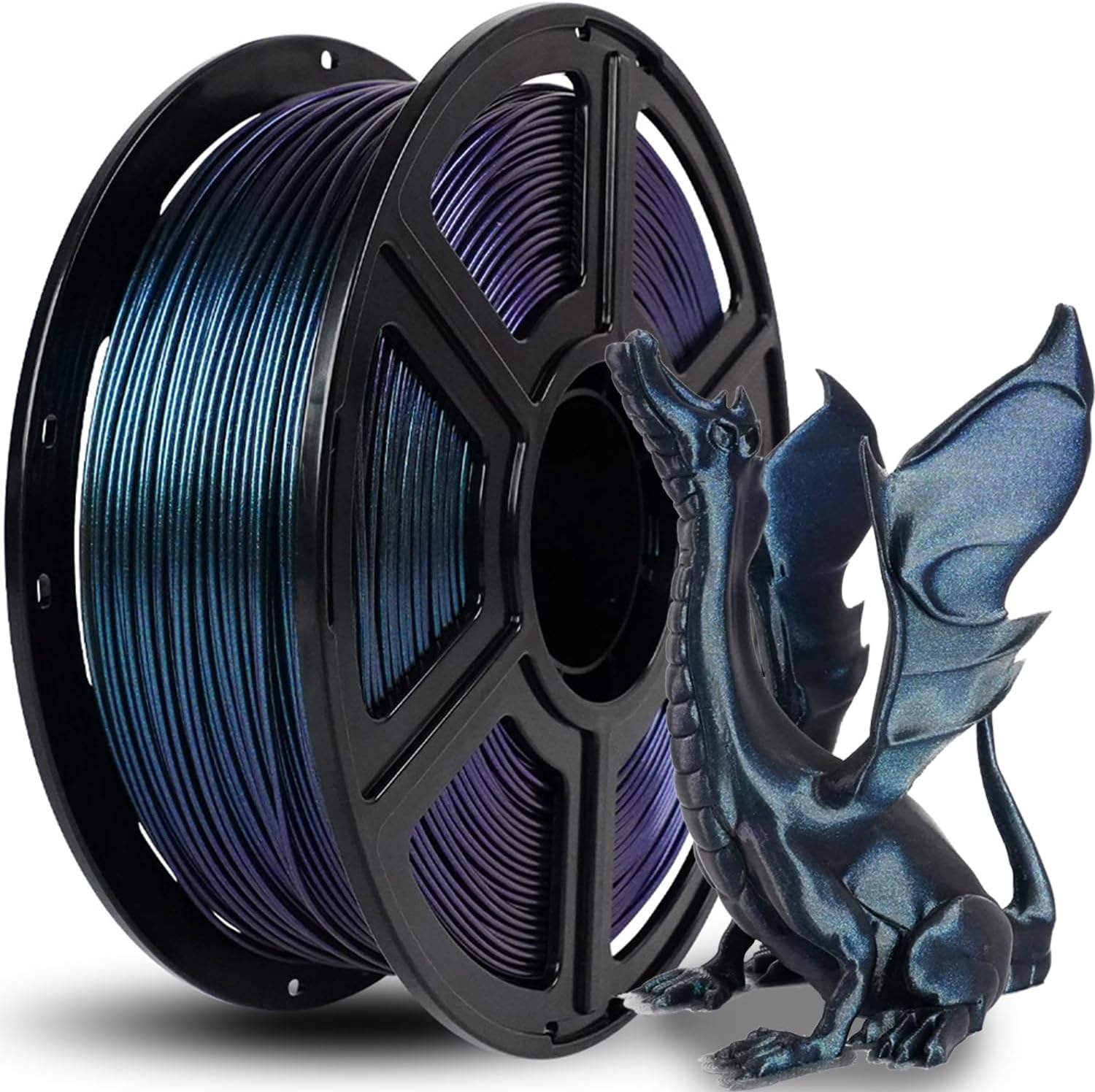
Image 1.1: A spool of Burnt Titanium Chameleon PLA filament alongside a finished 3D printed dragon model, showcasing the color-shifting effect.
2. תכונות מוצר
- Toughness PLA Filament: Offers enhanced ease of use, optimized printing quality, and minimal shrinkage. Provides improved toughness and stability for functional projects.
- Clog-Free & Bubble-Free: Manufactured using clog-resistant methods to ensure consistent and steady printing. Thoroughly dried for 24 hours before packaging and vacuum sealed with desiccant to protect against moisture.
- עיצוב נטול סבך: Features automatic winding with supplementary manual detection to ensure a tidy line and reduce tangles, preventing potential snagging and line breakage.
- תאימות רחבה: Offers enhanced flowability and is compatible with approximately 99% of FDM 3D printers available on the market.
- High Printing Performance: Designed for detailed printing, ensuring consistent color, dimensional accuracy, and minimizing issues such as warping, jamming, or layer delamination.
- ידידותי לסביבה: Derived from corn grain, this material is non-toxic and produces low odor, making it suitable for various environments.

Image 2.1: An array of FLASHFORGE Chameleon PLA filament spools and printed objects, highlighting the glossy finish and dynamic color properties.

Image 2.2: Illustration emphasizing the filament's eco-friendly and safe nature, being derived from corn grain.
3. התקנה והכנה
Proper handling and preparation of your filament are crucial for successful 3D printing results.
3.1 פריקה ואחסון
The filament is vacuum-sealed with a desiccant packet to protect it from moisture during transit and storage. Upon opening, it is recommended to store any unused filament in a dry, cool environment, preferably in its original vacuum-sealed bag or an airtight container with desiccant to maintain its quality.

תמונה 3.1: נגמרview of the filament's professional packaging, illustrating the desiccant, vacuum seal, and protective box.
4. הוראות הפעלה
This Chameleon PLA filament is compatible with most FDM 3D printers. The following parameters are recommended as a starting point for optimal printing performance. Adjustments may be necessary based on your specific printer model and environmental conditions.
4.1 פרמטרים מומלצים להדפסה
| פָּרָמֶטֶר | ערך מומלץ |
|---|---|
| קוטר נימה | 1.75 מ"מ |
| Dimensional Tolerance | ± 0.02 מ"מ |
| Printing Temperature | 190-220 מעלות צלזיוס |
| טמפרטורת חממה | 25-60 מעלות צלזיוס |
| מהירות הדפסה | 40-200 מ"מ/שנייה |
| Nozzle Dimension | ≥0.2 מ"מ |
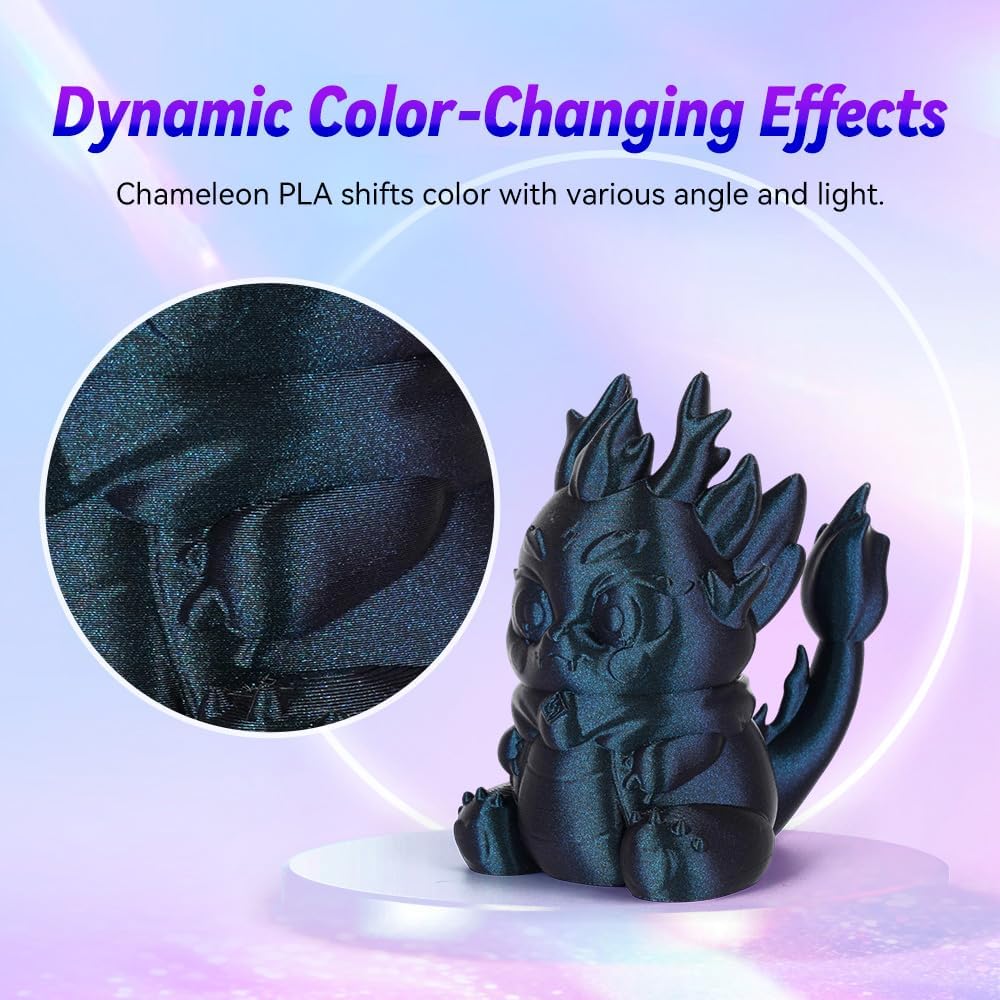
תמונה 4.1: תיאור מפורט view of a printed object demonstrating the filament's dynamic color-changing properties, with key printing parameters overlaid.

תמונה 4.2: א'ample print demonstrating the high quality achievable with this filament, including smooth surfaces and hidden layer lines.
4.2 תאימות
The FLASHFORGE Chameleon PLA filament is designed for broad compatibility with FDM 3D printers. Its enhanced flowability ensures smooth operation across various machine types.

Image 4.3: An illustration of various FLASHFORGE 3D printers, indicating the filament's wide compatibility.
5. תחזוקה
To ensure the longevity and performance of your filament, adhere to the following maintenance guidelines:
- אחסון נכון: Always store unused filament in a cool, dry place, ideally in an airtight container with desiccant to prevent moisture absorption. Moisture can lead to printing issues such as bubbling and poor adhesion.
- טפל בזהירות: Avoid bending or kinking the filament excessively, as this can cause weak points or breakage during printing.
- שמור על ניקיון: Ensure the filament path on your 3D printer is free from dust and debris to prevent clogs.
6. פתרון תקלות
The FLASHFORGE Chameleon PLA filament is designed to minimize common printing issues. However, if you encounter problems, consider the following:
- סתימה: This filament is manufactured using clog-resistant methods. If clogging occurs, verify that your printing temperature is within the recommended range (190-220°C) and that your nozzle is clear.
- בועות: The filament is thoroughly dried and vacuum-sealed to prevent bubbles. If bubbles appear in your print, it may indicate moisture absorption. Re-dry the filament if possible, or ensure proper storage.
- Warping or Poor Adhesion: This filament is designed to prevent warping. Ensure your hotbed temperature is set correctly (25-60°C) and that your print surface is clean and properly leveled. Using an adhesive (e.g., glue stick) on the print bed can also improve adhesion.
- Tangles or Line Breakage: The filament features automatic winding to reduce tangles. If tangles occur, inspect the spool for any improper winding or external obstructions. Ensure the filament feeds smoothly into the printer.
- Inconsistent Extrusion: Verify that the printing speed is within the recommended range (40-200 mm/s) and that the extruder gear is clean and gripping the filament properly.

Image 6.1: Visual representation of the filament's reliable print performance, highlighting smooth extrusion and absence of common print defects.
7. מפרטים
| מִפרָט | פְּרָט |
|---|---|
| מותג | פלאשפורג ' |
| מספר דגם | FF-Pro |
| חוֹמֶר | חומצה פולילקטית (PLA) |
| צֶבַע | Burnt Titanium |
| קוטר נימה | 1.75 מ"מ |
| דיוק ממדי | ± 0.02 מ"מ |
| משקל פריט | קילוגרם אחד (2.2 פאונד) |
| מידות חבילה | 8.43 x 8.31 x 2.91 אינץ' |
| יַצרָן | Zhejiang Flashforge 3D Technology Co., Ltd |
| תאריך ראשון זמין | 21 בפברואר 2023 |
8. אחריות ותמיכה
FLASHFORGE is committed to providing quality products and customer satisfaction.
- אַחֲרָיוּת: All FLASHFORGE 3D printer filaments are provided with a two-month warranty from the date of purchase.
- אחריות להחזר כספי: A 30-day money-back guarantee is offered if you are not satisfied with the product.
- שֵׁירוּת לָקוֹחוֹת: 24-hour online customer service is available to assist with any product-related questions or issues. Please feel free to contact us for support.
למידע נוסף או לבחינת מוצרים נוספים, בקרו באתר הרשמי FLASHFORGE Store.


