1. המוצר נגמרview
This manual provides instructions for the XTOOL OBD2 Main Test Cable, designed for connecting XTOOL diagnostic scanners to vehicles. This cable facilitates communication between your scanner and the vehicle's On-Board Diagnostics (OBD2) system, enabling diagnostic functions.
The cable features a VGA (DB15) connector for the scanner side and a standard OBD2-16 pin connector for the vehicle side. It is constructed from durable, braided materials to ensure longevity and reliable performance.
2. תכונות עיקריות
- תאימות אוניברסלית: Designed for use with various XTOOL scanners including IP508, IP508S, IP608, IP616, IP819, D7, and D7S. It is also compatible with other scanners utilizing the same VGA (DB15) interface.
- בנייה עמידה: Made with premium nylon braided material, offering resistance to wear and tear for extended service life.
- חיבור מאובטח: Features a 16V rated male-to-male connection, ensuring stable and safe diagnostic operations.
- אורך אופטימלי: Approximately 60 inches (152 cm) in length, providing flexibility during use.
- עיצוב משולב: This is a single-piece cable, eliminating the need for additional connectors.
3. התקנה והתקנה
- אתר את יציאת ה-OBD2: Identify the OBD2 diagnostic port in your vehicle. This port is typically located under the dashboard on the driver's side, but its exact position may vary by vehicle model. Refer to your vehicle's owner's manual if needed.
- התחבר לרכב: Plug the OBD2-16 pin connector end of the XTOOL Main Test Cable into the vehicle's OBD2 port. Ensure a firm and secure connection.
- חיבור לסורק: Plug the VGA (DB15) connector end of the cable into the corresponding port on your XTOOL diagnostic scanner. Tighten any screws on the VGA connector if present to secure the connection.
Once both ends are securely connected, the cable is ready for use with your diagnostic scanner.

Image: Connection diagram for the XTOOL OBD2 Main Test Cable, illustrating the VGA connector for the scanner and the OBD2-16 pin connector for the vehicle.

Image: The XTOOL OBD2 Replacement Cable shown connected to a diagnostic device, highlighting its direct use as an integral part without needing another connector. Compatible XTOOL scanner models (IP508, IP508S, IP608, IP616, IP819, D7) are displayed.
4. הוראות הפעלה
The XTOOL OBD2 Main Test Cable acts as a conduit for data transfer between your vehicle and the diagnostic scanner. Its operation is integrated with your specific XTOOL scanner model.
- הפעלת הסורק: After connecting the cable to both the vehicle and the scanner, power on your XTOOL diagnostic scanner. The scanner typically draws power directly from the vehicle's OBD2 port.
- Initiate Diagnostics: Follow the instructions on your XTOOL scanner's interface to select the desired diagnostic functions (e.g., read fault codes, view live data, perform special functions).
- העברת נתונים: The cable will facilitate the secure and stable transfer of diagnostic data between the vehicle's ECU and your scanner.
For detailed operational procedures specific to your diagnostic tasks, refer to the user manual of your XTOOL scanner.
וידאו: אוברview of the XTOOL OBD2 Scanner Cable, demonstrating its features and compatibility with various XTOOL diagnostic tools. This video provides visual guidance on the cable's design and intended use.
5. תחזוקה
- אִחסוּן: Store the cable in a clean, dry place away from direct sunlight and extreme temperatures. Avoid kinking or tightly coiling the cable to prevent internal wire damage.
- ניקוי: Wipe the cable and connectors with a soft, dry cloth. Do not use harsh chemicals or abrasive cleaners, as these can damage the cable's insulation or connectors.
- בְּדִיקָה: Periodically inspect the cable for any signs of wear, cuts, or damage to the connectors. If any damage is observed, discontinue use and replace the cable to ensure safe and reliable operation.
- טיפול: Always grasp the connector ends when plugging or unplugging the cable. Avoid pulling directly on the cable itself, as this can strain the connections and lead to damage.
6. פתרון תקלות
If you encounter issues while using the XTOOL OBD2 Main Test Cable, consider the following:
- אין תקשורת:
- Ensure both the OBD2 and VGA connectors are securely plugged into the vehicle and scanner, respectively.
- Verify that the vehicle's ignition is on (or engine running, as required by your scanner/diagnostic task).
- Check your XTOOL scanner's settings to ensure it is configured correctly for the vehicle type.
- Inspect the cable for visible damage. A damaged cable may prevent communication.
- חיבור לסירוגין:
- Ensure the VGA connector screws (if present) are tightened to prevent accidental disconnection.
- Avoid excessive movement or strain on the cable during diagnostic procedures.
- הסורק לא מופעל:
- Confirm the vehicle's OBD2 port is supplying power. Some vehicles may require the ignition to be in the 'ON' position.
- Check the vehicle's fuse for the OBD2 port if the scanner does not receive power.
If troubleshooting steps do not resolve the issue, contact XTOOL customer support for further assistance.
7. מפרטים
| תכונה | פְּרָט |
|---|---|
| שם הדגם | XD-OBD2CABLE |
| מותג | XTOOL |
| סוג מחבר | DB15 (VGA) to OBD2-16 Pin |
| סוג כבל | OBD2 Main Test Cable |
| מכשירים תואמים | XTOOL IP508, IP508S, IP608, IP616, IP819, D7, D7S, and other compatible scanners |
| תכונה מיוחדת | Braided outer material |
| צֶבַע | Black (cable), Red (connectors) |
| מחבר מגדר | זכר לזכר |
| צוּרָה | עִגוּל |
| מספר סיכות | 16 (OBD2 side) |
| מקסימום כרךtage | 16 וולט |
| חומר חיצוני | Nylon or Steel (braided) |
| משקל פריט | 7.8 אונקיות |
| מידות חבילה | 8.74 x 6.38 x 2.09 אינץ' |
| שימוש בפנים/חוץ | פנימי, חיצוני |
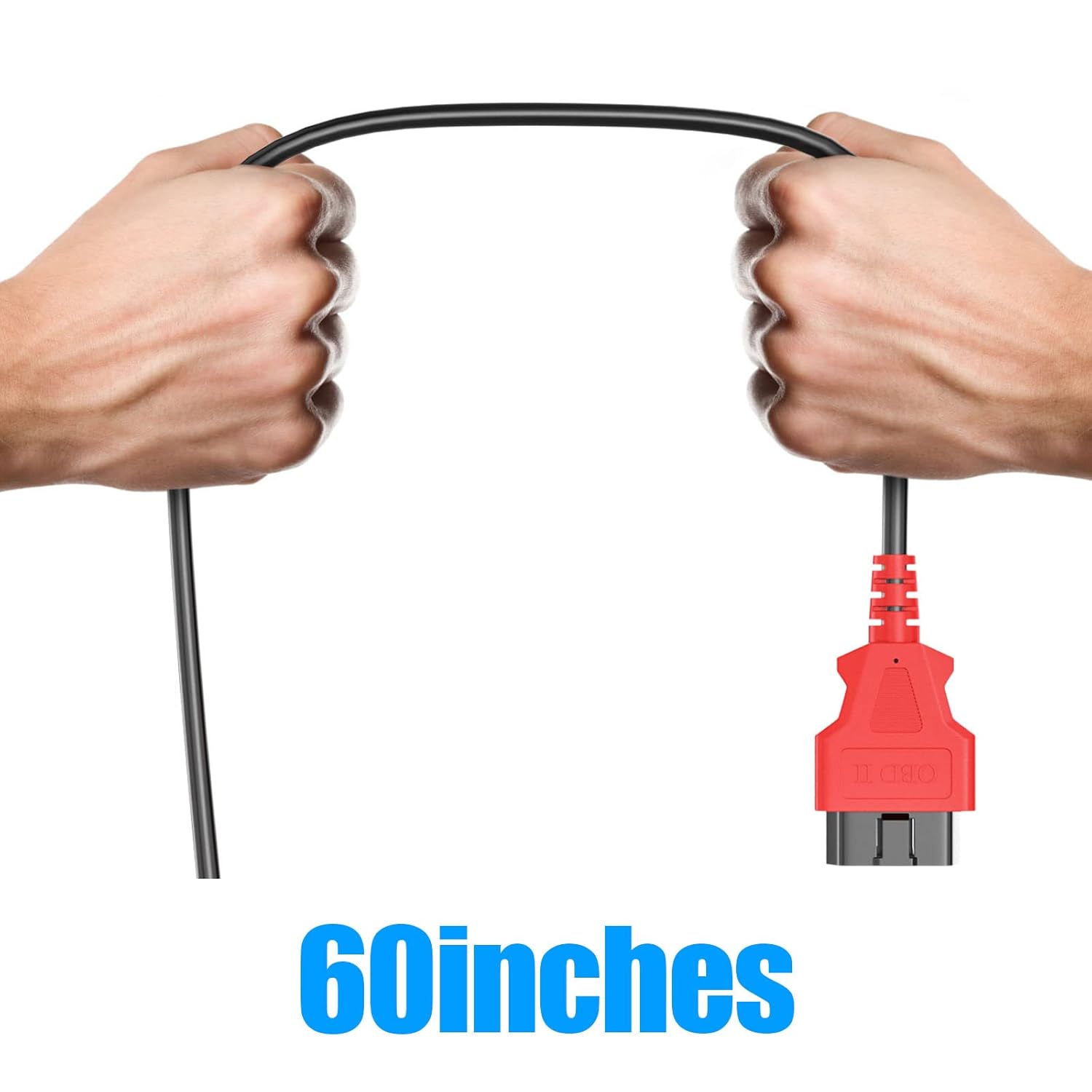
Image: The XTOOL OBD2 Main Test Cable, approximately 60 inches long, held by hands to illustrate its flexible and durable design.
8. אחריות ותמיכה
For information regarding product warranty, returns, or technical support, please refer to the official XTOOL website or contact your authorized XTOOL dealer. Keep your purchase receipt as proof of purchase for any warranty claims.
XTOOL is committed to providing reliable products and customer service. If you experience any issues not covered in this manual, please reach out to their support team for expert assistance.


