מָבוֹא
This user manual provides comprehensive instructions for the Samsers Foldable Bluetooth Keyboard, Model Samsers-001. It covers setup, operation, maintenance, and troubleshooting to ensure optimal performance and longevity of your device. This ultra-slim, full-size keyboard is designed for portability and multi-device connectivity, supporting up to three devices simultaneously with Bluetooth 5.1 technology.
מה יש בקופסה
- 1 x מקלדת Bluetooth מתקפלת
- 1 x Adjustable Stand Holder
- כבל USB (לטעינה)
- 1 x Anti-slip Silicone (set)
- מדריך למשתמש

Image: Contents of the product packaging, showing the folded keyboard, adjustable stand, USB cable, anti-slip silicone pads, and the user manual.
המוצר נגמרview

Image: The Samsers Foldable Bluetooth Keyboard, presented in its compact folded state and fully unfolded, alongside a smartphone positioned on the included adjustable stand. This illustrates the keyboard's portability and readiness for use with mobile devices.
עיצוב וניידות
The Samsers Foldable Bluetooth Keyboard features an ultra-slim design, measuring only 0.51 inches thick when folded, making it highly portable. Its lightweight aluminum housing ensures durability while maintaining a sleek, modern aesthetic. The standard-size key layout provides a comfortable and familiar typing experience, similar to a full-sized desktop keyboard.

Image: A hand demonstrating the compact size of the folded keyboard by placing it into a back pocket, highlighting its portability.

Image: The keyboard connected to a smartphone and a tablet, illustrating its multi-device connectivity feature, allowing seamless switching between up to three Bluetooth 5.1 devices.
קישוריות מרובת מכשירים
Equipped with the latest Bluetooth 5.1 technology, this keyboard supports simultaneous connection to up to three devices. Users can seamlessly switch between connected devices without delay, enabling efficient workflow across different platforms such as smartphones, tablets, and laptops.

תמונה: תקריב view highlighting the included foldable stand, which offers 6 adjustable screen views, and the optional anti-slip silicone feet for enhanced stability.
Adjustable Stand and Stability
The keyboard comes with an adjustable stand holder, providing six different viewing angles for your smartphone or tablet. Additionally, a set of anti-slip silicone feet is included, which can be optionally installed to enhance the keyboard's stability on various surfaces.
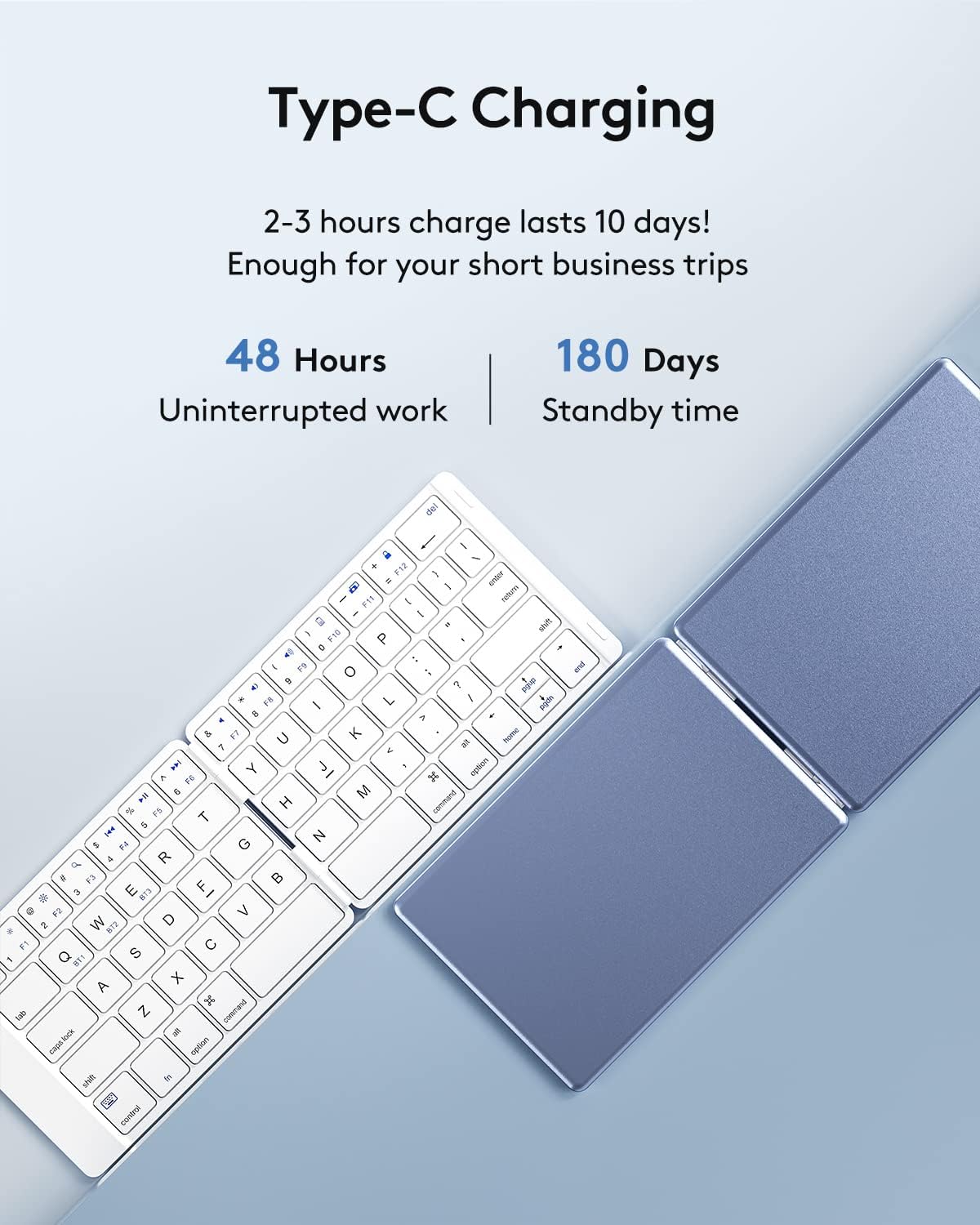
Image: The keyboard connected to a USB-C charging cable, with details on its battery life: 48 hours of continuous use and 180 days of standby time on a single charge.
כוח וטעינה
The keyboard is powered by a built-in lithium battery, rechargeable via a USB-C cable. A full charge, typically taking 2-3 hours, provides approximately 48 hours of continuous operation or up to 180 days of standby time, suitable for extended use during travel or business trips.
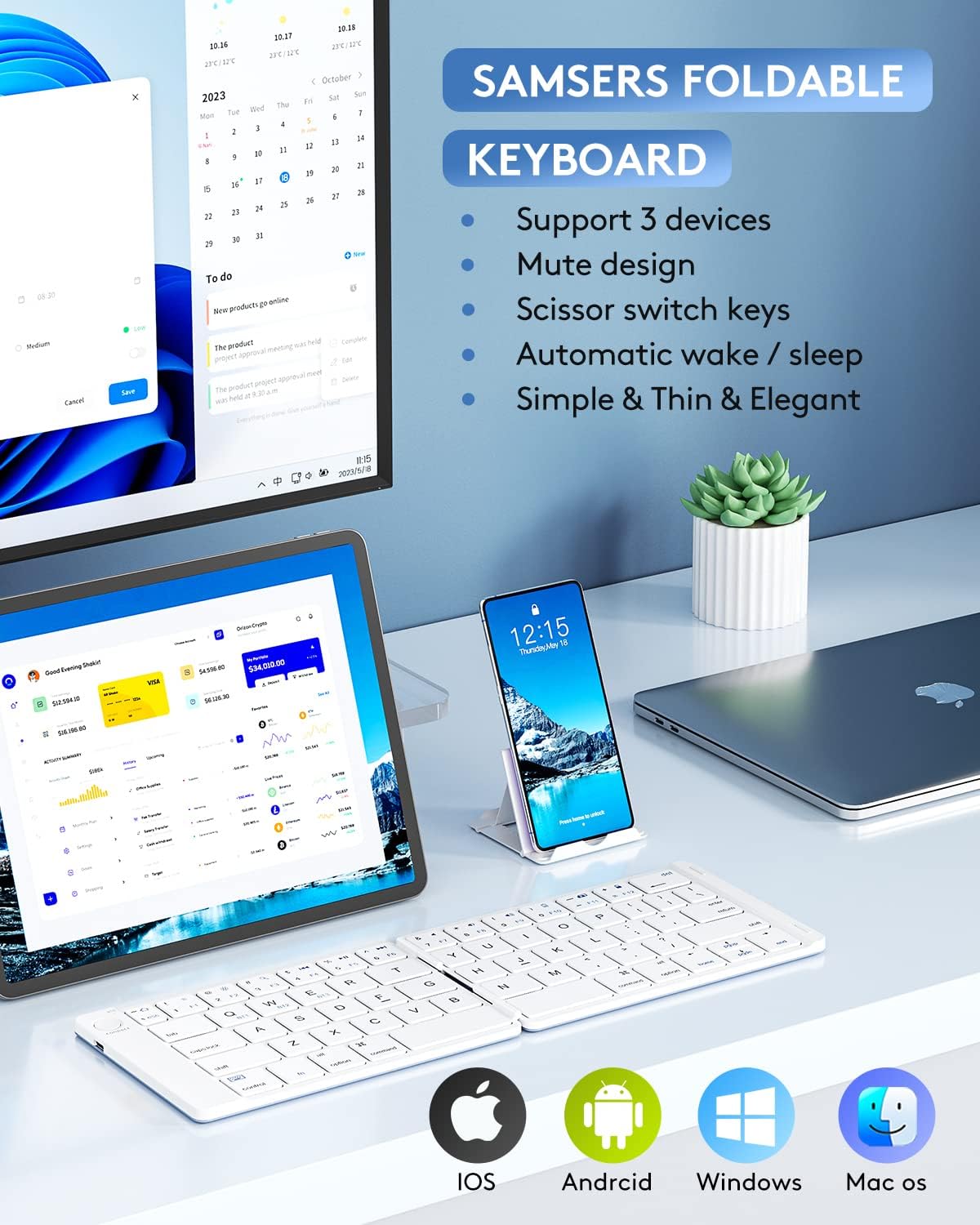
Image: The keyboard set up with various devices, displaying compatibility icons for iOS, Android, Windows, and Mac OS, indicating broad system support.
תאימות מערכת
The Samsers keyboard offers broad compatibility, working seamlessly with a variety of operating systems including iOS, Android, Windows, and Mac OS. It maintains a stable connection and provides fast response within a 10-meter operating range.
מדריך התקנה
1. טעינת המקלדת
Before first use, fully charge the keyboard. Connect the provided USB-C cable to the charging port on the keyboard and the other end to a USB power source (e.g., computer USB port, wall adapter). The charging indicator light will illuminate during charging and turn off when fully charged.
2. הפעלה / כיבוי
The keyboard features an automatic on/off function. Simply unfold the keyboard to power it on, and fold it to power it off. The keyboard will automatically reconnect to the last paired device when unfolded.
3. זיווג Bluetooth
- פתחו את המקלדת כדי להפעיל אותה.
- הקש על "לְחַבֵּר" button located on the keyboard. The Bluetooth indicator light will start blinking, indicating it's in pairing mode.
- במכשיר שלך (סמארטפון, טאבלט, מחשב נייד), עבור אל הגדרות Bluetooth והפעל את Bluetooth.
- חפש available devices. The keyboard will appear as "Samsers Keyboard" או דומה.
- Select the keyboard from the list to pair. Once paired, the Bluetooth indicator light will stop blinking.
4. Pairing Multiple Devices (BT1, BT2, BT3)
This keyboard supports connecting to up to three devices. To pair additional devices:
- After pairing the first device (e.g., to BT1), press Fn + Q (עבור BT1), Fn + W (עבור BT2), או Fn + E (for BT3) to select the desired channel.
- הקש על "לְחַבֵּר" button again to put the keyboard into pairing mode for that specific channel.
- Repeat steps 3-5 from the "Bluetooth Pairing" section for your second or third device.
Image: Visual representation of the keyboard's ability to switch between three paired devices using dedicated Bluetooth channels.
הוראות הפעלה
מעבר בין מכשירים
To switch between your paired devices, simply press the corresponding function key combination:
- Fn + Q: Switch to Device 1 (BT1)
- Fn + W: Switch to Device 2 (BT2)
- Fn + E: Switch to Device 3 (BT3)
מקשי פונקציה
The keyboard includes various function keys (F1-F12) that can be accessed by pressing the Fn key in combination with the desired function key. These keys provide shortcuts for media control, volume adjustment, and other system functions, depending on your operating system.
| שילוב מפתחות | פוּנקצִיָה |
|---|---|
| Fn + F1 | Home Screen (iOS/Android) / Esc (Windows) |
| Fn + F2 | חיפוש |
| Fn + F3 | בחר הכל |
| Fn + F4 | המסלול הקודם |
| Fn + F5 | הפעל/השהה |
| Fn + F6 | המסלול הבא |
| Fn + F7 | השתקת עוצמת הקול |
| Fn + F8 | הורדת עוצמת הקול |
| Fn + F9 | הגברת עוצמת הקול |
| Fn + F10 | מסך נעילה |
| Fn + F11 | בהירות למטה |
| Fn + F12 | בהירות למעלה |
Note: Some function key behaviors may vary slightly depending on the operating system of your connected device.
תַחזוּקָה
- ניקוי: השתמשו במטלית רכה ויבשה כדי לנגב את משטח המקלדת. במקרה של לכלוך עיקש, נגבו מעטampשטפו את המטלית במים או בחומר ניקוי עדין ולא שוחק. הימנעו מלחות מוגזמת.
- אִחסוּן: When not in use, fold the keyboard to protect the keys and conserve battery life. Store in a cool, dry place away from direct sunlight and extreme temperatures.
- טיפול בסוללה: כדי להאריך את חיי הסוללה, הימנעו מפריקה מלאה של המקלדת לעתים קרובות. טען אותה באופן קבוע, גם אם אינך בשימוש רציף.
- טיפול: Avoid dropping the keyboard or subjecting it to strong impacts, as this can damage internal components or the aluminum casing.
פתרון בעיות
המקלדת לא מתחברת/מתאימה
- בדוק את הסוללה: Ensure the keyboard is sufficiently charged. Connect it to a power source and try again.
- Re-enable Bluetooth: כבה ולאחר מכן הפעל את Bluetooth במכשיר שלך.
- שכח מכשיר: If previously paired, remove or "forget" the keyboard from your device's Bluetooth settings and attempt to pair again.
- הפעל מחדש מכשירים: Restart both the keyboard (by folding and unfolding) and your device.
- קִרבָה: ודא שהמקלדת נמצאת בטווח פעולה של 10 מטרים מהמכשיר שלך.
- הַפרָעָה: התרחק מהתקנים אלחוטיים אחרים שעלולים לגרום להפרעות.
Keys Not Responding or Mislabeled
- Re-pair Keyboard: Sometimes re-pairing the keyboard can resolve key mapping issues.
- Check OS Settings: Verify your device's keyboard language and layout settings match a standard QWERTY layout.
- עדכון קושחה: Check the Samsers official website for any available firmware updates for your keyboard model.
- צור קשר עם התמיכה: If specific keys remain unresponsive after troubleshooting, contact customer support for further assistance.
חיי סוללה קצרים
- טעינה מלאה: ודא שהמקלדת טעונה במלואה לפני השימוש.
- דפוסי שימוש: Heavy, continuous use will deplete the battery faster than intermittent use.
- כבל/מתאם טעינה: Try a different USB-C cable and power adapter to rule out faulty charging accessories.
מפרטים
| תכונה | פְּרָט |
|---|---|
| מספר דגם | Samsers-001 |
| מידות המוצר (מקופל) | אורך 3.89 אינץ', רוחב 5.78 אינץ', גובה 0.51 אינץ' |
| משקל פריט | 6.8 אונקיות |
| טכנולוגיית קישוריות | Bluetooth 5.1 (supports 3 devices) |
| תיאור מקלדת | Wireless, Foldable |
| מספר מפתחות | 64 |
| סוג סוללה | סוללת ליתיום יון אחת (כלול) |
| יציאת טעינה | USB-C |
| זמן פעולה מתמשך | עד 48 שעות |
| זמן המתנה | עד 180 ימים |
| מכשירים תואמים | Laptop, PC, Smartphone, Tablet (OS, iOS, Android, Windows) |
| תכונות מיוחדות | Aluminum Housing, Foldable, Lightweight, USB-C Charging, Scissor Switch Keys, Silent Key Design |
אחריות ותמיכה
Samsers provides the following support for your product:
- 30-Day Free Return Policy: For initial satisfaction.
- 1 שנות אחריות: מכסה פגמי ייצור ותקלות בשימוש רגיל.
- תמיכת לקוחות לכל החיים: Dedicated assistance for any product-related inquiries or issues.
For support, please refer to the contact information provided in the physical user manual or visit the official Samsers webאֲתַר.
סרטון מוצר רשמי
Video: An official product video from Samsers showcasing the features and portability of the Foldable Bluetooth Keyboard, including its scissor switch keys, silent design, ultra-slim profile, and multi-device switching capabilities. The video demonstrates how the keyboard can be used for working anywhere and recording inspiration.